
The best Inertial Drift starting build for beginners is a stability-first setup: pick the most predictable rear-wheel-drive car available, keep steering sensitivity moderate, use the right stick for small drift corrections, and spend your first sessions mastering throttle control rather than chasing maximum angle. Inertial Drift doesn’t use RPG-style skills, loot, or a traditional parts-based build system. Your “build” is the combination of car choice, control settings, driving technique, and upgrade priorities. Get those four pieces right and the game’s famously tricky twin-stick handling starts to feel precise instead of random.
That distinction matters. A faster car won’t fix late braking, and a high-angle drift won’t automatically produce a good score. Inertial Drift rewards momentum, clean transitions, and staying close to the ideal racing line. The beginner-friendly plan below is designed to give you enough stability to learn those fundamentals without turning every corner into a spin.
If you’re coming from a conventional racing game, Inertial Drift will feel unusual immediately. The left stick steers the car, while the right stick directly influences the rear-end slide. That second input is the heart of the game. You aren’t simply pressing a drift button and waiting for an animation; you’re constantly balancing steering, throttle, and drift angle.
Build the Right Foundation Before You Tune Anything

The first mistake new drivers make is treating every car as interchangeable. They aren’t. Inertial Drift’s roster contains 16 cars, and each one has a distinct balance of acceleration, grip, rotation, stability, and drift behavior. Some cars are easy to place but struggle to rotate. Others look spectacular when sideways but punish even a small throttle mistake.
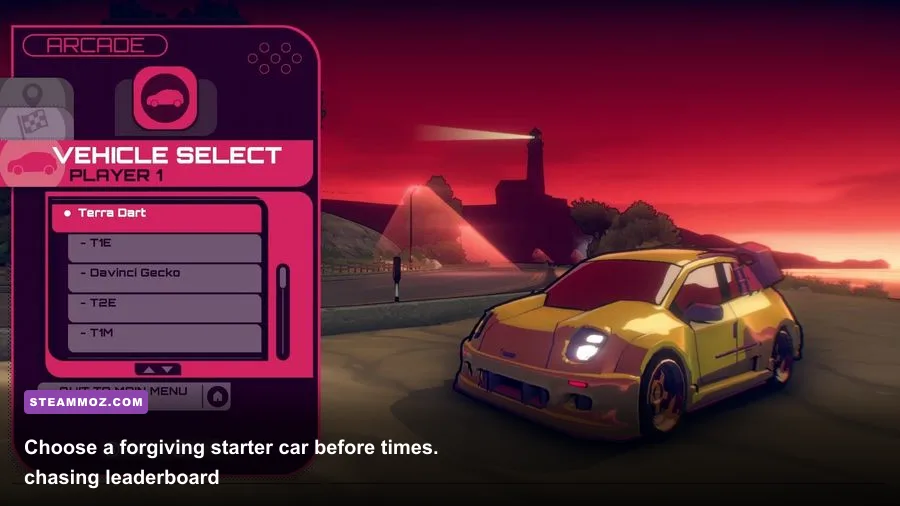
For your first serious practice sessions, choose the car that feels calm during a transition. A forgiving car should recover when you lift off the throttle, hold a predictable line at medium angle, and avoid snapping into a spin when you move the right stick. Don’t select a car just because its top speed appears attractive. Beginners spend far more time losing speed in corrections than they do benefiting from a faster maximum velocity.
| Build Element | Beginner Recommendation | Why It Works | What to Avoid |
|---|---|---|---|
| Car type | Stable, balanced rear-wheel-drive car | Predictable rotation gives you time to correct mistakes | Highly aggressive, low-grip car |
| Steering sensitivity | Moderate, close to the default setting | Prevents twitchy line changes | Maximum sensitivity |
| Drift input | Small right-stick movements | Maintains angle without over-rotating | Holding the stick fully sideways |
| Transmission | Automatic while learning | Lets you focus on line, brake, and throttle | Manual before cornering is consistent |
| Practice goal | Complete five clean laps | Builds repeatable muscle memory | Chasing a single lucky score |
Keep the default car settings for your first few runs. If the game offers multiple control layouts, use the twin-stick configuration rather than trying to map drifting to a single face button. The right stick gives you much finer control over angle, especially when you need to reduce the slide without completely ending it.
Start with automatic transmission. Manual shifting can become useful later because it gives you more control over engine braking and corner exits, but it adds another timing problem while you’re still learning the game’s unusual steering model. Your first objective is not theoretical maximum performance. It’s making the same corner correctly ten times in a row.
Your first upgrade priority
If your chosen mode or progression path allows vehicle upgrades, prioritize predictable handling and acceleration out of corners before chasing top speed. A car that reaches the next bend quickly but arrives unstable is harder to drive than a slightly slower car that puts its power down cleanly.
There’s no universal “best” car for every track. Tight technical routes favor rotation and control, while faster sections reward stability and exit speed. That’s why you should test a car in Practice before committing to it in Story or Grand Prix events. The official Steam page for Inertial Drift is also useful for checking the game’s current feature set and supported control options.

🎮 Inertial Drift
Looking to experience this game? Grab your digital key directly on our store for $4.99.
View on Steammoz Store →Use This Simple Cornering Rotation
The most reliable beginner rotation is brake, turn, initiate, balance, and unwind. It sounds simple, but the order is crucial. New players often use the right stick too early, then keep adding angle because the car hasn’t rotated yet. By the time the rear steps out, there’s too much momentum and not enough road.
Step 1: Brake in a straight line
Approach the corner with the car settled. Brake before turning rather than combining maximum braking with a sudden steering input. Inertial Drift’s narrow mountain roads leave little room for a messy entry, and a stable front end makes the later slide much easier to control.
Step 2: Turn toward the apex
Use the left stick to point the nose toward the inside of the corner. Don’t immediately pull the right stick to its maximum position. Give the car a moment to load its suspension and begin rotating. If the car refuses to turn, you entered too quickly or released too much throttle too late.
Step 3: Initiate with a controlled right-stick input
Tap or gently hold the right stick in the direction that makes the rear rotate. The ideal input is smaller than most beginners expect. Think of the right stick as a balance control, not an on/off switch. More stick means more angle, but it also creates more speed loss and a higher chance of spinning.
Step 4: Balance with throttle
Use partial throttle to keep the car moving through the corner. Full throttle can widen the line or overwhelm the rear tires; no throttle can make the car straighten or lose momentum. A useful beginner rhythm is short throttle bursts through the middle of the corner, followed by a smoother squeeze as the exit opens.
Step 5: Unwind before the exit
As the car points toward the road ahead, ease the right stick back toward neutral and let the left stick straighten. Don’t wait until the final meter. A clean exit begins before the apex is fully behind you. If the rear is still sliding heavily when you reach the exit, you carried too much angle or stayed on throttle too aggressively.
| Corner Problem | Likely Cause | Immediate Fix | Long-Term Adjustment |
|---|---|---|---|
| Front pushes wide | Too much entry speed | Brake earlier and reduce throttle | Use a later turn-in point |
| Car spins on initiation | Too much right-stick input | Release the stick and straighten slightly | Use a shorter initiation tap |
| Drift dies mid-corner | Throttle fully released | Add a small throttle input | Practice partial-throttle control |
| Exit runs wide | Too much angle or throttle | Reduce angle before accelerating | Start unwinding earlier |
| Car feels twitchy | Overcorrecting with both sticks | Make one input at a time | Lower sensitivity toward default |
Practice this rotation on the easiest available route before moving to technical mountain sections. Run five laps without restarting after a mistake. Restarting teaches you to repeat the opening corner; finishing teaches you how to recover, which is much more valuable in a real event.
Turn Control Settings Into Part of the Build
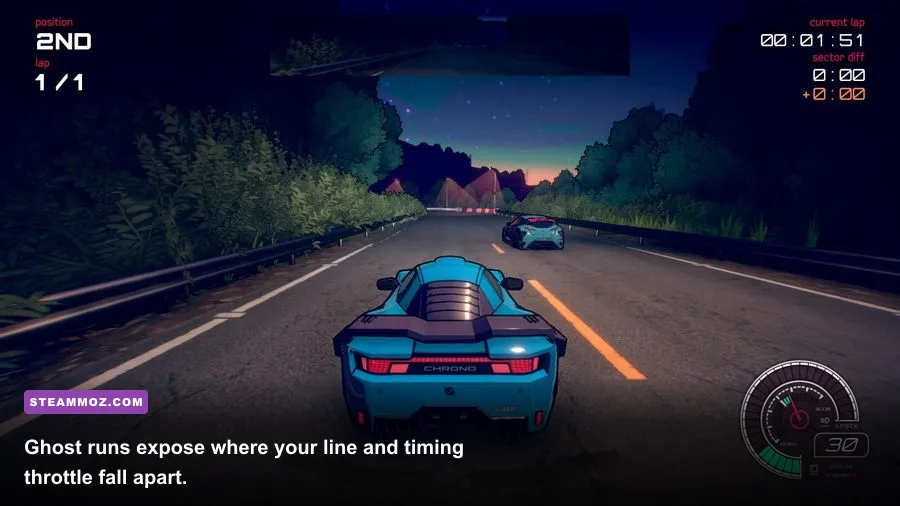
Inertial Drift is demanding enough that controller setup can change your results dramatically. A gamepad with responsive analog sticks is the safest choice because the drift angle depends on subtle movement. A keyboard can work, but digital left-right inputs make small corrections much harder, especially during linked corners.
Leave steering and drift sensitivity near their default values initially. Extreme sensitivity creates a false impression of responsiveness: the car reacts quickly, but you lose the ability to hold a narrow angle. If the vehicle feels slow to rotate, don’t immediately increase sensitivity. First check whether you’re entering too fast or waiting too long before initiating.
Deadzone is worth adjusting only if your controller has noticeable stick drift. Use the smallest deadzone that prevents the car from steering by itself. A large deadzone makes the opening part of every input disappear, forcing you to move the stick farther and then overcorrect. Test this in Practice by placing the car on a straight and watching whether it tracks without constant hand movement.
| Setting Profile | Steering | Drift Input | Best Use |
|---|---|---|---|
| Beginner stability | Default or moderate | Default or moderate | Learning lines and transitions |
| Technical track | Moderate | Slightly higher only if needed | Quick corrections in hairpins |
| High-speed track | Default | Default | Keeping long sweepers smooth |
| Worn controller | Small deadzone increase | Small deadzone increase | Removing accidental movement |
| Advanced precision | Personalized | Personalized | After consistent clean laps |
Frame rate matters less here than in a competitive shooter, but consistency still helps. Use a stable frame-rate target, disable unnecessary background applications, and avoid settings that cause sudden stutter during nighttime tracks. If you’re troubleshooting an older PC, our guides to stable FPS settings and PC performance tuning cover the same basic principles: prioritize consistency over flashy visual options.
Progression Plan: Learn Speed in the Correct Order
Don’t treat Story mode as a test of whether you’re already good. Treat it as a structured driving school. Early events teach the game’s rhythm, while later routes expose weaknesses in braking, transitions, and exit speed. If you repeatedly fail one event, returning to Practice is usually more productive than changing cars every few minutes.
Session one: Make the car predictable
Spend the first session learning three things: how early the car must brake, how much right-stick input starts a drift, and how quickly the rear settles when you release that input. Ignore score at this stage. Your benchmark is completing a lap without a spin or wall contact.
Session two: Link corners
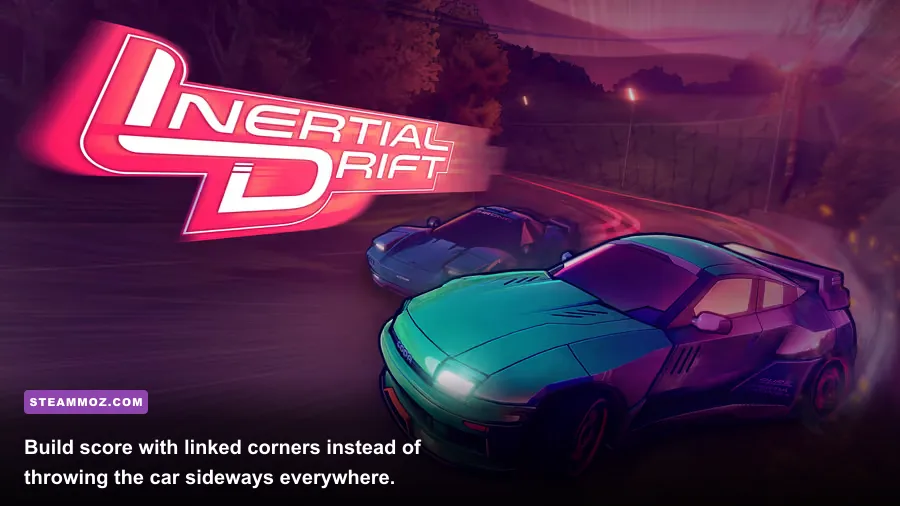
Once individual corners feel comfortable, focus on transitions. The fastest line is rarely a series of isolated drifts. You want to finish one corner with the car already positioned for the next. Avoid snapping the steering from one direction to the other. Let the car’s momentum carry the transition, then use a brief right-stick correction to shape the next slide.
Session three: Add speed at the exit
Only after the line is consistent should you add throttle. Compare two runs: one with a dramatic entry and poor exit, and one with a restrained entry that launches cleanly onto the next straight. The second run will usually be faster, even if it looks less impressive. Inertial Drift rewards the speed you preserve, not just the angle you create.
| Progression Stage | Primary Skill | Success Test | Move On When |
|---|---|---|---|
| Stage 1 | Braking and turn-in | Five clean entries | You can hit the apex consistently |
| Stage 2 | Drift initiation | Hold a medium-angle slide | You stop spinning on basic corners |
| Stage 3 | Throttle balance | Exit without running wide | You can accelerate before the straight |
| Stage 4 | Linked transitions | Two corners without correction chaos | The car stays positioned for the next turn |
| Stage 5 | Race pace | Repeatable clean laps | You’re ready for harder events and ghosts |
Ghost data is especially valuable once your controls feel natural. Watch where a faster run brakes, but don’t blindly copy its drift angle. The ghost may be using a different car or a setup that requires more precision. Compare your entry speed, apex position, and exit placement in that order. Most beginners stare at the biggest slide and miss the earlier braking decision that created the advantage.
For more general progression habits, our beginner build guide for Blackguards makes a similar point: early consistency beats chasing advanced optimization before you understand the fundamentals. In racing terms, that means clean laps first, specialist tuning later.
Advanced Adjustments That Actually Improve the Build
After you can finish events cleanly, begin testing more aggressive options one at a time. Switch to manual transmission only when you can already manage corner entry, drift angle, and throttle without conscious effort. Manual shifting can help preserve the engine’s useful power range, but a mistimed shift during a transition is worse than staying in an automatic gear.
You can also experiment with a more responsive car for technical routes. Expect a learning penalty. A sharper car may rotate faster and fit tighter lines, but it will punish oversteer inputs more severely. Keep your stable starter car available as a reference. If the aggressive car feels faster only when everything goes perfectly, it isn’t your best all-purpose build yet.
Score attacks require a slightly different mindset from time attacks. For score, linked drifts, angle, proximity, and smooth transitions matter more than simply taking the shortest line. That doesn’t mean throwing the car sideways at every opportunity. A long, controlled drift that keeps momentum is more valuable than a huge angle followed by a wall tap and a slow recovery.
Use the game’s Challenge and Arcade-style events to isolate skills, then return to Story mode to test them under pressure. The developer’s official site is the best place to check current information about the studio and its projects, while the Steam community discussions can help identify controller-specific issues.
Finally, don’t confuse a mistake with a bad build. If you spin on entry, fix the entry. If you run wide on exit, reduce angle or throttle. If the car feels lifeless, check whether you’re releasing every input instead of balancing it. Inertial Drift becomes dramatically more manageable when every failure has a mechanical explanation.
The winning beginner setup is therefore deliberately unglamorous: a stable car, moderate controls, automatic transmission, early braking, small right-stick inputs, and patient throttle. Keep that build until you can produce clean laps on demand. Then move to a more specialized car, manual shifting, and aggressive settings with a clear purpose. You’ll improve faster by mastering one predictable setup than by constantly searching for a magical car that drives itself.
If you enjoy games where small mechanical decisions matter more than grinding, Steamoz’s guides to winning through repeatable fundamentals and efficient progression planning are worth a look. In Inertial Drift, though, the fastest upgrade is still the one behind the wheel: smoother hands, earlier decisions, and fewer panic corrections.