
Katamari Damacy REROLL is an exceptionally easy PC game to run: you need a 64-bit Windows installation, an Intel Core i3-3220-class processor, 4 GB of RAM, and a GeForce GTX 750-class graphics card at minimum. For a safer experience, aim for an Intel Core i5-7500-class CPU, 8 GB of memory, and a GTX 1060-class GPU. The game only asks for roughly 2 GB of storage, and its bright, stylized visuals are far less demanding than a modern open-world release.
That low barrier is a big part of the appeal. Katamari Damacy REROLL is a remaster of the PlayStation 2 classic, but the PC version still has enough settings and control quirks to make a little preparation worthwhile. A machine that technically clears the minimum requirements should launch the game without trouble, yet older laptops may need sensible resolution and shadow choices to keep movement smooth. Since rolling depends on precise twin-stick steering, consistent frame pacing matters more than chasing extravagant image quality.
This guide breaks down the official PC requirements, explains what those parts mean in practical terms, and recommends settings for older desktops, mainstream gaming PCs, and high-refresh systems. It also covers controller support, storage, laptop graphics, and the performance traps that can make a lightweight game feel less polished than it should. If you want a broader look at how Steam games list hardware targets, our guide to Dungeons 3 PC specs offers a useful comparison.
Katamari Damacy REROLL minimum and recommended specs
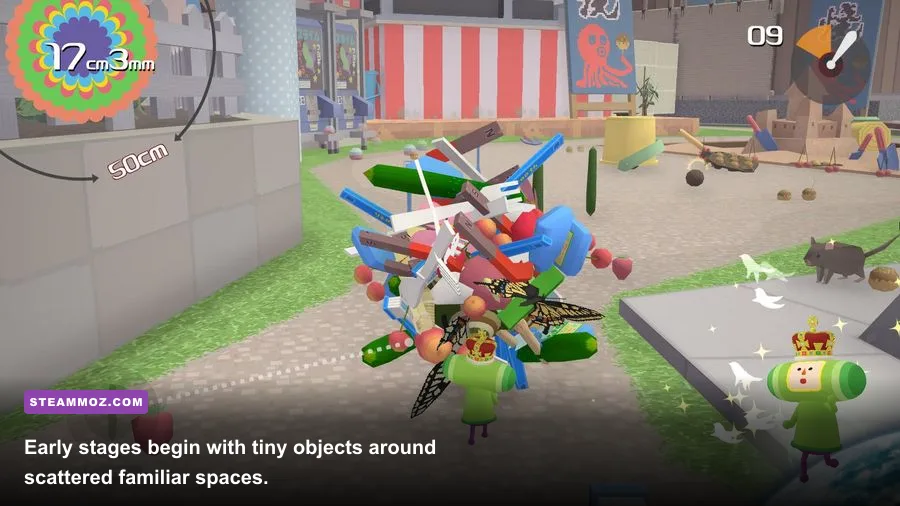
The published requirements are modest by 2026 standards, although the listed operating-system wording reflects the game’s original PC release rather than current Windows marketing. The minimum target is designed for 720p-style play on older gaming hardware, while the recommended target gives you more headroom for 1080p, higher-quality effects, and background applications.
| Component | Minimum | Recommended | What it means in practice |
|---|---|---|---|
| Operating system | Windows 7, 8, or 10 64-bit | Windows 10 64-bit | A 64-bit Windows installation is the important requirement for modern PCs. |
| Processor | Intel Core i3-3220 | Intel Core i5-7500 | Most recent four-core desktop and laptop CPUs have plenty of room. |
| Memory | 4 GB RAM | 8 GB RAM | 4 GB can work, but 8 GB avoids pressure from Windows and background apps. |
| Graphics | NVIDIA GeForce GTX 750 | NVIDIA GeForce GTX 1060 | The GPU targets are old and easy to exceed with current entry-level cards. |
| DirectX | Version 11 | Version 11 | Any supported modern DirectX 11-capable GPU should qualify. |
| Storage | About 2 GB available | About 2 GB available | Leave extra room for Steam updates and shader or system files. |
The CPU recommendations are not really about complex simulation. Katamari stages contain many objects, collision checks, characters, and changing size thresholds, but the game was built around older console hardware. The Core i3-3220 minimum therefore looks ancient today. A modern Intel Core i3, AMD Ryzen 3, or equivalent mobile processor should be comfortably ahead of it, provided the laptop is not throttling badly.
The GTX 750 minimum is similarly forgiving. Integrated graphics are the one area where the answer becomes less predictable. Recent Intel Iris Xe, AMD Radeon 680M, and newer Radeon integrated solutions may handle the game well, but Intel HD Graphics from older ultrabooks can fall short of the listed target. The exact result depends on memory bandwidth, dual-channel RAM, resolution, and driver support. If your computer uses integrated graphics, treat 720p as the sensible starting point instead of assuming the game’s cartoon look means every laptop will run it perfectly.
The game’s official Steam store page is the final word if the publisher changes the listing. You can also check Bandai Namco’s official game page for current platform information. Do not confuse the 2 GB storage requirement with available memory: you need 4 GB of system RAM at minimum, and an SSD is recommended for a snappier launch even though the game itself is small.

🎮 Katamari Damacy REROLL
Looking to experience this game? Grab your digital key directly on our store for $7.49.
View on Steammoz Store →Can your PC run Katamari Damacy REROLL?

If your PC was sold in the last several years as a general-purpose computer, there is a good chance it can run REROLL. The more useful question is whether it can maintain stable frame delivery while you roll through busy stages. Katamari is visually simple, but the screen can fill with hundreds of objects, pedestrians, animals, buildings, and special targets as your ball grows. The game’s charm comes from that escalating density, so performance should be judged in the later half of a stage rather than during the quiet opening seconds.
Hardware older than the minimum target
A dual-core laptop with 4 GB of RAM and Intel HD-era graphics is the danger zone. It may display the menus and small indoor levels, then stumble once the katamari becomes large. Lowering resolution helps the graphics processor, but it cannot fix a CPU that is struggling with object updates or a system constantly swapping memory. Close browsers, launchers, RGB utilities, and recording software before playing. On a 4 GB machine, that housekeeping is more important than raising texture quality.
Modern integrated graphics
Newer integrated GPUs can be surprisingly capable here. Use 1280×720 or 1600×900 first, keep shadows at their lower setting, and test a complete stage. If the game remains smooth when you move from a room into an outdoor area, you can increase resolution. Dual-channel laptop memory is especially useful because integrated graphics borrow system RAM. A single 8 GB stick can perform noticeably worse than two 4 GB sticks, even when the game’s average frame rate looks acceptable on paper.
Dedicated gaming GPUs
Any dedicated card around the GTX 1050, GTX 1650, RX 570, or newer should have abundant graphics headroom at 1080p. The recommended GTX 1060 is already more than enough for the game’s original visual workload. That does not mean every setting decision is irrelevant: higher resolution increases clarity, and a stable refresh rate makes the analog controls feel more direct. Still, you should not need aggressive upscaling, frame generation, or other modern performance tricks to play comfortably.
| PC profile | Suggested resolution | Starting preset | Expected approach |
|---|---|---|---|
| Below minimum or older integrated graphics | 1280×720 | Low | Prioritize stable movement; close background applications. |
| Minimum-class desktop | 1280×720 or 1600×900 | Low to medium | Test outdoor stages before increasing shadows or resolution. |
| Mainstream modern laptop | 1920×1080 | Medium to high | Use the laptop’s performance mode and keep it plugged in. |
| Recommended or better gaming PC | 1920×1080 | High | Expect comfortable 1080p play with plenty of GPU headroom. |
| High-end desktop | 2560×1440 or higher | High | Increase resolution for sharper objects; avoid sacrificing frame pacing. |
For another perspective on lightweight PC games and hardware targets, compare these numbers with Steamoz’s Fibbage XL PC requirements guide. The important distinction is that Katamari is more sensitive to active scene complexity than its storage size suggests.
Best graphics settings for smooth performance
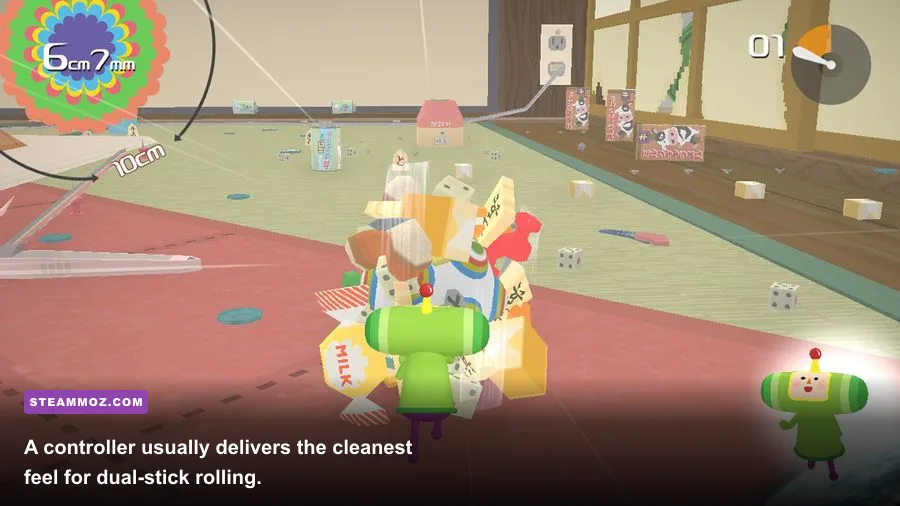
Katamari Damacy REROLL does not offer the sprawling graphics menu found in a new PC blockbuster. That is good news: there are fewer settings to diagnose, and the game’s colorful art style survives a conservative preset. Start with native resolution if your system is comfortably above minimum. If frame delivery is inconsistent, reduce resolution before obsessing over small visual options. The katamari’s movement is the star of the show, not distant texture detail.
| Setting or choice | Recommended value | Performance impact | Visual trade-off |
|---|---|---|---|
| Display resolution | Native 1080p on capable PCs | High | Lowering it improves GPU load but makes small objects softer. |
| Shadow quality | Medium on minimum-class hardware; high otherwise | Medium | Lower shadows are usually the easiest visual compromise. |
| Texture quality | High if VRAM allows it | Low to medium | Preserves the game’s bold colors and object readability. |
| Anti-aliasing | Enabled when available | Low to medium | Helps smooth the katamari and object edges at 1080p. |
| V-sync | Enable if tearing appears | Low, with possible latency | Cleaner camera motion; disable if input latency bothers you. |
| Fullscreen mode | Exclusive fullscreen if offered | Usually low | Can reduce desktop interference on older systems. |
| Frame-rate target | Stable 60 FPS where possible | Depends on hardware | More consistent steering is preferable to unstable high numbers. |
There is a practical reason to favor 60 FPS even though this is not a competitive game. The Prince’s movement is controlled by both analog sticks: pushing them together rolls forward, separating them changes direction, and rotating them in opposite directions spins the katamari. When frame pacing is uneven, those inputs can feel mushy or delayed. That becomes obvious when you are trying to slip between furniture, line up a narrow pickup, or escape an obstacle before the timer expires.
If your monitor runs at 120Hz or 144Hz, do not assume the game will automatically make perfect use of it. A locked, stable 60 FPS can feel better than a fluctuating frame rate. Use your GPU driver’s frame limiter if the in-game options do not provide a reliable cap. Avoid stacking multiple synchronization systems at once, since conflicting driver and game settings can create latency or uneven pacing. This is one of those titles where responsiveness matters more than a benchmark screenshot.
On laptops, select the dedicated GPU manually in Windows Graphics settings if the game launches on integrated graphics. Plug the system into power, choose a performance profile, and check temperatures after a long stage. Thin laptops often begin quickly, then lower clock speeds once heat builds. That can look like a mysterious performance problem when the real issue is thermal throttling. A clean ventilation path and a sensible power mode may accomplish more than lowering every visual setting.
Controls, resolution, and PC setup tips

A controller is the strongest recommendation I can make. Keyboard controls are usable, but Katamari Damacy was designed around dual analog sticks, and the game’s movement has a physical, almost toy-like rhythm that a keyboard does not fully reproduce. An Xbox controller usually maps cleanly through Steam Input. PlayStation pads can work as well, although button prompts may depend on Steam Input and the connected controller profile.
Before starting a serious stage, spend a minute in a safe area learning the three fundamentals: forward rolling, turning, and the quick-dash maneuver. The dash is useful for escaping a bad angle and reaching a nearby target, but it can also send you into a wall if you use it without room to recover. The game’s early stages teach this naturally. In Make a Star 1 and similar opening assignments, focus less on speed and more on learning what object sizes your current katamari can absorb.
Why resolution affects gameplay clarity
At 720p, the game remains perfectly playable, but tiny objects and distant targets blend together more easily. That matters in stages where you are hunting for a specific category of item or trying to build size quickly from a crowded environment. At 1080p, silhouettes are easier to read, and the cheerful visual clutter becomes less tiring. If your GPU can handle it, native 1080p is the sweet spot for most players.
Ultrawide monitors may display the game with different framing depending on the version and configuration. If the image is stretched or important information is cropped, return to a standard 16:9 resolution rather than forcing a strange aspect ratio. Borderless windowed mode is convenient for multitasking, but exclusive fullscreen can be preferable on older hardware because it reduces desktop composition overhead.
Steam Input is worth checking if a button behaves strangely. Open the game’s controller layout, select a standard gamepad template, and verify that both sticks are treated as analog inputs rather than digital directions. Also disable unwanted desktop-controller bindings if the right stick is moving the mouse. Small configuration mistakes can feel like a game bug, especially during the rapid turns needed in later stages.
For players who regularly optimize older PCs, Steamoz’s Freshly Frosted settings guide and Gearshifters performance guide cover the same basic process: establish a stable baseline, change one setting at a time, and test in the busiest gameplay situation.
How the requirements affect the actual game
The numbers look low because the game’s visual identity is deliberately clean. You are not loading a vast seamless map with modern lighting, high-resolution materials, or cinematic particle effects. You are rolling a sticky ball through compact stages built around escalating object interaction. Yet the environments are not empty. A small room can be packed with books, snacks, toys, people, furniture, and obstacles, each contributing to the feeling that the world is being physically rearranged beneath you.
That density creates the main performance curve. Early in a stage, the Prince moves through a limited space and the camera has fewer objects to process. Later, the katamari becomes large enough to sweep across streets and neighborhoods. The screen fills with moving characters and collectible objects, and the camera pulls back to show your growing scale. A PC that seems flawless in the opening minute may show its weakness during this transition.
Do not mistake a short hitch for a failing GPU immediately. Steam overlays, browser notifications, shader compilation, antivirus scans, and power-state changes can all cause momentary interruptions. If the hitch repeats in the same location, it may be an engine or asset-streaming behavior rather than a hardware shortage. If it happens randomly across every stage, inspect background processes and temperatures first.
What the recommended specification really buys you
The recommended GTX 1060 and Core i5-7500 combination is not required for the game to look good. It simply gives you room to play at 1080p without running close to the edge, while 8 GB of RAM keeps Windows from competing with the game. A newer low-end gaming PC will normally outperform that target by a wide margin. You do not need a premium graphics card, ray tracing, or a high-core-count processor.
That headroom is valuable if you stream, record clips, run a browser on a second monitor, or use a wireless controller with several background utilities. On a minimum system, every extra process can turn a simple game into a stutter-prone one. On a recommended or modern system, you can focus on the fun: building from paper clips and fruit to cars, buildings, and eventually absurdly enormous objects while the King of All Cosmos complains about your progress.
Final verdict on Katamari Damacy REROLL PC requirements
Katamari Damacy REROLL is one of the friendliest modern Steam purchases for older hardware. The minimum requirement of a Core i3-3220, 4 GB of RAM, and GTX 750-class graphics is genuinely approachable, not a disguised 1080p ultra target. The recommended Core i5-7500, 8 GB, and GTX 1060 combination is comfortable rather than excessive. Most current desktops should run the game easily, while newer integrated graphics have a realistic chance if you use 720p and keep expectations sensible.
For the best overall experience, use a controller, target a locked 60 FPS, and start at 1080p on a dedicated GPU. If your machine is close to minimum, lower resolution and shadows first, close background applications, and test a crowded outdoor stage before committing to a visual preset. An SSD is convenient but not essential, and the small 2 GB installation makes REROLL an easy addition to almost any library.
The real requirement is patience with the game’s deliberately unusual controls. Once the dual-stick movement clicks, the performance demands fade into the background and the strange brilliance takes over. You are not chasing benchmark numbers; you are turning office clutter, neighborhood traffic, and cosmic debris into one ridiculous rolling ball. That is exactly why a modest PC is enough to enjoy one of the most inventive arcade games on Steam.