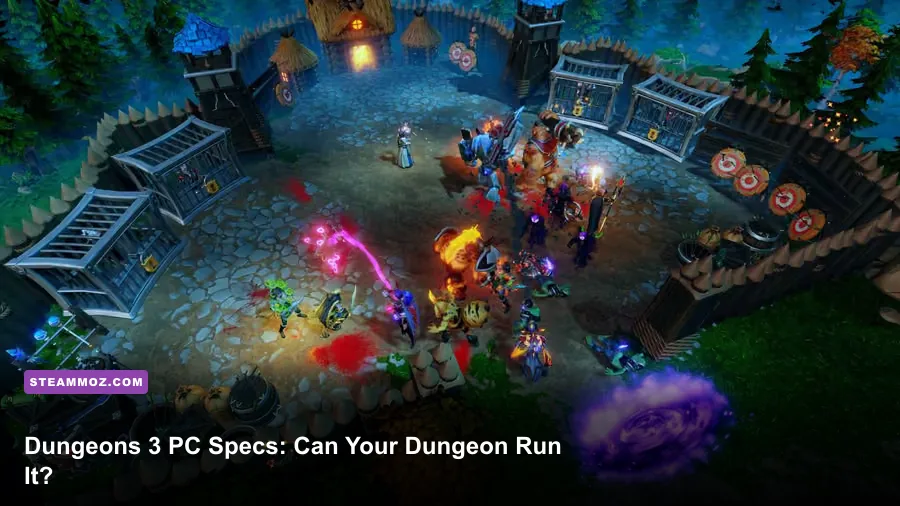
Dungeons 3 is an easy game to run by modern standards. The official PC listing asks for a 64-bit Windows installation, 4 GB of RAM, a Core 2 Duo-class processor, and an older entry-level graphics card at minimum. For a better 1080p experience, aim for an Intel Core i5 around 3 GHz, 8 GB of memory, and a GTX 660 or Radeon R7 370-class GPU with 2 GB of VRAM. You’ll also need roughly 5 GB of free storage. Those figures are the baseline, though: large dungeons, crowded battles, and high shadow settings can still punish a very old laptop.
That makes Dungeons 3 on Steam an unusually friendly strategy game for budget PCs. It isn’t a modern ultra-demanding city builder with thousands of individually simulated citizens. Its real pressure points are more specific: CPU workload from pathfinding and minion activity, GPU load from shadows and effects, and memory usage during lengthy campaign missions. Match your hardware to those workloads and the game remains smooth without sacrificing its wonderfully grimy visual style.
Dungeons 3 System Requirements at a Glance
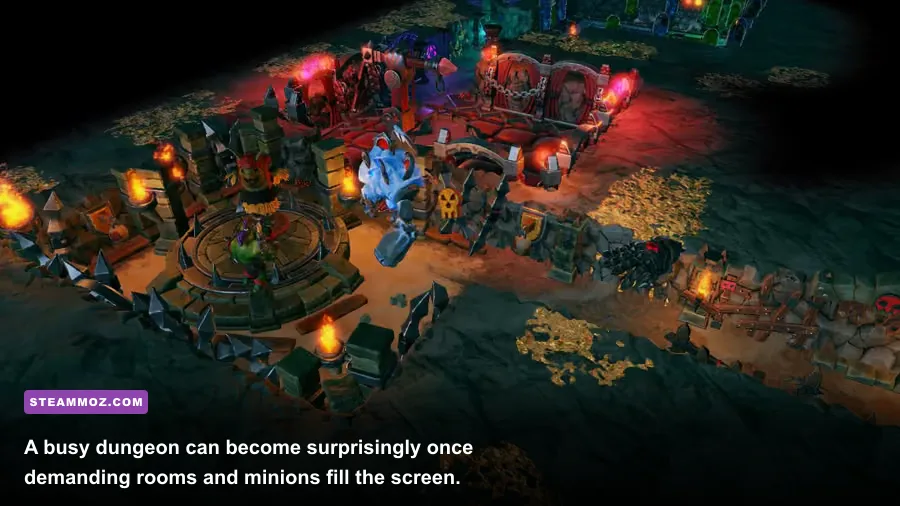
The table below reflects the published Windows requirements and translates them into practical buying advice. The minimum specification should get the game running, but “runs” and “plays comfortably” aren’t the same thing. A dual-core processor from the minimum era may struggle when several rooms are active, heroes invade from multiple entrances, and your minions are fighting under a pile of spell effects.
| Component | Minimum | Recommended | Practical Take |
|---|---|---|---|
| Operating system | Windows 7 64-bit | Windows 10 64-bit | Use a current 64-bit Windows version for better driver support. |
| Processor | Intel Core 2 Duo 2.0 GHz | Intel Core i5 3.0 GHz | Modern 4-core CPUs are comfortably ahead of both targets. |
| Memory | 4 GB RAM | 8 GB RAM | 8 GB helps during long missions and while multitasking. |
| Graphics card | NVIDIA GeForce GT 610 1 GB or Radeon HD 6450 | NVIDIA GeForce GTX 660 2 GB or Radeon R7 370 2 GB | Any recent integrated GPU may work, but dedicated graphics are safer. |
| DirectX | Version 11 | Version 11 | Confirm your GPU and driver support DirectX 11. |
| Storage | 5 GB available space | 5 GB available space | An SSD improves loading and general responsiveness. |
There’s an important wrinkle in the graphics requirements. A GeForce GT 610 and Radeon HD 6450 are extremely old cards, and their inclusion does not mean every machine with 1 GB of video memory will perform identically. Architecture matters more than the memory number on the sticker. A newer Intel Iris Xe, Radeon 680M, or recent low-end GeForce can be dramatically faster than those listed cards despite using integrated graphics or having a different VRAM arrangement.
For the authoritative listing, compare your machine against the official Steam system requirements before buying. If you’re checking an older laptop, also look at the processor generation and graphics driver rather than relying only on RAM capacity.
🎮 Dungeons 3: Once Upon A Time
Looking to experience this game? Grab your digital key directly on our store for $2.24.
View on Steammoz Store →What the Minimum PC Specs Really Mean
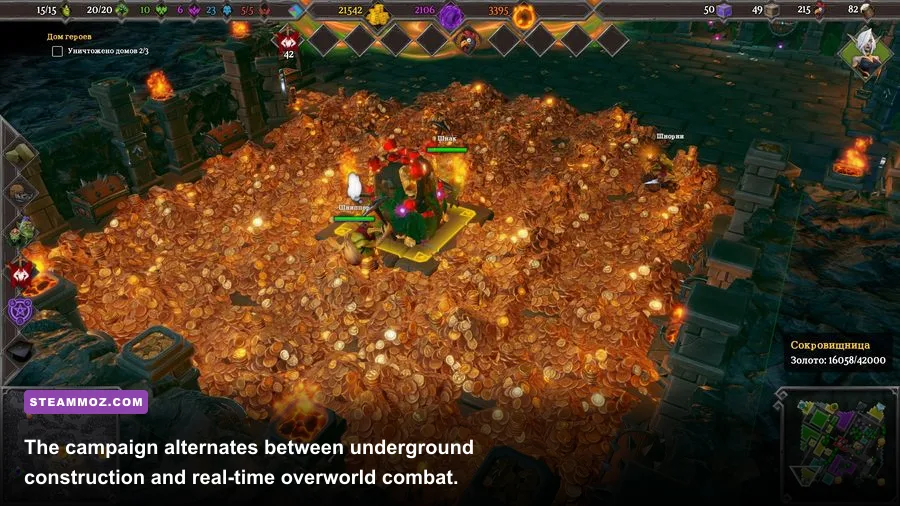
The minimum target is designed around launching and playing Dungeons 3 at reduced settings, not guaranteeing a locked 60 frames per second. The Core 2 Duo 2.0 GHz requirement tells you the game can operate on a modest CPU, but it also reveals where the age starts to show. Dungeons 3 constantly tracks minions, workers, creatures, dropped objects, room activity, enemy heroes, and navigation routes. The simulation is not impossibly deep, yet a vintage dual-core chip has very little headroom once your underground kingdom becomes busy.
In practical terms, a minimum-spec system is best treated as a 720p or conservative 900p machine. Set textures according to available video memory, lower shadows first, and avoid demanding the hardware to render a crowded dungeon at maximum resolution. The GT 610 and HD 6450 are particularly weak by current standards, so a stable 30 frames per second is a more sensible expectation than chasing 60.
The 4 GB RAM requirement also deserves caution. Windows itself, Steam, browser tabs, overlays, and background utilities can consume a sizeable portion of that capacity. If the game has to page data to disk, you may notice hitching when moving between the underground dungeon and the overworld. Closing Chrome, Discord streams, recording software, and unnecessary launchers can make a bigger difference than dropping texture quality.
Don’t confuse a low frame rate with a network problem. Dungeons 3 is primarily a single-player campaign and local strategy experience, so stutter usually points to rendering, CPU simulation, storage, or background software. Our low-FPS troubleshooting guide covers the same fundamentals—driver updates, overlays, power modes, and background processes—and they apply here too.
The Recommended Specs Are the Better Buying Target
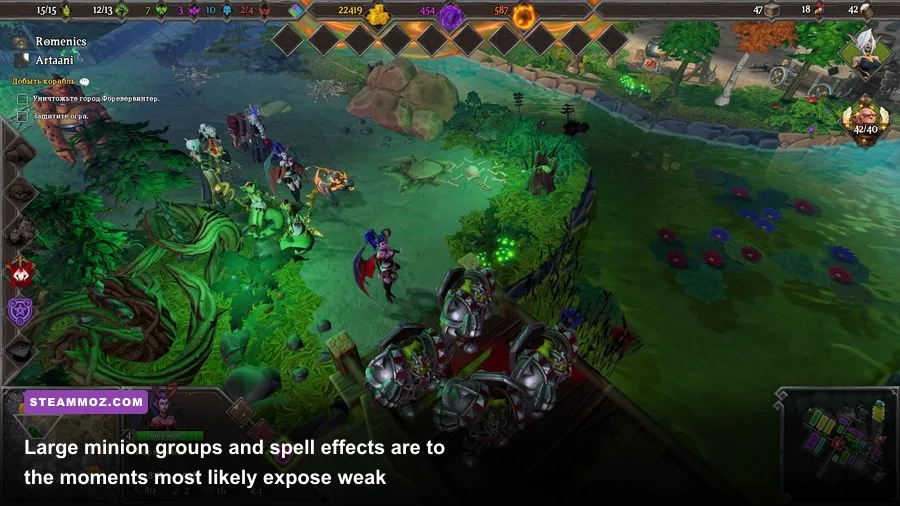
The recommended Core i5 3.0 GHz and GTX 660/R7 370 combination is much more useful than the minimum line if you want the game to feel consistently responsive. It gives the engine extra CPU room for dungeon activity and enough GPU strength for 1080p with sensible visual settings. You still shouldn’t expect a modern AAA benchmark; you should expect a comfortable strategy-game experience where camera movement, construction, and combat don’t turn sluggish when the screen gets busy.
Eight gigabytes of RAM is the sweet spot for the game itself and a healthier baseline for the rest of your PC. It won’t magically raise average FPS, because memory capacity is not a direct rendering accelerator. It does reduce the chance of asset swapping and makes it easier to keep reference material or voice chat open while playing. If your machine has 8 GB in a single-channel configuration, adding a matching module can also improve integrated graphics performance.
| Hardware Profile | Likely Resolution | Recommended Preset | Expected Experience |
|---|---|---|---|
| Minimum-era dual-core and GT 610/HD 6450 | 720p | Low | Playable with a 30 FPS mindset; large fights may dip. |
| Modern laptop integrated graphics | 900p to 1080p | Low or Medium | Often smoother than the listed minimum, depending on cooling and memory. |
| GTX 660/R7 370-class desktop | 1080p | Medium to High | Good campaign performance with sensible shadow settings. |
| Recent GTX 1650/RX 570-class or better | 1080p | High | Comfortable headroom; CPU may matter more in crowded missions. |
| Modern mid-range gaming PC | 1080p or 1440p | High | High frame rates are realistic, though the game’s engine remains the limit. |
One caveat: the recommended card is not a guarantee of identical performance across every scene. A GTX 660 paired with an old dual-core CPU can still feel worse than a weaker-looking GPU paired with a modern Ryzen 5. For this game, balanced hardware wins. A strong graphics card cannot fully hide a processor struggling to process a sprawling dungeon and its active army.
If your PC is comfortably above these specifications, Dungeons 3 is a good candidate for high-refresh play, but don’t obsess over a perfectly flat frame-time graph. Strategy games often feel fine at a stable 45 or 60 FPS, and the campaign’s deliberate pace means consistency matters more than a brief peak of 144 FPS.
Best Dungeons 3 Graphics Settings for Smooth FPS
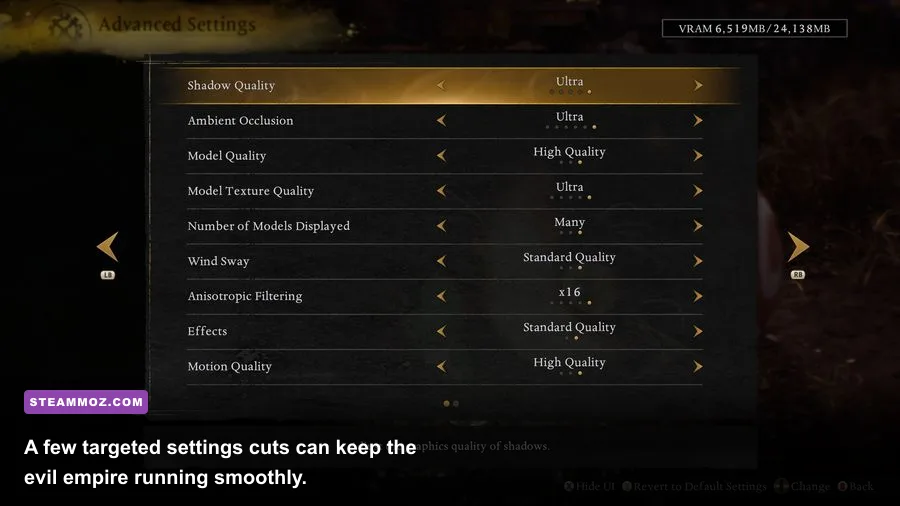
Dungeons 3 doesn’t need aggressive visual compromises. Start at 1080p, select the high preset if your system is near the recommended target, and then adjust the settings that actually affect performance. Shadows are usually the first cut I’d make. They add atmosphere to the dungeon but can cost a surprising amount in busy rooms, especially when many creatures and structures cast overlapping shadows.
Textures are a different story. They primarily consume VRAM and affect surface clarity rather than raw CPU simulation. On a card with 2 GB of VRAM, medium or high textures are generally preferable to ultra-style compromises elsewhere, provided the game offers enough headroom. If you see hitching rather than a consistently low frame rate, textures, resolution, and background applications are worth investigating.
| Setting | Recommended Value | FPS Impact | Visual Trade-Off |
|---|---|---|---|
| Resolution | Native 1080p on recommended hardware | High | Lowering it gives the largest immediate gain but softens the image. |
| Shadows | Medium | Medium to high | Less depth in rooms, with little effect on gameplay clarity. |
| Textures | High with 2 GB VRAM; medium on older cards | Low to medium | Lower settings make walls, floors, and props look blurrier. |
| Effects | Medium or High | Medium during combat | Reducing it cleans up spell and impact effects. |
| Anti-aliasing | Medium or the default option | Low to medium | Lower values produce more jagged dungeon edges. |
| V-sync | On if tearing bothers you; off for lowest latency | Situational | Can add latency or cap FPS depending on the display. |
| Resolution scaling | 100%; reduce only when necessary | High | Dynamic or reduced scaling can make the scene noticeably soft. |
For a low-end laptop, use 1280×720, low shadows, medium textures if VRAM allows, and medium effects. For a recommended desktop, 1920×1080 with medium shadows, high textures, and medium-to-high effects is the balanced profile. If frame rate drops only when the dungeon becomes packed, lowering resolution may not solve the problem; reduce shadows and effects, then check CPU usage.
Also disable overlays when diagnosing stutter. Steam’s overlay is usually harmless, but GPU recording layers, browser overlays, RGB utilities, and aggressive monitoring tools can cause conflicts. A clean launch is particularly useful after a driver update or when moving the installation between drives. Our PC fixes guide explains a similar troubleshooting process for crashes, overlays, and corrupted settings.
Why Crowded Dungeons Can Lower Performance
Dungeons 3 has two distinct workloads. Underground, you excavate tiles, construct rooms, train minions, place traps, and defend the Dungeon Heart. Above ground, you move forces across the campaign map and fight heroes in real time. The second-to-second rendering load is only half the story: the simulation also has to keep track of workers, combat targets, routes, resource collection, room bonuses, and enemy movement.
That’s why a quiet starting room can run beautifully while a late mission suddenly feels heavier. A large dungeon with multiple portals, guard posts, workshops, hatcheries, and creature groups creates more activity for the CPU. A huge army battling several heroes adds another burst of pathfinding and animation work. If lowering resolution barely changes the slowdown, your processor or simulation workload is probably the limiting factor.
Good dungeon design can help. Avoid building sprawling corridors that force minions to cross the entire map for every task. Put creature-focused rooms near the areas they service, keep training and lair access efficient, and use doors and traps to control hero movement rather than forcing your entire army into one chaotic pile. This isn’t just optimization for the computer—it also makes the dungeon easier to defend.
The game’s humor and campaign presentation can hide how much is happening. Thalya’s overworld missions, the Dungeon Heart’s danger state, and waves of heroes all create moments where an old CPU has to work harder. If you’re playing on minimum hardware, pause before making major construction changes and let the game catch up after a large battle. It sounds mundane, but it can prevent the stutter spiral caused by issuing dozens of commands while the simulation is already busy.
Storage, Windows, and Upgrade Priorities
Dungeons 3 requires about 5 GB of free storage, so disk capacity isn’t a serious barrier. An SSD is still worthwhile because it shortens loading and reduces the annoyance of moving between campaign missions. It won’t raise your average FPS, but it can make asset streaming and save loading feel less sluggish. Keep additional free space available rather than filling the drive to its final few gigabytes.
If your PC is below the listed requirements, upgrade in the right order. A machine with only 4 GB of RAM should move to 8 GB first if possible. After that, a modern processor is often more valuable than buying an oversized graphics card, particularly if your current system already has a GPU stronger than the GT 610 or HD 6450. On integrated graphics, dual-channel RAM can be a surprisingly effective improvement.
For a genuinely old Windows 7 setup, confirm 64-bit support and install current graphics drivers where available. Windows 10 or Windows 11 is the safer choice today because newer drivers, security updates, and launcher compatibility matter more than Dungeons 3’s original operating-system target. If you’ve had trouble with other older PC games, the workflow in our Human: Fall Flat PC specs guide is useful for checking whether a machine is limited by graphics, memory, or CPU.
Before purchasing, check the Kalypso Media website and the Realmforge Studios site for publisher and developer information. For support, patches, and community reports, the Dungeons 3 Steam discussions are also worth checking.
Final Verdict on Dungeons 3 PC Requirements
Dungeons 3 is forgiving, but the recommended requirements are the honest target. A very old PC can launch it at low settings, yet a modern budget laptop or entry-level desktop will deliver a much better experience than the bare minimum figures suggest. Aim for 8 GB RAM, a recent quad-core processor, a GTX 660/R7 370-level GPU or newer, and an SSD. That combination gives you room for 1080p, attractive textures, and the large creature battles that make the campaign fun.
If performance dips, don’t blindly turn everything to low. Lower shadows and effects first, keep textures as high as your VRAM allows, and watch whether the slowdown appears only when your dungeon becomes crowded. Dungeons 3 rewards efficient lair design as much as it rewards efficient hardware. With a balanced PC and a sensible settings profile, this evil little strategy game remains one of the easiest modern dungeon-management titles to run well.