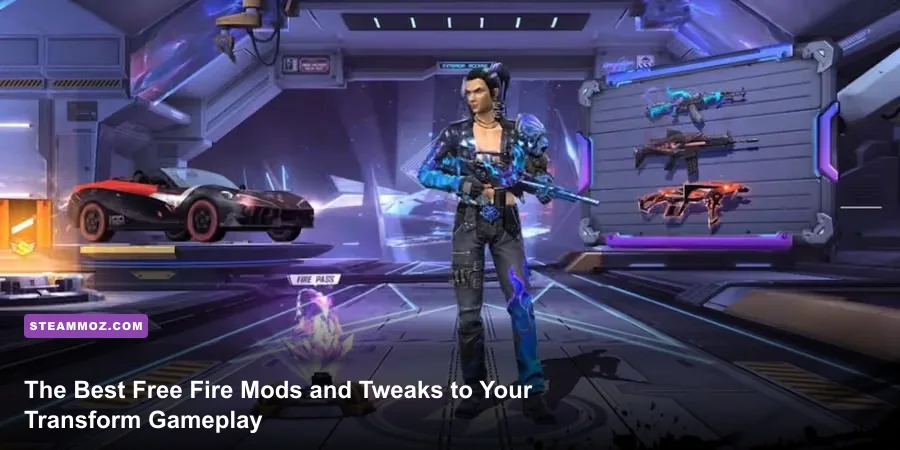
Modifying Free Fire isn't about downloading sketchy APK hacks that get your account wiped by Garena's anti-cheat; it's about systematically unlocking hidden engine performance, transforming the UI for lightning-fast drag headshots, and leveraging developer-sanctioned mod suites like Craftland. If you want silky-smooth 120 FPS combat, razor-sharp visual fidelity, custom training sandboxes, and precision spatial audio that reveals enemy footsteps three floors up, legitimate client-level and engine tweaks are the only way to play. Transforming your experience requires a blend of deep custom scripting, peripheral mapping, audio staging, and display overrides that respect the game's core architecture.
Craftland Mods: The Ultimate Safe Custom Game Overhauls
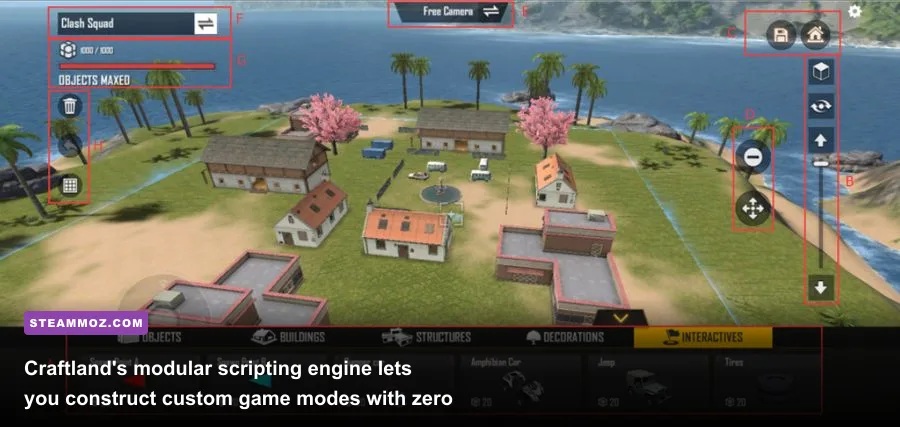
The most powerful modding framework available in the game isn't found on shady forums—it's baked directly into the engine through Craftland Studio. Originally introduced as a simple sandbox, Craftland has evolved into a robust visual scripting engine where community developers alter game physics, gun parameters, movement speeds, and map geometry. Instead of playing the standard battle royale loop on repeat, Craftland mods allow you to completely rewrite the rules of engagement.
Competitive players rely on custom scrimmage mods that strip out random circle RNG and supply drops, replacing them with standardized loadouts. Inside these community-built maps, you can tweak the M1887 shotgun's reload cadence, eliminate Gloo Wall deployment delays, and set jump heights to mimic elite tournament conditions. If you're looking to drill your close-quarters reactions, custom 1v1 Red Brick arenas enforce infinite ammunition and zero armor decay, letting you practice fast wall snaps against skilled opponents without burning room cards on flawed defaults.
Beyond competitive drills, community creators build entire alternate genres inside Free Fire. Popular custom modules include asymmetric zombie defense modes featuring scaled boss HP bars, high-velocity parkour courses that test sprint cancels with Kelly's Dash, and hardpoint tactical scenarios that mirror round-based tactical shooters. Because these mods live within the official Garena Free Fire portal framework, you never have to worry about client integrity flags or account termination.

🎮 FORM
Looking to experience this game? Grab your digital key directly on our store for $14.99.
View on Steammoz Store →Visual Overhaul and 120 FPS Engine Unlocks
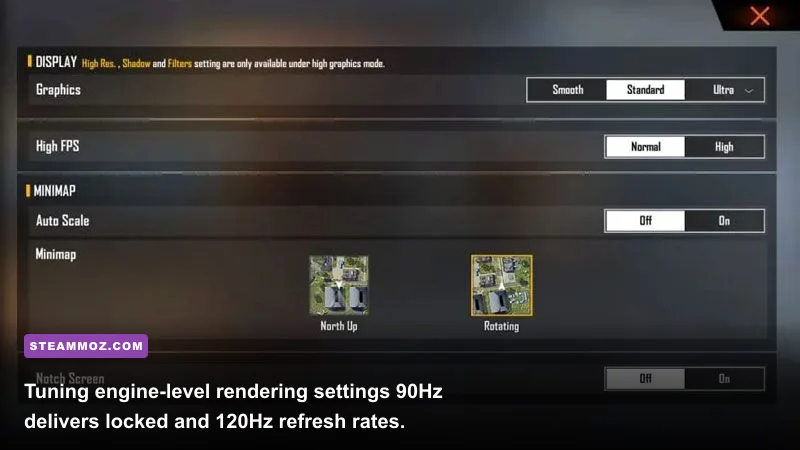
Free Fire is built on Unity, meaning the stock mobile app ships with conservative graphical defaults and aggressive thermal throttling profiles. To pull high-end visual fidelity out of the engine, upgrading to the standalone Google Play Free Fire MAX store page client is only step one. The real transformation comes from engine overrides and device config adjustments that unlock native 90Hz and 120Hz display refresh rates.
When running on flagship mobile silicon like the Snapdragon 8 Gen 2/3 or playing via optimized PC emulators like LDPlayer 9 and BlueStacks 5 (Pie 64-bit), the default 60 FPS cap creates noticeable input latency during flick shots. By modifying the OEM manufacturer string in emulator settings to spoof high-refresh devices (such as the ASUS ROG Phone series), you unlock Free Fire's hidden 120 FPS profile. Just like dialing in settings for max FPS on a desktop shooter, running high refresh rates reduces input lag by up to 8.3 milliseconds per frame, giving your drag headshots a buttery, responsive glide.
If you're dealing with micro-stutter on mid-range hardware, you can prevent thermal frame drops by tweaking background asset rendering. Much like adjusting visual parameters in Filament settings for higher FPS, turning off in-engine dynamic shadows while leaving high resolution textures active yields crystal-clear enemy silhouettes at long range without overloading the GPU.
| Tweak Category | Implementation Method | FPS & Performance Impact | Anti-Cheat Risk | Primary Gameplay Benefit |
|---|---|---|---|---|
| Craftland Scripting | In-Game Studio / Room Code | Neutral (Asset Dependent) | Zero (100% Official) | Custom scrim mechanics, unlimited Gloo Walls |
| 120 FPS Device Spoof | OEM Profile Config (Emulator/OS) | +60 FPS (Locks at 120Hz) | Zero (Hardware Display Level) | Massive reduction in drag-shot input latency |
| PBR Visual Enhancer | Free Fire MAX Asset Overhaul | -5 to -10 FPS on low-end chips | Zero (Client Toggle) | Sharp vehicle/character models and bullet tracers |
| DPI & Surface Scaling | Android Developer Options | Neutral | Zero (OS Feature) | Expands drag radius and swipe responsiveness |
| Dolby Audio EQ Mod | System Sound Equalizer / Viper | Zero Impact | Zero (OS Audio Routing) | Highlights high-frequency footsteps and reloads |
Precision Drag Sensitivity and HUD Control Mods
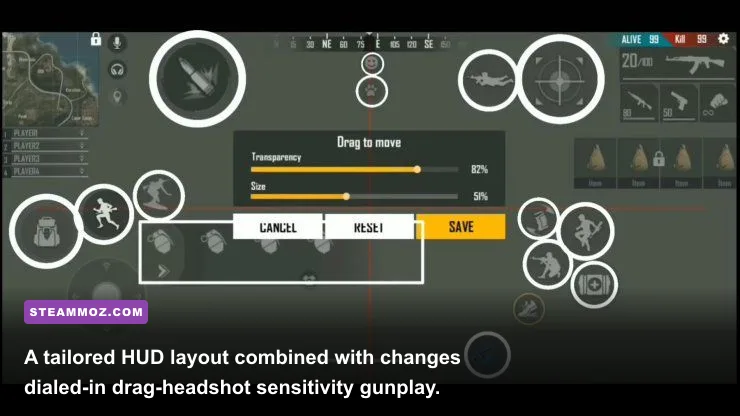
The combat ceiling in Free Fire is defined entirely by drag-headshot mechanics. Unlike standard tactical shooters where crosshair placement relies purely on horizontal tracking, Free Fire's auto-aim snaps directly to an opponent's torso. Landing instant kills requires swiping your fire button upward at an exact velocity to break the auto-aim lock and snap straight to the skull. If your HUD and sensitivity values aren't tuned like an esports config, you'll constantly lose trades against M1887 and MP40 rushers.
Modifying your device's Smallest Width (DPI) setting via Android's native Developer Options completely changes your touch sensitivity curve. Increasing your default DPI from 360/400 up to 550 or 600 increases the virtual pixel count registered per millimeter of physical screen travel. This eliminates the sluggish drag feeling on budget displays, allowing small, quick thumb flicks to register as full-screen upward snaps.
Pair this DPI mod with an ergonomic 4-finger claw HUD layout. Relocating your jump, crouch, and Gloo Wall triggers to the upper corners of your display leaves your right thumb entirely dedicated to camera tracking and the drag fire button. This setup lets you execute the classic 'sit-up Gloo Wall' routine—shooting, jumping, dropping a defensive shield, and resetting your camera angle in a clean 0.4-second window.
| Control / Scope Channel | Stock Value | Pro Drag Tuned Setting | Engagement Range | Recoil Reset Behavior |
|---|---|---|---|---|
| General Camera | 65 | 98 - 100 | Close Quarters (0 - 15m) | Instant 180-degree camera spin capability |
| Red Dot Sight | 60 | 92 - 96 | Short to Mid (15 - 35m) | Breaks torso magnet lock on initial upward flick |
| 2x Scope | 50 | 84 - 88 | Mid-Range (35 - 70m) | Micro-drags align burst fire with the head |
| 4x Scope | 40 | 72 - 76 | Long Range (70m+) | Prevents over-flicking past the target profile |
| Sniper Scope (AWM/Kar98k) | 35 | 48 - 52 | Extreme Range (100m+) | Smooth tracking for moving vehicle snipes |
Sound Stage and Spatial Audio Modifications
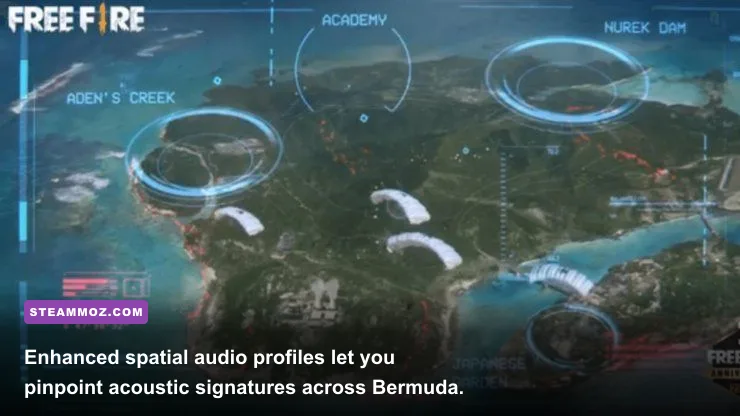
Stock audio in mobile shooters is notoriously compressed. Gunfire, ambient wind, vehicle engines, and footstep sound effects are frequently mashed together into a muddy stereo mix. In high-tier Ranked matches across Bermuda, Purgatory, or Kalahari, relying on stock audio guarantees you'll get ambushed by flankers running silent-movement character skills.
You can drastically overhaul Free Fire's sound profile using system-level audio tuning suites like Dolby Atmos for Gaming or parametric equalizer mods. By cutting the muddy sub-bass frequencies below 120Hz, you suppress non-critical environmental rumble. Boosting the upper mid-range frequencies between 2kHz and 5kHz amplifies the crisp snap of footsteps on concrete, weapon cycling sounds, and armor-cracking audio cues.
When you hear an AWM bolt cycling or an enemy pulling the pin on a flash grenade through a tuned spatial profile, you instantly know their exact coordinate plane before they even appear on the mini-map radar. Just as troubleshooting system bottlenecks can rescue broken performance—much like applying ELEX PC fixes that stop crashes and rescue FPS—properly routed spatial audio removes informational lag, freeing up your mental bandwidth for gunfights.
Navigating Ban Risks: Engine Tweaks vs. Garena Anti-Cheat
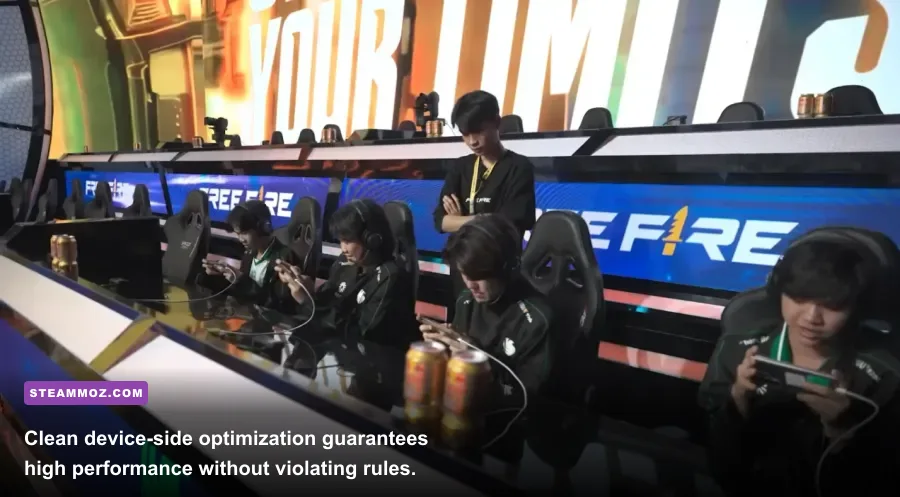
Every conversation about Free Fire mods must address the elephant in the room: account safety. The internet is flooded with modded APKs promising unlimited diamonds, auto-headshots, wallhacks, and skin unlocks via tools like LuluBox. Using any of these utilities is the fastest way to get permanently banned from the game.
The Garena Anti-Hack Operations policy runs strict client-side checksum verifications and server-side behavioral analysis. If an external process injects code into the active memory space, modifies game values (libil2cpp.so), or alters client data packages, the account is flagged and hit with a hardware ID ban. There is no appeal process for memory injection or script execution.
The rule of thumb for safe modding is simple: customize your hardware environment, your system display pipeline, your control interface, and in-game studio creations—never the core application files. When evaluating in-game arsenals, knowing exact weapon characteristics is critical; check out how balance dynamics compare in guides like weapons ranked from S to C. If your game begins to stutter or freeze after applying operating system updates or screen-recording layers, follow standard optimization logic similar to resolving crashing and low FPS fixes by clearing cache files and stabilizing thermal limits.
By sticking to developer-endorsed Craftland script mods, dialing in high refresh display unlocks, fine-tuning your drag DPI, and mastering an ergonomic 4-finger HUD layout, you fundamentally elevate how Free Fire looks, feels, and plays. You gain every competitive edge available—clean frames, unmatched responsiveness, and flawless tactical audio—all while keeping your hard-earned rank and account completely secure.