Subway Surfers on PC is absolutely still worth playing if you want a zero-friction, mechanically crisp arcade runner to blast through while listening to podcasts or killing twenty minutes between work calls. The tactile snap of mechanical switches gives you microsecond-level lane switches that touchscreen swipes could never match, turning a nostalgic mobile distraction into an intensely responsive twitch-reflex gauntlet. However, if you are expecting a modern PC-native overhaul with bespoke desktop interfaces and tailored progression, the lingering mobile monetization hooks and vertical UI holdovers will quickly remind you of the game's smartphone roots.
The Input Leap: Precision Keyboards vs. Slippery Touchscreens
The moment you swap glass capacitive smudges for a 1,000Hz polling rate mechanical keyboard, Subway Surfers becomes an entirely different beast. On a phone, late-run failures almost always stem from physical friction: a sweaty thumb missing an upward swipe or an ambiguous diagonal gesture registering as a premature lane roll. On PC, mapping lane shifts to Arrow Keys or A/D and slides/jumps to W/S establishes an absolute input certainty that completely eliminates missed inputs.
This precision transforms advanced high-score techniques like the "roll cancel." In high-tier play, jumping over an oncoming barrier and instantly tapping Down pulls your runner back onto the rails immediately, cutting your float time by roughly 60%. Executing rapid jump-to-slide sequences between two high-speed barrier gates requires instantaneous finger resets. On glass, that feels clumsy; on mechanical switches with short actuation distances, you can chain roll cancels with rhythmic, frame-perfect consistency. If you love optimizing inputs the way you would when handling Filament Marmalade Edition settings for higher FPS, the raw feedback loop of PC controls breathes legitimate competitive life into this casual staple.
PC Ecosystems Compared: Web, Google Play, and Emulators
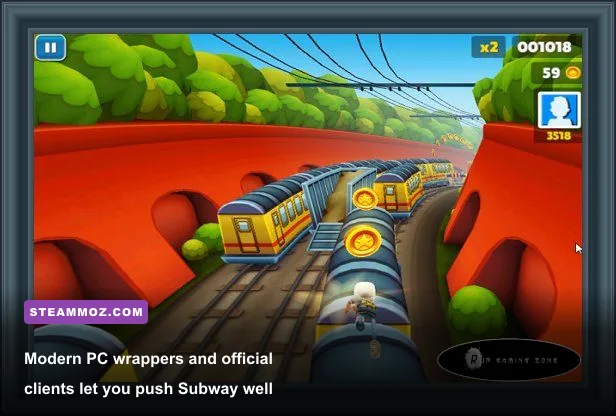
Playing Subway Surfers on PC is no longer confined to shady, ad-bloated browser clones from the early 2010s. Today, you have three primary avenues to launch the game on your desktop rig: browser-based WebAssembly builds via portals like Poki, the official Google Play Games on PC client, and dedicated Android emulators like BlueStacks or LDPlayer. Each platform carries dramatic trade-offs in input lag, visual fidelity, and account synchronization.
For most players, the Google Play Games PC build is the definitive way to play. It offers native hardware acceleration, syncs your existing Google Play profile seamlessly, and handles fullscreen scaling without crushing your system with emulator overhead. If you run into odd frame pacing issues or background hitches on older hardware, applying troubleshooting steps similar to our EscapeVR The Basement crashing and low FPS fixes will easily keep your runner locked at your display's target refresh rate.
| Platform / Method | Input Latency | Max Frame Rate | Cloud Save Support | Overall Verdict |
|---|---|---|---|---|
| Google Play Games (PC Client) | Extremely Low (~1-3ms) | Monitor Refresh (Up to 144Hz+) | Full Google Play Sync | The undisputed best option for smooth, stable gameplay. |
| Official Web Port (Poki / HTML5) | Moderate (~10-15ms) | Locked to 60 FPS | Browser Cookies Only (Fragile) | Convenient for a quick 5-minute break at an office desk. |
| Android Emulator (BlueStacks/LDPlayer) | Low to Moderate (~5-8ms) | Configurable (Up to 120 FPS) | Full Google Play / Facebook Sync | Heavy system overhead; only useful for custom key rebinding. |
Hoverboards, Multipliers, and Economy: The Min-Max Meta
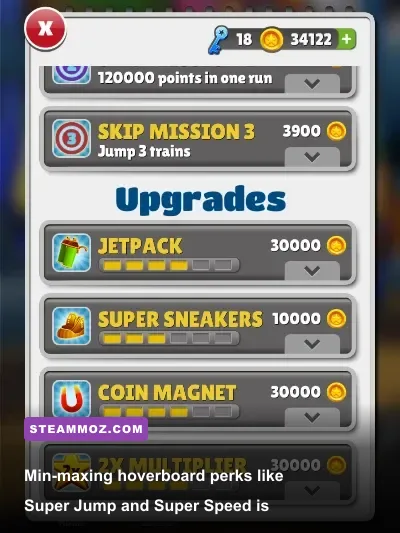
If you haven't touched the game in years, the meta-progression designed by SYBO Games has grown surprisingly deep. You aren't just dodging trains; you are stacking permanent point multipliers, farming Super Mystery Boxes, and spending Keys to unlock high-utility board perks that fundamentally alter obstacle routing. Reaching runs past 10 million points requires far more than good reflexes—it demands an optimized loadout.
Your baseline mission multiplier caps at 30x upon completing the core mission sets. From there, using a Score Booster consumable before a run tacks on an extra +5x, pushing your baseline to 35x. Layer in the seasonal multiplier bonuses from character collections, and your points tick upward at blistering speeds. Collecting coins and upgrading core power-ups (Coin Magnet, Jetpack, 2x Multiplier, and Super Sneakers) should always be prioritized in that exact order. Upgrading the Jetpack to Tier 6 grants uninterrupted invincibility and coin generation for roughly 25 seconds, which provides critical breathing room when train speeds scale to maximum velocity.
Hoverboards are your true insurance policy. Double-tapping the spacebar summons a board that absorbs a fatal collision, preserving your run without burning expensive revival keys. However, standard hoverboards pale in comparison to customized legendary variants detailed on the Subway Surfers Wiki. Much like routing resource investments in our Empires of the Undergrowth fast leveling and gold farming guide, spending your currency on the right gear determines whether your run collapses at minute eight or survives into minute forty.
| Hoverboard | Base Coin Cost | Special Abilities | Key Upgrade Cost | Competitive Tier |
|---|---|---|---|---|
| Monster | 30,000 Coins | Super Jump + Speed Up | 100 Keys (Total) | S-Tier (The ultimate survival and routing setup) |
| Freestyler | 45,000 Coins | Double Jump + Super Jump | 110 Keys (Total) | S-Tier (Unmatched vertical obstacle clearance) |
| Bouncer | 60,000 Coins | Inherent Super Jump | None (Built-in) | A-Tier (Best budget option for pure train roof hopping) |
| Lowrider | 320,000 Coins | Stay Low (Permanent Slide) | None (Built-in) | B-Tier (Fun novelty, but limits high-coin rail lines) |
| Standard Board | 300 Coins (Single Use) | Single Crash Shield Only | None | C-Tier (Basic consumable safety net) |
Visual Pacing, World Tours, and High Refresh Rates
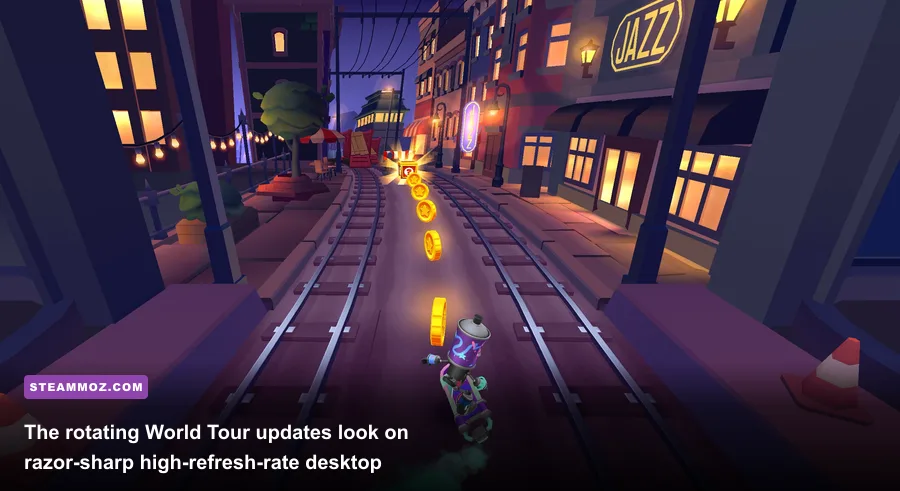
One aspect where Subway Surfers genuinely shines on PC is visual clarity. The game's dynamic "World Tour" system swaps the urban backdrop every three to four weeks, cycling through neon-lit iterations of Tokyo, sun-drenched rooftops in Cairo, and retro aesthetics in London. While these thematic overhauls are visually pleasant on a phone, spreading them across a 27-inch, 144Hz gaming display transforms the sensory experience.
At high speeds, mobile displays frequently suffer from micro-motion blur, making it tricky to spot train tunnel entry signs or low signal poles against chaotic background architecture. Uncapped on PC, the high frame rates clarify every pixel of incoming obstacles long before they enter your collision box. Even during peak rush speed—where lane switches occur in sub-100-millisecond reaction windows—the clean cartoon geometry stays sharp and legible. If you run a multi-monitor productivity setup, having this fluid visual loop running on your secondary display feels shockingly premium compared to other retro mobile-to-PC migrations, especially when paired with smooth GPU configurations like those in our Elex PC fixes that stop crashes and rescue your FPS.
The Clutter Problem: Mobile Monetization on a Desktop Monitor

While the actual gameplay is as pure as it was during its launch year, the overarching user experience has heavily deteriorated under mobile free-to-play bloat. Booting the game in 2026 greets you with a relentless barrage of pop-ups: Season Hunt banners, limited-time character bundle microtransactions, Flash Sales, and paid VIP passes. On a mobile phone, players have developed muscle memory to tap through these aggressively, but across an expansive PC monitor, this UI assault feels intrusive and outdated.
Furthermore, desktop players will find the ad-integration economy awkward. On mobile, watching a 30-second video ad to double your collected coins or claim a free revival is second nature. On PC, these embedded ad networks either struggle to stream properly or pop up in jarring low-resolution browser wrappers that interrupt the flow of gameplay. If you prefer games where resource accumulation feels like a balanced mechanical loop—such as the deliberate currency progression in our guide to level fast and farm Zeni in Kakarot Master Edition—the push toward real-money Keys and aggressive monetization here can feel irritatingly loud.
The Verdict: A Flawed Port with Enduring Muscle Memory
Despite the clutter of modern free-to-play ecosystems, the core minute-to-minute running loop in Subway Surfers remains one of the tightest casual reflex challenges ever built. Jumping, rolling, and hovering through moving diesel engines feels significantly better under mechanical keyboard switches than it ever did under sweaty smartphone glass. It provides an immediate burst of dopamine that requires zero boot-up wait times, no tedious tutorial hand-holding, and no heavy GPU demands.
If you approach Subway Surfers on PC as a relaxed, secondary-monitor diversion to chase local high scores, you will find an enduring, polished gem that holds up remarkably well. Just be prepared to dismiss three pop-up sale windows every time you return to the main menu.