
Date Everything! is not a demanding PC game by modern standards. The Steam listing calls for 8 GB of RAM and a GeForce GTX 1060-class graphics card at minimum, while a GTX 1660 Ti or stronger GPU, 16 GB of memory, and a modern six-core processor are the safer target for high settings. If your PC can run recent 3D indie games at 1080p, you should be comfortably inside the game’s performance envelope.
That said, the minimum and recommended labels do not tell the whole story. Date Everything! is a fully voiced 3D dating adventure built around exploring a house, meeting more than 100 dateable objects, and revisiting routes to see how your choices change them. Its visuals are stylized rather than photorealistic, but the game still loads animated characters, environmental assets, facial performances, and a lot of spoken dialogue. Here are the official PC requirements, what they mean in practice, and the settings I would use on different classes of hardware.
Before changing anything, check the official Steam page for Date Everything!. System requirements can change after patches, and laptop GPUs with the same name as desktop cards can perform very differently.
Date Everything! minimum and recommended PC requirements

The published requirements put Date Everything! firmly in the accessible middle ground. You do not need a flagship graphics card, but the minimum GPU is still meaningfully faster than the integrated graphics found in many older office laptops. A dedicated GTX 1060, Radeon RX 580, or equivalent is the sensible baseline if you want stable 1080p play without turning every option down.
| Component | Minimum PC specs | Recommended PC specs |
|---|---|---|
| Operating system | Windows 10 64-bit | Windows 10 64-bit |
| Processor | Intel Core i5-8400 or AMD Ryzen 5 2600 | Intel Core i7-9700 or AMD Ryzen 7 3700X |
| Memory | 8 GB RAM | 16 GB RAM |
| Graphics | NVIDIA GeForce GTX 1060 or AMD Radeon RX 580 | NVIDIA GeForce GTX 1660 Ti or AMD Radeon RX Vega 56 |
| DirectX | Version 11 | Version 11 |
| Storage | 20 GB available space | 20 GB available space |
The CPU requirements are more generous than the game’s presentation might suggest. The Core i5-8400 and Ryzen 5 2600 are older six-core chips, and either one has enough thread capacity for the game’s exploration, dialogue systems, and background loading. The recommended Core i7-9700 and Ryzen 7 3700X give you more breathing room if you stream, record, keep a browser open, or run the game alongside Discord and capture software.
Storage is the easy part: reserve 20 GB, preferably on an SSD. Date Everything! is not an enormous open-world download, but an SSD will reduce scene transitions and make repeated route-hunting less irritating. That matters here because the game encourages experimentation. You will be moving between rooms, restarting conversations, and checking alternate outcomes often.

🎮 Date Everything!
Looking to experience this game? Grab your digital key directly on our store for $10.19.
View on Steammoz Store →What the minimum specs really mean at 1080p

The GTX 1060 and RX 580 are best understood as 1080p cards, not 1440p luxury hardware. At minimum settings, they should be capable of a comfortable experience, but the exact frame rate will depend on resolution scaling, driver condition, background applications, and whether the game’s post-processing effects are enabled. The official requirement does not promise a specific frame-rate target, so do not treat the word minimum as a guarantee of locked 60 fps.
There is also a big difference between a desktop GTX 1060 and a laptop GPU. A mobile GTX 1060 may have lower power limits, while newer integrated Radeon or Intel graphics can sometimes approach older dedicated cards in lightweight scenes but fall behind during busy character rendering. If you are using a laptop, judge the machine by its actual GPU model and cooling system rather than the marketing label.
| Hardware tier | Practical target | Best starting profile | Likely limitation |
|---|---|---|---|
| GTX 1060 / RX 580 | 1080p, 60 fps target | Medium settings with effects trimmed | Busy scenes and post-processing |
| GTX 1650 / RX 5500 XT | 1080p, smooth play | Medium to high mix | Less headroom at higher resolution |
| GTX 1660 Ti / RX Vega 56 | 1080p high settings | High preset, inspect shadows | 1440p may need reductions |
| RTX 2060 / RX 5700 or newer | 1080p high-refresh or 1440p | High settings with resolution priority | CPU and display refresh become bigger factors |
Date Everything! is not a competitive game, so a perfectly flat 144 fps graph is unnecessary. Stable frame pacing is more valuable than chasing a number you will barely notice during dialogue. A locked 60 fps with no sudden stutter feels better than an unlocked counter bouncing between 70 and 120. If you have read our advice on making every frame count in Genesis Noir, the same principle applies here: prioritize consistency before visual excess.
Do not forget that voice-heavy scenes can expose a different kind of problem. If audio crackles or dialogue starts late, that is usually a driver, storage, or background-process issue rather than a lack of GPU power. Update your graphics driver, install the game on an SSD, and close aggressive overlays before blaming the graphics card.
Best Date Everything! graphics settings for each PC tier
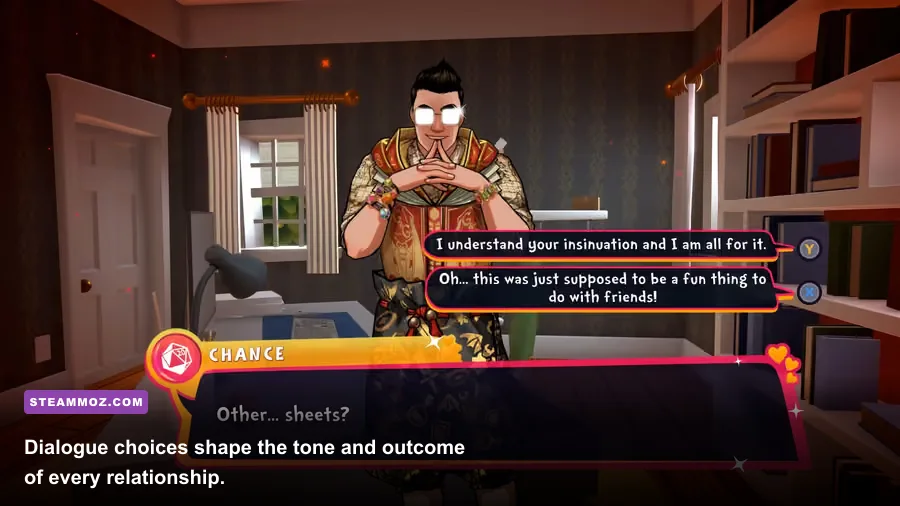
The game’s stylized art direction means you can lower demanding options without destroying its identity. Character colors, readable environments, and dialogue presentation matter more than distant shadow quality. I would start with the game’s high preset on a recommended machine, then adjust only the options that affect frame-time spikes.
| Graphics setting | Recommended value | Performance impact | Visual trade-off |
|---|---|---|---|
| Resolution | Native display resolution | High | Best image clarity; lower only if the GPU struggles |
| Texture quality | High on 6 GB VRAM or more | Low to medium | Preserves object and character detail |
| Shadow quality | Medium | Medium to high | Softens environmental shadows but saves frame time |
| Anti-aliasing | High or the second-highest option | Low to medium | Controls shimmering around character silhouettes |
| Ambient occlusion | Medium | Medium | Lower values reduce depth around furniture and corners |
| Post-processing | Medium | Medium | Reduces bloom and screen effects without harming readability |
| V-sync | On for 60 Hz displays | Negligible GPU cost | Prevents tearing; disable if using VRR |
| Frame-rate cap | 60 fps or display refresh rate | Reduces heat and spikes | None during normal dialogue and exploration |
For minimum-spec PCs
Use 1920x1080 if your GTX 1060 or RX 580 holds steady, but begin with medium textures, medium anti-aliasing, low-to-medium shadows, and medium ambient occlusion. If you see hitching while entering a new room, reduce shadows first, then post-processing. Do not immediately drop the resolution: blurry text and character edges are more distracting in a dialogue-focused game than slightly flatter lighting.
For recommended PCs
Use native 1080p at high settings and cap the game at 60 fps. If you have a 1440p display, try native resolution with medium shadows before relying on aggressive upscaling. The recommended GPU class should handle the game well, but a higher pixel count still costs real performance. On a 120 Hz or 144 Hz screen, an unlocked frame rate is fine if frame pacing stays clean; otherwise, a 60 or 72 fps cap is the calmer choice.
For integrated graphics and older laptops
This is the uncertain category. The published GTX 1060/RX 580 minimum is well above many integrated solutions, so Intel UHD 620-class hardware should not be considered a reliable target. Newer Radeon 680M, 780M, Intel Arc integrated graphics, and similar chips have a better chance, especially at 720p or 900p with low shadows. Keep the laptop plugged in, select its performance power mode, and make sure the game is using the high-performance GPU profile in Windows.
For broader troubleshooting habits, our Huntdown PC requirements guide covers the same useful baseline checks: confirm the correct GPU is active, update drivers, and avoid judging performance while a shader cache is still being built.
CPU, RAM, and SSD advice for Date Everything!

The CPU recommendation is not a demand for a high-end gaming processor. It is a sensible buffer for a game that combines real-time 3D scenes with lots of voice assets, character animations, and branching interactions. Six modern cores are enough for the game itself. Eight cores help mainly when you multitask or want more consistent frame times while recording.
Eight gigabytes of RAM meets the minimum, but 16 GB is the sweet spot in 2025 and beyond. Windows, a browser with several tabs, Steam, Discord, and recording software can consume the difference quickly. If the game starts stuttering after long sessions, check memory usage before changing graphics settings. A system that begins swapping to disk can feel like a GPU problem even when the graphics card has plenty of unused capacity.
An SSD is not listed as mandatory, but it is the upgrade I would choose before chasing a more expensive CPU. Put the game and Windows on the SSD, leave at least 10 to 15 percent free space, and avoid running a large file transfer in the background. Mechanical hard drives can still work, but repeated room changes and asset loading are less pleasant when the drive is also handling paging or antivirus scans.
| Upgrade priority | Choose it when | Why it helps Date Everything! |
|---|---|---|
| SSD | The game is installed on a hard drive | Improves loading and reduces storage-related hitching |
| 16 GB RAM | You have 8 GB and multitask | Prevents Windows memory pressure during voice-heavy sessions |
| Dedicated GPU | You are below GTX 1060/RX 580 performance | Provides the biggest improvement in 1080p stability |
| Newer CPU | Frame pacing is poor despite low GPU usage | Helps background loading and minimum frame times |
If you are diagnosing stutter, monitor GPU utilization, CPU utilization, RAM, VRAM, and frame time together. High GPU usage with low frame rates means reduce resolution or visual effects. Low GPU usage paired with uneven frame time points more toward CPU scheduling, asset loading, overlays, or a power-limit issue. That diagnostic split is more useful than simply lowering every option.
How to optimize Date Everything! without ruining the visuals

Start from a clean baseline instead of copying a random ultra preset. Launch at native resolution, select the high preset if your hardware is near recommended, and walk through several rooms before judging performance. A single quiet conversation does not represent the busiest scene. Move between rooms, trigger dialogue, rotate the camera around detailed furniture, and watch frame-time behavior for a few minutes.
- Cap the frame rate. Use 60 fps for a 60 Hz display, or match a stable fraction of your monitor’s refresh rate. This prevents the GPU from rendering unnecessary frames during static dialogue.
- Lower shadows first. Shadows often cost more than their visual contribution in a bright, stylized interior. Medium is usually the best compromise.
- Keep textures high when VRAM allows. Texture quality affects surface clarity more than raw frame rate. On a card with 6 GB or more, high textures should be a comfortable choice.
- Trim ambient occlusion and post-processing next. These effects add depth and polish, but they are less important than clean character edges and readable environments.
- Use native resolution whenever possible. If you must reduce resolution, step down gradually from 1440p to 1080p or from 1080p to 900p before going all the way to 720p.
- Disable overlays while testing. Steam, Discord, Radeon, GeForce Experience, and recording overlays can all complicate frame-time diagnosis.
Fullscreen and borderless modes can behave differently depending on Windows and your monitor. If borderless mode feels sluggish, test exclusive fullscreen. If alt-tabbing is important, borderless is more convenient. Variable-refresh displays should use FreeSync or G-SYNC with a frame cap slightly below the panel’s maximum refresh rate; that usually gives smoother camera movement without adding noticeable latency.
For a useful comparison, our Glorkian Warrior settings guide explains why a locked frame rate and targeted reductions beat blindly selecting the lowest preset. The same strategy works here, even though Date Everything! is much less demanding.
Is Date Everything! worth buying for a low-end PC?
Yes, provided your machine is reasonably close to the listed minimum. Date Everything! does not require ray tracing, DirectX 12, or a modern enthusiast GPU. A PC around the GTX 1060/RX 580 class should be the realistic entry point for 1080p, while a GTX 1660 Ti/RX Vega 56-class system gives you the comfortable high-setting experience the recommended specification is aiming for.
The important caveat is that the minimum specification is not a promise that every old laptop will run the game smoothly. Integrated graphics, 8 GB systems under heavy multitasking, and hard drives filled to capacity are the risky combinations. If that sounds like your setup, lower shadows and resolution first, close background software, and test the game during actual exploration rather than an isolated menu.
Once the hardware is sorted, performance should fade into the background and let the writing do its job. That is exactly what you want from this kind of game: no combat benchmark to optimize, no competitive advantage from 200 fps, and no reason to sacrifice clean dialogue presentation for a handful of extra frames. Set a stable cap, keep the image sharp, and spend your time finding the next object worth dating.
For official updates, follow the Date Everything! Steam announcements and check the SUI Arts official website. If your issue is a crash rather than low performance, our guide to crashes, stutters, and low FPS fixes has a practical troubleshooting sequence that applies to many Windows games.