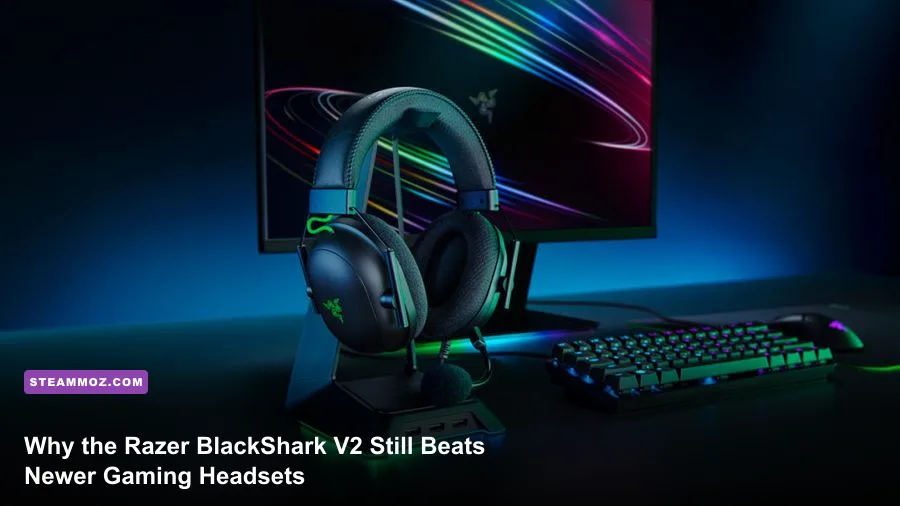
The Razer BlackShark V2 remains one of the absolute best sub-$100 wired gaming headsets you can buy, outperforming a flood of heavier, overpriced alternatives trying to reinvent the wheel. While modern peripheral marketing pushes heavy wireless batteries, temperamental Bluetooth handshakes, and gimmicky haptic motors, this wired workhorse zeroes in on what competitive players actually care about: clinical directional audio imaging, ultra-low weight, and passive noise isolation that silences noisy rooms. If you grind tactical shooters where hearing a defuse tap through concrete decides the match, the BlackShark V2 is still an absolute tournament powerhouse.
TriForce Titanium 50mm Drivers: Real-World In-Game Audio Testing
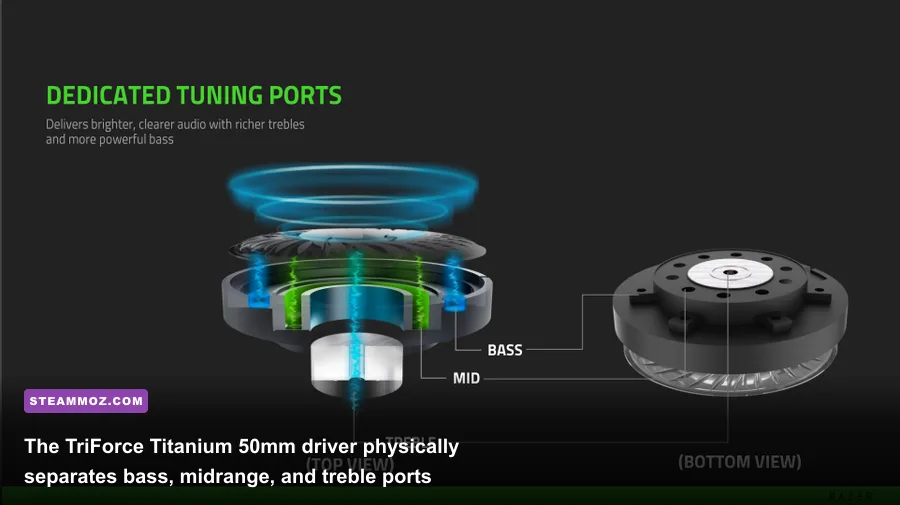
Audio hardware moves at a much slower pace than GPUs or high-refresh monitors. A well-engineered acoustic chamber paired with quality dynamic drivers will sound just as crisp five years down the line as it did on launch day. Razer built the BlackShark V2 around their proprietary TriForce Titanium 50mm drivers, and that design choice continues to pay massive dividends in high-stakes lobbies. Unlike standard dynamic drivers that treat the entire diaphragm as a single acoustic surface—often causing booming low frequencies to muddy mid-range vocal clarity—the TriForce design acts like three separate drivers packed into one housing. It features dedicated tuning ports for lows, mids, and highs.
To put this acoustic architecture to the test, we threw the BlackShark V2 into punishing audio environments across Counter-Strike 2, Valorant, and Hunt: Showdown. In Counter-Strike 2, audio positioning is everything. Standing near Mirage's B Site apartments, distinguishing between footsteps crunching on wooden floorboards versus leather boots tapping cold stone on Catwalk is immediate and unambiguous. The high-frequency titanium-coated diaphragms give pin-pulls, scope zooms, and defuse kits a sharp, cutting acoustic signature that slices straight through rolling grenade explosions.
The soundstage itself is semi-open in character despite the closed-back earcups. You don't get the sprawling, out-of-head expansiveness of an open-back Sennheiser studio headphone, but for closed-back gaming cans, the stereo imaging precision is surgical. In Hunt: Showdown—a game built ground-up on binaural acoustic tracking—the BlackShark V2 let us pinpoint an enemy hunter snapping twigs 45 meters away through thick bayou brush at an exact 2 o'clock angle. The separation between 250 Hz (where grenade thuds resonate) and 2.5 kHz (where metal reloading clicks reside) ensures zero frequency masking during chaotic skirmishes.
Just like dialing in your graphics profiles—whether you are fine-tuning settings for max FPS or pushing responsiveness in demanding titles—proper acoustic tuning is a direct competitive advantage. The default out-of-the-box sound signature leans mildly warm with a gentle bass bump around 80 Hz to 120 Hz, but it avoids the bloated, hollow rumble that plagued older Razer Krakens. For pure cinematic single-player campaigns, orchestral scores sound rich and atmospheric, though mid-range brass can occasionally feel slightly recessed without software equalization.

🎮 FORM
Looking to experience this game? Grab your digital key directly on our store for $14.99.
View on Steammoz Store →Hardware Breakdown: Comfort, Cable Durability, and Passive Isolation
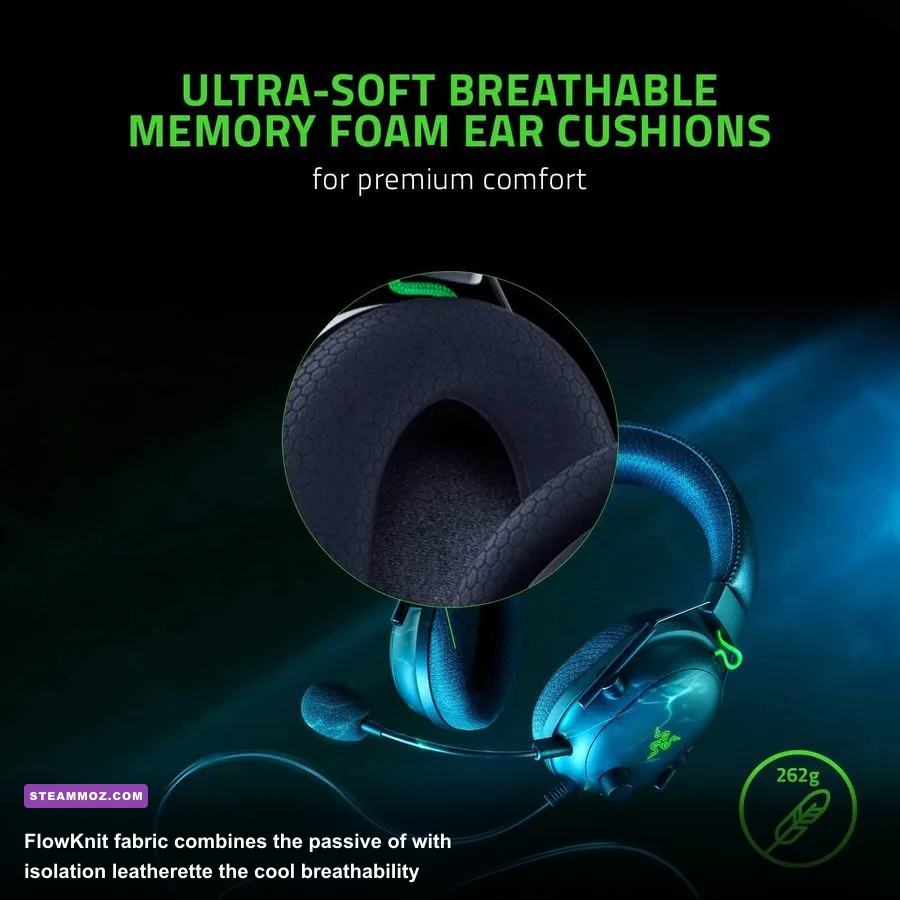
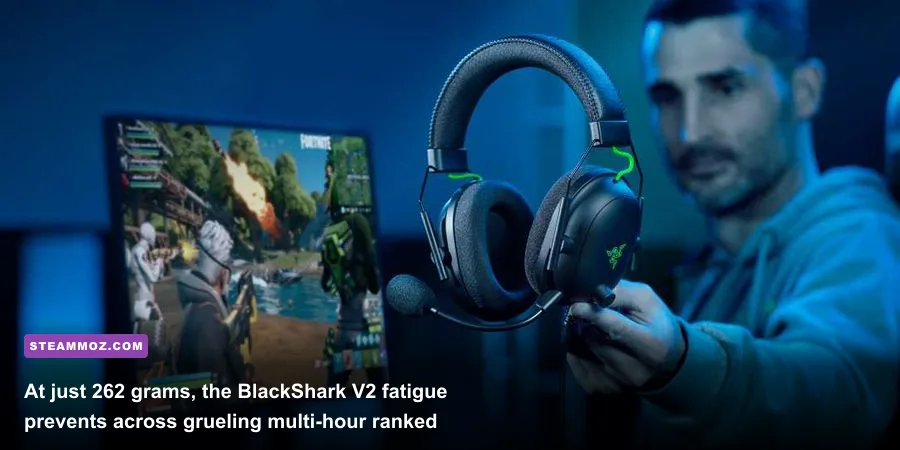
When you're locked into a six-hour ranked marathon, acoustic clarity means nothing if your headset feels like a medieval torture clamp crushing your skull. Weighing in at an exceptionally light 262 grams (9.24 ounces), the BlackShark V2 is an absolute masterclass in ergonomic distribution. Compare that featherlight profile to modern wireless flagships that routinely push past 340 to 380 grams due to internal lithium-ion cells, and you immediately feel the difference in your neck and crown after just two matches.
The ear cushions utilize Razer’s FlowKnit fabric wrapped around high-density memory foam. Unlike traditional protein leatherette earcups that trap heat, turn into miniature saunas, and flake off after two summers of sweat, FlowKnit uses an athletic, breathable weave. The inner ring keeps a thin strip of leatherette to lock in low-end bass pressure and seal your ear canal, while the surface touching your face remains cool, dry fabric. The clamping force sits right in the sweet spot at approximately 1.1 lbs of lateral pressure—firm enough that shaking your head won't cause the headset to slide, yet gentle enough that glasses wearers won't suffer aching temples.
Passive noise isolation is where the aviation-style oval earcup design shines. Closed-back gaming headsets frequently struggle to block out background keyboard clatter and loud PC case fans, but the BlackShark V2 physically attenuates roughly 18 dB of ambient room noise across higher midrange bands. When you are listening intently for precise footsteps in tactical shooters or tracking spatial audio cues in fast-paced fighters like Fatal Fury: City of the Wolves, keeping mechanical switch clatter out of your ears makes a massive difference in reaction times.
However, no piece of hardware is completely immune to wear and tear, and the BlackShark V2's minimalist build does come with compromises you need to know about:
- Non-Detachable 3.5mm Cable: The single biggest flaw of the headset. The 1.8-meter Razer Speedflex cable is exceptionally flexible and produces virtually zero microphonic noise when rubbing against your hoodie, but it is hardwired into the left earcup. If your office chair rolls over the wire or your pet chews through it, you cannot simply swap in an aftermarket 3.5mm aux cord; you're looking at soldering iron repairs or replacing the entire unit.
- Wire Frame Sliders: The earcups adjust along thin metal wire struts inspired by helicopter pilot headsets. While stylish and lightweight, there are no tactile numbered detents or locking notches. Over years of daily tossing into backpacks, the friction fit can loosen slightly, requiring minor re-adjustments when you put them on.
- Prominent On-Ear Volume Knob: The analog potentiometer mounted on the left earcup features a tactile center notch at 50% volume. It's incredibly convenient for fast on-the-fly balancing, but like all analog potentiometers, spinning it rapidly after years of dust exposure can occasionally introduce faint scratchy static until blown clean with compressed air.
HyperClear Cardioid Mic and the USB Sound Card: Voice Quality Examined
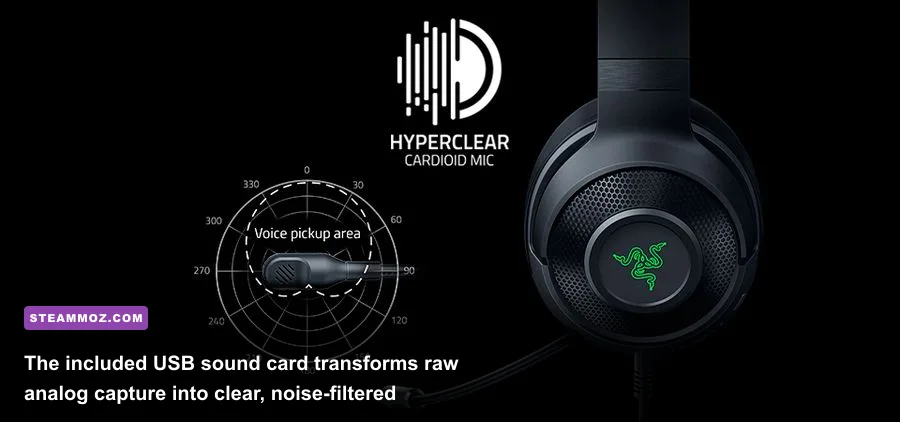
A competitive headset lives or dies by its comms clarity. The BlackShark V2 ships with a detachable Razer HyperClear Cardioid boom mic sporting a 9.9mm capsule, complete with a dense foam pop filter that stops plosive pops from clipping your Discord server. The pickup pattern is strictly cardioid, meaning it focuses directly on your mouth while rejecting off-axis sounds from behind the capsule, such as your mechanical keyboard switches or desktop speakers.
Plugging the 3.5mm jack directly into a budget motherboard can leave your audio vulnerable to electromagnetic interference, electrical hiss, or poor microphone gain stages. That is why the included USB sound card DAC is such an essential inclusion in the box. This small dongle converts the analog signal into a clean digital feed, granting access to the full microphone processing suite within Razer Synapse.
Through Synapse, you unlock a 10-band microphone equalizer, Voice Clarity high-pass filtering, Ambient Noise Reduction, and a software-driven Vocal Gate. In real-world Discord and in-game VOIP testing, your teammates receive an articulate, mid-forward voice broadcast with zero muddy room echo. It naturally lacks the rich low-end chest resonance found in $150 dedicated USB broadcast microphones like the Elgato Wave:3 or Shure MV7, but for calling out enemy flankers and calling site executes, it sounds noticeably cleaner and less compressed than the tinny mics found on many pricier wireless competitors.
Head-to-Head Benchmarks: BlackShark V2 vs. Modern Competitors
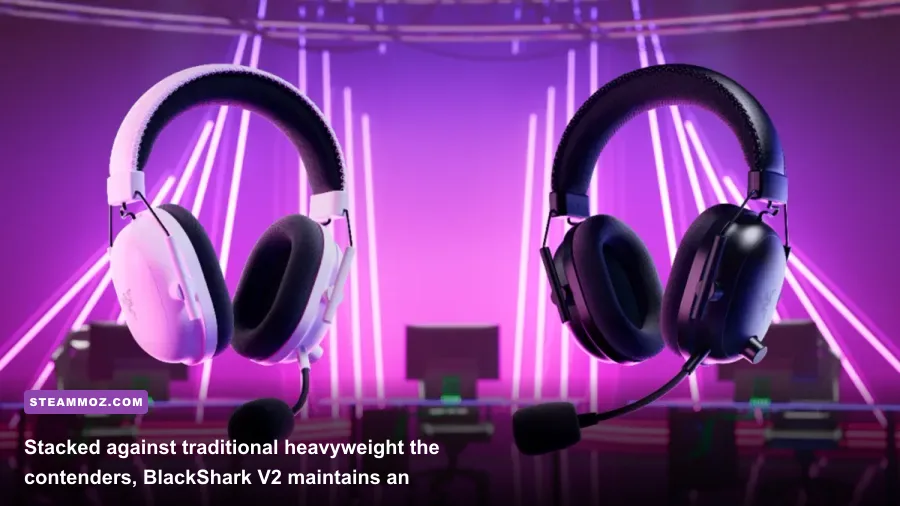
To understand why this headset maintains such an iron grip on the market, you have to look at how it stacks up against its direct rivals in the competitive audio segment. We pitted the BlackShark V2 against its closest legacy and modern competitors: the HyperX Cloud Alpha, the SteelSeries Arctis Nova 3, and the Logitech G Pro X.
| Headset Model | Weight (Grams) | Acoustic Driver | Mic Type | Cable Design | Passive Isolation | Software EQ Suite |
|---|---|---|---|---|---|---|
| Razer BlackShark V2 | 262g | 50mm TriForce Titanium | 9.9mm Cardioid (Detachable) | Fixed 1.8m Speedflex | High (~18 dB cut) | Synapse 3 (10-Band + THX) |
| HyperX Cloud Alpha | 336g | 50mm Dual Chamber | Bi-directional (Detachable) | Detachable 1.3m Braided | Moderate (~12 dB cut) | None (Pure Analog) |
| SteelSeries Nova 3 | 253g | 40mm High Fidelity | ClearCast Gen 2 (Retractable) | Detachable USB-C / 3.5mm | Low (~9 dB cut) | Sonar Audio Engine |
| Logitech G Pro X | 320g | 50mm Pro-G Graphene | 6mm Blue VO!CE (Detachable) | Detachable 2.0m Braided | Moderate (~14 dB cut) | G HUB (Blue VO!CE) |
Looking at the breakdown, the trade-offs become crystal clear. The HyperX Cloud Alpha provides unmatched structural durability with its thick aluminum forks and modular detachable cable, but it pays for it with significantly more weight (336g) and full leatherette cushions that build up noticeable heat. Meanwhile, the Logitech G Pro X offers deeper vocal customizability via Blue VO!CE software, but its heavier frame exerts noticeably stiffer clamping force on your jawline.
The BlackShark V2 threads the needle better than any of them. It provides the lightweight agility of the SteelSeries Nova line while retaining the beefy 50mm driver punch, full acoustic isolation, and deep directional bass tracking of the heavier studio-style cans. When evaluating overall dollar-to-performance ratio across verified laboratory frequency curves on RTINGS frequency response tests, the BlackShark V2 routinely benchmarks with lower total harmonic distortion (THD) under high volume loads than headsets costing 50% more.
Whether you're pushing through long atmospheric runs in space combat sims like Everspace 2, exploring harsh open worlds like in Elex, or escaping tense sound-reliant indie puzzles like EscapeVR, having a comfortable, acoustically balanced driver sitting over your ears is far more valuable than flashy RGB lighting that drains your battery.
Synapse 3 Software Tuning and Optimal Competitive EQ Profiles
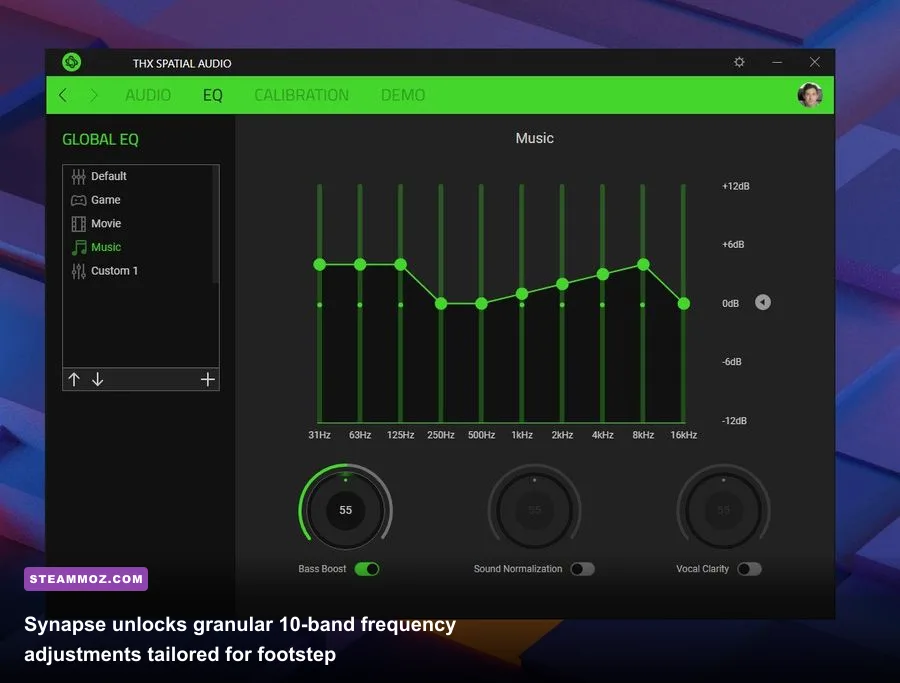
While the hardware handles raw acoustic duties admirably, the included USB sound card acts as an audio sandbox. Once plugged into a Windows PC, Razer Synapse opens up an internal 10-band graphic equalizer covering 31 Hz up to 16 kHz. Leaving the EQ set to flat does the drivers a slight disservice; the BlackShark V2 reacts remarkably well to minor frequency tweaks, letting you tailor sound profiles for specific gaming genres.
Below are our battle-tested EQ profiles calibrated specifically for the TriForce Titanium acoustic profile to maximize directional clarity, footstep pickup, and vocal separation:
| Frequency Band | Tactical FPS Footstep Profile | Cinematic / Campaign Immersion | Music / Balanced Listening | Target In-Game Sound Element |
|---|---|---|---|---|
| 31 Hz | -4 dB | +4 dB | +1 dB | Sub-bass rumble, far-off artillery |
| 63 Hz | -2 dB | +3 dB | +2 dB | Explosion weight, vehicle engines |
| 125 Hz | -1 dB | +1 dB | 0 dB | Lower mid punch, drum kicks |
| 250 Hz | 0 dB | -1 dB | -1 dB | Vocal mud region, room resonance |
| 500 Hz | +1 dB | 0 dB | 0 dB | Body of weapon gunfire, wooden doors |
| 1 kHz | +2 dB | +1 dB | +1 dB | Primary vocal comms, ambient details |
| 2 kHz | +4 dB | +2 dB | +2 dB | Footstep scrapes, cloth rustling, sliding |
| 4 kHz | +5 dB | +2 dB | +3 dB | Weapon reloads, pin drops, armor cracks |
| 8 kHz | +3 dB | +1 dB | +1 dB | Bullet crack air displacement, glass breaks |
| 16 kHz | +1 dB | +3 dB | +2 dB | High-end air, sparkle, micro-reverb |
Notice the deliberate scoop in the sub-31 Hz to 63 Hz region for the Tactical FPS profile. In titles like Apex Legends or Call of Duty: Warzone, high-volume air strikes and rolling mortar barrages flood the lower registers, masking the critical 2 kHz to 4 kHz range where enemy sprinting footsteps and mantle cues live. Dropping the sub-bass while boosting the upper-mids gives you an immediate acoustic edge over players using default bass-heavy 'bass boost' modes.
Regarding spatial virtualization: the BlackShark V2 includes full licensing for THX Spatial Audio. Razer provides custom THX Competitive Game Profiles for titles like Apex Legends, Rainbow Six Siege, and CS2. Our recommendation after extensive A/B blind testing? Stick to standard Stereo Mode with THX Environmental Effects disabled for competitive play, or pair the stereo output directly with Dolby Atmos for Headphones or standard Windows Sonic on your Steam library games. THX Spatial Audio creates an expansive 360-degree sphere that feels incredible in single-player action titles, but in hardcore tactical shooters, artificial virtual surround introduces minor phase shifts and digital reverb that can make sound sources sound slightly farther away than they actually are.
The Final Verdict: Who Should Buy It and Who Should Skip?
Peripheral trends come and go, but pure engineering fundamentals don't expire. The Razer BlackShark V2 has survived multiple hardware generations because it refuses to waste your money on gimmicks that don't help you play better. You aren't paying for battery degradation, heavy motorized wireless transmitters, or RGB lights that you can't even see while wearing the headset.
You Should Buy the BlackShark V2 If:
- You prioritize long-session comfort above all else: At 262 grams paired with cooling FlowKnit memory foam ear cushions, this headset simply disappears on your head during long weekend grinds.
- You play competitive shooters on PC: The TriForce Titanium 50mm drivers deliver top-tier directional separation, cleanly isolating tactical audio cues like footsteps, defuse kits, and reloads from thunderous explosions.
- You want high-tier performance on a budget: Frequently discounted well below its original $99 MSRP, it easily outperforms modern entry-level headsets that cut corners on acoustic drivers and software equalization.
- You hate charging peripheral batteries: Zero battery anxiety, zero latency drops, and zero Bluetooth pairing headaches—just plug in the USB DAC and play.
You Should Look Elsewhere If:
- You demand a modular, detachable cable: The fixed Speedflex cable remains the BlackShark V2's single biggest weak point. If you frequently yank your cables or run them over with caster wheels, a headset with a swappable aux port like the HyperX Cloud Alpha is a safer long-term investment.
- You need mobile or console wireless freedom: If you game primarily from your living room couch or want one headset to handle your daily subway commute via Bluetooth, you will need to step up to a dedicated wireless dual-mode headset like the BlackShark V2 Pro or SteelSeries Arctis Nova 7.
- You are a critical audiophile listening to lossless FLACs: While bright, energetic, and clean for gaming, these are gaming cans tuned for positional presence, not flat studio-reference monitor headphones like the Beyerdynamic DT 990 Pro.
The market is overflowing with flashy gaming audio peripherals that try to do everything at once while failing at the basics. By keeping its eyes on pristine stereo imaging, ultra-low weight, effective passive noise rejection, and versatile software EQ tuning, the Razer BlackShark V2 remains an undisputed titan of competitive gaming audio. If your goal is to hear your enemies before they see you without burning a hole in your wallet, this classic wired headset is still an absolute steal.