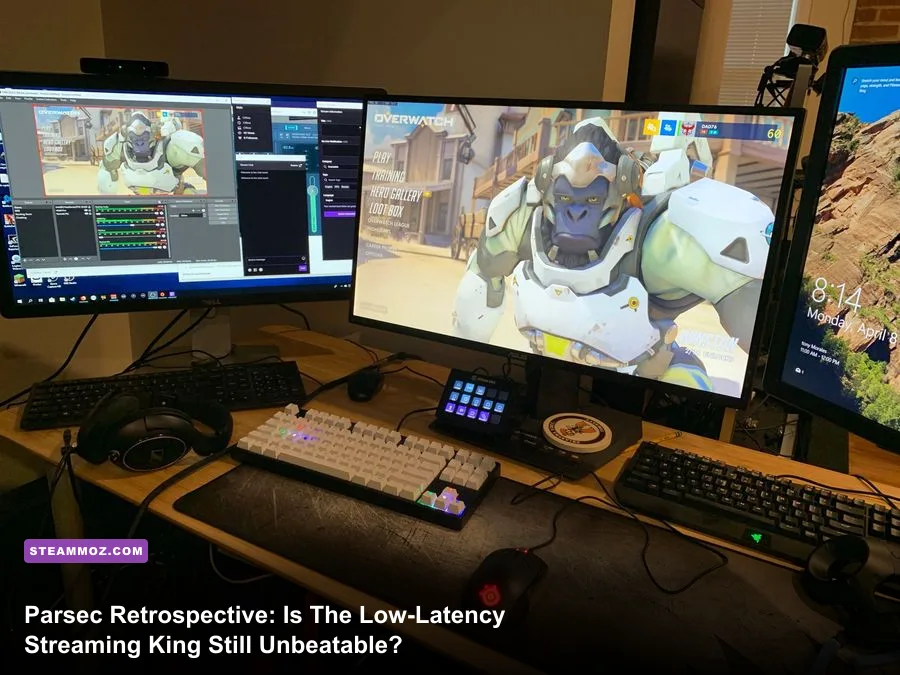
Parsec Remote Desktop is still absolutely worth running if you want instant, frictionless peer-to-peer couch co-op and bulletproof remote desktop access without touching a single router port. While open-source powerhouses like Sunshine and Moonlight have stolen the local network crown for high-bitrate 4K HDR enthusiasts, Parsec's peer-to-peer NAT traversal, lightning-fast hardware decoding, and virtually imperceptible input lag keep it unmatched for pick-up-and-play sessions over the open internet. If your primary goal is sharing single-screen co-op titles with distant friends or jumping into your home rig from a lightweight laptop at a hotel, nothing matches Parsec's dead-simple onboarding and snappy responsiveness.
The Secret Sauce: BUD Protocol and Real-Time Video Pipeline
Most standard remote desktop software is fundamentally built for spreadsheet maintenance and clerical work. Traditional tools like Microsoft RDP or TeamViewer prioritize rock-solid image persistence over interactive timing. If your network packets drop, those legacy protocols stall, buffer, and reconstruct the frame before letting you take another action. That architectural strategy produces terrible stutter and input delay in video games. Parsec was engineered from scratch around an entirely different philosophy using its proprietary Better User Datagram (BUD) protocol.
BUD is an ultra-low-overhead UDP network protocol tailored strictly for interactive gaming. When a packet containing a frame slice drops over the public web, Parsec doesn't panic and choke your inputs while waiting for retransmissions. Instead, it drops the missing slice, sends a fast intra-frame refresh request to the host encoder, and pushes straight ahead to the newest possible render frame. You might witness a split-second pixel artifact, but your mouse sweep and controller thumbstick inputs never lag behind reality. You remain locked to the live frame state of your host rig.
Behind the networking layer sits a razor-sharp video pipeline. On the host side, Parsec hooks directly into GPU capture APIs via DirectX Desktop Duplication (DXGI), capturing raw framebuffers right out of VRAM before piping them directly into your graphics card's dedicated hardware encoder. Whether your host machine packs an NVIDIA NVENC block, an AMD AMF chip, or Intel QuickSync hardware, Parsec avoids CPU roundtrips completely. Encoding overhead rarely climbs higher than 3 to 6 milliseconds on modern silicon, keeping your host system free to drive peak native frame rates. If your underlying PC struggles with background stutters or hitching before the stream even begins, checking our deep-dive on tuning PC background settings for higher FPS will help stabilize that critical capture pipeline.

🎮 UNBEATABLE
Looking to experience this game? Grab your digital key directly on our store for $27.99.
View on Steammoz Store →Input Latency and Frame Pacing: Hard Numbers That Matter
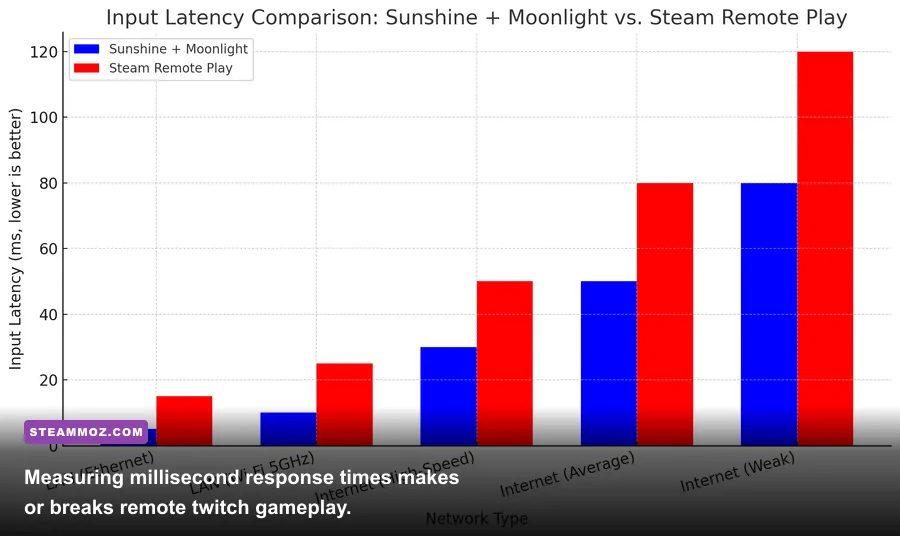
When you're trying to execute tight jump cancels, parry fighting game specials, or click heads in dynamic shooters, input latency is the only metric that truly counts. Parsec measures its performance using three distinct milestones: Host Processing (screen capture and encoding), Network (transit time across the wire), and Client Processing (packet reception, hardware decoding, and display blit). On a modern setup, the combined hardware penalty outside of physical network distance sits around 5 to 10 milliseconds.
Client-side decoding is where Parsec shines on potato hardware. A five-year-old ultrabook or a budget office laptop running an integrated Intel Iris or basic Vega iGPU can decode 1080p 60 FPS video streams in 1.8 to 3.2 milliseconds using low-overhead hardware decoders. That decode speed keeps input-to-photon latency competitive with native console play on an average living room TV. However, modern open-source competitors have caught up aggressively. Let's look at how the primary game-streaming protocols stack up against each other under identical real-world network conditions.
| Streaming Solution | Avg. Encode Latency | Avg. Decode Latency | Color Subsampling Support | Setup Complexity | Best Use Case |
|---|---|---|---|---|---|
| Parsec (Free) | 3.2 ms | 2.1 ms | 4:2:0 YUV | Zero (Account & Link) | Frictionless Co-Op & Remote Play |
| Parsec Warp | 3.5 ms | 2.6 ms | 4:4:4 & 4:2:0 YUV | Zero (Subscription) | Color-Critical Work & Sharp Text |
| Moonlight + Sunshine | 2.4 ms | 1.8 ms | 4:2:0 / 4:4:4 / 10-bit HDR | Moderate to High (Port Forwards) | High-End LAN Streaming & 4K120 |
| Steam Remote Play | 5.8 ms | 4.2 ms | 4:2:0 YUV | Very Low (Steam Ecosystem) | Casual Steam Library Sharing |
As the raw numbers show, the combination of Sunshine and Moonlight edges out Parsec in raw latency ceiling, especially when pushing 120Hz streams or 10-bit HDR color pipelines over a local gigabit switch. Sunshine allows for aggressive bitrate scaling well past 100 Mbps, delivering visual fidelity that looks virtually indistinguishable from a physical DisplayPort cable. But the moment you leave your local area network, Sunshine requires dynamic DNS configuration, UPnP routing, or self-hosted VPN tunnels like WireGuard and Tailscale.
Parsec completely eliminates that technical barrier. Its backend uses intelligent STUN/TURN traversal servers to establish direct peer-to-peer UDP handshakes between machines, even across restrictive carrier-grade NATs (CGNAT) and university dorm firewalls. For competitive titles where frame data dictates your reactions—such as fast-paced fighters highlighted in our breakdown of Fatal Fury: City of the Wolves PC specs—Parsec's minimal network overhead keeps frame-tight combos fully viable over typical residential broadband connections.
The Couch Co-Op Revolution: Virtual Controllers and Local Party Play
Parsec's greatest achievement isn't merely remote desktop mirroring; it is how it manages virtual input routing. Long before publishers embraced cross-platform multiplayer, PC gaming was littered with brilliant titles locked to shared-screen local play. If a game didn't have online netcode baked into its engine, you were forced to invite friends to your physical living room. Parsec shattered that barrier by developing a custom virtual gamepad driver powered by ViGEmBus (Virtual Gamepad Emulation Bus).
When a friend connects to your Parsec host machine, Parsec injects an emulated Xbox 360 or DualShock 4 controller directly into Windows at the driver level. To your host operating system and game engine, it appears as though your friend just walked into your room and plugged a physical USB controller straight into your PC case. Up to four guests can plug in their gamepads simultaneously, map their buttons on the fly, and play local-only titles together over the web without any third-party mapping utilities.
This controller abstraction works effortlessly with legendary co-op titles, retro emulators, and local indie brawlers. Better yet, only the host needs to own the game, download the files, or possess a dedicated graphics card capable of driving high settings. Your co-op partner can play on an ancient MacBook Air, a cheap corporate Chromebook running Android, or a mini-PC, streaming your visual output while delivering responsive inputs. If your host rig tends to run hot or drop frames during heavy multiplayer loads, applying our performance tweaks from troubleshooting PC crashes and frame pacing will keep the host session rock-solid for everyone plugged into your virtual couch.
Parsec Free vs. Parsec Warp: Where Does the Paywall Hurt?
For years, Parsec was beloved as a totally free utility. Following its acquisition by Unity, the core software remained accessible, but power-user features were cordoned off under the paid Parsec Warp tier. Understanding what sits behind that paywall is critical when deciding whether Parsec fits your regular gaming routine or if you should migrate toward open-source setups.
The base, free tier of Parsec includes the core BUD protocol, unlimited peer-to-peer remote desktop sessions, full controller passthrough, and standard YUV 4:2:0 color subsampling. For 90 percent of pure gaming scenarios, the free version is everything you need. You get buttery-smooth 60 FPS video at bitrates up to 50 Mbps, full input hot-plugging, and zero subscription nags. Where the free tier struggles is in fine visual clarity outside of games, particularly high-contrast text rendering and intricate UI elements.
| Feature | Parsec Free | Parsec Warp ($9.99/mo) | Moonlight / Sunshine |
|---|---|---|---|
| NAT Traversal & Cloud Handshake | Included (Automated) | Included (Automated) | Manual (Requires Port Forward/VPN) |
| Chroma Subsampling | 4:2:0 Only | 4:4:4 & 4:2:0 Toggle | 4:2:0, 4:4:4, and HDR10 |
| Virtual Display Creation | No (Mirrors Active Screen) | Yes (Up to 3 Displays) | Yes (Via Virtual Display Drivers) |
| Drawing Tablet / Stylus Pressure | No | Full Wacom/Pen Passthrough | Experimental / Third-Party |
| Watermarking & Ads | None | None | None |
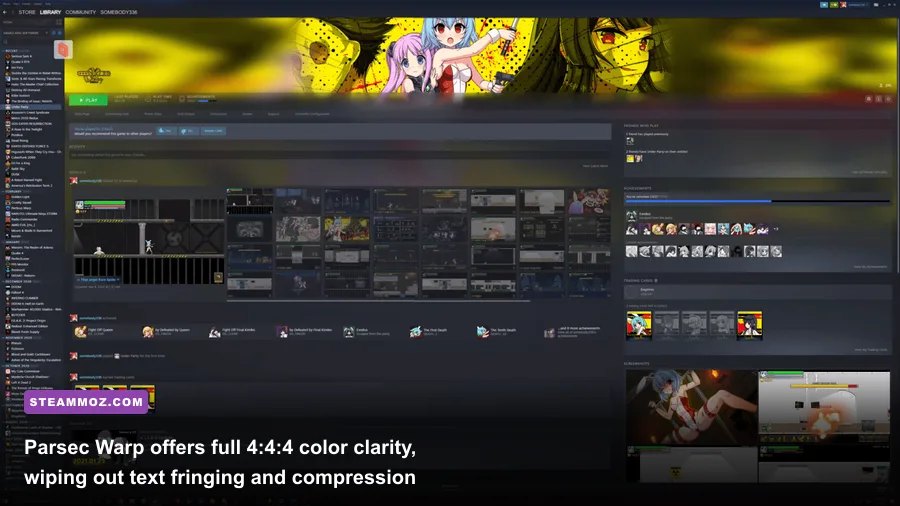
Parsec Warp's standout capability is 4:4:4 chroma subsampling. Under standard 4:2:0 compression, color resolution is halved relative to luminance data to preserve bandwidth. While that compromise is invisible during high-speed explosions and lush 3D environments, it causes slight color fringing around fine red crosshairs, UI text, and desktop taskbars. Warp cleans this up dramatically, rendering razor-sharp native typography and flawless color separation. Warp also introduces virtual multi-display support, letting you spawn independent dummy monitors on your headless host without buying physical HDMI ghost plugs.
If you split your time between PC gaming and heavy creative work—like digital illustration, video editing, or game development—Parsec Warp's stylus pressure passthrough and crisp color output justify its monthly asking price. But if your mission is purely launching split-screen action with your squad or streaming high-end adventures while traveling, the free tier doesn't hamstring your gaming experience whatsoever.
Tuning Parsec for Flawless 60+ FPS Streaming
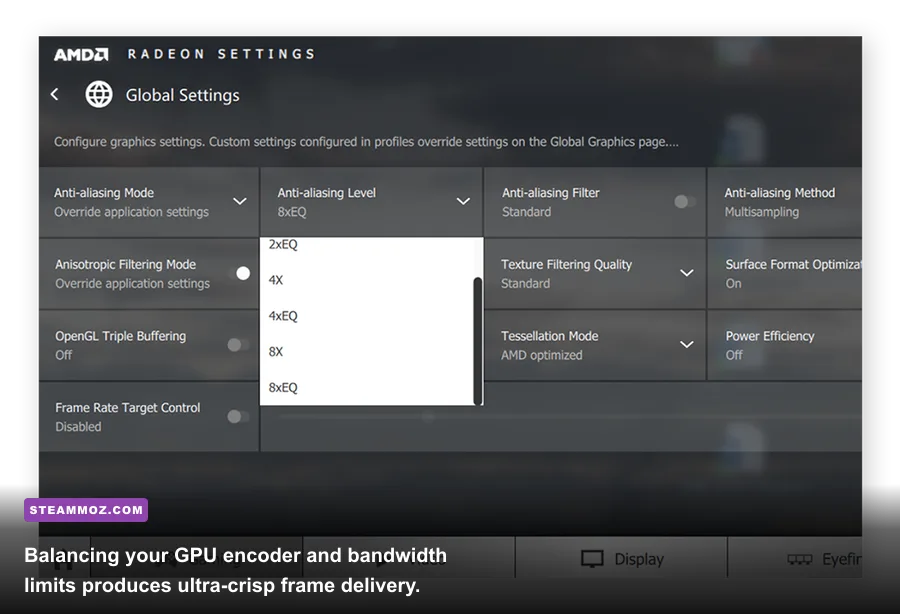
Getting the lowest possible latency and cleanest image out of Parsec requires optimizing both host and client settings. The software features an auto-detect algorithm out of the box, but taking manual command of your stream parameters eliminates micro-stutters and random resolution dips. Follow this step-by-step optimization workflow to get every drop of responsiveness from your hardware.
1. Host-Side Encoder and Refresh Optimization
Ensure your host monitor is running at an integer refresh rate matching your target stream speed. If your host display runs at 144Hz or 165Hz while Parsec attempts to broadcast at 60 FPS, frame-pacing judder is inevitable because the frame intervals don't align cleanly. Either lock your client stream target to 120 FPS inside Parsec's settings or cap your host display refresh to 60Hz or 120Hz before launching your session.
Inside your GPU control panel (NVIDIA Control Panel or AMD Software), set your host's Power Management Mode to 'Prefer Maximum Performance' for Parsec's executable. This prevents your GPU's internal hardware encoder clocks from downclocking during lighter 2D rendering scenes. If you are pushing heavy modern engines on your host rig, make sure your in-game graphic presets are dialed in properly; using optimized profiles like those found in our Far Cry 6 settings for max FPS guide guarantees your primary GPU retains enough headroom to encode your stream without dropping capture frames.
2. Client-Side Bandwidth and Decoder Tweaks
Open the Parsec settings tab on your client machine and navigate to the Client section. Force the Decoder to your client's dedicated hardware option (Intel, NVIDIA, or AMD) rather than leaving it on Software. Software decoding uses your CPU, driving decode times above 15 milliseconds and spiking input latency instantly.
Set your Bandwidth Limit manually between 25 Mbps and 40 Mbps for 1080p 60 FPS, or between 45 Mbps and 50 Mbps for 1440p streams. Going above 50 Mbps on standard residential Wi-Fi networks provides diminishing visual returns while drastically increasing the probability of bufferbloat and network latency spikes. Finally, set your Client Renderer to DirectX 11 or Metal (on macOS); OpenGL rendering inside Windows introduces noticeable presentation latency on modern display drivers.
3. Advanced Config File Overrides
For enthusiasts wanting maximum stability, Parsec exposes raw parameters via its config.txt file located in your local application directory. You can force aggressive packet handling and prioritize responsiveness over visual perfection by editing these specific parameters:
encoder_bitrate = 35— Locks your baseline bandwidth floor, preventing aggressive downscaling during quick camera pans.encoder_fps = 60— Enforces an uncompromising broadcast refresh ceiling to prevent frame pacing mismatches.client_vsync = 0— Shaves off an entire frame of presentation delay at the cost of slight display tearing on non-VRR client monitors.
If your system frequently experiences strange application freezes or display driver crashes during extended streaming marathons, our troubleshooting walkthrough on fixing game crashes and stabilizing GPU driver states offers proven remedies to keep your host rig running uninterrupted.
The Final Verdict: Where Parsec Stands Today
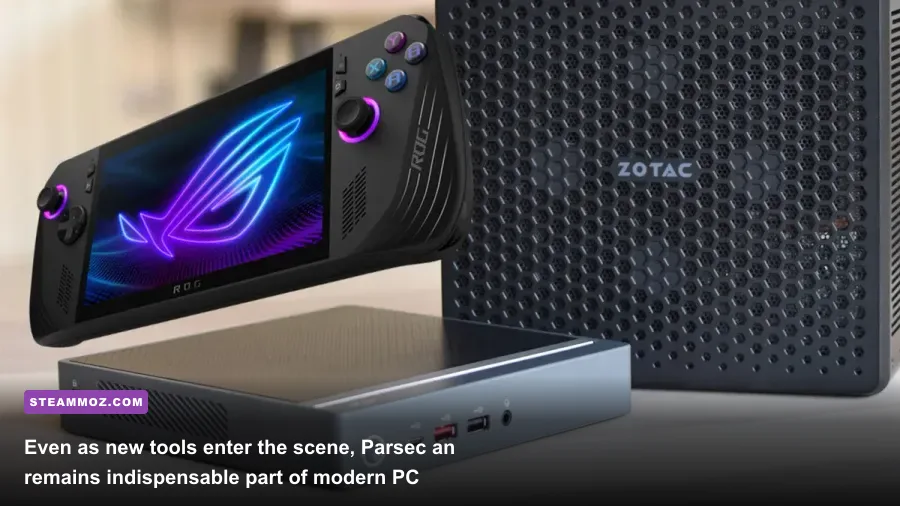
Game streaming technology has matured at a staggering pace. Between Valve's improvements to Steam Remote Play and the community-driven triumphs of the open-source Sunshine and Moonlight ecosystem, gamers have more choices for untethered PC access than ever before. Yet despite this fierce competition, Parsec has defended its territory as the undisputed champion of peer-to-peer convenience.
If you are an advanced enthusiast building an isolated, ultra-high-bitrate living-room streaming box on a 2.5Gbps home LAN, Moonlight combined with Sunshine delivers superior visual fidelity, genuine HDR passthrough, and native 4K 120Hz capabilities that Parsec currently cannot match. Sunshine is the power-user's dream if you don't mind managing self-signed security certificates and port rules.
However, the moment you step outside the boundaries of your home network, Parsec remains completely peerless. Its effortless account-based pairing, rock-solid NAT traversal, transparent input handling, and plug-and-play controller sharing turn your primary desktop into an accessible party console anywhere on the planet. Parsec isn't just surviving—for anyone who loves real-time cooperative play and zero-headache remote desktop performance, it remains an essential tool in any serious PC gamer's arsenal.