
Hacknet Ultimate Edition becomes much easier once you stop treating it like a typing test. The winning rhythm is simple: map the network, identify the right machine, read the files, create a safe exit, and only then make noise with commands such as PortHack or rm. These 10 practical tips will get you through CSEC’s early lessons, prevent avoidable trace failures, and prepare you for Entropy’s nastier missions.
Hacknet is a fictional terminal puzzle game rather than a real-world hacking simulator. Its commands are intentionally readable, and the campaign teaches them through missions from characters including Bit, CSEC, and Entropy. If you want the game itself, start with the official Hacknet Steam page, then keep this guide nearby when the interface starts throwing unfamiliar icons and countdowns at you.
1. Learn the five-command opening routine
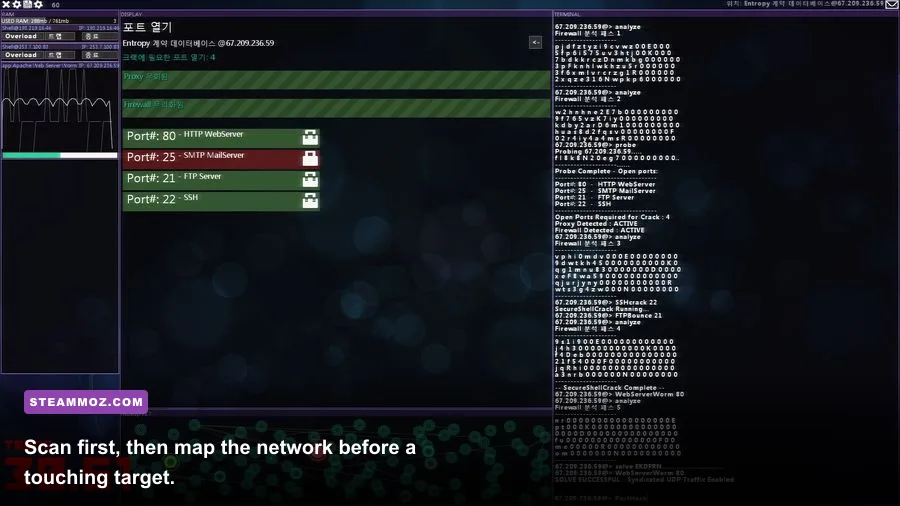
Your first few seconds on almost every job should follow the same sequence. Type help if you forget syntax, then use scan to reveal nearby nodes. Select a promising node and run probe; this exposes ports and services that may be available. Connect with connect, and use PortHack only when the target’s security setup supports it.
That order matters. scan shows where systems are, while probe tells you what each system offers. A machine with several visible ports may be intended for a later mission, not your current objective. Clicking around randomly wastes time and makes the network harder to read.
| Command | What it does | Best beginner use |
|---|---|---|
help | Displays available command information | Check syntax instead of guessing |
scan | Reveals connected nodes | Build a route to the target |
probe | Shows ports and services | Find the correct entry method |
connect | Moves your session to a selected node | Follow a deliberate path |
PortHack | Attempts to bypass a vulnerable port configuration | Open a target after checking its ports |
Keep a small route in your head: home system to relay, relay to target, target to exit. Hacknet’s visual network diagram is useful, but the terminal output is the authoritative source. If the route feels unclear, disconnect and rescan rather than forcing the next step.

🎮 Hacknet Ultimate Edition
Looking to experience this game? Grab your digital key directly on our store for $9.59.
View on Steammoz Store →2. Treat the trace timer like a budget
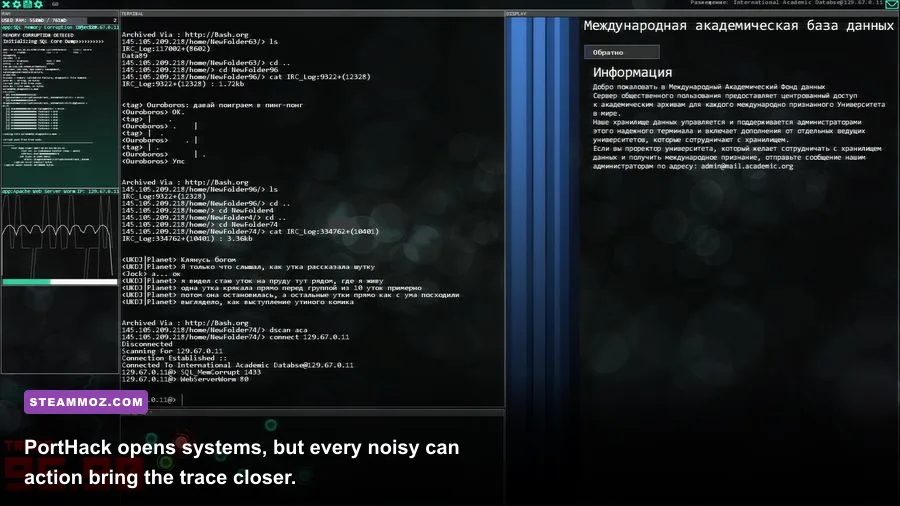
The red trace indicator is not decoration. It represents how long the system has before an incoming trace reaches your position. You can often take time to inspect files, but loud actions and mission-specific events push the situation toward failure. The safest habit is to prepare before triggering the operation that starts the countdown.
First, identify your target, check its file structure, and make sure you know the route back. If the mission requires deleting a file, downloading evidence, or killing a process, have the relevant commands ready. Never begin a timed sequence while you are still wondering which node contains the objective.
When the trace starts, avoid sightseeing. Complete the required action, disconnect through the shortest safe chain, and return to your home machine. If you get lost, use scan only when necessary; repeated exploration is exactly how a comfortable timer becomes a panic spiral.
What actually causes trouble?
Hacknet’s alarms vary by mission, so don’t assume every command has the same risk. Reading a harmless log is usually safer than attacking a protected machine, while actions tied to the objective can produce a warning or accelerate the scenario. Watch the interface after every major command. The game normally gives you enough feedback to understand what changed.
A useful rule is “quiet investigation, loud execution.” Do your ls, cd, and cat work first. Save the irreversible or noisy step for when you can immediately finish and escape. This same patience helps in other tactical games too; Steamoz’s Hell Is Us beginner tips use the same principle of reading danger before committing.
3. Read files instead of brute-forcing objectives
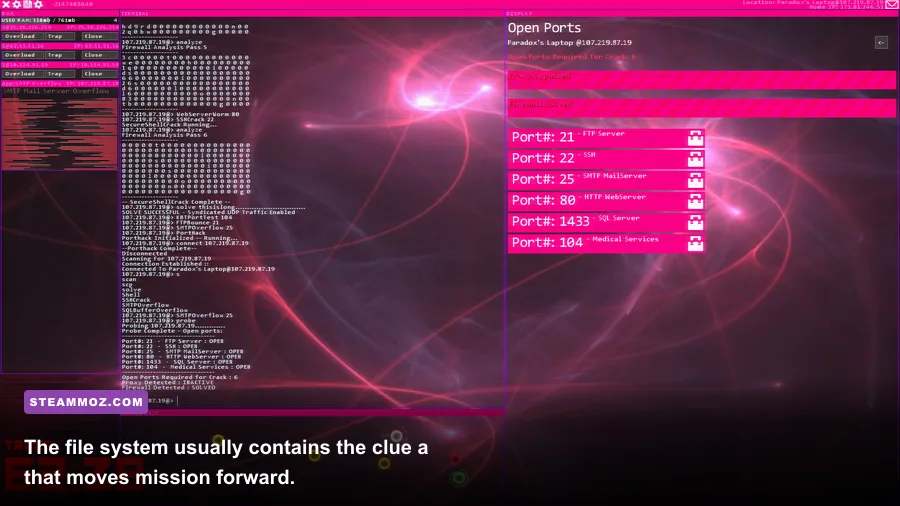
Hacknet hides mission instructions in the file system, logs, emails, and program notes. Once connected, start with ls to list the current directory. Use cd to move into a folder, then cat filename to read a text file. The filename often reveals more than the mission briefing: account names, server locations, passwords, or the exact file that must be removed.
Don’t delete a file merely because its name looks suspicious. Mission targets frequently sit beside decoys, and some files contain the clue needed to identify the real target. Read related notes first. If the game asks you to find evidence, search logically through folders rather than opening every item on the network.
Use grep when a directory contains too many logs or documents. Searching for a distinctive keyword, username, or extension is faster than manually reading a wall of text. If you download a file with wget, check where it lands before assuming the objective is complete. Hacknet rewards careful file handling, not just command memorization.
| Investigation task | Command or tool | Why it helps | Common mistake |
|---|---|---|---|
| List a folder | ls | Shows files and directories | Assuming the first file is the objective |
| Enter a directory | cd | Keeps your investigation organized | Forgetting your current location |
| Read text | cat | Reveals clues and mission context | Skipping logs because they look optional |
| Find a keyword | grep | Filters large collections of files | Searching with an overly broad term |
| Retrieve a file | wget | Moves required data to your system | Leaving before confirming the transfer |
4. Build your own mental network map
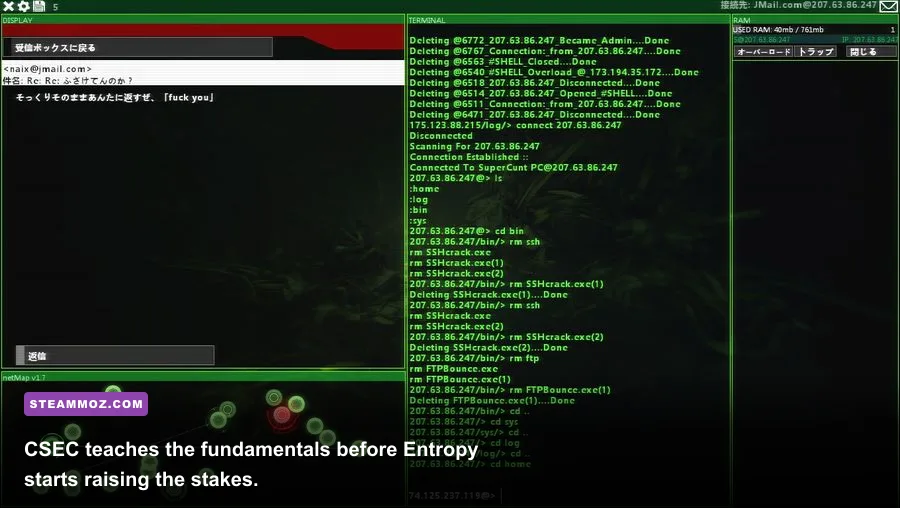
Hacknet’s nodes are easier to understand when you separate them into roles: your home computer, relay or proxy machines, mission targets, and escape routes. The number beside a node is not a power level. It identifies the system, so use the name and the connection lines to understand the topology.
Before attacking, trace two paths: the route in and the route out. They may be identical, but later missions can add proxies, isolated machines, or systems that only become visible after another action. A relay is valuable because it gives you a connection point; it is not automatically a safe hiding place.
Take screenshots or jot down node names if the network becomes dense. This is especially useful during missions involving multiple companies or several servers with similar labels. Hacknet intentionally asks you to remember relationships, and a 10-second note can save a full restart.
For a broader look at games that make exploration part of the challenge, check Steamoz’s guide to secret locations in Journey to the Savage Planet. The genre is different, but the lesson is identical: mark what you find before the game asks you to find it again.
5. Use programs as tools, not magic buttons
Hacknet’s programs are powerful because each solves a specific obstacle. PortHack is for bypassing a vulnerable port setup; it is not a universal key. Other tools introduced through the campaign can handle password protection, encryption, or process management. Read their in-game descriptions and pay attention to which ports they require.
If a target won’t open, don’t immediately assume the mission is bugged. Run probe again and compare the listed ports with the tools available on your system. A missing requirement usually means you need to reach another machine, download a program, or follow the mission’s evidence trail first.
6. Keep your home computer clean
Your home machine is the anchor for every operation. Use it to inspect downloaded files, launch tools, and confirm that mission data arrived. If you leave clutter everywhere, it becomes harder to distinguish an objective file from a temporary download. Create a mental “working area” and check it after every transfer.
Never rush to remove something from your home system just because the filename looks unfamiliar. Some mission files are proof of completion or clues for the next contact. Read them, note their purpose, and only delete what the objective explicitly identifies.
7. Learn process control before you need it
The ps command lists running processes, while kill can terminate a selected process when the mission calls for it. These commands are often where the game shifts from ordinary file investigation to active system disruption. Confirm the process ID carefully. Killing the wrong process can leave you without the function you need to finish the job.
Watch the terminal output after using kill. A successful command changes the process list or removes the relevant service. If nothing changes, check whether you are on the correct machine; Hacknet makes it easy to think you are controlling the target while still connected to a relay.
8. Don’t confuse story text with optional flavor
Bit’s messages, CSEC requests, and Entropy communications are more than atmosphere. They teach the game’s vocabulary and often explain why a server, account, or file matters. Read them before jumping into the terminal. Later missions assume you understand earlier terminology, especially when the objective is deliberately indirect.
The campaign’s escalation is part of the tutorial. Early CSEC jobs teach scanning, connecting, file navigation, and basic exploitation. Entropy missions combine those skills under pressure. If you are stuck, revisit the last message rather than searching for a random command.
9. Pause to decode suspicious instructions
Some Hacknet objectives intentionally hide the next step in wording, filenames, or a sequence of clues. Look for repeated names, unusual extensions, and references to a specific machine. The game wants you to connect information across systems, not merely type the most obvious command.
Keep a short note of usernames, IP addresses, ports, and required files. This becomes essential when a mission sends you between multiple nodes. It also protects you from the classic mistake of finding the right information and then forgetting which server contained it.
10. Practice in the sandbox before chasing speed
Don’t optimize for fast completion on your first run. Hacknet’s best skill is reliable navigation under pressure, and that only comes from understanding why a command worked. Use early missions to rehearse scan, probe, connect, ls, cd, and cat until they feel automatic.
Once you can map a route without hesitation, speed comes naturally. You’ll know which files deserve attention, which ports matter, and when the trace demands an immediate exit. For more progression-focused gaming advice, Steamoz’s Legend of Keepers starting-build guide and IXION equipment ranking are useful reminders that preparation beats frantic improvisation.
Master the loop and Hacknet stops feeling mysterious
Hacknet Ultimate Edition is at its most satisfying when every action has a reason. Scan before connecting, probe before exploiting, read before deleting, and prepare your escape before starting a trace-heavy operation. That loop turns the game from an intimidating black screen into a readable tactical puzzle.
If you want more details about the edition and its included content, compare the listing on the official Steam store page with updates from developer Team Fractal. Most importantly, don’t panic when the terminal gets busy. Hacknet usually gives you the answer in plain sight—you just need to slow down long enough to read it.