The minimum Clash of Clans requirement is Android 5.0 or newer, or iOS 12 or newer, with a stable internet connection. For a better experience, use a phone or tablet with at least 3GB of RAM, 2GB of free storage, a modern 64-bit processor, and current system software. The game is not graphically demanding, but large Town Hall 17 attacks, long play sessions, overheating, and limited storage can still cause stutter or crashes.
Clash of Clans Minimum Requirements
Supercell does not publish a traditional Windows-style graphics card specification for the mobile version. Clash of Clans is designed for phones and tablets, so the practical minimum is determined by the operating system, available memory, storage, and connection quality.
- Android: Android 5.0 Lollipop or later is the commonly listed minimum operating system.
- iPhone and iPad: iOS 12 or iPadOS 12 or later is the baseline for supported Apple devices.
- Memory: 2GB of RAM may launch the game, but 3GB is a safer minimum for modern updates and background apps.
- Storage: Keep at least 2GB free before installing. The app itself changes size across updates, and the operating system also needs working space.
- Internet: A persistent connection is required for village data, multiplayer attacks, Clan Wars, raids, and Supercell ID synchronization.
An older device can technically meet the operating-system requirement and still perform badly. Phones with entry-level quad-core chips, slow eMMC storage, or only 2GB of RAM are the most likely to reload the game when switching between Clash of Clans and another app. The game may open, but loading the Home Village, Clan Capital, and attack replay can take noticeably longer.
Check the official Clash of Clans page before installing if your device is close to the cutoff. Supercell can change compatibility as older Android and iOS versions lose support.
Recommended Android Specifications
For reliable daily play, the best Android target is not an expensive gaming phone. A mid-range device from the last several years is enough, provided it has a modern chipset and free storage.
- Operating system: Android 10 or newer, fully updated.
- RAM: 4GB recommended; 6GB or 8GB gives more breathing room when using Discord, YouTube, or a browser alongside the game.
- Processor: A modern Snapdragon 600-series or better, MediaTek Helio G-series, or equivalent Exynos chipset.
- Storage: At least 4GB free, preferably on UFS storage rather than older eMMC memory.
- Display: Any 720p or 1080p screen is sufficient; resolution does not transform Clash of Clans into a demanding 3D title.
- Network: Stable Wi-Fi or 4G LTE is enough. 5G is useful for download speed, not essential for gameplay.
These specifications handle routine actions such as collecting Gold, Elixir, and Dark Elixir; training a Barbarian King army; scouting with Electro Dragons; and moving between the Home Village, Builder Base, and Clan Capital. They also reduce reloads during Clan War League, when checking war attacks and chat repeatedly can keep the app open for hours.
Do not judge performance only by the first launch. Let the game download all available assets, open a large enemy base, watch a replay, and perform a full attack using multiple units. A device that stays smooth during a mass Root Rider push, Siege Machine deployment, and Hero ability sequence is comfortably above the practical minimum.
Players with limited phone space can also use the storage techniques in our mobile storage reduction guide. The advice applies broadly: remove unused downloads, keep several gigabytes free, and avoid filling internal storage above roughly 90 percent.
Recommended iPhone and iPad Requirements
Apple devices are easier to compare because iOS updates and hardware generations are tightly controlled. Any currently supported iPhone or iPad should run Clash of Clans well, while older devices near the iOS 12 boundary are better treated as minimum-spec hardware.
- Minimum platform: iOS 12 or iPadOS 12.
- Recommended platform: iOS 16 or newer, with automatic App Store updates enabled.
- Recommended hardware: iPhone 8, iPhone SE 2020, or newer; for iPad, an A10 Fusion model or newer is a sensible target.
- Memory: 3GB or more is preferable, especially for iPads with several apps open.
- Free space: Reserve at least 2GB, with 4GB preferred for updates and general device health.
An iPhone 8-class device can manage standard village browsing, Builder Base battles, and Clan Wars, although battery condition matters. A degraded battery can trigger thermal throttling, making scrolling and attack animations less consistent. Newer A15, A16, and A17-powered iPhones have far more headroom and remain responsive during long sessions.
Clash of Clans does not need a 120Hz screen, but high-refresh iPhones make menus and camera movement feel smoother. The practical performance gain comes from sustained frame pacing rather than maximum resolution. Close camera-heavy apps, avoid playing while the phone is charging under a pillow or in direct sunlight, and keep iOS updated through Apple’s official iOS support page.
For more mobile thermal advice, see our guide to stopping phone overheating and battery drain. The same habits help when a Clan War session runs for several hours.
Clash of Clans on PC: Requirements and Setup
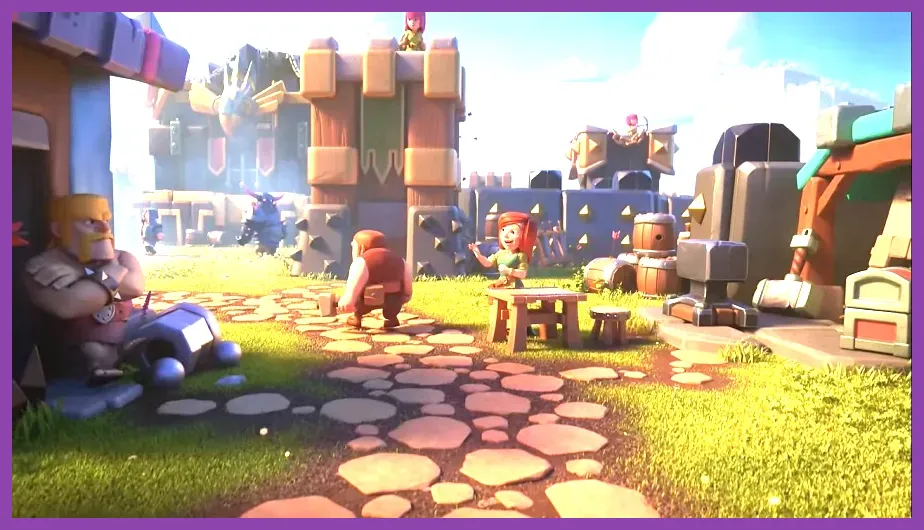
There is no native Steam version of Clash of Clans. The official desktop option for Android users is Google Play Games on PC, where supported games can run in a Windows environment. This is separate from unofficial emulators, which may create account, security, or compatibility risks.
- Operating system: Windows 10, version 2004 or newer.
- Processor: At least four physical CPU cores.
- Memory: 8GB of system RAM.
- Graphics: Intel UHD Graphics 630 or comparable integrated or dedicated graphics.
- Storage: Solid-state drive with at least 10GB of available space.
- Virtualization: Hardware virtualization must be enabled in BIOS or UEFI.
These are Google Play Games platform requirements, not a special Clash of Clans graphics specification. The game itself is lightweight, but the Android compatibility layer needs additional CPU, memory, and storage overhead. Download the client from the official Google Play Games for PC page, then install Clash of Clans through the supported catalog.
Once installed, sign in with the correct Supercell ID rather than creating a separate village by mistake. Supercell ID is the safest way to move progress between Android, iOS, and supported PC sessions. The official Supercell ID page explains account linking and recovery.
Best Performance Settings and Troubleshooting
Clash of Clans does not offer a PC-style menu with DLSS, texture quality, shadows, or ray tracing. Performance tuning is therefore mostly about the device and operating system:
- Update Clash of Clans from the official Google Play listing or Apple App Store.
- Keep 2GB to 4GB of internal storage free so updates can unpack correctly.
- Restart a low-memory phone before Clan War or Raid Weekend.
- Disable battery-saver restrictions for Clash of Clans if they interrupt loading or notifications.
- Use 5GHz Wi-Fi when available, but switch to mobile data if the router is dropping packets.
- Lower screen brightness and remove a thick case if the phone becomes hot.
- Clear the app cache on Android, but never erase app data unless the village is linked to Supercell ID.
If the game crashes during an attack, first check storage and temperature rather than reinstalling immediately. Reinstalling can remove locally stored login data. If buildings, troops, or purchases appear missing, stop playing on the affected device and contact Supercell support with your player tag and Supercell ID details.
Players moving between devices can also review our performance settings guide for broader frame-rate and thermal principles. In short, Android 5.0 or iOS 12 is the installation floor, while 4GB of RAM, modern hardware, and several gigabytes of free storage represent the sensible recommended target for Clash of Clans today.