Last Heroes should run comfortably on most modern budget gaming PCs. The published minimum target is a Windows 7-era machine with an Intel Core i3-class processor, 4 GB of RAM, and a GTX 660-class graphics card, while the recommended profile moves to Windows 10, an Intel Core i5-class CPU, 8 GB of memory, and a GTX 1060-class GPU. You’ll also want roughly 5 GB of free storage, plus a little extra room for updates and shader files.
That sounds modest by current PC standards, but matching a parts list on paper doesn’t guarantee a smooth session. Laptop GPUs can carry very different power limits, integrated graphics may technically launch the game while struggling in busy scenes, and a nearly full hard drive can make loading noticeably rougher. Here’s how the Last Heroes system requirements translate into real hardware, what each component actually affects, and which settings to change first if your frame rate falls short.
Last Heroes minimum and recommended PC specs
The table below separates the official baseline from the more comfortable target. Treat the minimum configuration as a “this should launch and remain playable” specification, not a promise of locked 60 frames per second at high settings.
| Component | Minimum | Recommended | What it means in practice |
|---|---|---|---|
| Operating system | Windows 7 | Windows 10 | Windows 10 or Windows 11 is the safer choice for current drivers |
| Processor | Intel Core i3-class CPU | Intel Core i5-class CPU | The recommended tier gives more headroom during loading and busy encounters |
| Memory | 4 GB RAM | 8 GB RAM | 8 GB helps avoid stutter when Steam, browsers, and overlays are open |
| Graphics card | Nvidia GeForce GTX 660-class GPU | Nvidia GeForce GTX 1060-class GPU | Dedicated graphics are strongly preferred over older integrated chips |
| DirectX | DirectX 11 | DirectX 11 | Modern Windows installations normally include the required runtime |
| Storage | Approximately 5 GB | Approximately 5 GB | Reserve 8 to 10 GB so updates and temporary files have breathing room |
There’s an important detail hidden inside those broad labels: “Core i3” and “Core i5” describe families, not fixed performance levels. A recent low-power Core i3 can outperform an old desktop i5, while a mobile GTX 660M-class chip is not equivalent to a full-power desktop GTX 660. The same warning applies to Radeon cards. Compare the actual model and generation rather than relying on the badge printed on a laptop.
If you’re checking an existing PC, open Windows Settings, select System, then About to identify the CPU and installed RAM. For the GPU, press Windows + R, type dxdiag, and open the Display tab. You can also check the official Last Heroes Steam search page before buying, since individual releases can receive revised listings or platform notes.

🎮 Last Heroes
Looking to experience this game? Grab your digital key directly on our store for $0.53.
View on Steammoz Store →What the minimum specification can realistically deliver
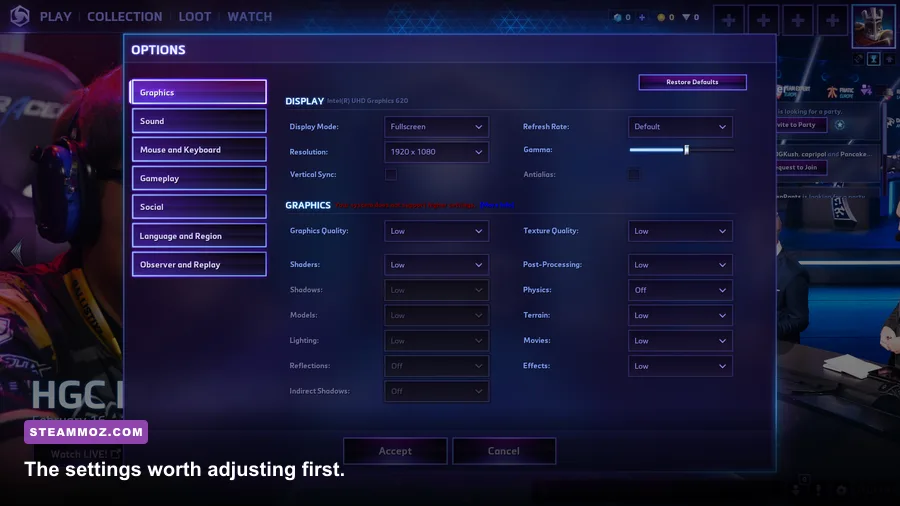
A GTX 660-class card paired with 4 GB of RAM should be viewed as a 720p or 900p machine first. Start with the Low preset, disable expensive effects, and aim for a stable 30 frames per second. If the game feels consistent there, test 1080p with textures raised one step at a time.
The graphics card is usually the first restriction. At the minimum tier, resolution has a much larger performance cost than texture quality. Dropping from 1920×1080 to 1600×900 reduces the number of pixels the GPU must draw by about 31 percent. Moving to 1280×720 cuts the pixel workload by half compared with 1080p. That’s why a lower resolution often produces a bigger improvement than turning textures from High to Medium.
Four gigabytes of system memory is also a tight squeeze in 2026. Last Heroes may not need all of it by itself, but Windows, Steam, browser tabs, voice chat, and recording software compete for the remaining space. Once physical RAM is exhausted, Windows starts using the page file on your drive. The result is not always a lower average FPS; it’s often sudden hitching when entering a new area or loading a new effect.
Close Chrome tabs, Discord overlays, RGB utilities, and capture software before testing the minimum profile. Disable Steam’s overlay temporarily if you’re diagnosing stutter, and make sure Windows is using the dedicated GPU when playing on a notebook. Nvidia users can set this under the Nvidia Control Panel’s program settings, while Windows offers a similar option under Settings > System > Display > Graphics.
Minimum-spec target profile
- Resolution: 1280×720 or 1600×900
- Preset: Low, then raise textures if memory allows
- Frame-rate target: 30 FPS locked for consistency
- Textures: Medium only if the GPU has enough VRAM
- Shadows and post-processing: Low or Off
- Background applications: Keep them to a minimum
Don’t chase a fluctuating 60 FPS on this hardware. A steady 30 feels dramatically better than a frame rate bouncing between 24 and 47, particularly during input-heavy sections. If you’re troubleshooting another demanding PC title, Steamoz’s guide to Iratus graphics settings covers the same practical approach: identify the expensive settings instead of blindly dropping every option to Low.
Recommended hardware is the better target for 1080p
The recommended GTX 1060-class GPU and 8 GB of RAM should give Last Heroes a much more comfortable 1080p experience. This is the tier to target if you want to leave room for a sharper image, higher texture quality, and background applications without immediately running into memory pressure.
Again, the GTX 1060 label needs context. The 3 GB and 6 GB versions are not identical, especially when texture quality rises. The 6 GB model offers more VRAM headroom, while the 3 GB card can run into texture allocation limits sooner. A GTX 1650, GTX 970, Radeon RX 570, or newer entry-level card may also be perfectly suitable depending on the rest of the system and the game’s exact rendering workload.
The recommended CPU matters less for raw image quality than the GPU, but it can improve consistency. A stronger processor helps when the game is preparing assets, handling background simulation, or running alongside voice chat and browser windows. If your GPU usage sits below roughly 90 percent while the frame rate remains low, the processor, memory configuration, driver, or background software may be the real bottleneck.
| PC profile | Suggested resolution | Starting preset | Practical target |
|---|---|---|---|
| Minimum desktop | 1280×720 | Low | Stable 30 FPS |
| Older gaming laptop | 1600×900 | Low or Medium | 30–60 FPS depending on cooling |
| Recommended desktop | 1920×1080 | High | Stable 60 FPS in normal play |
| Modern mid-range PC | 1920×1080 or 2560×1440 | High | 60 FPS with room for visual upgrades |
For a fresh build, don’t spend every dollar on the GPU and pair it with 8 GB of slow memory. A sensible modern target is a six-core processor, 16 GB of dual-channel RAM, and an SSD. That setup exceeds the published recommendation and makes the whole PC feel quicker, not just Last Heroes. Faster storage won’t magically raise average FPS, but it can reduce loading friction and improve asset streaming.
Best Last Heroes graphics settings for smoother FPS
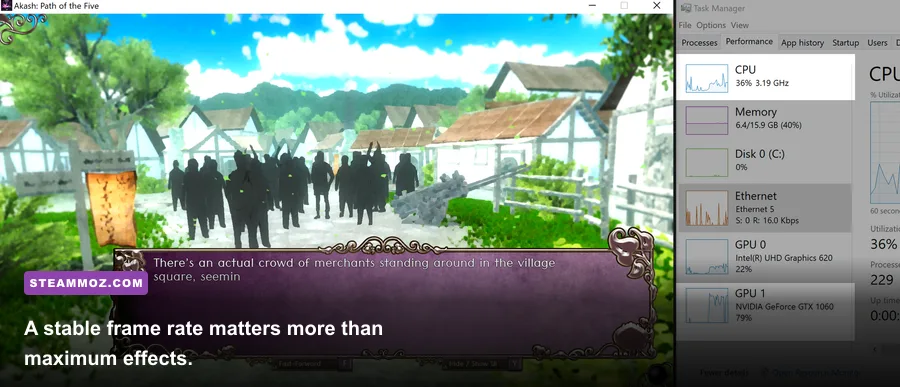
Start with the game’s recommended preset, play for five minutes in a visually busy area, and watch both average frame rate and frame-time consistency. Then make changes in the order below. This avoids the classic mistake of lowering texture quality first when the real culprit is shadows or resolution scaling.
| Setting | Recommended value | FPS impact | Visual trade-off |
|---|---|---|---|
| Resolution | Native display resolution | Very high | Lowering it softens the image but delivers the largest GPU gain |
| Resolution scale | 100%; test 85–90% if needed | Very high | Lower values can look blurry, especially on 1080p screens |
| Textures | High with 6 GB VRAM; Medium with 3–4 GB | Low to medium | Mostly affects surface detail and VRAM use |
| Shadows | Medium | High | Lower settings reduce depth and contact detail |
| Effects | Medium or High | Medium | Controls particles, flashes, and other busy effects |
| Anti-aliasing | Medium or the lightest available option | Medium | Lower settings produce more jagged edges |
| Ambient occlusion | Medium or Off on minimum hardware | Medium | Turning it off makes corners and objects look flatter |
| Motion blur | Off | Small | Sharper camera movement and cleaner screenshots |
| V-sync | On if tearing appears | Variable | Can add latency; use a frame cap if available |
Shadows are the first quality setting I’d lower on a borderline PC. They can require several extra rendering passes and often cost more than players expect. Ambient occlusion is next. It adds convincing contact darkness beneath objects, but it’s a luxury when the frame rate is already unstable.
Textures work differently. They mainly consume VRAM rather than raw shader power. If you have a 6 GB graphics card, keep them high and reduce shadows instead. If the game shows texture pop-in, long pauses, or sudden hitching, test a lower texture setting and close anything using hardware acceleration in the background.
Use the official Microsoft Windows update guidance and the latest stable driver from your GPU manufacturer before judging performance. Don’t install random “FPS booster” tools. They rarely solve a real bottleneck and can add overlays or background processes of their own.
SSD space, drivers, and laptop checks that matter
The storage requirement is small, but the type of drive still matters. An SSD is preferable because it handles game launches, loading screens, and temporary shader data far faster than an older mechanical hard drive. Keep at least 10 GB free on the installation drive even if the game itself only occupies around 5 GB. Windows needs working space for updates, cached files, and virtual memory.
Laptop owners should plug in the charger and select the performance power mode before testing. Battery mode can reduce CPU and GPU clocks enough to make a machine appear underpowered. Check temperatures during a long session, too. A laptop that starts smoothly and slows after 20 minutes may be thermal-throttling rather than failing to meet the Last Heroes requirements.
Dual-channel memory is another easy win. Two 4 GB sticks generally perform better than one 8 GB stick with integrated graphics because the iGPU borrows system memory and benefits heavily from additional bandwidth. If your PC only has 4 GB installed, upgrading to 8 GB is usually the most affordable improvement. For a new machine, 16 GB is the sensible floor.
If you enjoy comparing hardware before buying, Steamoz’s PC fixes guide for Kumitantei is useful for diagnosing launch errors, display problems, and older Windows compatibility quirks. The same basics apply here: verify files, update drivers, remove conflicting overlays, and test fullscreen versus borderless mode.
Can Last Heroes run on Steam Deck or integrated graphics?
Steam Deck performance depends on the game’s actual compatibility layer, controller support, and graphics profile rather than the desktop minimum alone. The Deck’s integrated RDNA 2 GPU is newer than a GTX 660 in feature support, but it shares memory with the system and has a much lower power budget than a desktop card. Start at 1280×800, use Low or Medium settings, and cap the frame rate at 30 if a stable handheld experience is your priority.
On integrated Intel UHD or older AMD Vega graphics, expectations should be conservative. The game may launch at 720p, but resolution scaling and Low shadows will probably be necessary. Newer Radeon 680M, 780M, and Intel Arc integrated graphics are substantially stronger and may approach the recommended experience at reduced settings, though results vary by laptop cooling and memory speed.
Before purchasing for a handheld, check the current official Steam Deck page and the game’s live Steam community reports. Compatibility can change after patches, and a game that runs well on desktop Windows may still need controller remapping or a Proton version change on Linux-based handheld hardware.
A sensible Steam Deck starting profile
- Resolution: 1280×800
- Preset: Low, then raise textures if frame pacing remains stable
- Frame cap: 30 FPS for battery life and consistency
- Shadows: Low
- Motion blur: Off
- Power target: Leave the default limit until you confirm performance
Final verdict on the Last Heroes PC requirements
Last Heroes is not demanding by modern AAA standards. A GTX 660-class desktop with 4 GB of RAM should meet the published minimum, but it’s best suited to 720p or 900p on Low settings with a 30 FPS target. For 1080p play that feels consistently smooth, aim for the recommended GTX 1060-class GPU, an i5-class processor, and at least 8 GB of RAM. In 2026, 16 GB is the smarter long-term choice.
The biggest performance wins are straightforward: use an SSD, keep drivers current, lower shadows before textures, reduce resolution scale only when necessary, and close background software on minimum-spec systems. If your PC sits between the two official tiers, don’t panic. A recent entry-level GPU and dual-channel memory can outperform the old labels suggest.
Before you buy, compare your exact CPU and GPU models with the published listing, leave extra storage free, and check the latest player reports on the Last Heroes Steam Community search. And if you’re looking for more practical PC advice, Steamoz’s guides to Insurgency: Sandstorm performance and progression and beginner-friendly PC game setup are worth bookmarking.