
Arise: A Simple Story is not a demanding PC game by modern standards. Its listed minimum target is a 64-bit Windows PC with an Intel Core i5-2500K or AMD FX-8350, 4 GB of RAM, and a GeForce GTX 660 or Radeon R9 270-class graphics card. For a smoother experience, aim for an Intel Core i7-4770K or AMD Ryzen 5 1500X, 8 GB of memory, and a GeForce GTX 1060 or Radeon RX 580. You’ll also need roughly 5 GB of free storage and DirectX 11 support.
Those numbers tell only half the story. Arise: A Simple Story is a slow, cinematic adventure built around climbing, timing, and manipulating the seasons, so stable frame pacing matters more than chasing ultra-high frame rates. The game’s stylized worlds are generally forgiving on older hardware, but wide vistas, volumetric atmosphere, foliage, shadows, and local co-op can expose weaker CPUs and GPUs. Here’s how to read the requirements, what hardware you really need, and which settings make the biggest difference.
Arise: A Simple Story PC Requirements at a Glance

The figures below reflect the PC requirements published for Arise: A Simple Story through its store listing. The minimum specification is aimed at playable 1080p performance with reduced settings, not necessarily a locked 60 frames per second in every scene. The recommended tier is a much safer target for high settings and consistent performance.
| Component | Minimum | Recommended | What It Means in Practice |
|---|---|---|---|
| Operating system | Windows 7 64-bit | Windows 10 64-bit | Use a current 64-bit Windows installation for better driver support. |
| Processor | Intel Core i5-2500K or AMD FX-8350 | Intel Core i7-4770K or AMD Ryzen 5 1500X | Older quad-core CPUs can launch the game, but newer six-core chips improve frame pacing. |
| Memory | 4 GB RAM | 8 GB RAM | 8 GB leaves room for Windows, Steam, voice chat, and background applications. |
| Graphics card | NVIDIA GeForce GTX 660 or AMD Radeon R9 270 | NVIDIA GeForce GTX 1060 or AMD Radeon RX 580 | The recommended tier is the comfortable 1080p starting point for higher settings. |
| DirectX | Version 11 | Version 11 | Your GPU and driver must support the DirectX 11 feature set. |
| Storage | Approximately 5 GB available | Approximately 5 GB available | An SSD is strongly preferable for quicker loading and fewer streaming pauses. |
The processor names are old now, which makes the requirements look more intimidating than they really are. A modern Core i3, Ryzen 3, or any recent six-core desktop processor should comfortably exceed the recommended CPU class. The same goes for graphics cards: a GTX 1660, RTX 2060, RX 5600 XT, or newer mainstream GPU sits well above the listed recommendation.
Don’t confuse the 4 GB minimum with a sensible Windows gaming setup. The game itself may fit inside that memory budget, but Windows 10 or Windows 11, browser tabs, overlays, and recording software can quickly consume the remainder. Four gigabytes is a launch threshold. Eight gigabytes is the practical floor.
Before buying, check the official Steam listing for any platform-specific updates. Store requirements can change, and driver support matters more than a decade-old component name when you’re troubleshooting an unusual setup.

🎮 Arise: A Simple Story
Looking to experience this game? Grab your digital key directly on our store for $3.99.
View on Steammoz Store →What the Minimum Specification Can Really Deliver
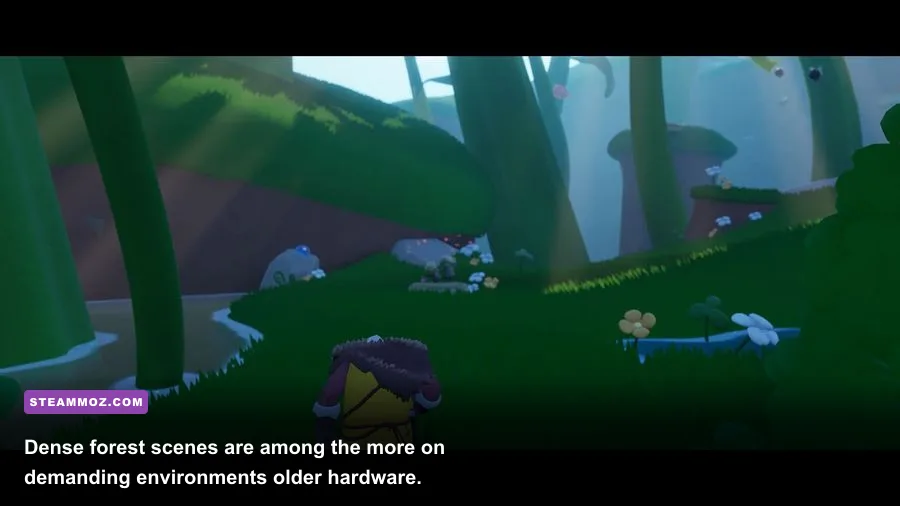
A system built around the GTX 660 or Radeon R9 270 can run Arise, but you should treat 1080p and low-to-medium settings as the sensible starting point. The game is not a twitch shooter, so 30 fps can feel acceptable during exploration. Still, inconsistent frame delivery is noticeable when you’re jumping between moving platforms or trying to catch the right moment in a time-based environmental puzzle.
The CPU requirement deserves a little nuance. The Core i5-2500K is an older four-core Sandy Bridge chip, while the FX-8350 reaches the same minimum tier through a different architecture and thread layout. Both can handle the game’s basic simulation, but neither offers much spare capacity for modern background workloads. If your minimum-spec machine is also running a browser, Discord, capture software, or an aggressive antivirus scan, hitching may appear even when the average frame rate looks fine.
The GTX 660 and R9 270 are also very different from current GPUs in efficiency and driver behavior. Their 2 GB of VRAM is enough for the game’s intended texture workload at 1080p, but raising resolution or enabling every expensive effect can create sudden dips. Texture quality usually isn’t the first setting to reduce. Shadows, ambient occlusion, foliage density, and post-processing are more likely to consume performance without dramatically changing the clarity of the scenery.
On minimum hardware, use a 60 fps cap only if the system can hold it in the heaviest areas. Otherwise, a locked 30 fps profile can feel smoother than a frame rate bouncing between 38 and 60. That’s especially true during the forest and mountain environments, where layered fog, vegetation, lighting, and distant geometry create a heavier GPU workload than the simpler early spaces.
Arise doesn’t revolve around combat stats, weapon tiers, or enemy swarms. Its technical pressure comes from presentation: broad camera views, animated weather, environmental effects, and movement through vertically structured stages. That’s good news for older PCs because there are fewer AI-heavy encounters to cause CPU spikes. It also means a weak GPU is usually the first bottleneck at higher resolutions.
Recommended Specs for 1080p and Higher Settings
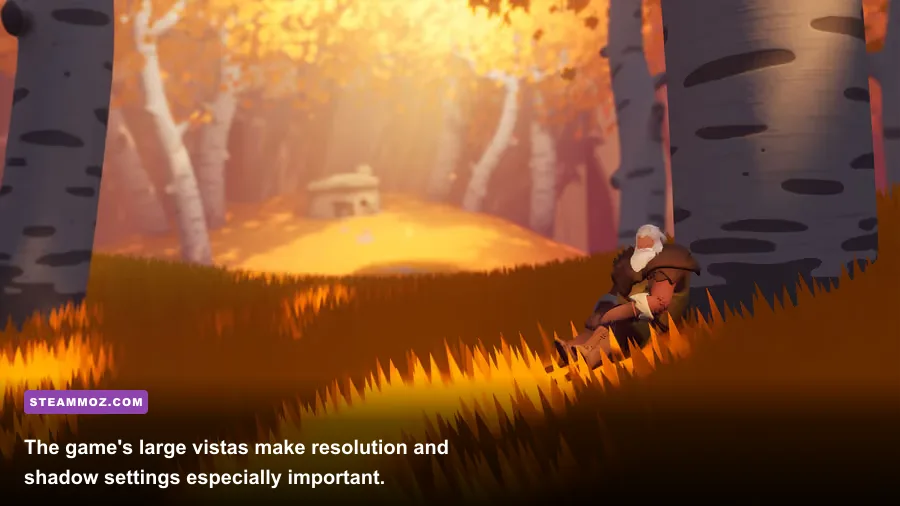
The recommended GTX 1060 or RX 580 class is the sweet spot for playing at 1080p with high-quality visuals. These cards offer a healthy step above the GTX 660 and R9 270, with more VRAM bandwidth and enough shader performance to handle atmospheric effects without constantly compromising image quality. They’re not modern powerhouses, but they match the game’s visual ambitions far better than the minimum tier.
Expect the recommended CPU class to be more than adequate for the game’s normal single-player experience. The Core i7-4770K and Ryzen 5 1500X provide additional threads and stronger multitasking headroom than the minimum chips. That matters if you stream the game, record footage, use a second monitor, or play local co-op while other applications are open.
| Target profile | CPU target | GPU target | Suggested resolution and frame-rate goal |
|---|---|---|---|
| Minimum-friendly | Core i5-2500K / FX-8350 | GTX 660 / R9 270 | 1080p low-medium, 30-60 fps depending on the scene |
| Recommended 1080p | Core i7-4770K / Ryzen 5 1500X | GTX 1060 / RX 580 | 1080p high, aiming for a stable 60 fps |
| Modern mainstream | Recent Core i3/i5 or Ryzen 3/5 | GTX 1660, RTX 2060, RX 5600 XT, or newer | 1080p ultra or 1440p high, subject to your monitor and settings |
| High-resolution play | Recent six-core CPU | RTX 3060 / RX 6600 XT or better | 1440p high with a stable cap; test shadows and post-processing first |
For 1440p, the listed recommended GPU is no longer a guaranteed ultra-setting solution. The GTX 1060 and RX 580 can still produce a pleasant experience if you lower shadows and ambient effects, but their age and memory limits become more relevant as pixel count rises. A modern RTX 3060, RX 6600 XT, or comparable card is a more comfortable choice for 1440p.
Storage speed isn’t technically part of the required specification, yet an SSD is one of the best quality-of-life upgrades you can make. Arise moves between distinct environments and cinematic sequences, and a hard drive can turn short transitions into unnecessary pauses. Installing the game on an SSD won’t increase average fps, but it can reduce loading friction and make the entire journey feel more polished.
Players using integrated graphics should be cautious. Recent integrated GPUs, such as Radeon 680M or Intel Arc integrated graphics, are a different proposition from the old Intel HD hardware common when the game launched. They may handle a reduced 720p or 900p profile, but performance will vary heavily with memory bandwidth and dual-channel RAM. The minimum specification assumes a dedicated GPU, so integrated graphics are outside the official comfort zone.
Best Graphics Settings for Smooth Performance
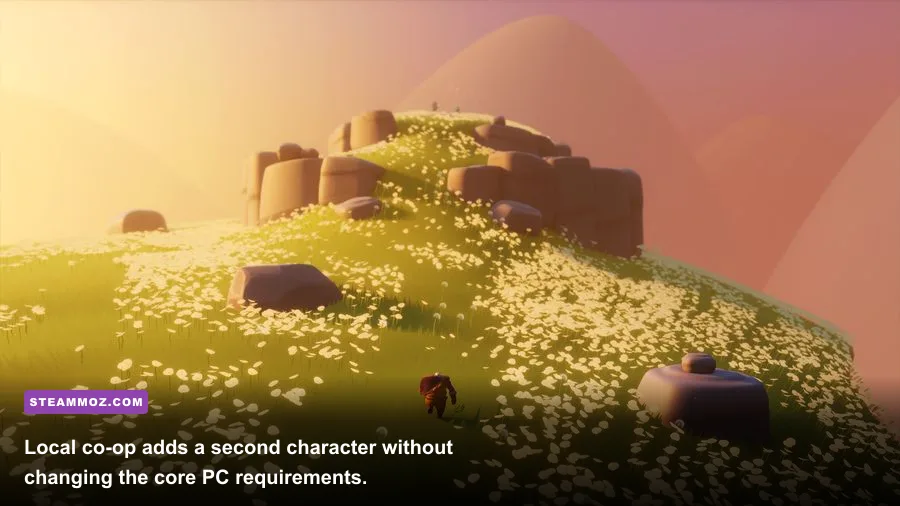
Arise’s best-looking settings aren’t automatically its best-performing settings. Start with the recommended preset, then adjust one option at a time while standing in a visually busy area. Don’t test only inside a quiet menu or an empty section of a level. The demanding moments are the ones with long sightlines, atmospheric fog, foliage, and several moving environmental elements on screen.
| Setting | Recommended value | Performance impact | Visual trade-off |
|---|---|---|---|
| Resolution | Native monitor resolution | Very high | Lower to 1600x900 or 1280x720 only when the GPU is clearly limiting performance. |
| Textures | High if VRAM allows; medium on 2 GB cards | Low to medium | Lowering textures affects surface detail more than frame pacing. |
| Shadows | Medium on older GPUs, high on recommended hardware | High | Medium shadows retain the scene’s depth while removing expensive softness and distance. |
| Ambient occlusion | Medium or off for minimum hardware | Medium to high | Off makes contact shadows flatter, but the overall image remains readable. |
| Foliage and effects | Medium on minimum, high on recommended | Medium | Reducing density helps in forests and wide outdoor views. |
| Post-processing | Medium | Medium | Lower values can reduce blur and haze while improving clarity. |
| V-sync or frame cap | Use a stable cap matched to your display | None to low | A locked 30 or 60 fps is preferable to uneven frame pacing. |
Resolution is the bluntest performance lever. If your GPU is sitting at 99 percent usage, lower resolution or use a resolution scale option if the game exposes one. If GPU usage is low while the frame rate stutters, reducing resolution won’t solve the problem; investigate CPU load, background software, thermal throttling, and frame pacing instead.
Shadows are the first quality setting I’d reduce on a GTX 660-class card. They’re visually important, but high shadow distance and filtering can cost more than the extra detail is worth. Medium shadows preserve the shape of rocks, trees, and platforms while giving the GPU breathing room. Ambient occlusion is the next candidate. Turning it down makes corners and character contact areas less pronounced, but it rarely damages the game’s painterly look.
Textures are a different story. If your card has 4 GB or more of VRAM, high textures are usually worth keeping. On a 2 GB GPU, medium textures are safer, especially at 1080p. Watch for texture pop-in or delayed detail rather than relying only on the frame-rate counter. If the image looks stable and the GPU memory monitor isn’t full, there’s no reason to sacrifice texture quality first.
Motion blur is a personal choice, but disabling it can make platform timing easier to read. Arise’s movement is deliberately gentle, yet the camera can sweep across large scenes during jumps and transitions. A cleaner image helps you judge ledges, moving surfaces, and the direction of environmental changes. Pair that with a frame cap through the game or your GPU control panel for a calmer presentation.
If you’re using an adaptive-sync display, cap the game a few frames below the monitor’s refresh rate. On a 60 Hz screen, 60 fps is the obvious target; on a 120 Hz screen, 60 or 120 can work depending on your hardware. Don’t force 120 fps just because the monitor supports it. The game’s cinematic pace benefits more from consistency than from a number you won’t hold.
Co-op, Troubleshooting, and Final Hardware Advice
Arise supports local co-op, and the second player doesn’t transform the game into a CPU-heavy multiplayer sandbox. The core world, puzzles, and environmental systems remain the same. However, two simultaneous inputs, controller software, overlays, and video capture can add small amounts of overhead. On a machine close to the minimum, close browser tabs and disable unnecessary overlays before blaming the game for a stutter.
Start troubleshooting with the basics. Verify the installation through Steam, update your graphics driver, restart the PC after a driver update, and make sure the game is using the dedicated GPU on a laptop. Windows laptops sometimes launch smaller games on integrated graphics even when a discrete GPU is installed. In Windows Settings, assign the game’s executable to the high-performance GPU, then check actual GPU usage while playing.
Thermals matter more than many players realize with older hardware. A dusty GTX 660 or a laptop running a low-power CPU may technically exceed the listed requirement but throttle after ten minutes. If performance starts strong and declines during a longer session, monitor temperatures and clock speeds. Cleaning the system, improving airflow, or using a sensible laptop performance profile can be more effective than dropping every visual setting to low.
Controller problems can also look like performance problems. For local co-op, connect controllers before launching the game, check Steam Input, and avoid running multiple remapping tools at once. If one controller repeatedly disconnects, test it outside the game first. Input interruptions during a timing puzzle feel like frame drops, but lowering graphics settings won’t fix a bad USB connection or conflicting software layer.
For a budget PC, the smartest upgrade path is usually RAM and a used or entry-level dedicated GPU. Moving from 4 GB to 8 GB reduces operating-system pressure, while replacing a very old graphics card provides the largest improvement at 1080p. If you already own a modern CPU with 8 GB of RAM, don’t upgrade the processor just for Arise. Put the money toward the GPU or an SSD instead.
My practical recommendations are simple. A minimum-spec machine should target 1080p low-medium with a 30 fps lock or carefully tested 60 fps cap. A GTX 1060, RX 580, or newer card paired with 8 GB of RAM is the comfortable 1080p setup. Modern mainstream hardware can push higher settings and resolutions, but 1440p users should still tune shadows and ambient occlusion before sacrificing textures.
Arise: A Simple Story is a forgiving game to run because its challenge comes from atmosphere, traversal, and emotional pacing rather than dense combat simulation. That doesn’t make the PC version immune to stutter, though. Match your frame-rate target to what your hardware can sustain, keep the image clean, install it on an SSD when possible, and tune the expensive settings instead of blindly dropping the entire preset.
For more PC performance advice, see Steamoz’s guides to pushing fps without wrecking visual quality, fixing crashes and low fps, and making every frame count in an atmospheric game. You can also check the official Piccolo Studio website for developer information and the publisher’s official site for broader support resources.