Jumping into Modern Warfare 2 on PC blindly is the fastest way to tank your kill-death ratio and fry your frame rate. Before queuing into your first match on the Modern Warfare II Steam store page, you need to understand three core shifts: Infinity Ward completely overhauled weapon progression, demolished the crackhead slide-canceling movement tech from MW2019, and buried essential visual clarity behind layers of default cinematic blur. Dialing in your FOV, letting shader caches compile completely, calibrating weapon tuning sliders without over-penalizing your ADS speed, and mastering pre-aiming will save you hours of sheer frustration.
The First Launch Checklist: Shaders, Driver Crashes, and Display Mode
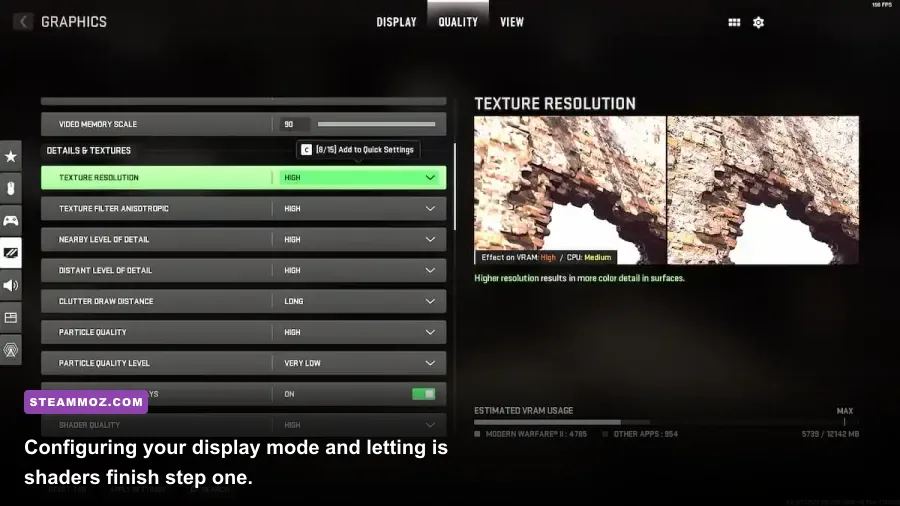
Your very first hurdle isn't an enemy player dropshotting you across the map—it's your own PC build struggling through the launcher. Modern Warfare 2 relies heavily on background pipeline shader caching. When you boot the game for the first time or update your GPU drivers, look at the top-left corner of the screen. You will see a shader compilation progress bar running from 0% to 100%. Never jump straight into matchmaking while this is running. If you force your CPU to compile shaders while rendering real-time multiplayer assets, you will suffer devastating micro-stutters, texture pop-in, and sudden desktop crashes.
Next up is your display mode. MW2 often defaults to Borderless Fullscreen after a fresh patch or crash recovery. Swap that immediately to Exclusive Fullscreen. Borderless might make multitasking easier on dual-monitor setups, but it introduces measurable desktop composition input latency and prevents your GPU from prioritizing frame delivery. Much like fine-tuning performance issues in our Elex PC crash fixes or working through unexpected hitches in our EscapeVR crash troubleshooting, keeping clean graphics drivers and locked display modes stops stability headaches before they start.
Finally, check your render resolution. Modern Warfare 2 has an irritating habit of auto-adjusting your render scale to random numbers like 66% or 33% after an unexpected shutdown. Keep it locked at 100% of your native monitor resolution. Turn off in-game V-Sync completely to cut mouse input lag, and set NVIDIA Reflex Low Latency to On + Boost. This forces your GPU clocks to stay high even during CPU-bound scenarios, slashing frame latency across crowded 6v6 gunfights.
Graphics Settings for Maximum Visibility and 144+ FPS
Out of the box, Modern Warfare 2 looks like a moody, filmic Hollywood action movie. That is great for the campaign, but it is an absolute disaster for competitive multiplayer. Default settings smear your screen with World Motion Blur, Weapon Motion Blur, Depth of Field, and Film Grain. These cinematic post-processing effects camouflage enemies camping in dark corners and turn fast flick shots into an illegible muddy mess. Shut all four of them off instantly.
The single most impactful visual toggle in the game is FidelityFX CAS. Enable this under the Upscaling/Sharpening menu and set the strength slider between 65 and 80. Unlike blurry spatial upscalers, FidelityFX CAS sharpens edge clarity and textures at native resolution with virtually zero performance penalty. Distant player outlines instantly snap into focus, letting you spot snipers peeking head glitches on Taraq or Embassy long before they draw a bead on your helmet.
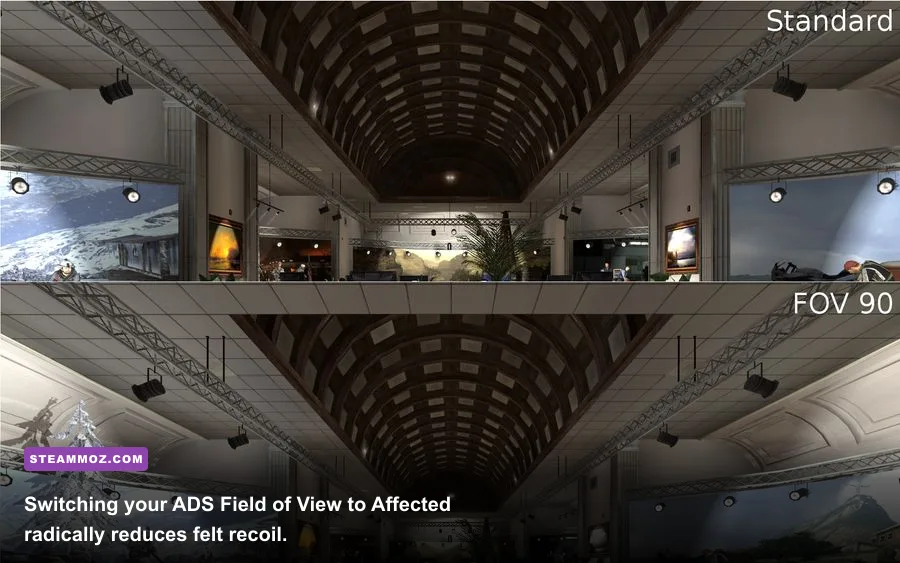
Next, tune your Field of View (FOV). The default 80 FOV feels like playing with toilet paper tubes strapped to your eyes. Bump your FOV to a sweet spot between 100 and 110. Pushing it all the way to 120 gives you extreme peripheral vision, but it shrinks enemy player models at medium range into tiny pixels, making recoil tracking significantly harder on mouse and keyboard. Crucially, switch your ADS Field of View from "Independent" to "Affected". Affected dynamically matches your zoom FOV to your general FOV setting, cutting visual recoil drastically when firing red dot optics or iron sights.
| Setting Name | Recommended Value | Performance Impact | Visual & Tactical Benefit |
|---|---|---|---|
| Display Mode | Exclusive Fullscreen | Zero | Lowest input latency and eliminates desktop stuttering. |
| Field of View (FOV) | 105 – 110 | Minor (3-5%) | Wide peripheral awareness without shrinking mid-range targets. |
| ADS Field of View | Affected | Zero | Massively reduces perceived visual kick and reticle bounce. |
| Upscaling / Sharpening | FidelityFX CAS (Strength 75) | Negligible | Razor-sharp enemy edges without blurry reconstruction artifacts. |
| Texture Resolution | Normal / High | VRAM Dependent | Keeps surfaces crisp; low textures make enemy camos blend into walls. |
| Particle Quality Level | Low | High (during explosions) | Prevents heavy frame drops inside thermite, smoke, and air strikes. |
| Shadow Map Resolution | Normal | Moderate (5-8%) | Retains crisp player silhouette shadows without wasting GPU compute. |
| World & Weapon Motion Blur | Off | Positive (+2% FPS) | Removes smear when turning; essential for target tracking. |
| NVIDIA Reflex Low Latency | On + Boost | Negligible | Keeps GPU clocks peaked and minimizes overall system latency. |
For audio, head to the Audio settings tab and set your mix to PC Headphone. If footstep audio still gets drowned out by killstreaks and mortar rounds, enable "Loudness Equalization" in your Windows Sound Control Panel under your headphone playback device enhancements. It compresses dynamic audio range, boosting faint footstep audio cues while preventing deafening VTOL jets from blowing out your eardrums. You can read up on similar system-level tuning in our Far Cry 6 max FPS settings guide and our setup breakdown in Filament settings for higher FPS.
The Weapon Platform System: How Unlocks Actually Work
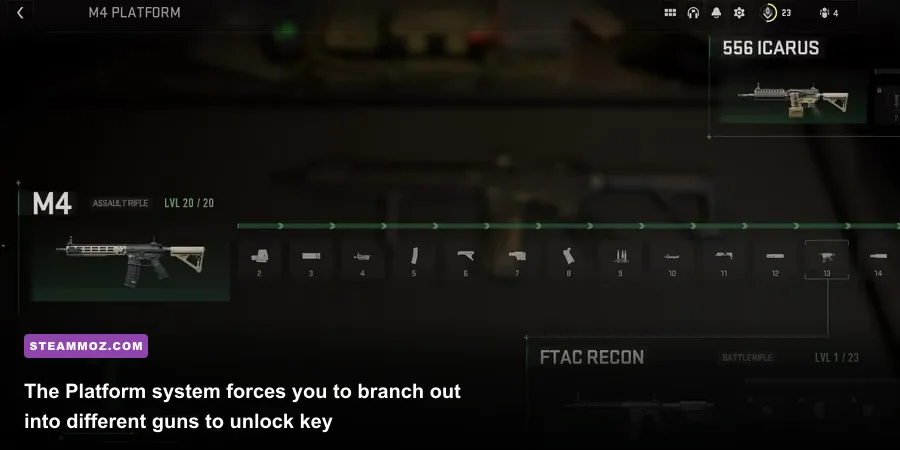
Do not expect the classic Call of Duty unlock loop where leveling the M4 from level 1 to 50 unlocks every single attachment for the M4. Modern Warfare 2 uses the Weapon Platform / Receiver system. Think of it as a weapon family tree. If you want to build a competitive setup, you cannot just stick to one single gun forever.
Take the Tempus Armament platform as the prime example. You start with the base M4 assault rifle. As you level the M4 to level 13, you unlock the FTAC Recon receiver (a semi-auto battle rifle). Leveling the FTAC Recon to level 16 unlocks the FSS Hurricane receiver (a 50-round SMG). Leveling the M4 further unlocks the 556 Icarus LMG. If you want the best high-visibility red dot optic in the game—the legendary Cronen Mini Pro (which offers a razor-thin blue dot reticle)—you don't unlock it on an assault rifle. You must level the Expedite 12 shotgun to Weapon Level 7.
The beauty of this system is universal attachment sharing. Once you unlock a universal optic, suppressor, laser, underbarrel grip, or ammunition type on any gun, it becomes instantly available across every other compatible weapon in your entire arsenal. Reviewing gun progression like evaluating tiers in our Far Cry 3 Blood Dragon weapons ranked guide or picking the best tools in our Everspace weapons guide highlights how crucial it is to diversify your loadouts early instead of mindlessly grinding one assault rifle.
Movement and TTK: Forget Modern Warfare 2019 Muscle Memory
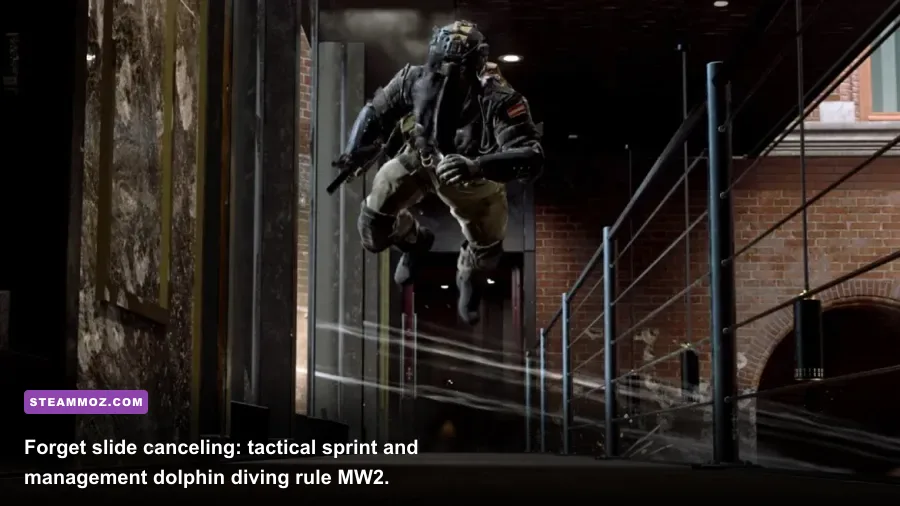
If you spent hundreds of hours slide-canceling, bunny hopping, and breaking cameras in Modern Warfare 2019 or Warzone 1, you are in for a brutal reality check. Infinity Ward intentionally gutted those mechanics in MW2 to create a slower, more tactical gameplay pace. Understanding these movement restrictions will save your life:
- Slide Canceling is Dead: Sliding into a crouch or standing position locks you into a sluggish recovery animation. Trying to shoot while sliding introduces a massive delay before your weapon fires. Reserve sliding strictly for diving down behind low cover or sliding down staircases.
- The Dolphin Dive Utility: Pressing your prone key while tactical sprinting executes a full-body dolphin dive. You cannot fire during the dive, and getting back up takes roughly 1.2 seconds. Use the dive purely as an escape hatch to throw yourself through open doorways, break sniper line-of-sight, or plunge into bomb sites.
- Jump Shot ADS Penalties: Bunny hopping is heavily penalized. If you jump while aiming down sights or jump around a corner, the game adds roughly 35-45ms of ADS delay, slowing your gun's ready speed. Pre-aiming angles while walking yields much cleaner hit registration.
- Brutal Time to Kill (TTK): Base multiplayer health is 100 HP. Top-tier weapons like the Kastov 762 or TAQ-56 drop players in 2 to 3 chest shots, translating to an average TTK between 140ms and 190ms. Because human visual reaction time averages 200ms, the player who is already pre-aimed and stationary almost always beats the sprinting player.
For PC keyboard and mouse players, positioning is everything. Controller players benefit from strong rotational aim assist in close-quarters jumping engagements. To counter this on mouse and keyboard, fight at mid-to-long ranges (25 to 45 meters), master crosshair centering so your crosshairs rest at upper-chest level before you slice any corner, and rely on flashbangs or drill charges to clear out defensive positions.
Weapon Tuning Demystified: Sweet Spots vs Over-Tuning
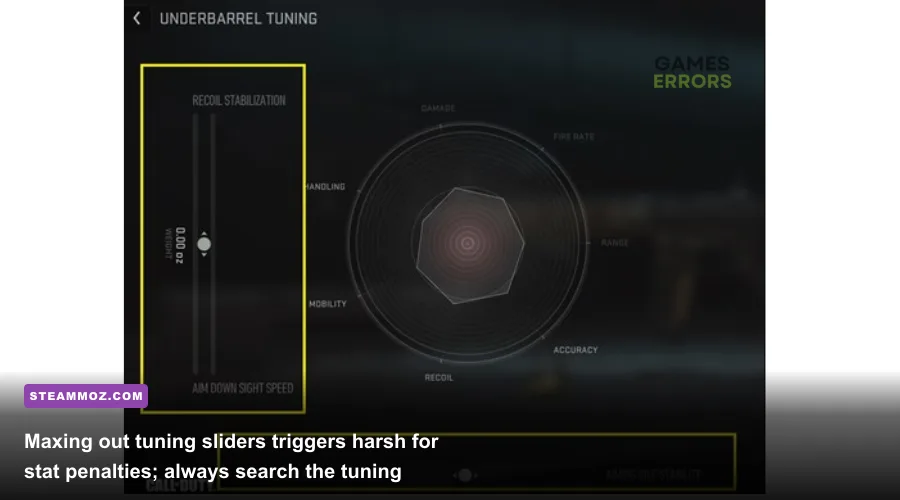
Once you push any weapon to its maximum platform level, you unlock Weapon Tuning. Clicking the "Tune" icon above compatible attachments reveals two directional sliders (usually balancing weight against length, or sprint-to-fire speed against recoil control). While this looks like an invitation to drag every slider to the absolute maximum, doing so completely ruins your gun.
The tuning sliders do not operate on a flat linear scale. They operate on curved graphs with steep diminishing returns. If you slide an underbarrel grip all the way to 100% Recoil Stabilization, you gain roughly a 1% improvement in recoil control, but you suffer a massive 15% penalty to your Aim Down Sight speed. The goal of tuning is finding the radar graph inflection point—the exact point where the stat bar bumps outward before the negative penalties steepen. Usually, the optimal balance sits between 50% and 65% along the slider axis.
| Weapon | Platform | Key Early Attachments | Tuning Priority | Optimal Playstyle |
|---|---|---|---|---|
| M4 | M4 Platform | Sakin ZX Grip, Hightower 20" Barrel, Edge-47 Grip | Balance ADS speed and Recoil Smoothness at 60% thresholds. | Aggressive flex rifle for mid-range control and quick rotates. |
| Kastov 762 | Kastovia Platform | KAS-10 584mm Barrel, Kastov-Rama Stock, ZLR Talon 5 | Heavily prioritize Aim Walking Steadiness and Recoil Stabilization. | Hard-hitting anchor weapon; hold power positions and lanes. |
| Lachmann Sub (MP5) | Lachmann Platform | L38 Falcon 226mm, Meer Recoil-56 Factory Stock, Phase-3 Grip | Tune heavily for Sprint to Fire and Aim Down Sight speed. | Close-quarters room clearing; hip-fire and fast corner snaps. |
| TAQ-56 | Tactique Platform | 17.5" Tundra Pro Barrel, Demo CleanShot Grip, TV Xline Pro | Tune barrel for Damage Range and Bullet Velocity; grip for ADS. | Laser-accurate competitive staple; dominates 30-meter engagements. |
| SP-R 208 | Bryson Long Rifle | ZRL T70 Pad Extension, FSS OLE-V Laser, Aim-Assist Bolt | Max out Sprint to Fire and ADS Speed across all available slots. | Aggressive quick-scoping; instant one-shot torso eliminations. |
Understanding these hardware specs, tuning curves, and tactical requirements ensures you won't waste valuable double-XP tokens on inefficient setups. If you enjoy digging into system limits and gear profiles, check out our technical rundowns on hardware performance in our PC specs explained guide and our starter loadout strategies in the Far Cry 6 beginner build breakdown. For official server status updates and ongoing patch notes, bookmark the Call of Duty official portal and keep Activision Support handy if you ever run into account or verification issues. Lock down your settings, take your time clearing corners, and let your weapon tuning do the heavy lifting.