
There are no traditional platform achievements or trophies to unlock in Call of Duty: Warzone Mobile. The game did not ship with a public PlayStation-style trophy list, Xbox achievement list, or a complete Google Play Games achievement catalogue. Instead, Warzone Mobile uses in-game Challenges, Calling Cards, weapon camos, Battle Pass milestones, rank progression, and event objectives. If you are trying to unlock everything, those are the systems to complete—not a hidden achievement menu.
This distinction matters because many search results confuse Warzone Mobile with Call of Duty: Modern Warfare III, Call of Duty: Warzone on console and PC, or the original mobile game’s general account progression. A trophy earned in console Warzone does not become a Warzone Mobile achievement, and completing a mobile Calling Card challenge does not unlock a PlayStation or Xbox trophy. Before spending time on an alleged “all achievements” checklist, confirm which version of Call of Duty the objective belongs to.
There is also an important availability issue. Activision removed Warzone Mobile from digital storefronts in 2025 and announced that service would end in 2026. Check the current official Warzone Mobile support page before attempting any progression. If the service is no longer accessible in your region, previously completed online challenges cannot be newly earned.
Does Warzone Mobile Have Achievements?
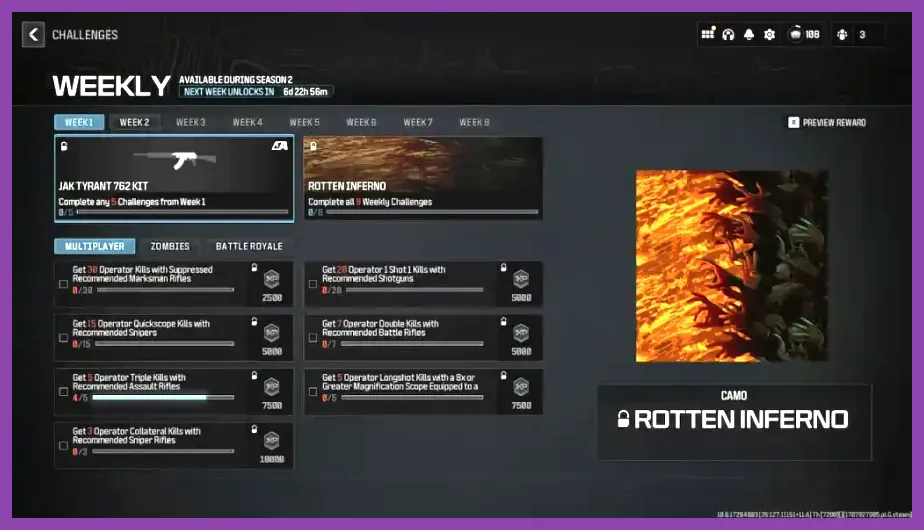
Warzone Mobile has no universal achievement page that awards badges for objectives such as winning a Battle Royale match, reaching a specific level, or collecting every weapon. Android and iOS versions use Activision account progression inside the game, but that is not the same as a platform achievement system. The game’s launch features focused on shared progression with Call of Duty: Modern Warfare III and Call of Duty: Warzone, including weapons, Battle Pass content, and player level.
That shared progression can make the menus look more extensive than a normal mobile shooter. You may see XP levels, military ranks, weapon levels, operator unlocks, camo categories, Calling Cards, emblems, daily challenges, seasonal challenges, and event tabs. Each has its own completion conditions, but none forms a conventional “100 percent achievements” list.
For the most reliable account information, compare your in-game profile with Activision’s official Warzone Mobile page and the game’s current support notices. Do not trust third-party achievement trackers that copy trophy data from console Warzone. Those lists often include objectives that cannot be completed on mobile, such as campaign missions, Spec Ops tasks, or console-specific multiplayer trophies.
What Counts as Completion in Warzone Mobile?
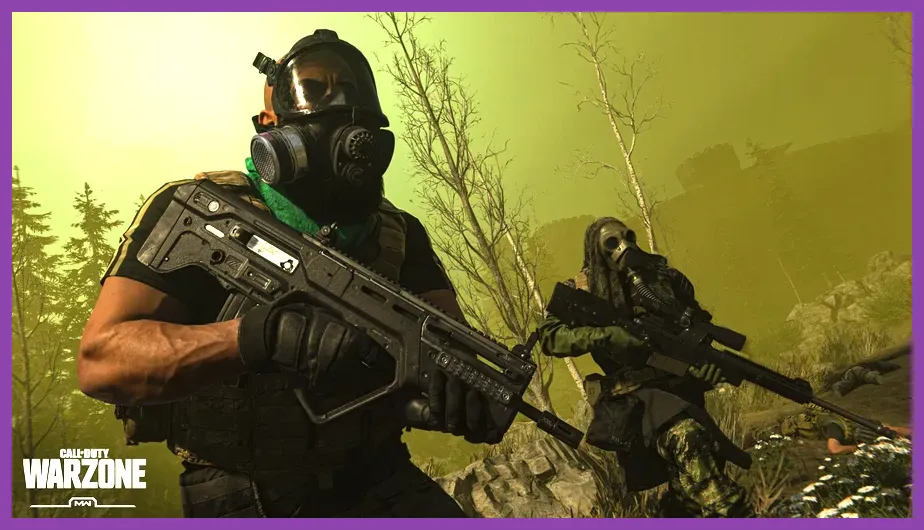
If your goal is to unlock every meaningful Warzone Mobile reward, use five progression groups: account level, weapon mastery, Calling Cards, Battle Pass content, and limited-time events. Each group requires a different approach, so trying to complete them through only Battle Royale matches is inefficient.
Account and rank progression
Player XP comes from kills, assists, contracts, match placement, objective captures, and match completion. Battle Royale XP is generally tied to survival and actions performed during a match, while Multiplayer provides faster repeatable XP through objectives. Play modes with clear scoring opportunities, such as Domination and Hardpoint, rather than leaving matches early. A match abandonment can reduce your practical XP-per-minute and may interrupt challenge progress.
Weapon mastery and camos
Weapon challenges are the closest equivalent to a traditional achievement hunt. Warzone Mobile includes weapons from the shared Modern Warfare-era arsenal, including the MCW, Holger 556, Striker, WSP Swarm, Bruen MK9, Karambit, and RGL-80, although the available inventory can change with updates and service status.
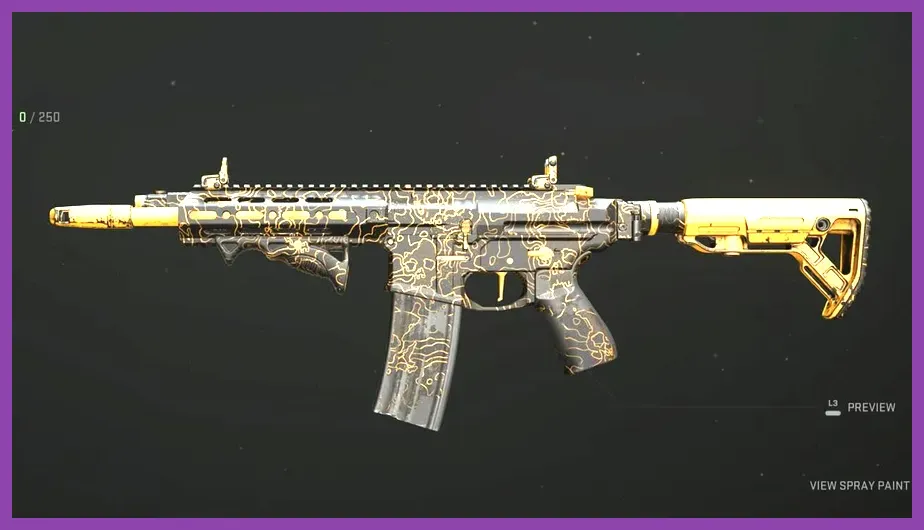
Open the Gunsmith, select a weapon, and inspect its Camo or Challenges tab before building a loadout. Requirements can include a number of eliminations, headshots, kills while mounted, kills shortly after sprinting, or eliminations with attachments from a particular category. The exact numbers vary by weapon and challenge set, so read the in-game requirement instead of relying on an old guide. Track one weapon family at a time and use a loadout that supports the requirement; a high-mobility Striker build is more suitable for close-range kills than a long-range MCW setup.
Calling Cards and emblems
Calling Cards record achievements such as Battle Royale wins, contract completions, kill streaks, Gulag victories, operator actions, and Multiplayer objectives. Select a card in the Barracks or Profile area to see its requirement and progress. Some cards are permanently available, while others are tied to a season or event and disappear when that content expires.
Battle Pass and events
Battle Pass sectors, free rewards, premium rewards, daily tasks, and event tracks are progression targets, not achievements. Completing them may unlock operator skins, weapon blueprints, emblems, stickers, Calling Cards, and COD Points. Check the expiration timer before prioritizing an event. A Battle Pass purchase does not automatically complete its sectors; you still need Battle Pass XP from matches and challenges.
Step-by-Step Completion Route
- Verify access and account sync. Sign in with the Activision account connected to your current Warzone Mobile profile. Take screenshots of completed cards and camo pages because online progression is server-side and may not be recoverable after service changes.
- Write down active objectives. From the Challenges, Events, Battle Pass, and Gunsmith menus, record every available requirement and its end date. Separate permanent weapon tasks from limited-time event tasks.
- Clear daily objectives first. Daily challenges usually require simple actions such as opening a certain number of loot caches, earning eliminations with a weapon class, or completing contracts. Finish these in Plunder-style or Battle Royale activities when available, then use Multiplayer for weapon-specific tasks.
- Choose a weapon challenge loadout. For assault-rifle eliminations, use the MCW or Holger 556 with a controllable optic and recoil attachments. For SMG work, use the Striker or WSP Swarm with a movement-focused setup. For launcher requirements, equip the RGL-80 and target enemy equipment or clustered objective zones in Multiplayer.
- Complete objective modes efficiently. Domination and Hardpoint create repeatable capture, defense, and close-range combat opportunities. Stay near objectives, because kills away from the active zone may not advance objective-specific tasks.
- Farm Battle Royale milestones deliberately. Land near named areas on Verdansk, open caches, complete Scavenger or Most Wanted contracts, and rotate before the gas closes. For placement cards, survival is more valuable than chasing unnecessary fights. Carry a UAV when possible and use Buy Stations to purchase redeploys or armor.
- Review the profile after every session. Some challenges update only after the match summary appears. Confirm the new count before changing loadouts, and record any Calling Card that has become claimable.
For general mobile performance, use the same practical principles covered in our guide to optimizing demanding Android games. Stable frame pacing is particularly useful when a challenge requires headshots or close-range eliminations.
Best Modes for Specific Challenge Types

| Challenge type | Best mode | Practical method |
|---|---|---|
| Weapon eliminations | Team Deathmatch | Use the target weapon for the entire match and avoid swapping after every death. |
| Objective captures | Domination | Hold the B flag and use Tactical Insertion or a fast-respawn loadout when available. |
| Defensive kills | Hardpoint | Anchor the active hill with an assault rifle such as the MCW. |
| Contracts and caches | Battle Royale | Land at a named point of interest, open caches, and complete Scavenger contracts. |
| Placement or win cards | Battle Royale | Prioritize rotations, armor, and buybacks over early eliminations. |
Do not assume every challenge can be advanced in every playlist. A requirement for Battle Royale eliminations will not necessarily count Multiplayer kills, while a Multiplayer camo task may require a specific weapon action unavailable in Battle Royale. The wording is authoritative: “operator kills,” “enemy operator kills,” “Battle Royale kills,” and “kills in Multiplayer” are not interchangeable.
For device stability, lower visual settings before beginning a long completion session. A stable frame rate is more valuable than maximum texture quality. Use a supported frame-rate option, reduce shadows and depth-of-field if available, and keep enough storage free for shader and update files. Our low-FPS troubleshooting guide covers general mobile and game-performance checks that also apply to demanding shooters.
Common Achievement-Tracking Mistakes
Confusing Warzone with console Call of Duty
Console and PC trophy lists can include story missions, multiplayer medals, and Warzone-specific objectives that are not present on mobile. Search the exact platform and game name before following a checklist.
Using an outdated event guide
Seasonal content rotates. A guide showing a completed event from 2024 cannot guarantee that the same Calling Card, weapon blueprint, or challenge is still available. Look for the end date in the live Events tab.
Leaving matches before the results screen
Challenge progress may not be committed until the post-match summary loads. Finish the match whenever possible, especially after completing a rare requirement such as a win, a long-range elimination, or a multi-kill.
Expecting Battle Pass rewards to be achievements
Buying BlackCell or the premium Battle Pass unlocks a reward track, not a trophy list. You still need to earn Battle Pass XP, and premium rewards remain separate from Calling Card and camo challenges.
Ignoring the shutdown notice
Because Warzone Mobile’s service availability is changing, some objectives may be impossible to complete after the servers close. Activision’s Call of Duty blog and Activision Support are the only dependable sources for final dates, account access, and progression announcements.
Final Checklist for Warzone Mobile Completion
There is no legitimate way to unlock “all achievements” in Warzone Mobile because the game has no conventional achievement or trophy list. The closest complete route is to finish every currently visible Challenge, claim each available Calling Card and emblem, complete weapon camo requirements, progress through the active Battle Pass, and clear limited-time event objectives before their timers expire.
Start with expiring content, then daily challenges, then weapon mastery. Use Multiplayer objective modes for repeatable combat requirements and Battle Royale for contracts, caches, placement, and win milestones. Read each requirement exactly, confirm progress on the results screen, and save evidence of your completed profile while the service remains available.
If your goal is an actual platform trophy or achievement total, switch to the specific console or PC Call of Duty title named by the list. Warzone Mobile progression can be extensive, but it should be tracked as in-game completion—not as a hidden achievement collection.