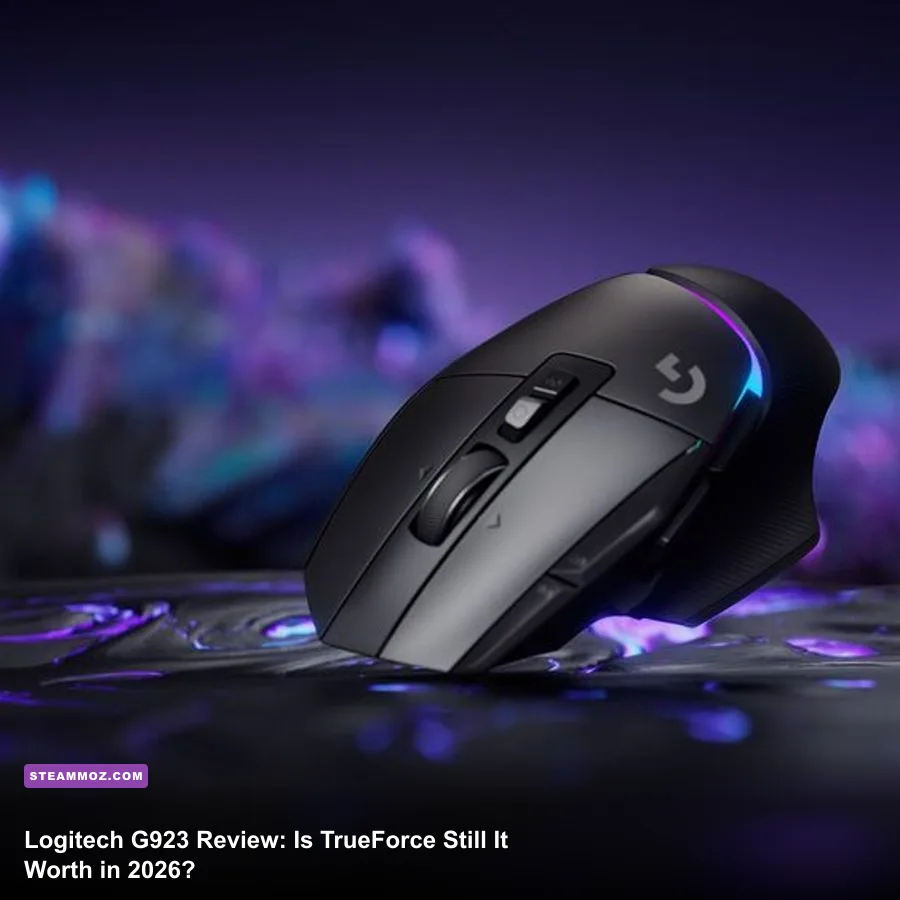
Yes, the Logitech G923 is still worth buying in 2026—but only at the right price. It remains a dependable first wheel for PC, PlayStation, and Xbox, with a 900-degree rotation range, a three-pedal set, solid desk mounting, and force feedback that makes Assetto Corsa, BeamNG.drive, Euro Truck Simulator 2, and F1 25 feel dramatically better than a gamepad. The catch is its aging gear-driven mechanism, noisy operation, stiff brake pedal, and TrueForce support that still varies wildly from game to game. Buy it discounted as an entry-level wheel; don't pay near premium direct-drive money for it.
I spent this review looking at the G923 as a 2026 purchase rather than judging it against the wheels available when it launched. That means the real question isn't whether it beats a controller—it absolutely does. The real question is whether Logitech's familiar G29/G920 foundation, refreshed with TrueForce and a progressive brake, still makes sense beside newer belt-driven and direct-drive options.
What You Actually Get for the Money
The G923 package is refreshingly complete. You get the wheel base, a 900-degree steering rim, two paddle shifters, a 24-point rotary selector, face buttons, a dedicated dial, and a three-pedal floor unit. There isn't a separate handbrake, shifter, or table stand in the box, but you can start driving immediately after clamping it down and installing Logitech G HUB on PC.
The wheel uses Logitech's familiar dual-motor helical gear system. That design is durable and mechanically simple, but it also explains the G923's personality: you feel distinct notches around the center, the motor chatters over kerbs, and quick direction changes produce a slightly synthetic vibration. The upside is consistent steering feedback and fewer belt-maintenance concerns. The downside is that it doesn't deliver the smooth, heavy, continuous resistance of a modern direct-drive wheel.
| Component | G923 Specification | 2026 Buying Implication |
|---|---|---|
| Steering rotation | 200 to 900 degrees | Works for F1, drifting, rally, trucking, and road cars |
| Force feedback | Dual-motor gear drive | Detailed but weaker and louder than belt or direct drive |
| Pedals | Accelerator, brake, clutch | Better starter package than two-pedal alternatives |
| Connection | USB with separate power adapter | Plug-and-play on supported PC and console platforms |
| TrueForce | High-frequency game-supported feedback | Excellent in compatible titles, irrelevant in unsupported ones |
| Platforms | PC, PS4, PS5 version or Xbox version | Choose the correct console model; they aren't interchangeable |
That last platform point matters. The PlayStation/PC G923 and Xbox/PC G923 are separate products. The Xbox version uses Xbox-facing controls, while the PlayStation model includes the expected PlayStation layout. Both work on PC, but neither works natively across the rival console family. Check the box and model number before ordering—this is one of the easiest ways to turn a good deal into an expensive mistake.
For official compatibility details, check Logitech's G923 product page and the Logitech support portal before buying. Console compatibility and supported software can change with updates.

🎮 FORM
Looking to experience this game? Grab your digital key directly on our store for $14.99.
View on Steammoz Store →TrueForce Sounds Great—When Games Use It
TrueForce is the G923's headline feature, but the name can create unrealistic expectations. It isn't a second force-feedback motor and it doesn't magically increase the wheel's peak strength. Instead, supported games can send high-frequency engine, drivetrain, road-surface, and chassis information directly to the wheel. In practice, that adds a coarse mechanical texture on top of normal steering forces.
In Assetto Corsa on Steam, TrueForce can make engine vibration and kerb strikes feel more immediate, particularly in a lightweight road car. The best sensation isn't the big jolt when you hit a kerb; it's the subtle change in texture when the car loads its tyres, crosses painted lines, or runs over uneven tarmac. That extra information can help you sense when the front end is becoming light.
But support is not universal. Games may use standard Logitech force feedback without TrueForce, support it partially, or expose a TrueForce slider that needs careful tuning. If a title doesn't support the feature, the G923 behaves much like a G29 or G920. That's not a disaster—the basic steering feedback is still useful—but it means you shouldn't pay a large premium solely for the TrueForce badge.
| Game | TrueForce Experience | Recommended Starting Setup | Verdict |
|---|---|---|---|
| Assetto Corsa | Detailed road, kerb, and engine texture with compatible configuration | Gain 70-80%, road effects moderate, avoid clipping | Strong match for the G923 |
| BeamNG.drive | Convincing weight transfer and surface feedback; strength depends on vehicle | Lower damping, tune per car and terrain | Excellent learning sandbox |
| Euro Truck Simulator 2 | Useful centering and road texture, less dramatic than circuit racing | 900 degrees, moderate centering, low engine vibration | Comfortable long-session use |
| F1 25 | Strong standard feedback; TrueForce value depends on current game support | 360-540 degrees, lower strength for fast corrections | Good entry-level F1 wheel |
| Unsupported titles | No TrueForce layer, only normal force feedback or basic rumble | Use the game's native wheel profile | Don't buy for this library alone |
My advice is to treat TrueForce as a bonus, not the reason to choose the G923. Look at the games you actually play. If your library is built around Assetto Corsa, American Truck Simulator, BeamNG.drive, GRID Legends, or supported F1 entries, the extra texture has real value. If you mainly play arcade racers or older PC titles, a cheaper G29/G920—or a newer belt-driven wheel at the same sale price—may be smarter.
Performance Test: Steering, Pedals, Noise, and Control
The G923's steering performance is strongest at the front axle. With the wheel set to 900 degrees, road cars feel natural and progressive. You can catch a slide without the abrupt dead-zone sensation common to cheap vibration wheels, and the steering ratio gives enough precision for smooth corner entry. For F1 games, reducing rotation to roughly 360 or 540 degrees makes rapid hairpin corrections much easier.
The limitation is force, not detail. The G923 communicates when the car is loading up, but its peak torque is modest by modern standards. Fast cars with heavy steering can feel light, especially if you turn down the game's gain to prevent clipping. You won't get the sustained resistance that lets a direct-drive user lean against a corner. That matters in competitive laps: the G923 tells you what the car is doing, but it doesn't physically fight your hands with the same authority.
Gear noise is the other obvious compromise. Straight-line cruising is relatively calm, but the wheel chatters when you cross kerbs, gravel, or aggressive rumble strips. On a sturdy desk, the sound is tolerable. On a hollow particleboard table, it becomes a constant rattle, and the desk can amplify every gear change. Headphones hide some of it, but they don't eliminate the mechanical vibration reaching the furniture.
The pedals are more impressive than their basic appearance suggests. The accelerator and clutch have usable travel, while the brake uses a progressive rubber element that becomes noticeably harder near the end of its stroke. That gives you a better braking reference than a completely linear toy pedal, but it also demands more force and can feel awkward if you expect to press the brake all the way down. Many players get faster by calibrating the brake so their normal maximum pressure arrives before the rubber block is fully compressed.
| Test Area | Observed Result | What It Means | Score |
|---|---|---|---|
| Center precision | Good, with minor gear notching | Confident on straights and gentle corners | 4/5 |
| Maximum resistance | Limited compared with direct drive | Enough for learning, less immersive in heavy cars | 3/5 |
| Surface detail | Clear kerb and texture feedback | Helpful when tuned below clipping | 4/5 |
| Pedal control | Strong brake progression, basic construction | Good starter consistency, no load-cell precision | 3.5/5 |
| Noise | Noticeable gear chatter under impact | Not ideal for quiet rooms or shared spaces | 2.5/5 |
| Desk stability | Secure on a solid desk, less convincing on thin tables | Mounting quality directly affects control | 4/5 |
Setup quality makes a bigger difference than many buyers expect. Clamp the wheel to a desk that doesn't flex, keep the pedal base against a wall or furniture stop, and route the cable so it can't snag your feet. If the pedals slide, no amount of force-feedback tuning will save your lap times. A cheap anti-slip mat can be a more meaningful upgrade than a new software profile.
Best Settings for PC and Console Racing
Don't copy an extreme forum profile and assume it will work everywhere. Every racing game scales steering gain, damping, minimum force, road effects, and centering differently. Start with Logitech G HUB at 900 degrees and zero extra centering spring where the game provides its own self-aligning torque. Then tune the title one at a time.
| Setting | Recommended Value | Performance or Feel Impact | Why Use It |
|---|---|---|---|
| Operating range | 900 degrees for road cars | More natural steering, slower hand movement | Matches most production-car steering behavior |
| F1 rotation | 360-540 degrees | Faster lock-to-lock response | Better for tight chicanes and quick corrections |
| Overall gain | 65-80% starting range | Higher gain can clip detail and overload the gears | Preserves distinct cornering forces |
| Damping | Low to moderate | Too much makes the wheel sluggish | Stops nervous oscillation without killing response |
| Centering spring | Off in simulations | Artificially pulls the wheel straight | Lets the game calculate self-aligning torque |
| Road and kerb effects | 20-50% | High values create noise and mask tyre load | Keeps texture informative instead of overwhelming |
| Brake saturation | Adjust until firm personal pressure reaches 90-100% | Changes braking consistency, not frame rate | Works around the progressive rubber brake |
On PC, Logitech G HUB is essential for firmware, rotation range, button testing, and game profiles. It isn't a substitute for in-game calibration. For Assetto Corsa, check steering lock and wheel rotation together; mismatched values can make the car turn too quickly or too slowly. In Euro Truck Simulator 2, leave the wheel at 900 degrees and adjust steering sensitivity only after confirming the in-game wheel reaches the same lock as the physical rim.
On console, you're more dependent on each game's preset. That makes the G923 appealing for people who don't want to troubleshoot drivers, but it also removes some of the fine control PC users enjoy. Keep an eye on firmware updates through a PC if you experience odd disconnects or inconsistent buttons. If your entire racing library is on PC and you enjoy tweaking, the G923 is easier to extract value from than it is on a locked-down console.
Performance isn't a frame-rate concern in the usual sense: the wheel adds almost no meaningful GPU load. The important performance trade-off is input consistency. A loose desk, sliding pedals, excessive gain, or a clipped force-feedback signal will make you slower even when the game runs at a perfect 120 frames per second. For troubleshooting broader PC issues, our guides on stopping crashes and rescuing FPS and low-FPS fixes cover the same basic diagnostic mindset.
G923 Versus the Alternatives in 2026

The G923's value depends almost entirely on the price gap around it. At a deep discount, it is a safer recommendation than many no-name wheels because Logitech's software, console support, replacement availability, and huge game compatibility library reduce the setup headache. At full price, the equation changes. A newer belt-driven wheel may be smoother, while entry-level direct-drive bundles deliver much stronger force and a more natural center.
| Wheel | Drive System | Pedal Package | Best Buyer |
|---|---|---|---|
| Logitech G923 | Dual-motor gears with TrueForce | Three pedals, progressive brake | First-time buyer who wants broad compatibility |
| Logitech G29/G920 | Dual-motor gears | Three pedals | Budget buyer if substantially cheaper than G923 |
| Thrustmaster T248 | Hybrid belt/gear drive | Three magnetic pedals | Player prioritizing smoother feedback and an onboard display |
| Thrustmaster T300 RS | Belt drive | Pedal configuration varies by bundle | Sim racer wanting quieter, smoother steering |
| MOZA R5 bundle | Direct drive | Two-pedal starter set | PC user ready for stronger force and future expansion |
| Fanatec CSL DD bundle | Direct drive | Bundle-dependent | Competitive PC racer building a modular setup |
Choose the G923 over a G29 or G920 only when TrueForce support matters, the newer warranty period is valuable, or the price difference is small. The core gear mechanism is close enough that an aggressively discounted older model can be the better bargain. Choose the T248 or T300 RS if gear chatter annoys you and you want smoother steering more than console simplicity. Choose a MOZA R5 or CSL DD-class kit if you already know sim racing is going to become a serious hobby.
There are also hidden costs. A shifter adds expense, a wheel stand takes floor space, and a load-cell pedal upgrade can cost more than the original G923. That's why the included clutch pedal still matters: it gives you manual starts and H-pattern-style driving immediately, even if the brake isn't in the same league as a load cell.
If you're also comparing hardware for demanding PC games, Steamoz's Far Cry 6 settings guide is useful for separating real performance gains from placebo tweaks. The same principle applies here: pay for the feature you can actually feel in the games you play, not the most impressive product name.
Who Should Buy the Logitech G923?
Buy it if you're moving from a controller, want a complete three-pedal setup, play on console, and can find the wheel at a clear sale price. It delivers a real jump in car control: throttle modulation becomes easier, trail braking finally has physical feedback, and catching oversteer feels like an action rather than a thumbstick animation. For casual leagues, trucking sessions, and learning proper racing lines, it remains a genuinely effective gateway into sim racing.
Skip it if you need quiet operation, expect powerful force feedback, already own a solid belt-driven wheel, or want to compete seriously in long endurance races. The G923's brake and limited torque become more obvious as your consistency improves. You'll eventually notice that you can identify a slide visually or acoustically before the wheel gives your hands enough information to react.
My 2026 verdict is buy at a discount, avoid at premium pricing. A fair sale makes the G923 a dependable 7.5/10 starter wheel: complete, supported, easy to mount, and fun across a huge range of games. TrueForce adds worthwhile texture in compatible titles, but it doesn't transform an aging gear system into a modern sim-racing base. If the G923 is close in price to a smoother belt-driven wheel or an entry-level direct-drive bundle, spend the extra money there. If it drops comfortably below those options, Logitech's old workhorse still earns a place on your desk.
For more driving-game setup advice, pair this review with our FPS-first troubleshooting guide and check the game's official controller documentation before changing advanced profiles. The best wheel is the one that gets you driving instead of trapped in a settings menu.