
The best Clash of Clans graphics settings for performance are simple: turn High Frame Rate on when your phone can sustain it, disable unnecessary scenery and decoration effects, keep the game updated, and avoid playing while the device is hot or charging rapidly. On older Android phones, prioritize stable touch response over maximum visual quality; on recent iPhones and gaming phones, high frame rate is usually the better choice for smoother base scrolling and attack deployment.
Best Clash of Clans Settings for Smooth Performance

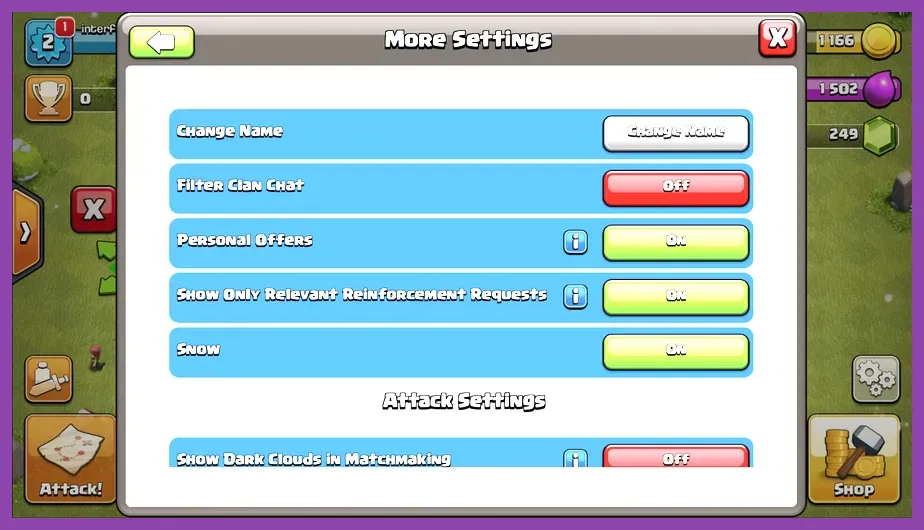
Open Clash of Clans, tap the gear icon, then check the audio, vibration, notification, and additional settings menus. Supercell does not expose a PC-style panel with separate texture, shadow, anti-aliasing, or DLSS controls. That means performance tuning depends mainly on the available frame-rate toggle, visual display options, device settings, and background app management.
Use this profile as the best starting point on a modern Android phone or iPhone:
- High Frame Rate: On, if the option is available and the phone stays cool.
- Show Decorations: Off if your version provides the option and you want fewer nonessential objects on screen.
- Scenery: Use the Classic Scenery for the lightest visual presentation; limited-time sceneries can contain more animated detail.
- Vibration: Off for longer sessions and fewer interruptions during rapid troop deployment.
- Music: Off if you want to reduce background activity and preserve battery.
- Sound Effects: On for attacks unless you need every possible battery saving measure.
High Frame Rate improves the feel of dragging troops, placing spells, rotating the camera, and switching between the Home Village and Builder Base. It does not increase damage, troop movement speed, or attack time. A Dragon still follows the same path, and the Grand Warden ability still lasts for its normal duration. The benefit is responsiveness, not a gameplay-stat advantage.
High Frame Rate or Battery Saver: Which Is Better?

Choose High Frame Rate On for Clan War attacks, Trophy pushing, and any session where precise placement matters. It is especially useful when deploying a Flame Flinger behind a tank, activating the Royal Champion ability near multiple defenses, or dropping a Freeze spell between an Inferno Tower and a Scattershot. Smoother animation makes it easier to read the battlefield and confirm that a tap registered.
Choose High Frame Rate Off when farming, upgrading buildings, collecting treasury loot, or playing on a phone that becomes hot within 10 to 15 minutes. Battery Saver or a manufacturer performance mode can also interfere with frame pacing. Android battery optimization may limit the game in the background, while aggressive gaming overlays can create additional stutter when notifications appear.
Do not judge the setting from the Home Village alone. A quiet base with a few buildings is easy to render. Test it during a large attack involving Electro Dragons, Skeletons from a Bat Spell, multiple heroes, Siege Machines, and several spell effects. If the screen remains responsive during that scenario, High Frame Rate is suitable for your device. If the phone drops frames, feels hot, or dims the display, turn it off.
For broader mobile optimization ideas, compare Steamoz's Mobile Legends max FPS settings and Nintendo Switch 2 performance settings.
Best Settings for Low-End Android Phones
Older devices with 2GB or 3GB of RAM should use a stability-first profile. Close Chrome tabs, TikTok, YouTube, screen recorders, and floating chat heads before opening Clash of Clans. Keep at least 3GB of free storage because nearly full storage can make updates and cache operations slower. Restart the phone before a long Clan War session if the game has been open for several days.
- High Frame Rate: Off if scrolling or attacks stutter.
- Scenery: Classic Scenery rather than animated or highly detailed seasonal scenery.
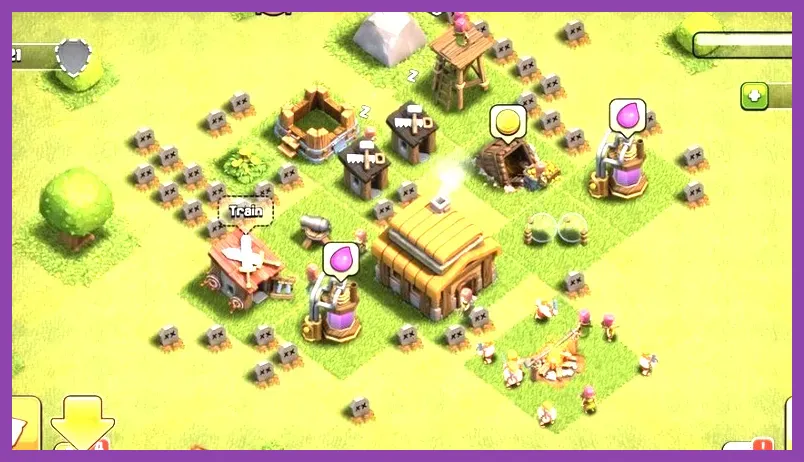
- Decorations: Hide or remove unnecessary decorations where the current game version allows it.
- Screen recording: Off unless you are capturing a replay.
- Display resolution: Use the phone's standard resolution, not an enhanced resolution mode.
- Refresh rate: Use 60Hz if a higher refresh mode causes overheating without delivering stable frames.
These changes are more valuable than forcing a high refresh rate. A stable 60Hz experience is preferable to an inconsistent 90Hz or 120Hz mode. Do not use unofficial “FPS booster” apps that claim to modify Clash of Clans files. They can add overlays, consume memory, trigger crashes, or violate Supercell's rules.
Also avoid playing under direct sunlight or while using a thick case during charging. Thermal throttling reduces CPU and GPU speed, which can cause delayed taps precisely when you deploy a Poison Spell, trigger the Barbarian King's Iron Fist, or redirect a Siege Machine.
iPhone and iPad Performance Profile
Recent iPhones and iPads generally provide consistent performance without manual GPU controls. Enable High Frame Rate if available, keep iOS updated, and leave enough free storage for Clash of Clans updates. Disable Low Power Mode during War attacks because it can reduce performance and lower animation smoothness. Re-enable it later when you are only collecting resources or starting upgrades.
On iPhone, close demanding camera, video, and social apps before launching the game. On iPad, avoid Split View with a browser or video player during an attack. Multitasking is convenient, but it competes for memory and can cause the game to reload when you return to the Home Village. If your device has ProMotion, a variable refresh rate can feel excellent, but heat remains the deciding factor.
Use the Classic Scenery when you want the most predictable frame pacing. A scenery change will not alter matchmaking, defense damage, or village progression, but animated visual elements can make a crowded battlefield look busier. Players who record YouTube or TikTok footage should test recording separately: screen capture can reduce performance even on powerful hardware.
For game-specific progression rather than graphics, Steamoz also covers Pokémon GO team composition and Wuthering Waves leveling.
How to Test Clash of Clans Performance Correctly
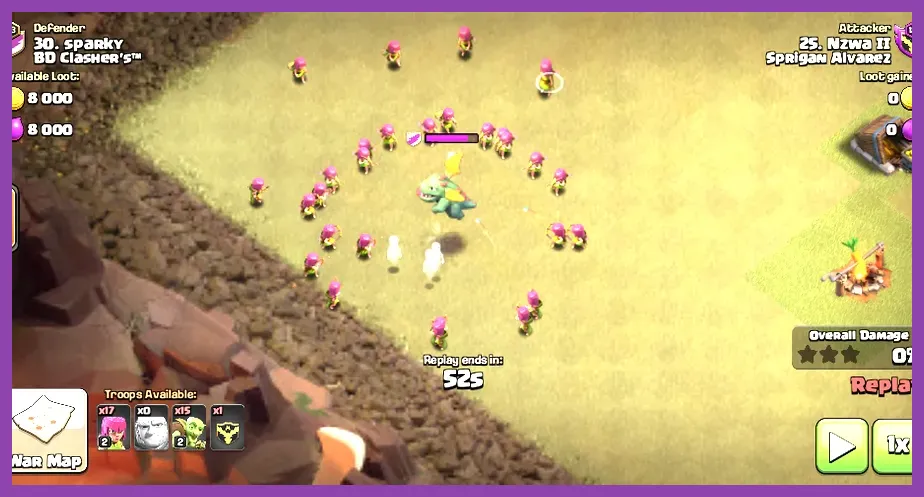
Use a repeatable test instead of judging performance from one quick menu visit. First, open the Home Village and zoom from the Town Hall to the outer defenses several times. Next, enter a friendly challenge or replay and watch a dense attack containing heroes, a Siege Machine, and area damage. Test the exact actions that matter to you: placing a Wall Breaker, dropping a Rage Spell, activating the Grand Warden, and switching rapidly between the battlefield and troop bar.
- Play for 10 minutes with High Frame Rate enabled.
- Check whether touch input remains immediate during a spell-heavy attack.
- Monitor heat, battery drain, and display brightness changes.
- Repeat the same test with High Frame Rate disabled.
- Keep the profile that delivers fewer stutters, not merely the higher advertised refresh rate.
A good performance profile keeps camera movement smooth, prevents delayed taps, and avoids sudden frame drops when defenses fire simultaneously. It should also let the phone remain comfortable during a full attack session. If both profiles feel identical, use High Frame Rate Off to conserve battery. If High Frame Rate clearly improves control without overheating, keep it enabled for competitive play.
Finally, install Clash of Clans only through the official Supercell game page, the official Clash of Clans support site, or the verified Google Play listing. Updates can change available graphics options, so recheck the settings menu after a major Town Hall, scenery, or seasonal update. The practical rule remains consistent: stable frames and reliable touch input matter more than decorative detail.