
New players should treat Hop Step Sing! VR Live HopSummer 2nd as a timing game first and a virtual concert second: center the play space, learn the controller gestures at low pressure, keep your frame rate stable, and replay short sections until the cues feel automatic. These 10 tips will help you enjoy the performance without missing prompts, drifting out of position, or turning a charming show into a motion-sickness test.
HopSummer 2nd is a compact VR live experience built around the Hop Step Sing! virtual idol cast, including Mikasa Nanyou and Nijika Nanyou. It isn't a sprawling rhythm RPG with unlock trees, weapon stats, or traditional character builds. The important “stats” are your latency, tracking stability, comfort, and consistency. That distinction matters: the best player setup is the one that lets you read and react without fighting your headset.
Before launching, check the official Steam search listing for the current headset and controller notes, then compare your setup with our low-FPS troubleshooting guide. The principles are different in VR, but stutter is still stutter.
1. Set your playspace before the first song
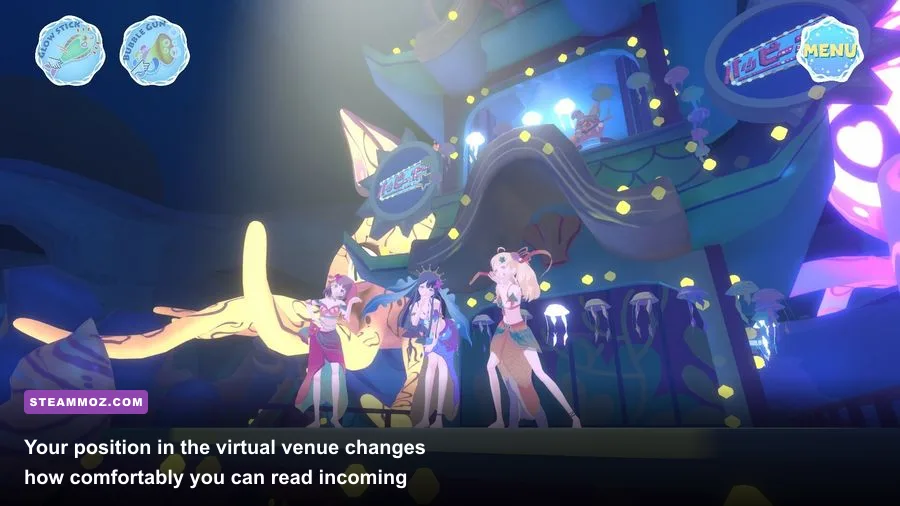
Do the boring setup once and every later session gets better. Clear a full arm’s radius around you, remove cables from the floor, and make sure your headset can see both controllers at the same time. A seated setup can work, but standing play usually makes broad gestures and side-to-side prompts easier to perform.
Face the direction you intend to use as “forward” before starting. If your headset supports a stationary boundary, draw it wide enough that you won't trigger a warning during a chorus. The boundary overlay can obscure visual cues at exactly the wrong moment. Also check that your headset is sitting level; a slight tilt changes your perceived horizon and can make the entire stage feel off-center.
Quick calibration checklist
- Recenter the headset while facing the middle of the stage.
- Place controllers where you can see their buttons without twisting your wrists.
- Keep the floor clear and use a stable stance with soft knees.
- Start with the play area’s default height rather than guessing.

🎮 Hop Step Sing! VR Live HopSummer 2nd
Looking to experience this game? Grab your digital key directly on our store for $14.99.
View on Steammoz Store →2. Learn the gesture language before chasing accuracy
Don't immediately swing at every moving prompt. Spend the opening moments identifying what the game wants from your hands: a tap, a directional movement, a held position, or a larger beat-matched gesture. The visual presentation can be busy because performers, lighting, effects, and interaction cues share the same space. Your first goal is recognition, not a perfect result.
Use compact movements. A tap should be a tap, not a shoulder-powered jab. For directional prompts, lead with the wrist and let the forearm follow. This reduces fatigue and gives the tracking cameras a cleaner path to read. Huge motions look entertaining, but they also make it easier to leave the camera’s ideal tracking volume.
If a prompt appears near the edge of your view, turn your torso slightly instead of bending your neck. That keeps your shoulders relaxed and makes the next cue easier to spot. Players coming from traditional rhythm games often overfocus on the center of the screen; HopSummer 2nd rewards a wider field of awareness.
3. Prioritize timing over frantic movement
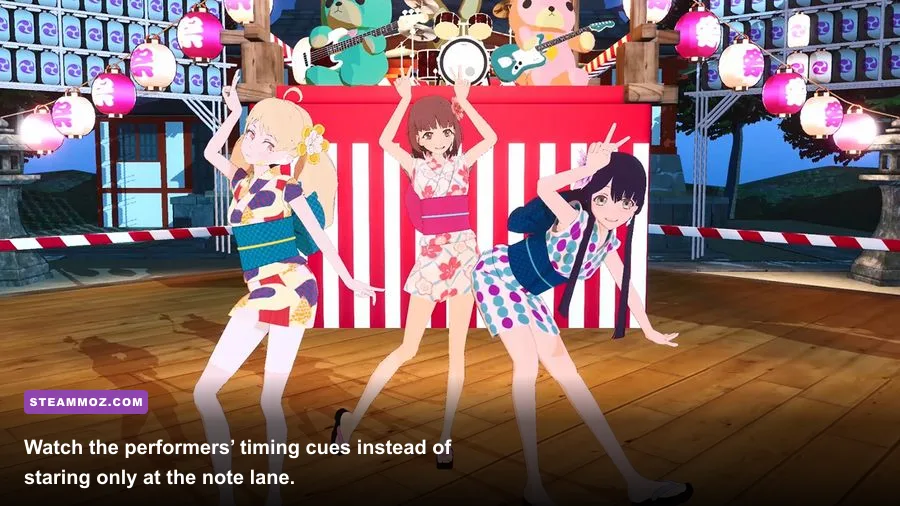
The most common beginner mistake is reacting to the animation rather than the cue’s timing. The idols’ choreography is deliberately attention-grabbing, but the performers are not always the hit markers. Watch for the game’s visual prompt, establish its rhythm, and move once with purpose. Repeatedly correcting a gesture after you’ve started is usually worse than making one clean attempt.
Think in musical phrases. Instead of treating every cue as an isolated emergency, group four or eight beats together and breathe between phrases. This keeps your hands from accelerating during a dense section. If you miss one interaction, let it go immediately. Chasing a missed cue often causes two more misses because your hands are still late when the next sequence arrives.
Audio is especially valuable here. Use headphones or your headset’s clearest audio mode, but avoid excessive volume. The beat gives you an earlier warning than a visual effect, and learning to associate a sound with a gesture is more dependable than memorizing the entire choreography.
4. Use the performers as timing partners
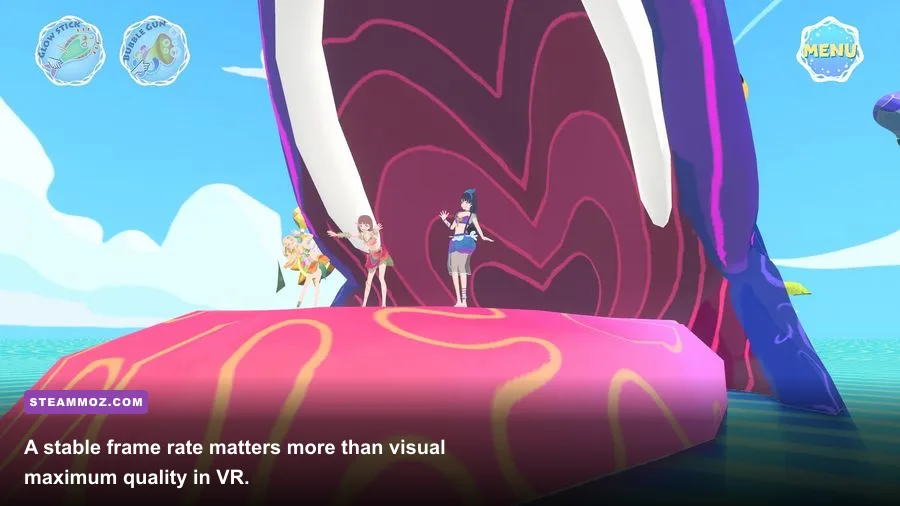
Mikasa and Nijika are not just decoration. Their singing, movement, and stage positions help you understand the flow of each performance. Watch the character who is currently drawing focus, then use the transition between vocal lines or dance phrases as a reset point. The show’s production can make prompts blend into the background, while a performer’s movement often gives you a stronger sense of where the next musical phrase begins.
That doesn't mean staring at the idols and ignoring the interface. Use a three-point scan: glance at the nearest cue, return to the center of the stage, then check the next cue before it reaches you. This habit is more effective than locking your eyes to one corner. It also lets you enjoy the concert rather than reducing it to a detached note chart.
For a useful comparison, rhythm-game players may recognize the same attention problem discussed in our puzzle timing tips: planning the next action early is safer than repairing the current mistake late.
5. Stabilize performance before raising visual quality
VR comfort depends on consistency. A brief hitch during a flat-screen game is annoying; in a headset, it can make the stage jump and trigger nausea. Start with the game’s recommended resolution and refresh-rate combination. If your headset or SteamVR runtime offers supersampling, leave it at the default first. Only increase it after a complete session feels smooth.
| Setting or condition | Recommended starting point | Why it matters | When to adjust |
|---|---|---|---|
| Headset refresh rate | Native stable rate | Reduces judder and inconsistent motion | Lower it if the GPU cannot hold frame timing |
| SteamVR resolution | Automatic or 100% | Balances clarity with GPU load | Reduce it before lowering every other setting |
| Background applications | Close browsers and overlays | Frees CPU, GPU, and USB bandwidth | Always do this before troubleshooting |
| Tracking environment | Even, glare-free lighting | Improves controller and headset reliability | Fix room lighting if hands disappear |
Don't confuse a low frame rate with input delay. If prompts feel late but the image remains smooth, investigate the headset’s audio or controller latency settings. If the image stutters, lower resolution first. That trade-off preserves responsiveness better than forcing a sharp image your system can't sustain.
6. Choose comfort over immersion when needed
Standing still doesn't guarantee comfort. Rapid visual movement, bright effects, and long sessions can still cause eye strain. Begin with a short run, keep water nearby, and stop as soon as you feel warm, dizzy, or unusually tired. “Pushing through” is a poor strategy because VR discomfort can build quickly and make the next session worse.
If the game provides seated or comfort-oriented options, test them before changing your entire room setup. Keep your head movements deliberate, and don't turn rapidly to follow effects if the controllers already show the relevant cue. A fan aimed gently at your face can also provide a useful physical orientation point, though it won't fix a fundamentally unstable frame rate.
7. Play the first run as a scouting session
Your first performance shouldn't be judged as a score attack. Treat it as a route preview. Notice when the game changes interaction type, where prompts tend to appear, and which effects make them harder to read. Mentally label sections as “simple,” “dense,” or “camera-heavy.” On the second attempt, you'll have a plan instead of reacting to surprises.
Don't restart after every miss. Finishing the song teaches you more about its overall structure than repeatedly polishing the opening minute. The late section is often where fatigue and visual overload matter most, so reaching it is valuable practice even if your early accuracy wasn't perfect.
8. Make replays serve a specific purpose
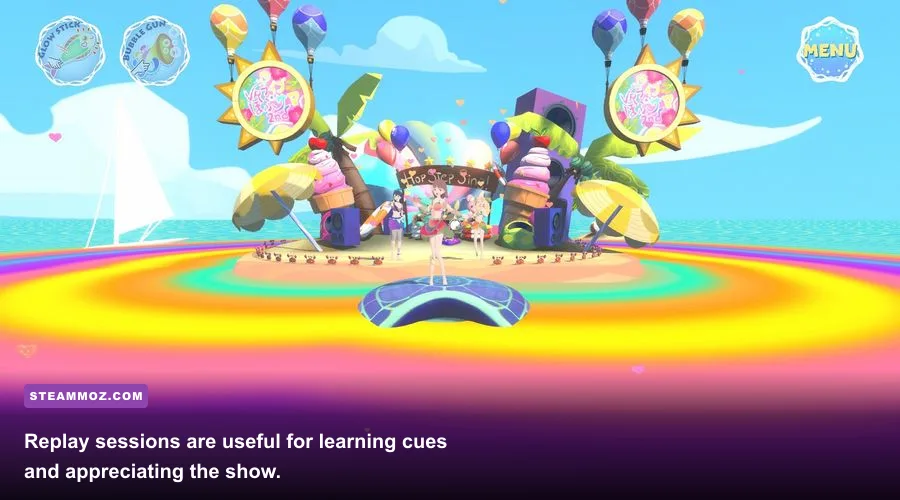
Replay value works best when every run has one target. On one attempt, focus only on clean timing. On another, watch stage positioning. On a third, test whether smaller gestures reduce tracking errors. This turns a short VR concert into a set of manageable drills rather than an endless loop with no improvement.
Keep your headset volume and room lighting consistent between attempts. Otherwise, you may mistake a better environment for better technique. If the game allows different viewing or performance modes, change only one option at a time so you know what actually helped.
Players who enjoy methodical repetition may appreciate the mindset behind our progression-focused guide: isolate the variable, repeat the process, and measure improvement instead of relying on vibes.
9. Protect your controllers and your wrists
VR rhythm games invite exaggerated swings, but HopSummer 2nd doesn't reward damaging your furniture. Tighten wrist straps, keep your elbows slightly bent, and stop the motion before your arm reaches full extension. If your controller begins losing tracking during wide gestures, that is feedback to make the movement smaller, not a reason to swing harder.
Alternate relaxed hands with deliberate inputs. Grip pressure should be firm enough to prevent drops, not so tight that your forearms stay tense through the whole show. A short stretch before and after play is sensible, particularly if you're repeating the same song several times.
10. Finish with the official resources and your own notes
For updates, compatibility information, and announcements, check the official Hop Step Sing! website, the developer’s Steam listings, and the official Hop Step Sing! YouTube channel. Version changes can affect comfort options, controller behavior, or performance, so old community advice may not perfectly match your installation.
After each session, write down one useful observation: “recenter before launch,” “smaller right-hand gesture,” or “lower SteamVR resolution.” Those notes become a practical personal setup guide much faster than copying someone else’s settings. If your PC struggles with other VR or 3D titles, our new-player performance and pacing advice is also worth browsing.
| Goal | What to do | What to avoid | Success signal |
|---|---|---|---|
| Better accuracy | Use small, beat-matched motions | Late corrective swings | Fewer chain misses |
| Better comfort | Short sessions and stable framing | Playing through dizziness | No symptoms after a full performance |
| Better tracking | Even lighting and clear space | Glare, cables, and occluded controllers | Hands remain visible during gestures |
| Better replays | Set one practice goal per run | Restarting after every mistake | One measurable improvement each attempt |
The best way to approach Hop Step Sing! VR Live HopSummer 2nd is with patience: calibrate carefully, listen for the beat, keep your movements economical, and let the virtual concert breathe. Once the controls stop demanding your full attention, the production, characters, and music become much easier to appreciate.