
Remember when mobile gaming was defined by cartoon birds and pixelated runners? Those days are long gone. Thanks to massive strides in mobile chip technology, hardware-accelerated ray tracing, and intelligent spatial upscaling like MetalFX, your iPhone can now run actual AAA console titles natively. Holding an iPhone 15 Pro or iPhone 16 in your hands feels less like holding a phone and more like holding a portable PlayStation 5.
Whether you want to survive terrifying viral outbreaks, drive hyper-detailed supercars, or hike across vast photorealistic landscapes, Apple's ecosystem has evolved into a legitimate gaming powerhouse. We have tested the most demanding iOS titles to bring you the best iPhone games with realistic graphics that showcase what modern mobile hardware can really do.
The New Era of Console-Quality iPhone Gaming

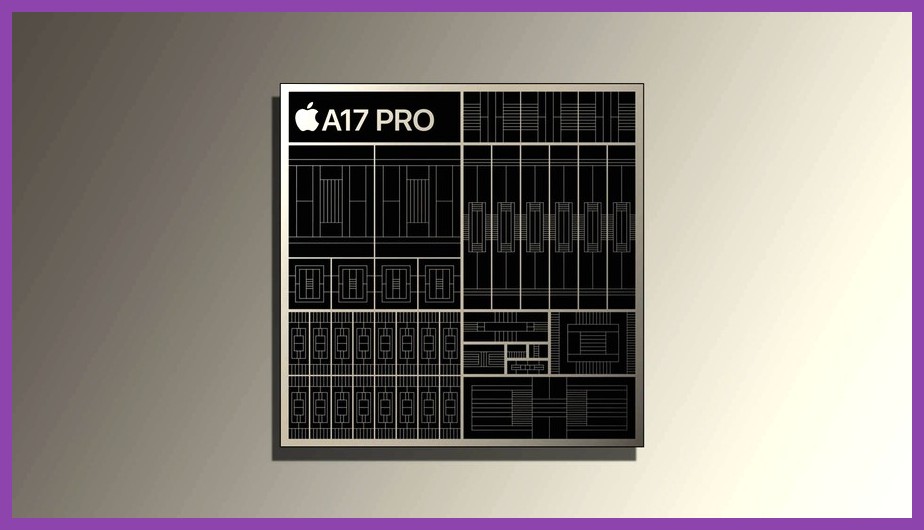
The leap in mobile graphics over the past couple of years isn't just incremental; it's a monumental shift. When Apple introduced the A17 Pro and M-series chips, they brought desktop-grade architectural capabilities to handheld devices. Features like real-time ray-traced reflections, high-resolution subsurface scattering, dynamic particle physics, and screen-space shadows are no longer locked behind giant gaming towers or power-hungry desktop consoles.
Developers now build games for iOS using Apple's proprietary Metal 3 graphics framework. With features like MetalFX Upscaling—which operates similarly to Nvidia's DLSS or AMD's FSR—your iPhone can render complex scenes at lower internal resolutions and upscale them cleanly to Retina display standards. If you regularly check out our broader mobile games section, you know how rapidly handheld gaming is accelerating. Below are the titles pushing mobile hardware to its absolute limits right now.
Resident Evil 4 Remake & Village: True AAA Survival Horror in Your Pocket

When Capcom announced they were bringing full console versions of Resident Evil Village and the Resident Evil 4 Remake to iOS, many gamers were skeptical. However, running these games natively on an iPhone 15 Pro or iPad M-series device quickly shattered those doubts. These aren't stripped-down mobile ports or cloud-streamed titles; they are the full RE Engine builds running directly on your phone's processor.
In the Resident Evil 4 Remake, the atmospheric fidelity is astonishing. The rain-slicked mud of the Spanish village, the detailed leather textures on Leon Kennedy's jacket, and the eerie volumetric fog floating through dark castle corridors mirror their desktop counterparts. Light sources like swinging lanterns cast dynamic shadows in real time, and subsurface scattering makes human skin tones look frightfully realistic under stress. If you are diving into Leon's intense rescue mission for the first time on handheld, make sure to check out our Resident Evil 4 Remake Assisted Mode guide to get your bearings before tackling the terrifying cultists. You can also visit Capcom's official Apple titles hub to check device compatibility list.
Death Stranding Director’s Cut: Kojima’s Photorealistic Masterpiece

Hideo Kojima’s cinematic sci-fi epic, Death Stranding Director’s Cut, relies heavily on mood, scale, and environmental realism to deliver its unique gameplay loop. Porting the Decima Engine to iOS seemed like an impossible feat, yet the game runs with impressive graphical fidelity on modern Apple chips.
As you trudge through lush mossy valleys, cross churning icy rivers, and scale jagged black-sand mountains, the terrain rendering is second to none. The photorealistic ground shaders show individual pebbles, running rainwater, and detailed mud deformation under Sam Porter Bridges’ boots. Weather effects, specifically the supernatural "Timefall" rain, create realistic droplet distortion on your camera field of view. The facial capture technology during story cutscenes rivals any modern cinematic blockbuster, proving that heavy narrative-driven games have a bright future on mobile hardware. To keep up with Kojima's technological pushes, keep an eye on Kojima Productions official site.
Assassin’s Creed Mirage: Stepping Into 9th Century Baghdad

Ubisoft brought Basim’s journey through 9th-century Baghdad directly to modern iPhones using the native Anvil engine. Assassin’s Creed Mirage serves as an incredible showcase for dynamic global illumination and high-density character modeling on small screens.
Walking through the crowded, sun-drenched markets of ancient Baghdad reveals dynamic cloth physics as Basim's robes react to the wind and movement. Sunlight filters realistically through palm foliage and wooden lattice structures, creating complex light-and-shadow patterns on stone alleyways. While the game targets 30 frames per second on mobile, the depth of draw distances and ambient occlusion settings match what you would expect from dedicated home consoles. If you love deep immersion and detailed world-building, exploring Baghdad on a high-definition Retina OLED display is a mind-blowing experience.
GRID Autosport & CarX Street: Jaw-Dropping Automotive Realism
For racing game enthusiasts who demand physical accuracy and realistic automotive visuals, two titles stand out on iOS: GRID Autosport and CarX Street. While many mobile racers opt for arcade action and exaggerated gloss, these games prioritize lifelike lighting, accurate vehicle shaders, and realistic environmental physics.
GRID Autosport remains a benchmark for simulation racing on iOS. It renders crisp 4K textures, realistic vehicle deformation upon impact, and physical tire marks etched into the track surface. CarX Street, on the other hand, brings open-world night racing with glowing neon light bounces, dynamic wet-asphalt reflections, and detailed engine bay models. If you enjoy managing garage collections and maximizing vehicle setups in desktop racers like in our Forza Horizon 5 best cars guide, diving into the tuning options and photorealistic car models of these iOS racers will satisfy your inner petrolhead.
Call of Duty: Warzone Mobile: Tactical Lighting and Photorealistic Gunplay

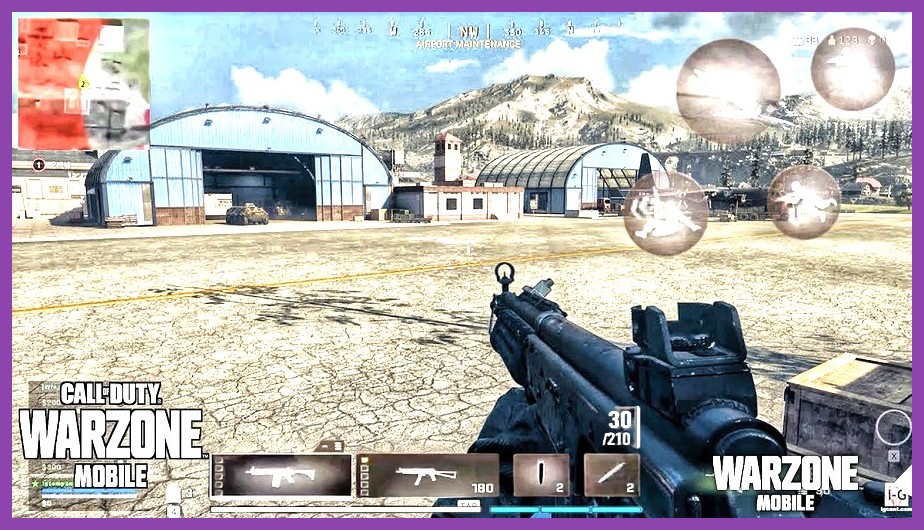
First-person shooters often have to sacrifice graphical depth to maintain high frame rates, but Call of Duty: Warzone Mobile bridges that gap by sharing cross-engine tech with its PC and console counterparts. Powered by the unified Call of Duty engine, the game brings Verdansk and Rebirth Island to mobile devices with stunning tactical realism.
Weapon models are where the game shines brightest. You can inspect your firearms to see scuffs, heat discolored metal, oil sheens on gun bolts, and microscopic texture patterns on carbon fiber attachments. Dynamic muzzle flashes illuminate dark interiors realistically, while volumetric dust particles hang in the air during intense fire-fights. Paired with realistic weapon motion blur and depth-of-field effects while aiming down sights, it easily ranks among the most visually impressive offerings in our FPS gaming category.
Alien: Isolation: A Masterclass in Volumetric Lighting and Atmospheric Dread
Feral Interactive's iOS conversion of Alien: Isolation is widely considered one of the finest mobile ports ever created. The game’s realistic graphics stem not just from raw polygon counts, but from a masterclass in atmospheric rendering, retro-futuristic lighting, and shadow management.
Walking through the claustrophobic corridors of the Sevastopol space station feels unnervingly real. Dynamic shadows cast by flickering halogen lights stretch across metallic surfaces, while thick volumetric smoke diffuses light beams realistically from damaged ceiling vents. The Xenomorph itself features liquid-like specularity on its dark exoskeleton, reflecting surrounding corridor lights as it stalks you through vents. The attention to detail in cathode-ray tube monitor reflections and metallic rust textures makes this survival horror title an absolute visual masterpiece on modern iPhones.
War Thunder Mobile: Next-Gen Vehicle Physics and Weather Effects
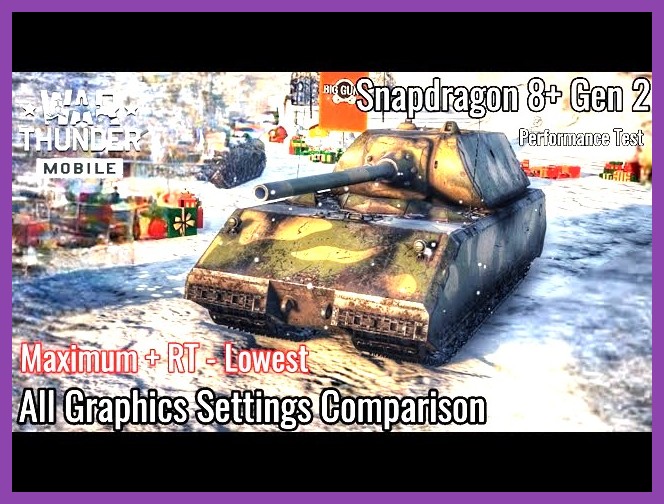
If you prefer military vehicle combat over infantry gunplay, War Thunder Mobile provides visual crunch that rivals mid-tier PC graphics settings. Featuring combined arms battles across ground, sea, and air, Gaijin Entertainment's mobile entry uses physically based rendering (PBR) to make every steel plate and rivet pop.
Tanks kick up realistic mud and dust clouds that drift naturally according to wind vectors. Water rendering in naval battles includes physical wave deformation, foam dynamics, and dynamic sun glares reflecting off churning waves. When shells strike enemy armor, you are treated to realistic metal distortion, heat glows, and smoke trails. For players who love tactile mechanical warfare, the graphical detail on vehicle models is unmatched in the mobile military genre.
How Apple Silicon Made Photorealistic Mobile Gaming Possible

Achieving this level of visual realism on a handheld device that fits in your pocket wasn't an overnight fluke. It required a complete overhaul of how mobile GPUs process graphics data. If you compare these titles to older mobile hardware setups—like those we discussed in our guide to great RPGs for low-end mobile hardware—the technological gap is staggering.
Key hardware innovations driving modern iPhone graphic realism include:
- Hardware-Accelerated Ray Tracing: Dedicated silicon hardware calculates light reflections, refraction, and contact shadows instantly, eliminating fake light maps.
- MetalFX Upscaling: Reconstructs higher-resolution imagery using temporal antialiasing and spatial upscaling, reducing GPU workload while maintaining razor-sharp picture quality.
- Unified Memory Architecture (UMA): Allows the GPU and CPU to share a high-bandwidth memory pool, eliminating the bottleneck of transferring heavy texture files across separate busses.
- Dynamic Mesh Shading: Efficiently culls geometry that isn't visible on screen, allowing developer budgets to focus on extreme detail right in front of the player.
To dive deeper into the technical frameworks enabling these visual leaps, check out Apple's official Metal framework documentation.
How to Maximize Graphics and Frame Rates on Your iPhone
Even with a high-end device like an iPhone 15 Pro, iPhone 16, or modern iPad, pushing realistic graphics requires balancing thermal output, battery life, and visual performance. Pushing max settings without optimization can lead to thermal throttling, which drops frame rates to protect internal components.
To get the absolute smoothest, prettiest experience out of your mobile hardware, follow these optimization tips:
- Enable iOS Game Mode: Available in iOS 18 and newer, Game Mode prioritizes CPU and GPU resources for your game while reducing background activity and wireless latency for controllers.
- Use MetalFX / Upscaling Toggles: If a game like Resident Evil offers a choice between quality resolution mode and MetalFX Performance mode, choose Performance mode for high frame stability without noticeable image degradation.
- Manage Thermals: Remove thick plastic phone cases during heavy gaming sessions to help dissipate heat. Thermal throttling is the primary culprit behind sudden frame drops in heavy games, similar to performance hitches covered in our stutter fix guide.
- Use a Bluetooth or Direct-Connect Controller: Games with console-grade graphics generally feature controls designed for gamepads. Pairing a Backbone One, PlayStation DualSense, or Xbox Wireless Controller dramatically improves precision and immersion.
For detailed hardware benchmarks and performance breakdowns on mobile releases, tech enthusiasts can always consult analyses on Digital Foundry.
The gap between handheld mobile games and home console visuals has officially closed. Whether you are wandering through apocalyptic wildernesses or taking apex corners in supercars, your iPhone is now a premier gaming destination. Grab your controller, turn up the brightness, and experience the stunning photorealism right in the palm of your hand!