
When Capcom dropped the Resident Evil 4 Remake, survival horror fans around the globe braced themselves for an intense, tense, and downright ruthless thrill ride through rural Spain. Between chainsaw-wielding maniacs, parasitic horrors, and terrifying boss encounters, Valdelobos is definitely not a vacation spot. But what if you want to enjoy Capcom's masterpiece without sweating through your shirt or getting your head sawed off fifty times in a row? Enter Resident Evil 4 Remake Assisted Mode.
There used to be a weird stigma around choosing the easiest setting in survival horror games. Some purists argued that if you aren't constantly clinging to your last two handgun bullets, you aren't getting the true experience. Honestly? That mindest is completely outdated. Capcom designed Assisted Mode with immense care, ensuring it feels like a legitimate, action-packed thrill ride rather than a dumbed-down walk in the park. Whether you're new to the franchise, playing on a handheld like the Steam Deck, or just want a casual lore run to appreciate every breathtaking detail, this mode has a massive amount to offer. In this deep dive, we're going to break down every single mechanic, feature, unlock, and strategy related to the Resident Evil 4 Remake Assisted difficulty settings so you know exactly what to expect before stepping into Leon's jacket.
What Exactly Is Resident Evil 4 Remake Assisted Mode?

In short, Assisted Mode is Resident Evil 4 Remake's version of an easy difficulty option. However, calling it just an "easy mode" doesn't really do justice to how Capcom implemented its features. Instead of just dialing enemy damage down to zero and making Leon immortal, Assisted Mode introduces a suite of intelligent quality-of-life tweaks, combat aids, and resource boosts designed to keep the action flowing seamlessly.
When you select Assisted Mode at the start of a new game or toggle down to it after a few brutal deaths, the game adjusts several core mechanics under the hood. Enemies deal significantly less damage, move slightly slower, and stun much easier. Your aiming crosshair gains an opt-in snap-to-target assist that locks right onto hostiles, and your knife parry windows become dramatically wider. If you've been grinding tough titles like God of War Ragnarok Valhalla or perfecting your dodging in Elden Ring, taking a turn in RE4's Assisted Mode feels like taking off weight training clothes—you suddenly feel like an unstoppable action movie hero.
It's also worth noting that Capcom's design philosophy here leans heavily into accessibility. Players who struggle with fine motor precision on analog sticks, gamers who experience motion sickness during fast-paced encounters, or casual players who just want to soak in the story can enjoy every single chapter of the game without hitting a brick wall. If you want to check out how other major modern titles handle player freedom and scaling, take a peek at our game guides section for comprehensive breakdowns across all genres.
Key Features & Quality of Life Mechanics in Assisted Difficulty

So, what mechanics change when you step into Assisted Mode? Capcom stuffed this difficulty level with several gameplay cushions that fundamentally alter how you approach inventory management, gunplay, and boss fights. Here is the full breakdown of what you get when running on Assisted:
1. Automatic Health Regeneration
Perhaps the biggest game-changer in Assisted Mode is Leon's passive health regeneration. When your health bar dips into the red (danger state), Leon will automatically regenerate health up to a safe green threshold over time. While this won't fully heal you back to 100% max HP, it guarantees that you will never be stuck walking into a boss fight or a horde encounter with a single pixel of health left. You won't have to waste your precious Green Herbs or First Aid Sprays just to get out of critical status, allowing you to save your big healing items for emergency moments during major encounters.
2. High-Tech Aim Assist & Crosshair Magnetism
Aiming in the RE4 Remake can feel intentionally heavy and realistic, especially on controllers. Assisted Mode allows you to toggle on a powerful Aim Assist feature in the options menu. When enabled, aiming down sights automatically snaps your reticle directly to the nearest enemy's body or head. This makes scoring headshots and knee-stuns effortless, setting up Leon's iconic roundhouse kicks without burning through half a box of ammo.
3. Generous Crafting Yields
Resource management is a core pillar of survival horror, but Assisted Mode loosens the belt considerably. Whenever you craft ammo using Gunpowder and Resources at your inventory briefcase, you receive significantly more bullets per craft compared to Standard or Hardcore settings. Combined with higher naturally occurring item drops from wooden crates and dead Ganados, you will rarely feel the desperate anxiety of an empty magazine.
4. Discounted Merchant Goods & Cheaper Upgrades
The mysterious Merchant from the official Resident Evil website lore is much more generous on Assisted difficulty. Item prices for first aid sprays, weapons, and upgrade tiers are noticeably lower or yield better returns. Moreover, repair costs for Leon's combat knife are significantly cheaper, encouraging you to slash, knife-stab down downed foes, and parry incoming blows to your heart's content.
5. Wider Parry Windows
Parrying with the knife is one of the coolest mechanical additions to the remake. On higher difficulties like Hardcore or Professional, knife parrying requires precise, split-second timing. On Assisted Mode, the window to hit the L1/LB button to parry an incoming hatchet, pitchfork, or chainsaw blade is extremely forgiving. You can practically tap the button in the general timeframe of an attack and trigger a perfect defense animation.
Assisted Mode vs. Standard & Harder Difficulties

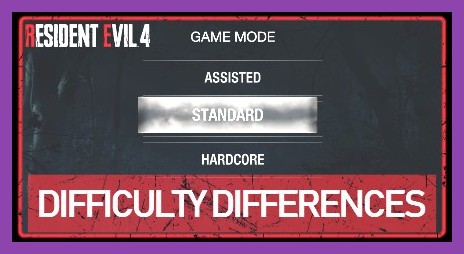
Choosing the right difficulty tier is crucial for tailoring your playthrough to your preferred playstyle. If you're deciding whether to lock in Assisted, Standard, Hardcore, or Professional, it helps to see how they stack up directly against each other.
To put things in perspective, let's look at how enemy behavior, damage scaling, and economy balance out across the options:
- Assisted Mode: Health auto-regen in critical state, heavy aim snapping option, lower merchant prices, massive ammo yields, wide parry window, weaker enemy aggression, reduced grab frequencies.
- Standard Mode: Normal enemy aggression, standard item yields, fair knife parry windows, normal merchant pricing, no auto health regeneration. Recommended for players who played the 2005 original or enjoy moderate challenge.
- Hardcore Mode: Tougher enemies, higher merchant prices, low ammo drop rates, strict parry timing, high enemy damage output. Designed for seasoned survival horror veterans.
- Professional Mode: Unlocked after beating the game. No auto-saves, parries MUST be perfect timing, maximum enemy aggression, brutal economic constraints.
If you're someone who loves exploring deep mechanics without stressing over resource starvation—similar to managing camp facilities in our Far Cry 6 upgrade guide—Assisted Mode lets you focus entirely on weapon experimentation, side quests, and finding hidden treasures throughout the world.
Unlocks, Trophies, and Achievements: What Can You Get?
One common concern among players considering Assisted Mode is achievement gating. Many modern video games lock trophy hunters out of cool cosmetics, bonus weapons, or platinum achievements if they dare play on lower difficulties. Fortunately, Capcom handles this with total respect for the player!
Can you unlock bonus items and achievements on Assisted Mode? Yes, absolutely! Here is a clear breakdown of what you can and cannot earn while playing on Assisted:
What You CAN Earn on Assisted Mode:
- Story Trophies / Achievements: You will unlock every story completion trophy regardless of difficulty.
- Assisted S+ Rank: You can earn an S+ Rank on Assisted Mode by completing a fresh new game playthrough in under 4 hours and 0 minutes. Doing so unlocks specific reward accessories like the Deer Antlers (which heavily boost knife attack power).
- CP (Challenge Points): Completing challenges on Assisted awards plenty of CP to buy character models, concept art, and special gameplay modifiers in the Extra Content Shop.
- Collectible Achievements: Finding all Clockwork Castellans, shooting all targets at the shooting gallery, and completing all Merchant Requests can easily be knocked out during an Assisted run.
What Is Restricted to Higher Difficulties?
- Standard / Hardcore / Professional S+ Achievements: Achievements that specifically ask you to complete Standard S+ or Hardcore S+ cannot be earned on Assisted. You must play on those respective modes (or higher) to claim their specific rewards.
- Handcannon / Chicago Sweeper Unlocks: Some ultimate bonus weapons require beating Hardcore or Professional modes without using special weapons or within strict time limits.
If your goal is to grab all the fun secrets in the game without hitting an annoying brick wall, running through Assisted Mode first to collect all 16 Clockwork Castellans (unlocking the indestructible Primal Knife) is actually the smartest strategy! Once you have the Primal Knife equipped, tackling subsequent playthroughs on higher difficulties becomes ten times easier. For more budget-friendly single-player games that respect your time and wallet, check out our list of great cheap games under $5.
Can You Change to Assisted Mode Mid-Game?
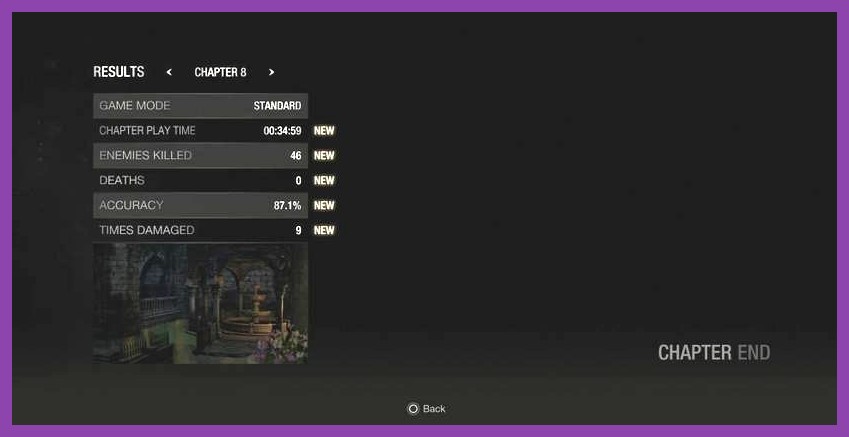
Picture this scenario: You started your journey on Standard mode feeling confident, but you've reached Chapter 11 or a brutal boss fight like Krauser or El Gigante, and you've run out of ammo, green herbs, and patience. Can you change your settings without losing all your chapter progress?
The answer is yes, but with a major catch!
If you die repeatedly on Standard mode, the game's dynamic death screen will pop up with a helpful prompt asking if you'd like to drop down to Assisted Mode. Accepting this offer instantly lowers the game's difficulty for the remainder of your save file. You can also manually adjust this setting from the options screen after dying.
However, this is a one-way street. Once you downgrade your current playthrough to Assisted Mode, you cannot switch back up to Standard, Hardcore, or Professional later on that same save file. The game locks you into Assisted for the rest of that story run. If you want to play on Standard again, you'll need to start a New Game or finish your current run and launch a New Game Plus (NG+) file on a higher setting.
Essential Tips to Master RE4 Remake Even on Assisted
Even though Assisted Mode gives you plenty of breathing room, Resident Evil 4 Remake isn't a brainless walk through the park. Bosses still hit hard if you stand still, swarm mechanics can trap you in corners, and resource management still matters if you want to afford the coolest gun upgrades. Here are some pro gamer tips to make your Assisted playthrough smooth as butter:
1. Use the "Red Health" Trick for Free Healing
Since your health auto-regenerates back to yellow status whenever you're critically wounded in Assisted Mode, don't rush to swallow a First Aid Spray the second you get slapped by a Ganado. Fall back, let Leon catch his breath, and allow his health to regenerate back to safe levels automatically. Save your mixed Herbs (Green + Red + Yellow combos) to permanently increase your max health pool instead of using them for basic patch-ups.
2. Turn On Full Aim Assist in the Menu
By default, Aim Assist might be set to subtle or off depending on your system presets. Head into Controls > Aim Assist and dial it up to Snap-to-Target. Whenever an enemy approaches, quickly snap your aim down sights (L2/LT), fire a single shot to stun their head or knee, close the distance, and hit them with a melee kick. It saves massive amounts of ammo and keeps crowd control super simple.
3. Focus on Upgrading Firepower and Capacity First
Because ammo crafting gives you higher yields on Assisted, you'll rarely run dry on basic handgun or shotgun shells. When visiting the Merchant shop page on the Steam store page or in-game, prioritize upgrading your weapon's Firepower stats and Ammo Capacity. Upgrading Capacity acts as a free reload—when you upgrade a gun's magazine capacity at the Merchant, he magically fills the new clip with fresh ammo for free!
4. Learn to Knife Parry Everything
Assisted mode gives you massive parry frames, making it the perfect playground to practice your defensive timing. You can parry thrown hatchets, dynamite sticks mid-air, cultist staff swings, and even giant boss strikes. Getting confident with the knife on Assisted builds muscle memory that will serve you tremendously if you ever decide to step up to Standard or Hardcore down the road.
5. Clear Every Shooting Gallery Sub-Game
Don't skip the elevator side-games hosted by the Merchant! The Shooting Gallery minigame awards tokens that you can plug into the charm vending machine. Equipping charms to your inventory briefcase grants passive buffs like extra ammo crafting chance, merchant discounts, or faster movement speed. On Assisted mode, landing high scores at the range is an absolute breeze thanks to generous target hitboxes.
Why Assisted Mode is a Victory for Gaming Accessibility
At the end of the day, Resident Evil 4 Remake Assisted Mode represents modern game design at its finest. Capcom recognized that players engage with survival horror for vastly different reasons. Some gamers want a grueling test of patience, twitch reflexes, and conservation. Others want an atmospheric action-adventure where they can feel like an elite secret agent rescuing the President's daughter while blowing away bio-organic monsters with style.
Assisted Mode doesn't judge you, strip away core content, or deny you the thrill of unlocking bonus gear. It lowers the barrier of entry while preserving the heart and soul of what makes RE4 one of the greatest games ever made. So if you've been sitting on the fence about picking up the remake because you feared the relentless difficulty, put those worries to rest. Grab your tactical vest, enable aim assist, and enjoy one of Capcom's finest achievements!
Looking for more thrilling adventures across PC, consoles, and handhelds? Dive into our detailed coverage on top PC gaming guides or explore incredible titles over in our game reviews section today!