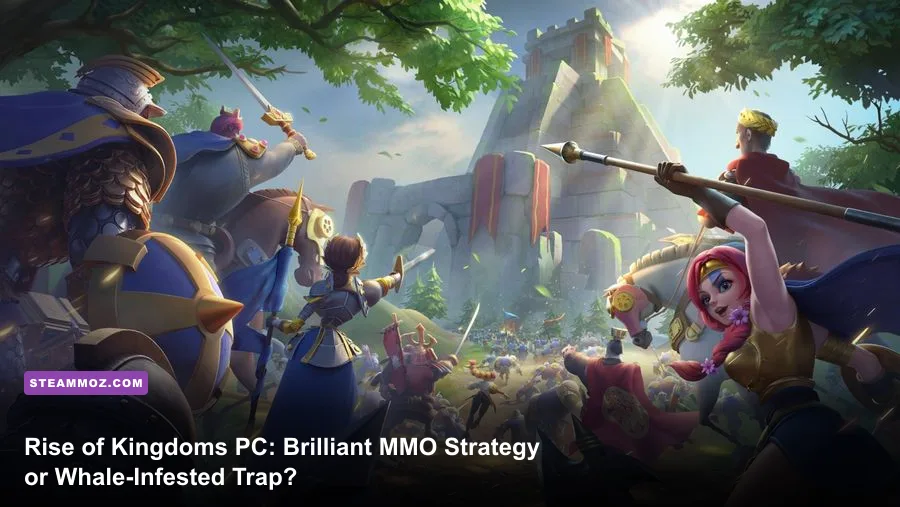
Rise of Kingdoms on PC remains mechanically unmatched in the mobile-to-desktop cross-platform strategy space, but whether it is worth your time depends entirely on what you want out of it. If you crave a 60 FPS real-time MMO strategy experience where grand tactical map movement and split-second army micro decide wars involving thousands of active players, the dedicated PC client makes the game sharper and more responsive than it has ever been. However, if you are looking for an egalitarian competitive playground free of predatory monetization, the modern Season of Conquest power curve, relentless commander power creep, and aggressive crystal technology systems will frustrate you within weeks.
Lilith Games built an undeniable empire on this title. What began as a mobile kingdom-builder evolved into a legitimate real-time strategy war machine fueled by diplomacy, espionage, and ruthless resource management. Shifting the game from cumbersome third-party Android emulators to a standalone, hardware-accelerated Windows application fundamentally changed how hardcore alliances wage war. To understand why this game still commands millions of daily active players—and why so many veterans warn newcomers away—we need to pull back the curtain on the engine, the meta, and the brutal economy driving every single march.
The Native PC Client: Why Mouse and Keyboard Redefined Field Micro
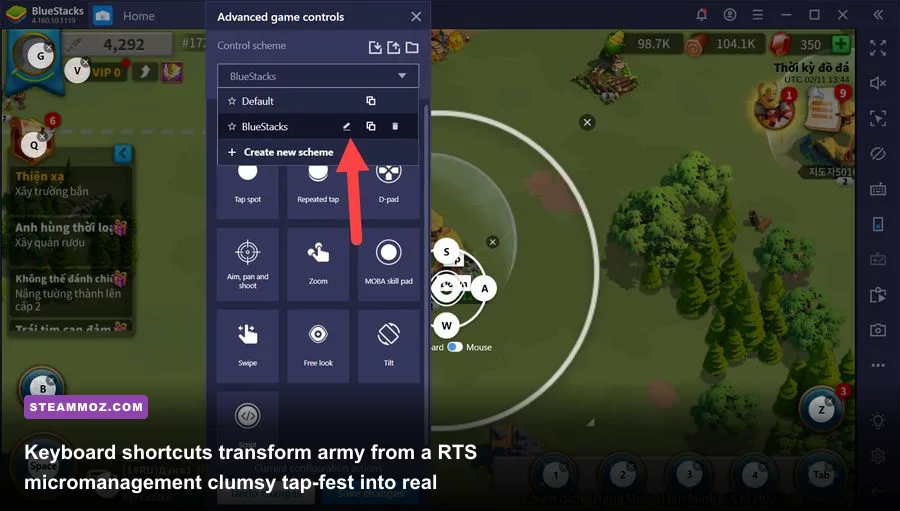
For years, playing Rise of Kingdoms on desktop meant wrestling with Android emulators. Programs like BlueStacks and LDPlayer consumed massive amounts of RAM, stuttered during chaotic 500-march murderballs at Pass 4, and suffered from unpredictable input latency. The arrival of the native PC client completely altered that dynamic. Built with native Direct3D rendering and dedicated mouse-and-keyboard integration, the official client transformed the experience from an unwieldy emulation layer into a genuine desktop RTS engine that rivals classic grand strategy games.
The competitive advantage of the PC client lies in march selection and micro-positioning. On mobile screens, attempting to single out your low-health cavalry march amidst a swirling mass of 40 overlapping infantry balls is an exercise in pure agony. You frequently tap the wrong army, accidentally target a neutral resource node, or misdirect your primary rally. On PC, keyboard hotkeys (1 through 5) instantly assign and select specific marches. Holding the left mouse button to drag-box select multiple units mirrors the precision of games like StarCraft II or Age of Empires. You can split your armies in a millisecond, send your Nevsky and Joan of Arc Prime to flank squishy archers, pull back a bleeding Guan Yu before he gets targeted by enemy swarms, and double-click to stutter-step your commanders out of lethal Area of Effect (AoE) circles.
Field performance also impacts tactical survival. During catastrophic kingdom-level clashes where entire server populations condense into a single zone, mobile devices thermal-throttle within fifteen minutes, dropping frame rates down to single digits. The PC client leverages dedicated desktop GPUs to maintain a solid 60 frames per second at 1440p or 4K resolutions. If you have ever dialed in system settings for demanding desktop titles—much like tweaking parameters in our guide on optimizing settings for higher FPS—you will appreciate how stable framerates remove input lag when dodging devastating commander active skills.
| Platform / Client | Target Framerate | Input Latency | Field Micro Capability | System Resource Impact |
|---|---|---|---|---|
| Official Native PC Client | 60 FPS (V-Sync / Unlocked) | Sub-15ms | Elite (Drag-box, 1-5 Hotkeys, Mouse Wheel Zoom) | Low to Moderate (GPU-accelerated Direct3D) |
| High-End Android Emulator | 30-45 FPS (Frequent Drops) | 45-80ms | Moderate (Virtual keymapping, occasional misclicks) | Extremely Heavy (High CPU/RAM virtualization overhead) |
| Flagship Mobile Device | 30-60 FPS (Thermal Throttles) | Touch-dependent | Basic (Cluttered touch controls, severe fat-finger risk) | High (Battery drain, severe thermal throttling) |
| Mid-Range Mobile Device | 20-30 FPS in Massive Fights | Noticeable delay | Poor (Stutters frequently cause misdirected marches) | Extreme (App crashes common during altar/pass fights) |
This desktop fidelity also resolves annoying crash loops that once plagued competitive players during critical capture windows. In high-stakes matches like the Ark of Osiris, where every missed skill activation costs thousands of alliance points, desktop stability gives players an undeniable edge. Just as maintaining PC health requires targeted adjustments—similar to following proven crash fixes and performance stability tweaks in complex RPGs—keeping the native Rise of Kingdoms client updated ensures you never crash while defending a strategic alliance fortress.
The Modern Meta: Commander Power Creep and the Legendary Sculpture Squeeze
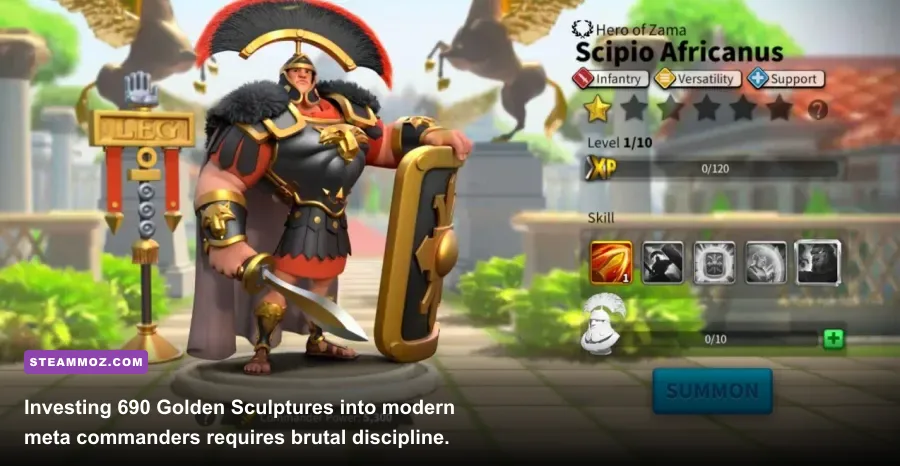
While the technical framework of the PC version is a triumph, the game's balance and economic demands are harsher than ever. If you last stepped foot onto the plains of Norheim during the early days of Minamoto no Yoshitsune and Richard I, the current combat environment will feel completely unrecognizable. Generation 1 and Generation 2 commanders have been thoroughly pushed out of open-field relevance in end-game Season of Conquest (SoC) content. The modern battlefield is ruled by monstrous nuclear pairings and complex synergy buffs designed around recent powerhouse releases.
Consider the brutal investment curve. Bringing a single legendary commander from base level to an expertised 5-5-5-5 skill build demands precisely 690 Legendary Commander Sculptures (commonly known as Gold Heads). If you are building a competitive primary and secondary march pairing from scratch, you are staring down a wall of 1,380 gold heads. While reaching VIP 14 grants you three free daily sculptures through the VIP chest, an active low-spender still needs nearly five months of religious daily logins, VIP point gathering, and relentless event optimization just to finish one top-tier pair. For detailed progression planning, cross-referencing values on the Rise of Kingdoms Community Wiki is mandatory before spending a single sculpture.
| Commander Pairing | Troop Type | Gold Heads to Viability | Battlefield Role | Meta Longevity Rating |
|---|---|---|---|---|
| Scipio Africanus Prime / Liu Che | Infantry | 1,380 (Both Expertised) | AoE Debuff & Relentless Normal Attack Damage | S-Tier (Dominates multi-target brawls) |
| Nevsky / Joan of Arc Prime | Cavalry | 1,200 (5-5-5-1 Joan viable) | Single-Target Burst & Rage Engine Acceleration | S-Tier (The gold standard for mobile hit-and-run) |
| Huo Qubing / William I | Cavalry | 1,070 (5-5-5-1 William viable) | High-Speed Interception & Anti-Flank Disruption | A-Tier (Excels at catching isolated retreaters) |
| Boudica Prime / Zhuge Liang | Archer | 1,380 (Both Expertised) | Massive Multi-March AoE Nuke & Silence | S-Tier (Incredible damage output, glass cannon) |
| Guan Yu / Scipio Africanus Prime | Infantry | 690 (Guan 5-1-5-5 viable) | Frontline Silence Opener & Defense Breaker | A-Tier (Cost-effective legacy pairing) |
| Richard I / Charles Martel | Infantry | Historical Meta Only | Pure Tank / Outdated PvE Wall | D-Tier (Free kill points for modern SoC burst pairs) |
The table above illustrates the sheer depth of commitment required. A rookie who invests hundreds of precious generic sculptures into outdated commanders like Julius Caesar or El Cid effectively ruins their account's mid-game trajectory. Navigating this progression curve requires the same unforgiving forward planning as mastering min-maxed loadouts in hardcore survival titles or setting up optimized beginner builds designed to carry you through high-tier content. In modern Rise of Kingdoms, a single uncoordinated gold head allocation sets you back months against seasoned server opponents.
Kingdom vs. Kingdom Reality Check: Crystal Tech and Open-Field Carnage

Everything in Rise of Kingdoms exists for one singular purpose: Kingdom vs. Kingdom (KvK). This sprawling, multi-week campaign transports entire servers into a shared, fog-shrouded map where allied kingdoms clash over sanctums, altars, ancient ruins, and massive regional passes. It is in KvK where the PC client shines brightest—and where the game's most controversial monetization mechanism rears its head.
Enter the Season of Conquest Crystal Technology system. When you enter modern KvK formats such as Hero's Anthem or Strife of the Eight, your standard Academy research is supplemented by a temporary, season-specific research tree powered by Crystals. Upgrading your Crystal Mine and Research Center unlocks absurd combat buffs: +35% troop health, massive march speed boosts, instant rage generation, and passive damage reductions. The catch? All crystal tech resets to zero the moment KvK concludes. While free-to-play players can grind Kahar's chests and seasonal quests to build modest tech, heavy-spending "whales" drop thousands of dollars on day one to max out their crystal trees instantly.
Facing a player with maxed crystal technology while running baseline tech feels like ramming a wooden raft into an iron battleship. Even if you bring identical Tier 5 troops and identical expertised commanders, their stats dwarf yours. So why do millions of low-spenders and mid-tier players still log in for war? Because tactical team play on PC creates legitimate asymmetric counters.
A well-coordinated alliance operating on voice chat doesn't duel whales one-on-one; they swarm them. While an individual spender can easily obliterate a lone enemy march, they cannot survive an eight-march crossfire of debuffs. Using the snappy precision of the PC client, lower-spending players pilot crucial support marches: applying 30% defense reductions with Aethelflaed, dropping AoE silences with Guan Yu, or buffing ally rage generation with Joan of Arc. You learn to play the perimeter, baiting overextended enemy rallies into friendly territory where allied garrisons shred them. The rush of defending a Level 4 Pass against an invading kingdom that outspends you four-to-one is unmatched in the strategy genre. For announcements regarding seasonal balances, check the updates on Lilith Games' official Rise of Kingdoms portal.
Account Progression and the Free-to-Play Survival Blueprint
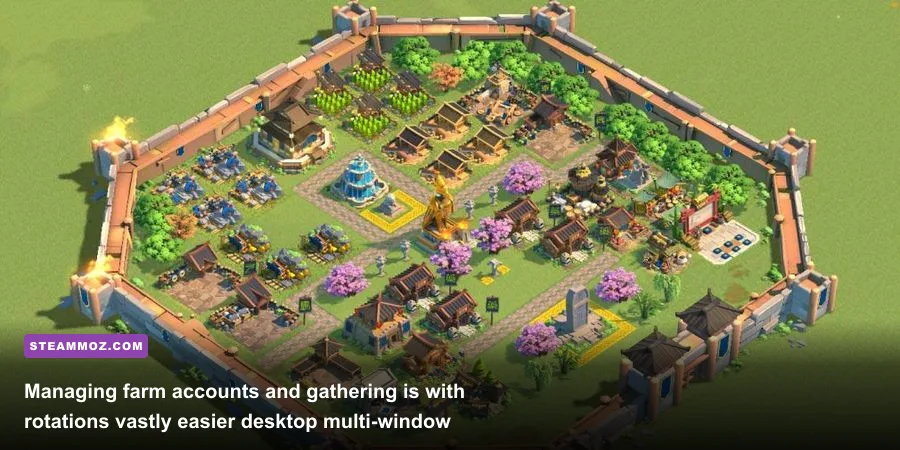
Surviving in modern Rise of Kingdoms without spending a small fortune requires approaching the game not as a casual mobile hobby, but as a disciplined logistical operation. You cannot out-spend the heavy hitters, but you can certainly out-farm, out-gather, and out-micro them. The desktop client makes running multiple accounts dramatically more efficient than juggling devices on a smartphone.
To fund the astronomical resource costs of end-game combat, elite players build dedicated "farm accounts" alongside their main city. When millions of Tier 4 and Tier 5 troops enter the hospital during extended altar fights, healing bills easily exceed hundreds of millions of Food, Wood, and Gold. By utilizing the PC interface to switch between accounts or running dual windows, you can maintain continuous gathering loops on two or three farm cities, shuttling millions of resources into your combat main via alliance transport caravans. This continuous resource loop mirrors the mathematical dedication found in advanced strategy guides, like our breakdown on maximizing resource farming efficiency in strategy games.
Moreover, smart progression means strictly budgeting your gems and action points (AP). The most successful low-spenders prioritize:
- VIP 10 and VIP 14 Milestones: Pushing your VIP level during "More Than Gems" recurring events to unlock steady daily gold sculpture streams.
- Barbarian Chaining: Utilizing commanders with cone-shaped AoE active skills—like Richard I or Trajan—to aggro wild barbarian packs without expending extra AP bottles. On PC, kiting these mobs across the map with precise mouse-click movement lets you farm thousands of gems and speedups per week for zero real-world cash.
- Tier 4 Discipline: Refusing to train full Tier 5 armies until your account has the economy to sustain them. A Tier 4 army backed by fully refined, legendary equipment crafted through the Blacksmith will consistently trade positively against a reckless spender fielding naked Tier 5 troops with sub-optimal purple gear.
Mastering this currency grind requires consistent daily discipline, very similar to our foundational strategy for rapid leveling and long-term currency accumulation in progression-heavy titles. If you treat your account like a lean, well-managed supply depot, you can remain a respected, vital combatant in any high-seed alliance without draining your wallet.
The Final Verdict: Who Should Play Rise of Kingdoms Today?
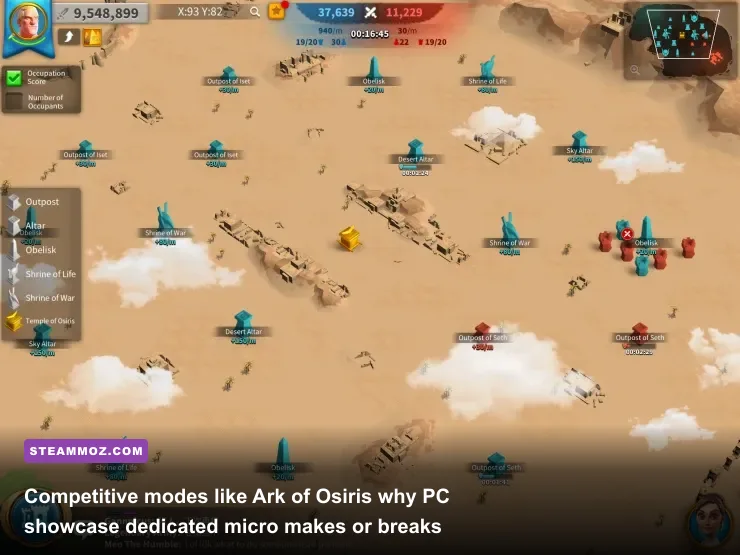
Rise of Kingdoms on PC stands as one of the most mechanically polished, socially intricate, and politically intense MMO strategy games on the market. The dedicated desktop client elevates the game from a chaotic tap-screen distraction into a legitimate real-time tactical war simulator. The thrill of coordinating 100-player fortress sieges on Discord, executing pinpoint field maneuvers with keyboard shortcuts, and navigating complex diplomatic pacts across multi-kingdom continents is something traditional PC strategy games rarely match at this scale.
Yet, you must enter this world with your eyes wide open. The monetization model is predatory, the Season of Conquest crystal tech creates unfair temporary power disparities, and the commander power creep demands absolute dedication to your sculpture economy. If you are a solo player looking for an easy, balanced strategy skirmish, this game will leave you bankrupt or burnt out.
However, if you love grand social strategy, thrive in high-stakes guild warfare, and have the discipline to follow a strict free-to-play economic blueprint, Rise of Kingdoms on PC remains a compelling, adrenaline-pumping battlefield. Approach it as a team-first geopolitical sandbox, leverage the superior control of mouse and keyboard, and you will find an enduring RTS experience that keeps you hooked through every war horn.