Finding survival games that run smoothly on integrated graphics and outdated hardware no longer means settling for unplayable framerates or broken engines. If you are operating a budget machine featuring an Intel HD 4000 series GPU, an older AMD APU, or a dual-core processor, you can still experience intense crafting, hunger management, and base building. The titles listed below are entirely free, highly optimized, and respect system constraints while delivering hundreds of hours of gameplay. For optimization tips on modern demanding titles, check out our guide on Monster Hunter Wilds PC settings, though the games in this list require significantly less heavy lifting.
1. Unturned
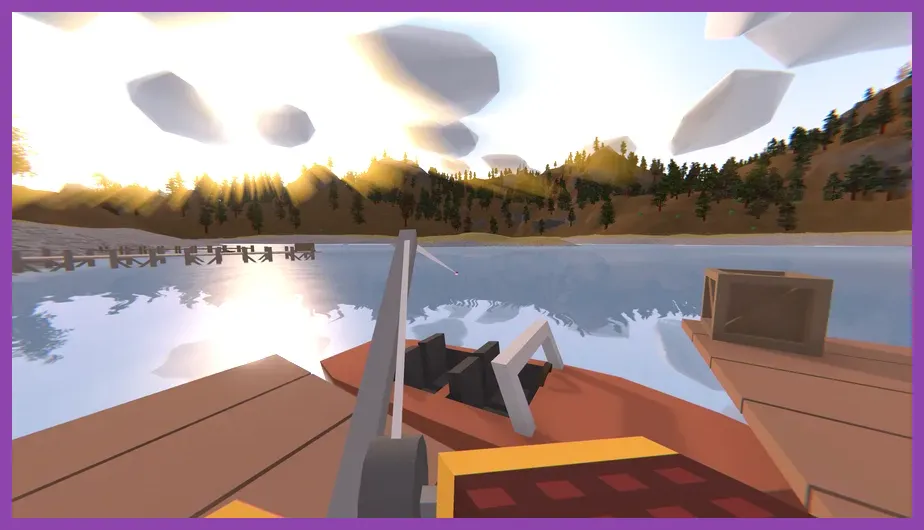
Unturned is an open-world, zombie-infested multiplayer survival game that operates on a remarkably lightweight engine, making it a staple for anyone searching for top free survival games on low end pc. Originally built within the Unity framework with a distinct low-poly art style, the game minimizes polygon counts and complex texture streaming, allowing systems with integrated graphics to maintain a stable 60 FPS.
Gameplay Loop and Survival Mechanics
Players spawn on massive sandbox maps like PEI, Washington, or Russia with nothing more than their clothes. You must scavenge civilian and military outposts for items such as the Maplestrike assault rifle, Kestrel heavy armor vest, and dressings to manage bleeding and infection stats. Crafting relies on simple raw materials like logs, sticks, and metal scraps to build barricades, an Electric Fence, or entire fortified bases.
Performance Optimization for Low-End Rigs
To run Unturned flawlessly on a low-end laptop:
- Set Resolution to 720p (1280x720) instead of native 1080p.
- Lower Draw Distance to Medium to reduce CPU rendering overhead for zombies and loot spawns.
- Disable Ambient Occlusion and Soft Shadows entirely.
- Limit frame rate to 60 via the in-game options to prevent thermal throttling on older mobile processors.
Download and play the game directly via the official Unturned Steam Page. If you enjoy building settlements and managing community resources under pressure, you might also appreciate the logistical challenges found in Manor Lords beginner tips and tricks.
2. Cataclysm: Dark Days Ahead (CDDA)
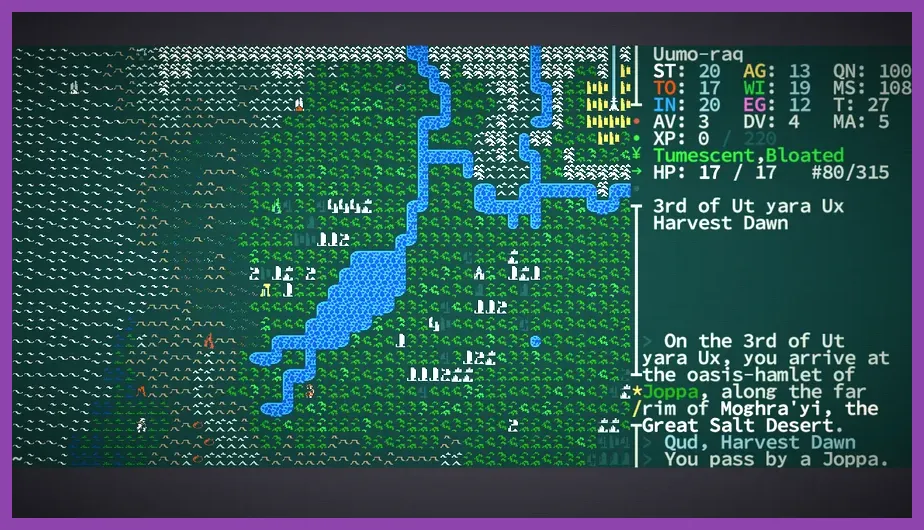
For players willing to embrace terminal-style ASCII graphics or clean 2D tilesets, Cataclysm: Dark Days Ahead stands as the deepest, most complex turn-based post-apocalyptic survival simulator ever created. Because the engine renders the world as a grid of ASCII characters or simple 2D sprites, memory usage is negligible, and CPU requirements are minimal.
In-Depth Mechanics and Crafting System
CDDA simulates reality down to individual body parts, caloric intake, vitamin deficiencies, and moral alignment. You can craft makeshift vehicles out of shopping carts, engines, and steel plating, install solar panels, and drive through hordes of zombies. Stat management involves balancing your strength, dexterity, intelligence, and perception while learning specific martial arts styles like Karate or Taekwondo.
Low-Spec Accessibility
Because the game processes actions on a turn-by-turn basis unless you are moving in real-time, frame rate drops are completely non-existent. You can run CDDA on a netbook from a decade ago without stuttering. It features an open-source development model, meaning the entire game, expansions, and community tile mods are 100% free.
3. The Wayward Realms & Classic Roguelike Equivalents

While modern AAA survival sandboxes require dedicated GPUs with heavy VRAM allocators, indie developers frequently release lightweight passion projects on Steam and itch.io that focus purely on core mechanics. Titles utilizing tile-based rendering engines provide the ideal environment for old hardware.
Resource Management on a Budget
When running lightweight titles on older hardware, keep background processes to a minimum. Close web browsers and background Discord overlays to free up system RAM. If you are managing inventory items, weapons like the Fire Axe or Crossbow require minimal memory assets to render compared to modern photorealistic gear items.
4. Minetest

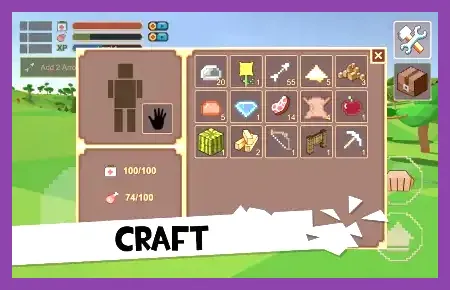
If Minecraft struggles to maintain a stable framerate on your machine due to Java garbage collection overhead or heavy shader mods, Minetest is the ultimate open-source alternative. Built natively in C++, Minetest is lightning-fast, highly modular, and consumes a fraction of the RAM that standard block-building games require.
Survival Sub-Mods and Multiplayer
Minetest operates as an engine rather than a single game, but community sub-games like MineClone 2 or dedicated survival servers provide complete survival loops. You must mine ores, manage a hunger bar, craft iron armor sets, and construct shelters to survive hostile night mobs.
Optimizing Minetest for Low-End Hardware
Adjust these settings inside the advanced settings menu:
- Reduce Viewing Range to 40 blocks.
- Set Smooth Lighting to Off or Low.
- Enable FBO (Frame Buffer Objects) only if your GPU supports OpenGL 2.0+.
- Use the Simple or Nostalgic texture packs for maximum performance gains.
For more strategies on optimizing gaming gear and hardware setups, check out our insights on Nintendo Switch 2 system requirements and specs guide to understand how modern hardware scales performance.
5. Unreal World (UnReal World)
Set in the Iron Age Northern European wilderness, UnReal World is a deeply intricate, ASCII-and-tile-based survival RPG that prioritizes realism over flashiness. The game simulates trapping, fishing, tracking game across snow-covered wilderness, and building log cabins in harsh weather conditions.
Survival Mechanics in the Wild
You must monitor your character's body temperature, manage fire-building using flint and tinder, and cure meat to prevent starvation during harsh winters. Combat is lethal; a single well-placed javelin throw from an NPC or wild beast can end a multi-hour run, making careful stealth and tactical positioning essential.
Hardware Performance Profile
UnReal World has been updated for decades, optimizing its code to run smoothly on virtually any computer architecture. It requires less than 500MB of storage space and negligible RAM, making it a premier choice for ultra-low-end netbooks and office laptops.
Hardware Tweaks to Boost Survival Game Performance
Even with highly optimized free survival games, older PCs benefit significantly from basic operating system housekeeping. Implement these quick steps before launching any game:
1. Adjust Windows Power Plan
Change your Windows power settings from "Balanced" to High Performance. This forces your CPU to maintain its maximum clock speed rather than downclocking to save battery life, preventing sudden frame drops during intense combat scenarios.
2. Enable Hardware-Accelerated GPU Scheduling (HAGS)
If your graphics card supports it, turn on HAGS in Windows Graphics Settings. This allows the GPU to manage its own video memory more efficiently, reducing stuttering in games that frequently stream assets.
3. Clear Temp Files and Cache
Press Windows Key + R, type %temp%, and delete all temporary files. Cluttered storage drives slow down page file swapping when physical RAM fills up during gameplay.
By pairing lightweight survival games with basic optimization protocols, your low-end PC can deliver smooth, immersive, and entirely free survival gameplay without needing expensive hardware upgrades.