
Mastering The Sims 4 as a newcomer requires balancing the volatile needs of your Sims, optimizing daily career tasks for fast promotions, and smartly managing your starting 20,000 Simoleons household funds. Whether you are building your first suburban home or trying to climb the corporate ladder in the Business career, understanding core mechanics like the Hidden Skill system, Moodlets, and the Create-A-Sim trait synergy will save you from endless frustration and accidental Sim deaths.
1. Optimize Create-A-Sim Traits and Aspirations
Your Sim's initial trait selection dictates their autonomous behavior, speed of skill gain, and emotional volatility. If you want a smooth, low-stress opening run, avoid volatile traits like Erratic or Hot-Headed unless you enjoy managing erratic emotional breakdowns. Instead, pick positive synergy combinations such as Genius (boosts Logic skill and focus), Bookworm (speeds up reading and writing), and Ambitious (increases career performance gains but requires higher promotion fulfillment). Pair these with the Renaissance Sim aspiration or Bestselling Author, as completing early milestone objectives grants Satisfaction Points. You can spend these points in the Rewards Store on game-changing potions like the Moodlet Solver or permanent traits like Steel Bladder and Fewer Needs, drastically reducing the micro-management loop.
For more deep-dive progression systems and unlocks, check out our guide on how to unlock hidden content, or review our character ranking methodology to understand simulation stat prioritization. For fans of survival progression, take a look at Stalker 2 secret stashes and learn how resource management translates across different game engines.
2. Master Build Mode and Initial Lot Placement

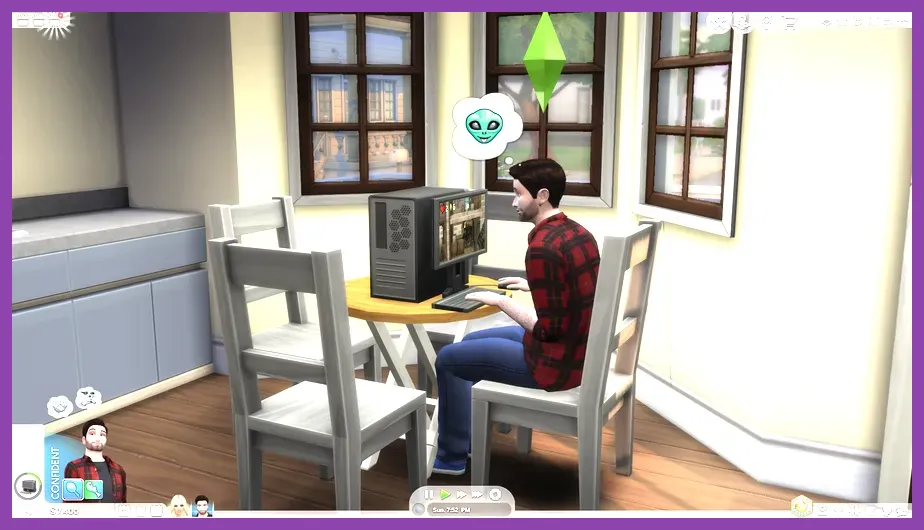
When you start a fresh game on an empty lot in worlds like Willow Creek or Oasis Springs, your starting capital is precisely §20,000. Do not immediately attempt to build a sprawling multi-story mansion. Instead, use the Unfurnished House template strategy or build a simple 6x8 box home. Prioritize buying a cheap bed (Comfort rating of 3 or higher, such as the 'Snooze-Cubes Single Bed'), a low-cost toilet, a shower rather than a bathtub to save time, and a mini-fridge or basic stove. Avoid buying a TV or computer on day one unless your career specifically demands it, because your Sims will autonomously waste hours playing games instead of sleeping or cooking.
If you prefer optimizing performance and hardware setups while gaming, read up on the Stardew Valley 16 system requirements and ensure your machine runs smoothly. You can also optimize your display configurations using insights from the Stardew Valley max FPS guide.
3. Keep Core Needs in the Green Zone

The secret to keeping your Sims productive lies in aggressive need management across the six core bars: Hunger, Energy, Fun, Social, Hygiene, and Bladder. When a Sim drops into the yellow or red zone for Hunger or Energy, their productivity plummets, and they risk passing out or dying of starvation. Always send your Sim to work or school with full Hunger and Energy bars. Utilize coffee makers or espresso bars from The Sims 4 Official Site expansions if you own them, or simply have your Sim drink water to temporarily boost bladder and hydration levels when running low on time.
For multiplayer and co-op coordination tips in other titles, check out the Sea of Thieves team synergy guide or master squad mechanics with the Roblox best ranked loadout overview.
4. Dominate Career Performance and Daily Tasks
To climb through the ranks of active careers like Secret Agent, Culinary, or Writer, you must satisfy two main metrics: Job Performance and Daily Tasks. Check your Career Panel (J key) every morning before your shift starts. If the daily task is "Write a Book" or "Hack the Mainframe," complete it fully before leaving for work. Furthermore, change your work performance behavior by clicking the work icon in the UI panel and setting it to "Work Hard" rather than "Take Things Easy" or "Socialize with Coworkers." This accelerates your promotion timeline exponentially, unlocking higher daily salaries and unlocking unique buy-mode architectural rewards.
For advanced skill respecification and character building strategies, refer to the Stalker 2 skill respec guide and optimize your tactical approach.
5. Leverage Skill Books and Micro-Habits

Skill progression is the backbone of unlocking promotions and specialized interactions in The Sims 4. While practicing an instrument or painting on an easel works, buying Volume 1, 2, and 3 skill books from any bookshelf is often the safest and most efficient path for beginner Sims. Reading books isolates your Sim in one spot, preventing them from wandering around the house, and steadily raises skills like Logic, Writing, and Charisma without requiring expensive equipment. Combine this with the Inspired or Focused emotional state to gain a hidden multiplier on skill acquisition speed.
For alternative tactical build strategies and endgame progression paths, consult the Sea of Stars endgame build guide and the Solo Leveling Arise co-op builds breakdown.
6. Utilize Console Commands for Sandbox Freedom
If you ever hit a game-breaking glitch, need to test architectural designs, or simply want to bypass the financial grind, The Sims 4 features a robust developer console. Press Ctrl + Shift + C on your PC keyboard (or all four shoulder buttons on console controllers) to open the cheat entry banner at the top of your screen. Type testingcheats true and press enter. Once active, you can input motherlode to instantly inject §50,000 into your household funds, or use freerealestate on while on the world map to make every residential lot completely free. You can also Shift-click any Sim to instantly fill their needs or teleport them out of stuck geometry.
For mobile and platform-specific performance configurations, explore the Stardew Valley mobile defensive setup, the State of Survival PC emulator settings, and the Steam Deck OLED secret character unlock guide to ensure smooth simulation gameplay across all devices.