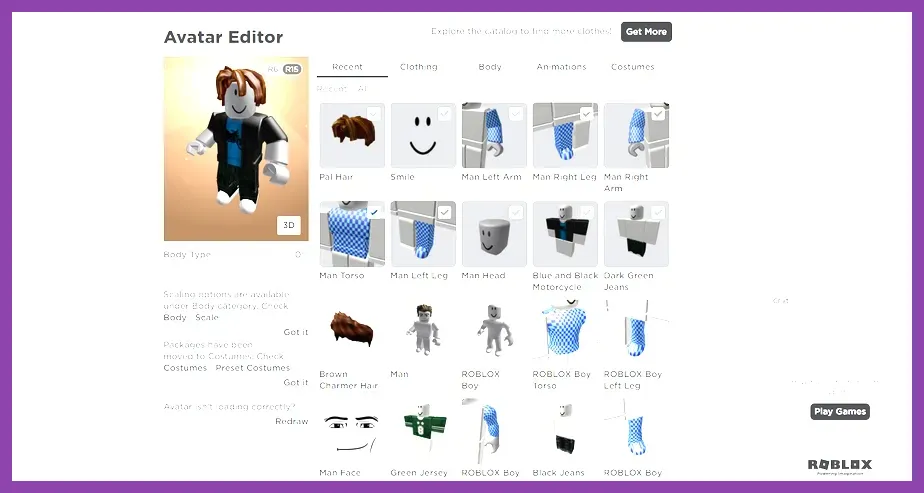
To master Roblox as a complete beginner, you must immediately secure your account with two-step verification, understand how to navigate the massive catalog of user-generated experiences without falling for scams, and customize your default avatar using free catalog items instead of spending real-world currency on Robux right away. By setting up proper parental controls, optimizing your graphics performance settings, and learning fundamental keyboard shortcuts or mobile touch layouts, you will drastically improve your safety, security, and overall gameplay experience across millions of distinct worlds.
Securing Your Roblox Account and Enabling 2FA
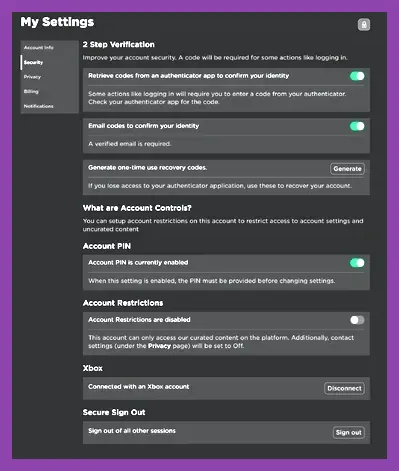
Before diving into popular experiences like Adopt Me, Blox Fruits, or Brookhaven, securing your digital footprint on the platform is mandatory. Account phishing and unauthorized credential access remain common issues targeting inexperienced users. To protect your profile, navigate to the gear icon in the top right corner of the client, select 'Settings', and immediately move to the 'Security' tab. Here, you must enable Two-Step Verification (2FA) via authenticator app or email. Furthermore, link a verified parent or personal email address to ensure password recovery is always accessible.
Never share your password, PIN, or cookie session tokens with anyone, including individuals claiming to be Roblox administrators or developers. Official staff will never ask for your login credentials in-game or via external messaging apps. For detailed insights on resource security and safe inventory management in other survival titles, check out this roblox crafting guide best materials and how to farm them. Additionally, maintain strict awareness regarding third-party websites promising free virtual currency; these are universally phishing schemes designed to compromise your account data.
Mastering Avatar Customization Without Spending Robux
New players often mistakenly assume they must purchase Robux to look unique. In reality, the Roblox marketplace features thousands of completely free clothing items, hair accessories, faces, and body packages. Access the Avatar Shop tab, filter your search parameters by setting the price range from maximum to minimum zero, and browse curated collections of promotional items released by official brand sponsors or community creators.
You can mix and match free layered clothing items to create a distinct aesthetic without spending a single penny. For players transitioning between desktop setups and mobile devices, optimizing your visual layout is essential. If you enjoy portable gaming sessions, reviewing resources like this stardew valley mobile how to get skins for free article can help you understand how digital storefronts and cosmetic unlocks function across different mobile platforms. Keep your inventory organized by saving distinct outfit presets within the Customization tab so you can quickly switch between different genre-appropriate appearances.
Navigating the Game Catalog and Filtering Experiences
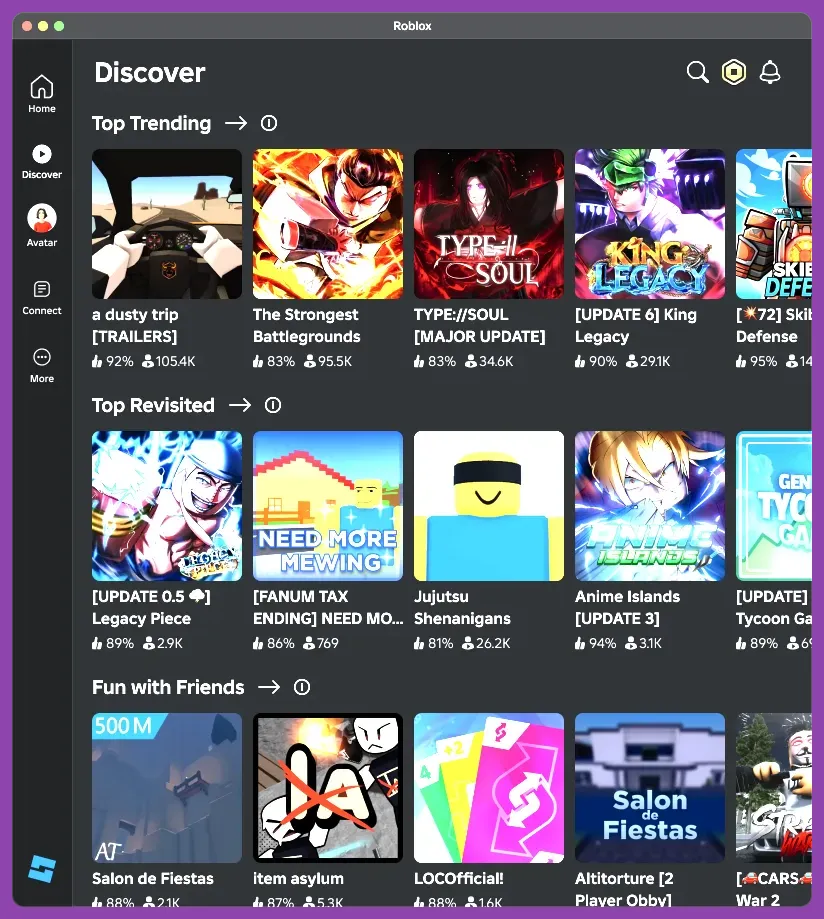
With millions of unique titles available, finding high-quality games requires utilizing effective search filters rather than relying solely on the front-page recommendation algorithms. Popular genres span across first-person shooters, role-playing games, simulators, and obstacle courses, commonly known as Obbies. When exploring new titles, check the active player count, thumbs-up rating percentage, and update logs to determine whether a game is actively supported by its developer.
To deepen your tactical knowledge across various multiplayer genres, consult external databases such as the official Roblox portal for updates on platform features. Furthermore, if you enjoy competitive team-based strategy and matchmaking dynamics, you can compare progression systems by reading this smite best class for solo players guide. Always read community reviews or watch brief gameplay trailers before diving into complex multiplayer roleplay experiences to ensure the core mechanics match your preferred playstyle.
Optimizing Controls, Settings, and Performance
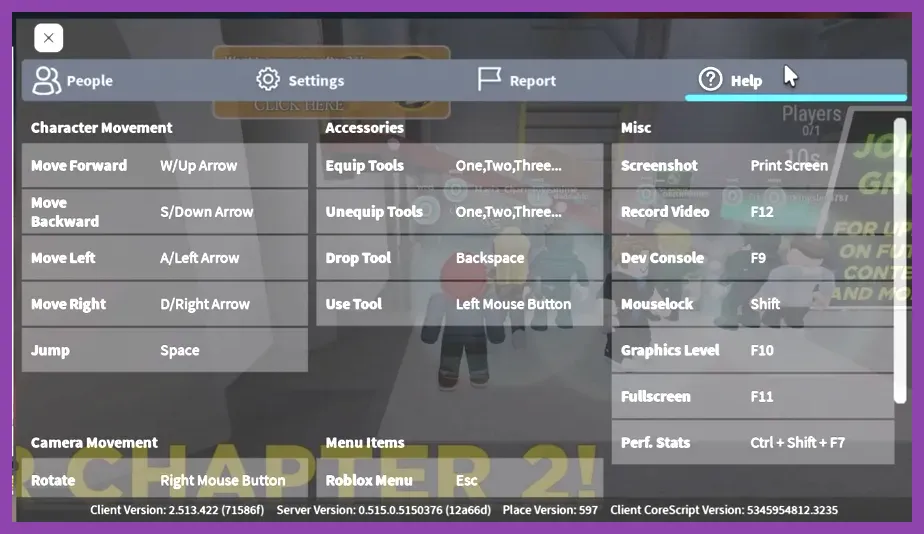
Stuttering frame rates and unoptimized camera controls can ruin your immersion, especially in fast-paced action games or precision platformers. Press the Escape key while inside any experience to open the settings menu. Adjust your graphics quality mode from Automatic to Manual, and lower the slider if you experience performance drops on lower-end hardware or older mobile devices. Enable Shift Lock mode in games that require precise directional aiming and combat movement.
Hardware optimization plays a crucial role in competitive responsiveness. For advanced players looking to fine-tune their gaming setups, exploring hardware performance benchmarks via this ps5 pro endgame build guide ultimate hardware performance setup provides valuable technical insights. On mobile devices, ensure your screen brightness and battery saver options are configured to prevent thermal throttling during extended gaming sessions.
Managing Chat Privacy and Safe Social Interaction
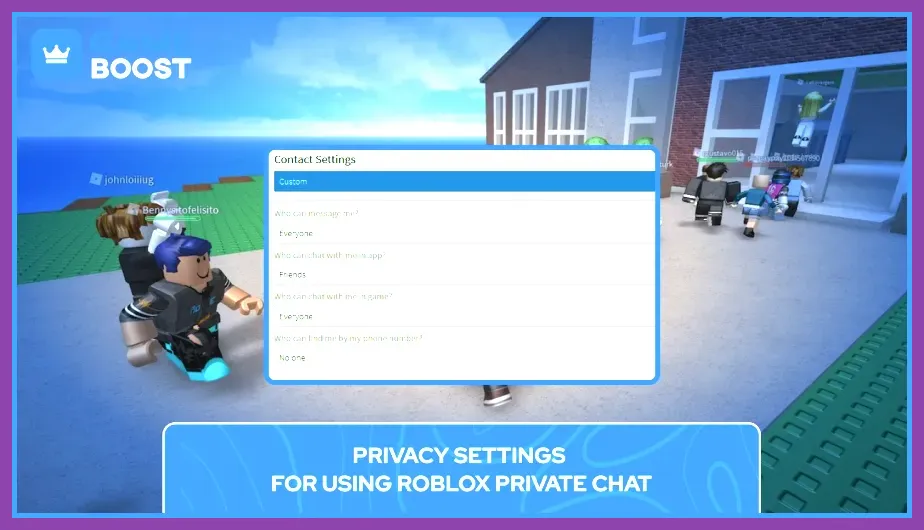
Roblox is an inherently social platform, making communication safety a top priority for beginners and parents alike. Navigate to the Privacy tab within your account settings to control who can send you direct messages, invite you to private servers, or chat within active game sessions. Depending on the age associated with the account, chat filters automatically restrict sensitive personal information and inappropriate language.
Utilize the built-in blocking and reporting tools whenever you encounter disruptive players, harassment, or exploiters breaking game rules. Learning how to identify and report malicious behavior keeps the community safe and ensures a welcoming environment for all participants. By maintaining proper privacy boundaries, utilizing official support channels, and applying these foundational tips, you will build a secure, highly customized, and thoroughly enjoyable Roblox experience right from your very first login.