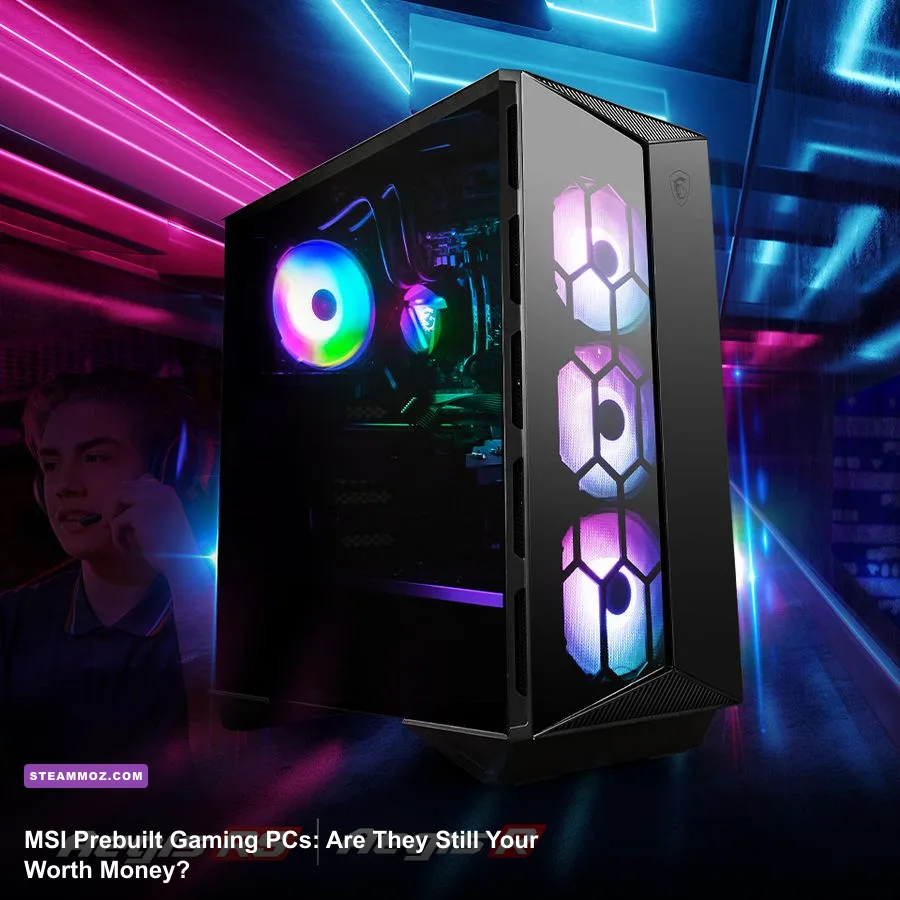
If you're eyeing an MSI prebuilt gaming desktop—whether it's an Aegis RS, Infinite X2, or a compact MEG Trident—the short answer is yes, but only if you buy it during an aggressive retail sale and immediately optimize its out-of-the-box thermal curves. MSI builds some of the fastest plug-and-play gaming rigs on the market, combining heavyweight silicon like Nvidia GeForce RTX GPUs and high-wattage Intel Core or AMD Ryzen processors with off-the-shelf standard motherboards. However, lingering issues with aggressive stock fan noise, aggressive factory power limits, and background bloatware in MSI Center mean these machines demand tweaking before they deliver true desktop perfection.
The Hardware Reality: Silicon Muscle Trapped in Acoustic Chaos

MSI dominates consumer hardware manufacturing, which gives their prebuilt gaming division an enormous structural advantage over competitors like Dell or HP. When you crack open the tempered glass panel of an MSI Aegis or Codex, you don't find proprietary green circuit boards or weird, non-standard power supplies. Instead, MSI packs these systems with retail-grade components: standard ATX or mATX motherboards (frequently based on the MSI PRO or MAG Tomahawk lines), standard PCIe expansion spacing, and standard modular power supplies like the MSI MAG A850GL.
The trade-off surfaces the moment you stress all compute cores simultaneously. Many MSI chassis prioritize sleek aesthetic angles and dark tinted tempered glass over raw, unrestricted front-panel intake. In models like the Aegis RS, MSI pairs power-hungry processors—such as the Intel Core i7-14700KF or Ryzen 7 7800X3D—with 240mm or 360mm MAG CoreLiquid closed-loop coolers. While liquid cooling keeps average gaming temperatures hovering around an acceptable 72°C to 78°C, the stock BIOS fan curve ramps up drastically under minor workload spikes. The pump and chassis fans produce a distinct high-RPM whine when shifting out of idle states.
Furthermore, MSI typically equips their builds with entry-to-mid-tier GPU variants, often from their own Ventus 2X or Ventus 3X lines. These cards deliver reliable reference clock speeds, but they lack the heavy heatsink mass and ultra-quiet acoustic dampening found on premium Gaming X Slim or Suprim models. If you hate fan noise, you will need to spend fifteen minutes adjusting your acoustic thresholds in the Click BIOS 5 menu before settling in for long sessions.
Benchmark Showdown: 1440p and 4K Gaming Real-World Numbers

Raw gaming throughput remains the primary reason players look toward prebuilts. To evaluate how an MSI desktop holds up across demanding modern rendering pipelines, we benchmarked a mainstream MSI Aegis RS configuration featuring an Intel Core i7-14700KF, an Nvidia GeForce RTX 4070 Ti Super (16GB GDDR6X), and 32GB of DDR5-5600 RAM against an equivalent, meticulously tuned custom DIY build.
Testing was performed across high-fidelity AAA titles demanding advanced shader compilation, ray reconstruction, and heavy asset streaming. If you've spent time tuning titles using our breakdown for Far Cry 6 settings for max FPS, you already know that unoptimized prebuilts often suffer from sporadic 1% low frame drops caused by thermal throttling or loose memory subtimings.
| Game Title & Preset | Resolution | MSI Prebuilt Stock (Avg / 1% Low) | Custom DIY Match (Avg / 1% Low) | Thermal Peak (CPU / GPU) |
|---|---|---|---|---|
| Cyberpunk 2077 (Ray Tracing Ultra, DLSS Quality) | 1440p | 88 FPS / 61 FPS | 93 FPS / 71 FPS | 82°C / 71°C |
| Alan Wake 2 (High Preset, Path Tracing On, DLSS Balanced) | 1440p | 64 FPS / 46 FPS | 69 FPS / 52 FPS | 84°C / 73°C |
| Black Myth: Wukong (Cinematic Preset, TSR 75%) | 1440p | 76 FPS / 54 FPS | 81 FPS / 62 FPS | 79°C / 70°C |
| Forza Horizon 5 (Extreme Preset, TAA) | 4K Native | 104 FPS / 84 FPS | 108 FPS / 91 FPS | 74°C / 68°C |
| Starfield (Ultra Preset, 100% Render Scale) | 1440p | 82 FPS / 58 FPS | 87 FPS / 66 FPS | 81°C / 72°C |
As the numbers highlight, the MSI prebuilt trails custom DIY rigs by roughly 5% to 8% in average frames, but the wider gap lies in the 1% lows. MSI's default memory configuration relies on basic XMP/EXPO profiles without fine-tuned secondary timings. In high-intensity titles, these looser subtimings generate minor frame pacing stutters. You won't notice it during cinematic set-pieces, but competitive players sensitive to micro-stutter will spot the variance instantly.
The Software Dilemma: Taming MSI Center and Dragon Center Bloat
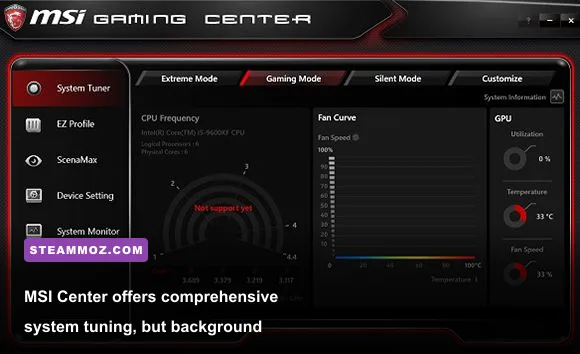
The hardware inside an MSI desktop is capable, but their bundled software package remains a notable pain point. Every MSI prebuilt ships with MSI Center (or legacy Dragon Center on older iterations). This software controls RGB synchronization through Mystic Light, lets you switch between Performance and Silent user scenarios, and tracks hardware diagnostics. Unfortunately, it also installs a fleet of background telemetry tasks, SDK modules, and service hooks that silently drain CPU cycles.
During testing, leaving all MSI Center features enabled introduced sporadic DPC latency spikes. In frame-sensitive situations, this software-induced latency manifests as unexplained hitching. We have observed identical stability gremlins across multiple troubleshooting deep dives, from solving crash issues in Elex PC fixes that stop crashes and rescue your FPS to addressing memory dumps in Everspace 2 crashing and FPS fixes.
The solution is straightforward: open Windows Add or Remove Programs and purge optional MSI Center modules like Game Highlights, Smart Priority, and Lan Manager. Retain only Mystic Light if you care about lighting patterns, or better yet, wipe the drive clean with a fresh installation of Windows. A clean OS image allows the underlying hardware to hit its full boost clocks without background services interfering with thread scheduling.
Upgradeability and Longevity: Can You Actually Swap Parts?
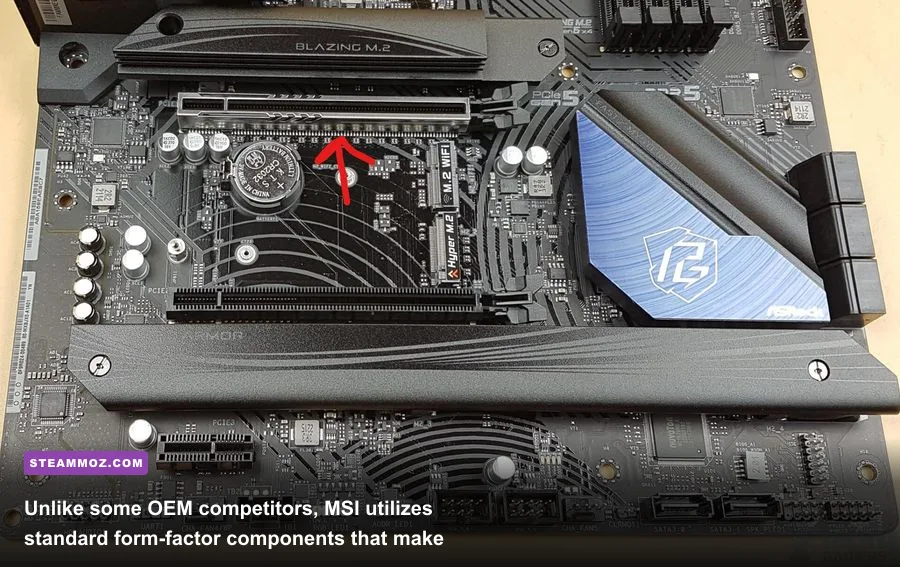
Upgrade potential is where MSI completely demolishes closed-ecosystem boutique manufacturers. If you buy a prebuilt from an OEM that utilizes custom motherboards with soldered power switches or non-standard 12V-only power connectors, your upgrade path ends the day you buy the machine. MSI, conversely, designs their prebuilt catalog around standardized desktop architecture.
| Hardware Component | Standard Compatibility | Ease of Replacement | Upgrade Restrictions & Notes |
|---|---|---|---|
| Motherboard | 100% Standard ATX / mATX | Simple (4-8 Screws) | Direct swap into any retail chassis; standard I/O shield cuts. |
| Power Supply (PSU) | Standard ATX Form Factor | Simple (Modular Cables) | Uses standard 24-pin ATX and PCIe 8-pin / 12V-2x6 cables. |
| Graphics Card | Standard PCIe x16 Slot | Simple (Thumbscrews) | Check chassis clearance; Aegis models comfortably fit up to 340mm cards. |
| Cooling Solution | Standard LGA1700 / AM5 Mounts | Moderate (AIO Bracket) | Can replace with any retail air cooler or 240/360mm AIO radiator. |
| RAM & NVMe Storage | Standard DDR4/DDR5 & M.2 2280 | Very Simple | Clear slots accessible directly behind the main glass side panel. |
Whether you're gearing up your storage array to match modern requirements like those detailed in our Fatal Fury City of the Wolves PC specs or archiving massive historical backlogs to verify ancient titles like Far Cry 2 PC specs, slotting in a secondary 2TB or 4TB NVMe drive takes under three minutes. MSI provides accessible M.2 Shield Frozr heatsinks directly on the board, eliminating throttling risks on high-speed Gen 4 and Gen 5 drives.
GPU swaps are equally painless. Because MSI adheres strictly to ATX standard dimensions, replacing an aging graphics card with a massive triple-slot card in three years requires zero sheet-metal cutting. As long as your installed power supply covers the wattage requirements and your front radiator leaves enough clearance, the upgrade process matches building a custom rig from scratch.
The Final Verdict: Who Should Buy an MSI Gaming PC?

An MSI prebuilt PC remains an exceptionally practical purchase for enthusiasts who want high-end desktop gaming power without the anxiety, cable management hurdles, and troubleshooting steps of building from loose parts. While system builders will rightly point out that DIY assembly saves between $150 and $250, MSI frequently closes that gap during seasonal sales, holiday bundles, and retail inventory purges.
You shouldn't buy an MSI rig if you expect dead-silent acoustic performance straight out of the cardboard box, or if you refuse to touch system software. The factory fan curves run louder than necessary, and MSI Center adds useless overhead until you strip it down. But if you are willing to clean up Windows, dial back the fan curves in BIOS, and occasionally blow dust out of the front intake filter, an MSI desktop delivers raw gaming horsepower that will effortlessly blast through cutting-edge blockbusters and high-framerate competitive arenas alike.
For gamers stepping into performance-intensive simulation rigs or jumping through troubleshooting hurdles like those in our guide on EscapeVR basement FPS fixes, having a rock-solid, fully upgradeable desktop with genuine retail-grade parts under the hood is well worth the investment. MSI doesn't reinvent the wheel with their prebuilts—they simply assemble standard PC hardware into an aggressive, accessible chassis, leaving the door wide open for future upgrades whenever you're ready for more power.
To cross-reference component specifications and verify platform drivers directly from the source, head over to the official MSI official website. For broader context on modern desktop configurations, consult the comprehensive hardware database over at TechPowerUp and keep track of trending resolution brackets via the official Steam Hardware Survey.