
Yes, the Skytech Chronos can still be worth buying in 2026—but only when the listing has a current GPU, 32GB of RAM, and a clearly named power supply. The Chronos brand is not a single fixed PC; it is a chassis and product family sold with wildly different Ryzen, Core, GeForce, Radeon, RAM, and SSD combinations. A Chronos with a Ryzen 7 7800X3D and RTX 5070 is a strong 1440p machine. An older model with a Ryzen 5 5600X, RTX 4060, 16GB of memory, and a generic 600-watt PSU is much harder to recommend at 2026 prices.
That distinction matters more than the RGB fans or the Skytech badge. I would buy the right Chronos configuration without hesitation, especially if it is discounted below the cost of buying the parts separately. I would skip any listing that hides the motherboard, PSU model, RAM speed, or exact GPU variant. Here is how the platform performs, where it cuts corners, and which specifications make sense now.
What You Actually Get With a Skytech Chronos
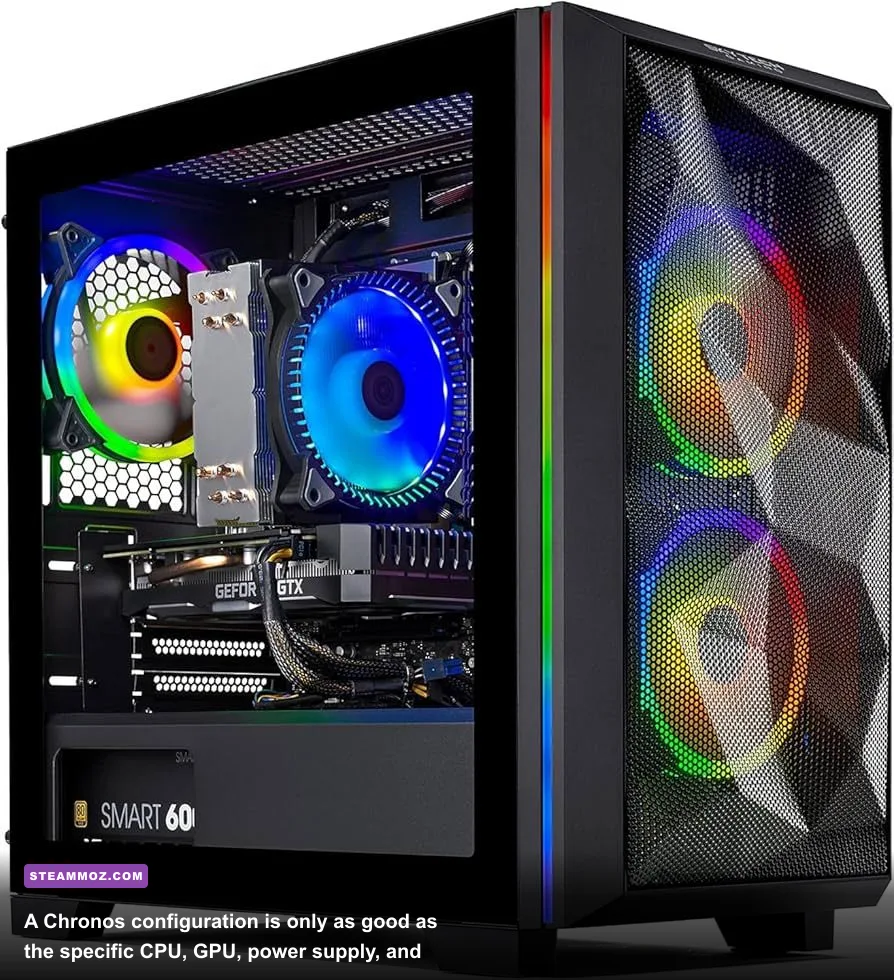
The Chronos typically uses a spacious ATX-style case with a tempered-glass side panel, front or top airflow, multiple RGB fans, and enough room for a full-length graphics card. The visual design is familiar rather than revolutionary, but the layout is practical. You get easier access than with a compact mini-ITX prebuilt, and the case generally leaves room for additional storage or a larger CPU cooler.
The problem is configuration consistency. Retailers may list a Chronos with the same name while changing the motherboard chipset, SSD manufacturer, memory kit, cooler, or power supply. That is why a product page promising “16GB DDR5” tells you less than it should. Is it one stick or two? Is it DDR5-5200 or DDR5-6000? Is the SSD a fast PCIe 4.0 model or an unbranded drive with weak sustained-write performance?
| Component | 2026 Buying Target | Acceptable Older Option | Red Flag |
|---|---|---|---|
| CPU | Ryzen 7 7800X3D/9800X3D or Core Ultra 7-class | Ryzen 7 7700 or Core i7-13700F | Ryzen 5 5600X at a premium price |
| GPU | RTX 5070, RTX 5070 Ti, Radeon RX 9070 | RTX 4070 Super or RX 7900 GRE | RTX 4060 above a budget price |
| Memory | 32GB dual-channel DDR5 | 16GB dual-channel DDR5 | 16GB single-stick RAM |
| Storage | 1TB or 2TB PCIe 4.0 NVMe SSD | 1TB NVMe SSD | 512GB SSD or unnamed SATA drive |
| Power supply | 750W-850W, 80 Plus Gold, named brand | 650W for an RTX 4060-class GPU | Unspecified or non-certified unit |
Skytech’s own official gaming PC catalog is useful for identifying current product families, but retailer pages still deserve close inspection. Before buying, search the listing for the motherboard model and PSU name. If those details are absent, treat that uncertainty as part of the price.
Build quality is usually competent rather than boutique. Cable routing is serviceable, fans are often tuned for a noticeable airflow hum, and the included air coolers can be perfectly adequate for a Ryzen 5 or Ryzen 7 running at stock settings. Liquid coolers appear on higher-tier versions, but a cheap 240mm unit is not automatically better than a reliable tower air cooler. Pump noise and long-term reliability are real trade-offs.

🎮 FORM
Looking to experience this game? Grab your digital key directly on our store for $14.99.
View on Steammoz Store →Skytech Chronos Performance in Real Games
Performance depends almost entirely on the GPU tier. The following figures are realistic expectations for well-configured systems using current drivers, dual-channel memory, and a clean Windows installation—not a universal result for every Chronos sold. CPU-heavy games can vary more depending on the processor and background software.
| Representative Chronos | Target Resolution | Typical Performance | Best Use |
|---|---|---|---|
| Ryzen 5 7600 + RTX 4060 | 1080p High | 75-120 FPS in modern AAA games | Competitive gaming and budget 1080p |
| Ryzen 7 7700 + RTX 4070 Super | 1440p High/Ultra | 90-150 FPS without heavy ray tracing | High-refresh 1440p gaming |
| Ryzen 7 7800X3D + RTX 5070 | 1440p Ultra | 100-170 FPS with upscaling where needed | Best overall Chronos balance |
| Ryzen 7 9800X3D + RTX 5070 Ti | 1440p Ultra or 4K High | 90-160 FPS at 1440p; 60-100 FPS at 4K | High-end gaming and streaming |
| Ryzen 7 9800X3D + RTX 5080 | 4K High/Ultra | 70-120 FPS depending on ray tracing | 4K displays and demanding visual settings |
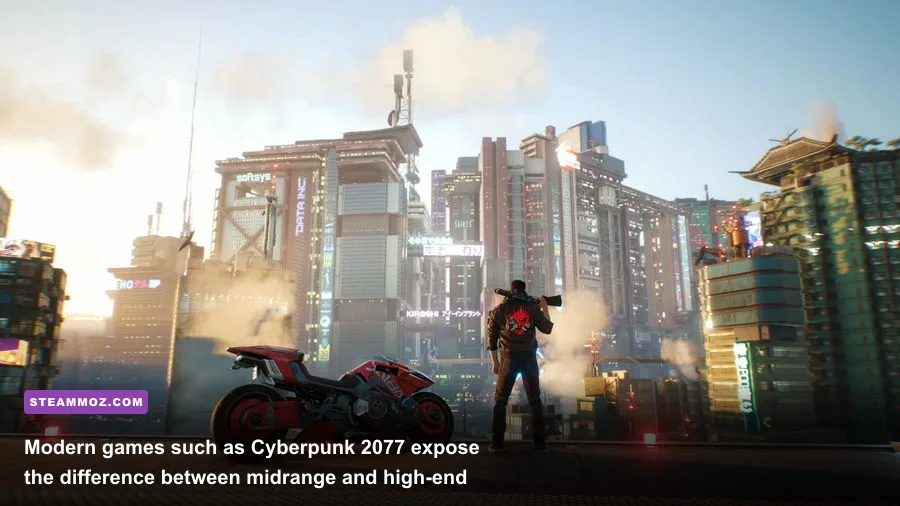
In Cyberpunk 2077: Phantom Liberty, an RTX 5070-class Chronos should handle 1440p Ultra comfortably, but path tracing remains a showcase feature rather than a free setting. DLSS Quality can restore smoothness, while Frame Generation improves the displayed frame rate but does not eliminate the underlying input latency. For competitive shooters such as Counter-Strike 2 and Valorant, the CPU and memory configuration matter more than the GPU once you are above 200 frames per second.
Hogwarts Legacy and Star Wars Jedi: Survivor are good stress tests because they punish limited VRAM and slow asset streaming. An RTX 4060 with 8GB can still play them well at 1080p, but texture quality and traversal stutter become more noticeable at 1440p Ultra. The RTX 5070 tier gives you a much healthier margin for new releases, particularly when games use high-resolution textures and ray-traced lighting.
For a second opinion on frame pacing and driver troubleshooting, Steamoz’s Far Cry 6 settings guide and ELEX PC fixes cover the same practical issues: shader compilation, CPU limits, background applications, and settings that cost frames without improving image quality.
Best Graphics Settings for a Chronos in 2026
The smartest Chronos setup is rarely “everything on Ultra.” Ultra presets often spend a huge performance budget on shadows, volumetric fog, and reflections that are difficult to notice during play. Start with the game’s High preset, enable a sensible upscaler, and use ray tracing selectively. This approach keeps frame times steadier, which feels better than chasing a flashy but inconsistent average.
| Setting | Recommended Value | FPS Impact | Visual Trade-Off |
|---|---|---|---|
| Texture Quality | High; Ultra only with 12GB+ VRAM | Low to medium | High textures improve surfaces but consume VRAM |
| Ray Tracing | Medium or off at 1440p | High | Reflections improve, frame rate can fall sharply |
| Upscaling | DLSS Quality or FSR Quality | Large gain | Small loss of fine detail at 1440p |
| Shadow Quality | High | Medium | Ultra shadows are rarely worth the cost |
| Volumetric Effects | Medium | Medium to high | Fog and lighting become less dense |
| Frame Generation | On for single-player games | Large displayed-FPS gain | Added latency and possible artifacts |
Install the latest NVIDIA GeForce driver or AMD Software: Adrenalin Edition driver after checking the exact GPU. Then enable XMP or EXPO in the BIOS. A DDR5 kit advertised at 6000MT/s may run at a slower default JEDEC speed until the profile is enabled, and that can affect CPU-limited games by several percentage points.
Do not ignore temperatures. A properly ventilated Chronos should generally keep a gaming CPU below the mid-80s Celsius and the GPU in the 60s to 70s, although brief spikes are normal. If the processor sits near its thermal limit constantly, check whether the cooler’s protective film was removed, whether the fans are oriented correctly, and whether the front intake is blocked by a restrictive panel.
Upgradeability, Price, and the 2026 Verdict
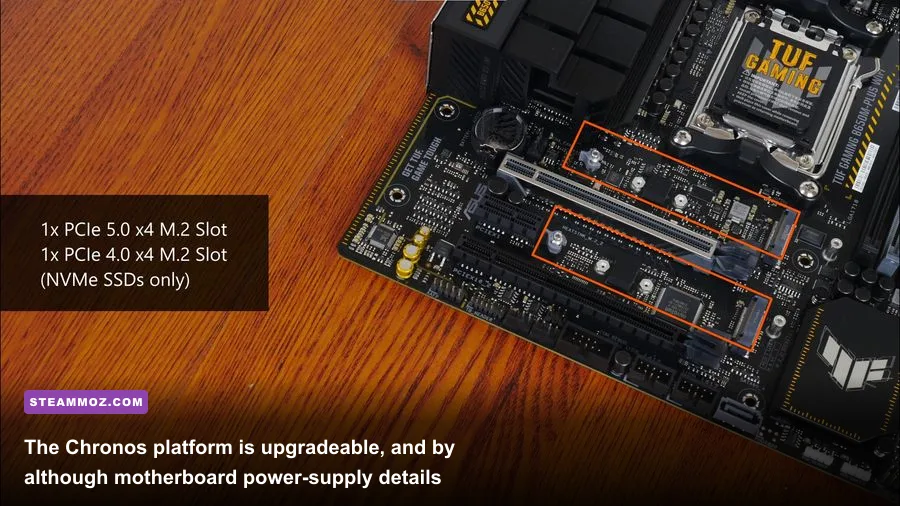
The Chronos is upgradeable enough for normal PC ownership. You can add RAM, replace the NVMe SSD, upgrade the graphics card, and often install a stronger CPU within the same socket generation. AM5-based models are especially attractive because a later Ryzen processor may be possible after a BIOS update. That does not mean every upgrade is plug-and-play: a new GPU may require a larger PSU, and some prebuilts use two-stick memory kits that leave fewer open slots than expected.
Storage is the easiest first upgrade. Modern games such as Call of Duty, Microsoft Flight Simulator, and Baldur’s Gate 3 can quickly consume a 1TB drive once Windows and launchers are installed. Add a second M.2 SSD if the motherboard has a free slot; otherwise, a 2.5-inch SATA SSD remains a useful, if slower, expansion option.
Before purchasing, compare the complete Chronos against similarly priced systems from Lenovo Legion, HP Omen, CyberPowerPC, and a custom parts list. Include Windows, assembly, warranty coverage, and the cost of replacing a suspicious PSU. The cheapest sticker price is not always the cheapest working PC.
| 2026 Price Position | Chronos Configuration | Verdict | Why |
|---|---|---|---|
| Budget | RTX 4060, 16GB RAM, 1TB SSD | Buy only on a steep discount | Playable at 1080p, but limited long-term headroom |
| Midrange | RTX 5070, 32GB DDR5, 1TB SSD | Recommended | Strong 1440p performance and sensible upgrade path |
| Upper-midrange | RTX 5070 Ti or RX 9070 XT, 32GB RAM | Very good | Better VRAM and longevity for demanding releases |
| High-end | RTX 5080, 9800X3D, 32GB-64GB RAM | Buy for 4K | Excellent performance, but value depends on the discount |
There are also a few easy post-purchase checks. Confirm that the memory is running in dual-channel mode, verify the SSD health with a tool such as CrystalDiskInfo, and run a repeatable benchmark before the return window closes. A 20-minute loop of 3DMark, Cyberpunk 2077, or a demanding game is enough to reveal crashing, severe throttling, or abnormal fan noise.
Steamoz’s crashing and low-FPS troubleshooting guide is useful if a new installation behaves badly, while the Filament graphics settings guide explains the same process of reducing expensive effects instead of blindly lowering resolution.
So, is Skytech Chronos still worth buying in 2026? Yes, if you choose the specifications rather than the model name. A Chronos with an RTX 5070-class GPU, 32GB of dual-channel DDR5, a 1TB PCIe 4.0 SSD, and a named 750-watt Gold PSU is a compelling 1440p gaming PC. An older RTX 4060 model can still make sense for 1080p, but only at genuinely budget pricing. The Chronos is not automatically a bargain, yet the right configuration delivers strong performance, straightforward upgrades, and far less assembly hassle than building from scratch.