
Yes, a prebuilt gaming PC is still worth buying in 2026—but only if you judge the entire configuration, not the headline graphics card. The best systems now offer excellent 1440p performance, sensible upgrade paths, and warranty coverage that can justify a small premium over building yourself. The bad ones still hide weak power supplies, single-stick memory, undersized coolers, and proprietary parts behind impressive RGB lighting.
That makes this a retrospective as much as a buying guide. Prebuilts have come a long way since the era of noisy boxes with one fast component and five cost-cutting decisions. But the old rule survives: a gaming PC is only as good as its weakest supporting part. In 2026, I would rather buy a balanced Ryzen 7 9700X and RTX 5070 system with a 750-watt ATX 3.1 PSU than a flashy RTX 5070 Ti machine paired with 16GB of slow RAM and a bargain-bin motherboard.
What changed for prebuilt gaming PCs?

The biggest improvement is standardization. AM5 platforms, DDR5 memory, PCIe 4.0 and PCIe 5.0 storage, and ATX 3.x power supplies have made it easier to find prebuilts that can actually be upgraded. A system using a Ryzen 7 7800X3D, Ryzen 7 9800X3D, or Ryzen 7 9700X can remain relevant for years because AMD's AM5 socket has a much healthier upgrade story than many older prebuilt platforms.
Graphics cards also changed the value equation. NVIDIA's RTX 5070-class machines are attractive for ray tracing, DLSS, and creator workloads, while AMD's Radeon RX 9070 XT builds often deliver excellent conventional 1440p and 4K performance. The right choice depends on your games. Cyberpunk 2077, Alan Wake 2, and path-traced titles reward NVIDIA's software stack. Games such as Dragon's Dogma 2, Monster Hunter Wilds, and competitive shooters can make AMD's raw raster performance and larger memory buffer more appealing.
There is also less reason to fear the warranty premium. If a retailer or system integrator charges roughly $100 to $250 more than the equivalent DIY parts, that can be fair compensation for assembly, testing, Windows setup, and support. The trouble starts when the premium climbs above $400 while the manufacturer still uses a generic 500-watt supply or a 120mm liquid cooler on a high-power CPU.
| Prebuilt era | Typical strength | Typical weakness | 2026 verdict |
|---|---|---|---|
| 2016–2019 | Convenience and warranty | Proprietary boards, weak airflow | Usually poor upgrade value |
| 2020–2022 | GPU availability | High prices and inconsistent parts | Buy only heavily discounted models |
| 2023–2025 | AM5 and DDR5 adoption | RAM and PSU cost cutting | Often worth considering |
| 2026 | Better platforms and stronger 1440p options | Confusing GPU branding and bundled compromises | Worth it with a verified parts list |
The 2026 prebuilt tiers that actually make sense
At the entry level, aim for a Ryzen 5 7600 or Core i5-14400F paired with an RTX 4060, RTX 5060-class card, or Radeon RX 7600 XT. These machines are fine for 1080p, but they aren't the best long-term purchase if the price approaches a stronger 1440p system. Eight CPU cores are not mandatory today, yet 32GB of DDR5 should be your target because modern games increasingly punish 16GB systems with stutter and background-task slowdowns.
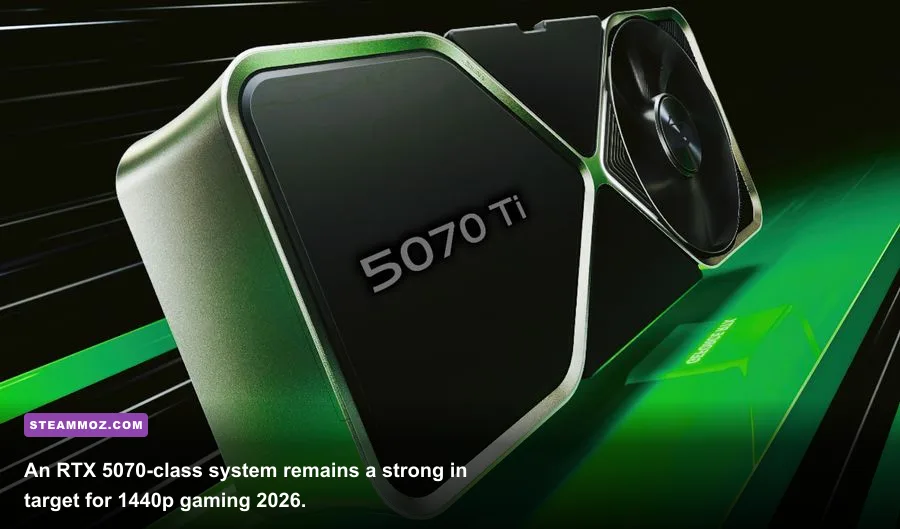
The sweet spot is a six- to eight-core processor with an RTX 5070 or RX 9070-class GPU. A Ryzen 7 9700X paired with an RTX 5070 is a particularly sensible all-rounder: fast enough for high-refresh 1440p, efficient under gaming loads, and less thermally demanding than flagship CPUs. For maximum frame rates in CPU-heavy games, the Ryzen 7 7800X3D and 9800X3D remain the chips to watch, especially if you play Counter-Strike 2, Microsoft Flight Simulator, Escape from Tarkov, or large-scale strategy games.
The premium tier makes sense only for specific displays. An RTX 5070 Ti, RTX 5080-class system, or RX 9070 XT build is justified for 4K, ultrawide monitors, heavy ray tracing, or long replacement cycles. Don't buy a $2,500 prebuilt for a 1080p 60Hz monitor and expect the extra money to transform the experience. It mostly buys headroom you won't see.
| Tier | Recommended hardware | Target resolution | Who should buy it |
|---|---|---|---|
| Budget | Ryzen 5 7600, 32GB DDR5, RTX 5060-class or RX 7600 XT | 1080p high | Esports players and value-focused buyers |
| Sweet spot | Ryzen 7 9700X, 32GB DDR5, RTX 5070 or RX 9070 | 1440p ultra | Most mainstream PC gamers |
| Enthusiast | Ryzen 7 9800X3D, 32GB–64GB DDR5, RTX 5070 Ti or RX 9070 XT | 1440p high refresh or 4K | Competitive and demanding AAA players |
| Flagship | High-end Ryzen 9 or Core Ultra CPU, RTX 5080-class GPU | 4K ultra with ray tracing | Owners of premium displays who keep PCs for years |
Where prebuilt manufacturers still cut corners
The GPU name is the easiest distraction. Open the full specification sheet and check the memory configuration first. A prebuilt with 16GB installed as one stick runs in single-channel mode, reducing minimum frame rates and making traversal stutter worse. You want two matched modules—ideally 2x16GB DDR5-6000 on an AM5 machine—with EXPO support enabled or at least available in the BIOS.
Next, inspect the power supply. A quality 750W ATX 3.1 unit with an appropriate native 12V-2x6 cable is a comfortable match for an RTX 5070-class build. A 650W model may work, but only if it comes from a reputable manufacturer and leaves room for transient spikes. Avoid unnamed supplies that advertise wattage without listing an 80 Plus rating, protection features, or a specific model number.
Cooling is equally important. A Ryzen 7 9700X does not need an expensive 360mm radiator, but it does need a competent tower cooler or a reliable 240mm liquid cooler. Watch for cases with a solid glass front and only one exhaust fan. They may look great in product photos while turning the CPU and GPU into heat-soaked throttling machines. A mesh front panel, two or three intake fans, and one rear exhaust fan are the minimum I want to see.
Finally, confirm that the motherboard uses standard ATX or microATX mounting, includes two M.2 slots, and supports the memory speed advertised. Some large vendors still use custom front-panel connectors, unusual power supplies, or BIOS restrictions that make future upgrades needlessly painful. If the product page doesn't name the motherboard and PSU, treat that omission as a warning, not a minor detail.
Realistic 2026 performance expectations

A well-balanced RTX 5070 prebuilt should target roughly 90 to 140 frames per second at 1440p high or ultra in many modern games, though CPU-heavy releases can dip below that range. With ray tracing enabled, DLSS Quality and frame generation may be necessary to maintain smooth motion. Native rendering still matters for image clarity, so don't confuse a generated frame rate with the same latency as a fully rendered frame.
An RX 9070 XT system is often the more straightforward raster performer at 1440p and can carry its larger VRAM capacity into demanding texture settings. NVIDIA generally has the stronger case for ray tracing, CUDA-dependent applications, DLSS support, and certain streaming workflows. Neither platform is universally superior. Pick based on your game library and monitor rather than brand loyalty.
For competitive games, prioritize frame-time consistency over average FPS. A 200 FPS average with frequent one-percent lows below 80 feels worse than a locked 144 FPS. Enable a sensible frame cap, use the monitor's FreeSync or G-SYNC-compatible mode, and disable unnecessary overlays. If you want a deeper troubleshooting checklist, Steamoz's ELEX crash and FPS guide covers the same performance traps that affect many demanding PC games.
| Target | Suggested profile | Expected benefit | Trade-off |
|---|---|---|---|
| 1080p esports | Medium settings, textures high, FPS cap above refresh rate | Low latency and stable frame times | Reduced visual detail |
| 1440p AAA | High preset, textures ultra, DLSS or FSR Quality when needed | Strong image quality and smooth performance | Upscaling may soften fine detail |
| 1440p ray tracing | RT medium/high, DLSS Quality, frame generation selectively | Better lighting and reflections | Higher latency and GPU load |
| 4K gaming | High preset, upscaling Quality, optimized shadows | Sharper large-screen presentation | Lower FPS and more VRAM pressure |
Prebuilt versus building your own PC

Building still wins when you enjoy research, already own Windows peripherals, and can shop sales across several retailers. You control every fan, cable, SSD, and motherboard choice. You also avoid paying assembly costs and can select a premium power supply instead of accepting whatever the vendor has in stock.
Prebuilt wins when your time has real value, troubleshooting makes you miserable, or you need one point of contact for a dead component. It is especially attractive for first-time PC owners who don't want to diagnose a no-display boot, install chipset drivers, or deal with an incorrectly mounted CPU cooler. A good warranty can turn a weekend-long hardware problem into one support ticket.
Compare complete systems rather than sticker prices. Add the cost of a Windows license, assembly, shipping, and a cooler to a DIY build. Then compare the exact GPU model, RAM configuration, SSD capacity, PSU certification, and warranty length. This is where spreadsheets beat marketing pages. Steamoz's Far Cry 6 performance settings guide is a useful reminder that graphics presets can expose hardware weaknesses that spec sheets conceal.
My verdict after years of prebuilt compromises
Prebuilt gaming PCs are more worthwhile in 2026 than they were during the worst GPU shortages, but they aren't automatically good value. I would buy one when it has 32GB of dual-channel DDR5, a named motherboard, a reputable ATX 3.1 power supply, at least a 1TB NVMe SSD, and airflow that can be verified from photos. I would also demand a clear upgrade path and a total price no more than roughly 10–15% above an equivalent DIY parts list.
The best practical target is a Ryzen 7 9700X or 9800X3D system with an RTX 5070 or RX 9070-class GPU, depending on whether ray tracing or raster performance matters more to you. That combination has enough power for 1440p today and enough flexibility to survive several years of new releases. A 64GB upgrade is optional for gaming, but it makes sense for heavy modding, video editing, virtual machines, and browsers that never stop multiplying.
Skip any machine that hides the PSU, uses 16GB in a single stick, places a hot CPU inside a sealed case, or claims “custom” components without explaining what that means. If you are troubleshooting an older system rather than replacing it, Steamoz's crashing and low-FPS fixes and PC specification breakdown show why diagnosis should come before an expensive upgrade.
For official compatibility information, check AMD's Ryzen desktop processor listings, NVIDIA's GeForce graphics card specifications, and Microsoft's Windows 11 requirements before ordering. The conclusion is simple: the best prebuilt PC is still worth playing on in 2026, but only after you prove it is a complete gaming system rather than a great GPU bolted to cheap leftovers.