Vanilla PC gaming often leaves incredible titles hobbled by consolized user interfaces, sluggish frame pacing, arbitrary 60 FPS engine physics locks, and spongy enemy scaling. If you want to completely revolutionize how your PC games look, run, and feel, you need a targeted suite of transformative mods: foundational script injectors like Cyber Engine Tweaks and SKSE64, full-scale combat redesigns like Precision and System-EX, de-leveled hardcore gameplay overhauls like Requiem and W3EE Redux, and latency-crushing engine fixes like Special K. Installing these transformative overhauls strips away studio compromises, replaces floaty combat with crisp hit-reactivity, and turns aging PC releases into responsive masterworks.
The Foundational Engine Injectors You Must Install Before Anything Else
Before touching high-resolution texture packs or revamping combat loops, you have to stabilize your game's underlying engine architecture. Major AAA engines—from Bethesda's Creation Engine and CD Projekt Red's REDengine to older Unreal Engine 4 iterations—frequently ship with hardcoded memory allocation ceilings, crippled script tick rates, and locked framerate physics. If you pile heavy visual assets onto an unpatched engine, you are setting yourself up for spontaneous desktop crashes (CTDs) and severe memory leaks. Addressing these engine bottlenecks is just as vital as applying ELEX PC fixes that stop crashes and rescue your FPS on finicky PC ports.
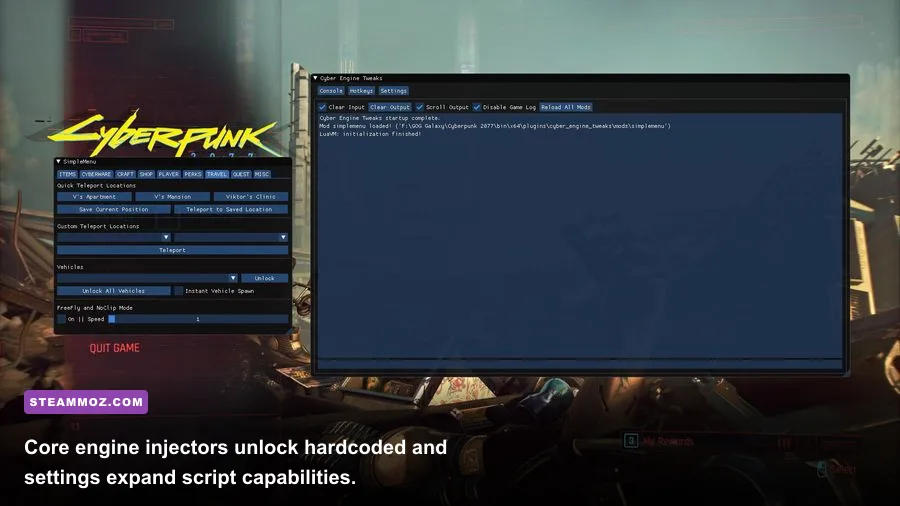
Your first mandatory installs are low-level dynamic-link library (.dll) injectors. For The Elder Scrolls V: Skyrim Special Edition, that means the Skyrim Script Extender (SKSE64) alongside Address Library for SKSE Plugins. These don't modify base game files; instead, they hook directly into the executable memory space at runtime, expanding the Papyrus scripting engine to execute complex arithmetic without delaying native render threads. In Cyberpunk 2077, the absolute baseline is Cyber Engine Tweaks (CET), a robust framework that exposes an in-game Lua console, resolves native multithreading crashes on AMD Ryzen CPUs (fixing the notorious SMT scheduler flaw), and enables external mods to hook into REDscript and RED4ext runtimes.
If you're diving into classic Obsidian titles like Fallout: New Vegas, vanilla memory handling will crash within two hours without xNVSE paired with the New Vegas Heap Replacer (NVHR). NVHR replaces the antiquated Windows default memory heap allocator with a blazing-fast customized memory management algorithm. It slashes title loading screens from fifteen seconds down to two, while eliminating the dreaded out-of-memory memory thrashing that occurs when swapping interior and exterior cells. You can track official releases directly on the GitHub repository pages of these open-source teams or grab packaged archives straight from the Nexus Mods community.

🎮 FORM
Looking to experience this game? Grab your digital key directly on our store for $14.99.
View on Steammoz Store →Ranked Tier List: The Most Transformative Gameplay and Economy Overhauls
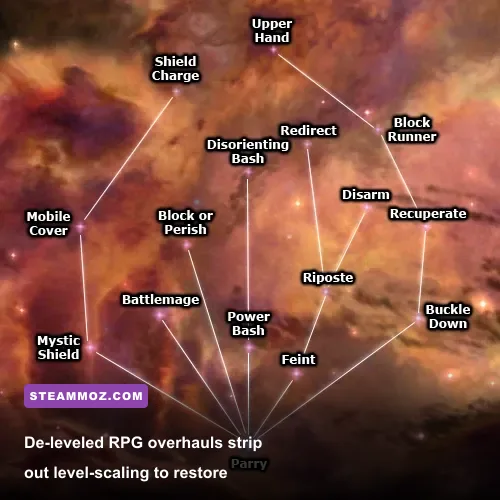
Nothing hollows out an RPG faster than level-scaled enemies and broken game economies where money becomes meaningless within five hours. True transformative mods rip out the safety bumpers, introducing high-stakes mechanics, harsh stamina management, and punishing tactical progression curves. We've ranked the undisputed heavyweights of transformative overhauls based on their mechanical depth, balance, and stability.
| Mod Name & Target Game | Tier Rating | Core Mechanical Overhaul | Performance / VRAM Impact |
|---|---|---|---|
| Requiem: The Roleplaying Overhaul (Skyrim SE) | S-Tier | De-levels the entire world; removes damage sponge math; heavily ties stamina to melee viability. | Zero FPS loss; slight script engine overhead during combat initialization. |
| W3EE Redux (The Witcher 3: Wild Hunt) | S-Tier | Eliminates soft-lock targeting; introduces manual directional swings, poise meters, and deep alchemy. | Negligible; lightweight script rewrite without extra draw-call penalties. |
| JSawyer Ultimate Edition (Fallout: New Vegas) | S-Tier | Cuts carry weight by 60%; caps player HP gains; rebalances armor damage thresholds (DT). | Zero performance cost; pure engine balancing and record tuning. |
| System-EX & Enemies of Night City (Cyberpunk 2077) | A-Tier | Unlocks dual operating systems (Sandevistan + Cyberdeck); rewrites enemy AI aggression algorithms. | 1-3% CPU frame delivery variance during intense 10+ NPC firefights. |
| Stardew Valley Expanded (Stardew Valley) | A-Tier | Adds 27 new NPCs, 50 map regions, reworked crop profitability curves, and endgame storylines. | Requires 1.5 GB extra RAM overhead; zero graphical stutter on discrete GPUs. |
| Economy Overhaul and Speechcraft Improvements (EOSI) | B-Tier | Fixes broken merchant gold balances, inflates vendor buy-ins, and scales quest payouts. | Zero FPS drop; pure database leveled-list record changes. |
S-Tier Breakdown: Redefining Progression and Combat Stakes
The crown jewel of transformative design is Requiem: The Roleplaying Overhaul. In vanilla Skyrim, a bandit chieftain at level 40 magically gains a 700 HP health pool while taking three dozen clean warhammer hits. Requiem completely de-levels the province. Human bandits have fixed health pools between 90 and 160 HP: a single clean arrow to an unarmored skull is fatal. Conversely, a Dragon Priest possesses 1,500 HP, rapid 100 HP-per-second health regeneration, and total immunity to non-silver, non-fire weaponry. Stamina isn't just an auxiliary sprint meter—if your stamina drops below 20%, your weapon swing speed plummets by 50%, your power attacks fail, and enemy heavy strikes will actively disarm you.
Similarly, The Witcher 3 Enhanced Edition Redux (W3EE Redux) ditches the casual dodge-roll spam of the base game. It completely severs Geralt's magnetic auto-targeting lock. You aim your steel and silver blades manually with the mouse. Attacks consume vigor; taking a heavy strike to an unraised guard inflicts severe trauma debuffs like cracked ribs (cutting vigor regeneration by 40%) or torn biceps (crippling parry poise). Much like dialing in a deadly shooter loadout using Far Cry 6's best beginner build, survival in W3EE Redux demands deliberate preparation, careful oil selection, and surgical spacing.
Action Combat Overhauls: Killing Floaty Animations and Spongy Enemies

The biggest giveaway of an outdated action-RPG is floaty combat: character models sliding across ground textures during swing animations, phantom hitboxes connecting two feet away from a blade, and enemies that act like brick walls until their health bar empties. Modern PC modding has solved this by bringing frame-accurate melee physics straight into legacy game engines.
If you're playing third-person action games, the modern holy trinity is True Directional Movement (TDM), MCO/Attack (Modern Combat Overhaul), and Precision. Vanilla engines calculate hits using generic cone rays emitted from the camera origin. Precision replaces this outdated system with actual Havok physics collision meshes mapped directly to your weapon's physical length. If your shortsword measures 80 centimeters, it will only register damage on the exact frame the steel model intersects the enemy's physical collision capsule.
Precision also adds dynamic weapon trails, hit-stop impacts that freeze attacker and victim meshes for 40 milliseconds on solid contact, and realistic wall-deflection physics. Combine that with MCO's root-motion animation locking, and your character commits their physical weight to every power strike instead of gliding awkwardly while swinging. To keep those responsive combat mechanics fluid without drops, make sure your display profiles are tuned similarly to Far Cry 6 settings for max FPS.
In first-person shooters like Cyberpunk 2077, the transformation comes from pairing System-EX with Hardcore22 - Realistic Combat Overhaul. In the base game, high-tier Arasaka agents soak up multiple 12-gauge shotgun blasts to the face because their level 50 health scaling outpaces player weapon DPS. Hardcore22 normalizes body-damage multipliers: headshots deal 3.5x lethal damage to both V and enemies, while torso shots shred through unarmored targets in two bursts. System-EX eliminates arbitrary cyberware restrictions, letting you run an Arasaka Cyberdeck alongside a Militech Apogee Sandevistan simultaneously. You can hack building security cameras in real-time, execute an Overheat queue, and then immediately trigger slow-motion bullet-time to clear a room before the first casing hits the floor.
Frame Pacing, Latency, and Ultrawide Fixers That Rescue Broken Ports
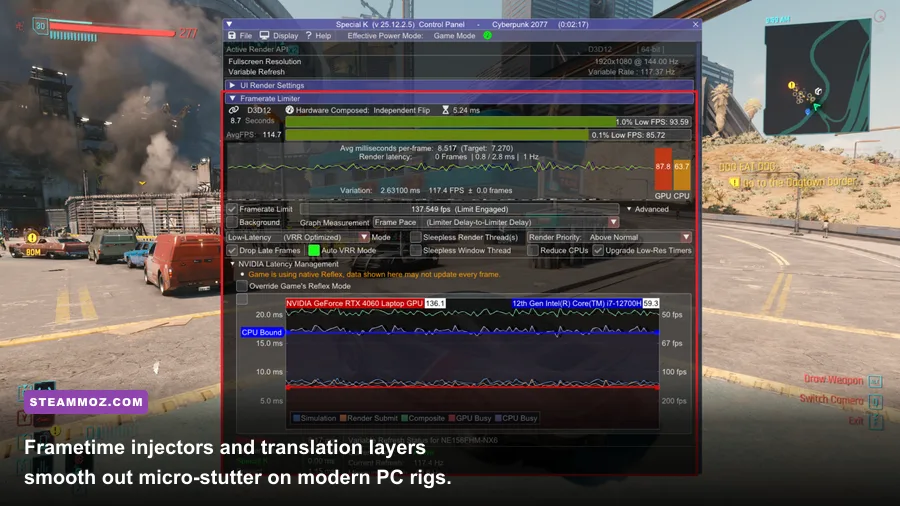
A game can boast incredible mechanics, but erratic frame delivery and micro-stuttering will ruin the experience instantly. Many older DirectX 9, 10, and 11 engines suffer from poor multithreaded render-submission pipelines that choke on modern multicore CPUs. Installing targeted display and latency tools delivers buttery-smooth frametimes that the original developers never managed to achieve.
| Optimization Tool / Mod | Target Bottleneck | Recommended Configuration | Frametime / Latency Delta |
|---|---|---|---|
| Special K (Global Injection Tool) | Erratic frame pacing, bad borderless latency, broken HDR implementations. | Set 'Sleepless Window' mode; cap FPS 3 frames below display refresh rate; enable Reflex override. | Cuts frametime jitter from ±12ms spikes down to a dead-flat ±0.4ms line. |
| DXVK (Vulkan Translation Layer) | CPU pipeline bottlenecks in D3D9 / D3D11 rendering pipelines. | Drop d3d11.dll and dxgi.dll into the game binaries folder; compile shader cache. | Boosts 1% low framerates by 25% to 45% in CPU-bound cities. |
| Flawless Widescreen | Hardcoded 16:9 aspect ratios, stretched HUDs, and cropped FOV on 21:9 / 32:9 monitors. | Enable individual game plugin; toggle 'Fix FOV' and 'Aspect Ratio Clamp'. | Eliminates black vertical pillarboxes and restores true vertical field of view. |
| PureDark DLSS / FSR3 Frame Gen Mod | GPU rasterization limits on high-resolution displays (1440p / 4K). | Injects DLSS 3.5 / FSR 3 frame generation into unsupported engines. | Doubles perceived motion smoothness; requires a baseline 50+ FPS for low input lag. |
The most powerful weapon in any PC gamer's arsenal is DXVK. This open-source translation layer converts Microsoft DirectX 9 and 11 API calls directly into modern Vulkan pipelines. In titles notoriously plagued by draw-call bottlenecks—such as Fallout 4 in downtown Boston or Grand Theft Auto IV across Liberty City—DXVK eliminates the main-thread CPU stall that causes erratic stuttering. If you've run into severe rendering crashes like those detailed in Everspace 2 crash fixes or struggled through performance dips covered in our EscapeVR basement FPS fixes, dropping DXVK runtime libraries into your game folder is often the silver bullet that stabilizes your framerate floor.
For pristine frame pacing, nothing rivals Special K. Standard in-game framerate limiters rely on inaccurate sleep timers, leading to irregular frame delivery where frames are presented out of sync with your monitor's vertical refresh cycle. Special K hooks the swap chain at the DirectX presentation layer, using a high-precision hardware timer that delivers exact, tear-free frame delivery. It can also backport true scRGB 10-bit HDR into older 8-bit SDR titles, granting 10-year-old PC classics vibrant contrast ratios on modern OLED panels.
Load Order Rules and Conflict Resolution to Prevent Game-Breaking Crashes
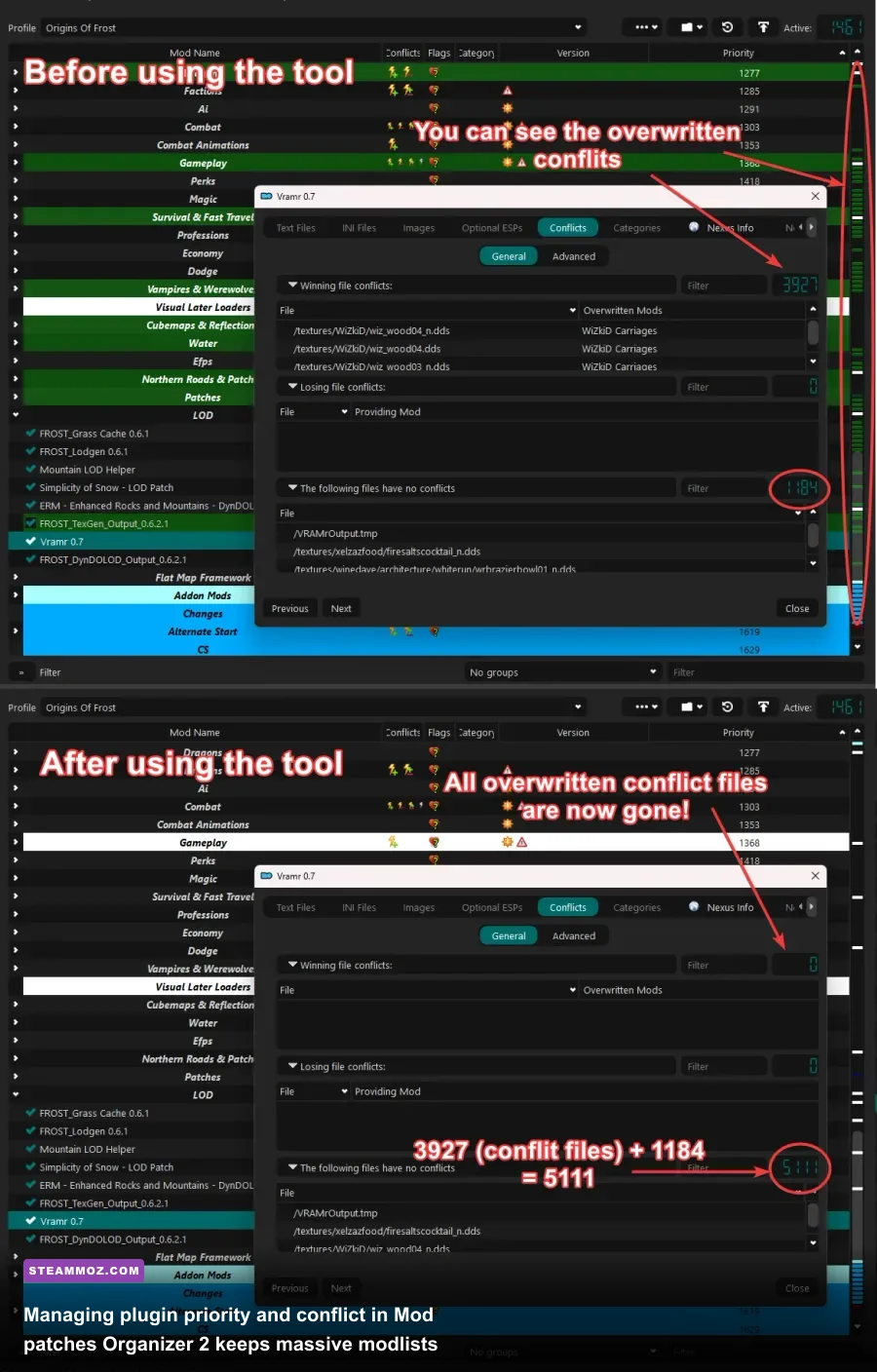
You can download every top-tier mod on Nexus, but if your file structure and plugin load order are disorganized, your game will corrupt save files or crash within minutes. Installing mods haphazardly using generic installers often overwrites base game directories irreversibly. Pro-tier PC modding relies on clean virtualization and surgical conflict patching.
Ditching Direct Installs for Mod Organizer 2 Virtualization
Never install loose files directly into your native game installation folder. Always utilize Mod Organizer 2 (MO2). Unlike traditional managers that dump thousands of texture files and script assets directly into your root /Data directory, MO2 uses a proprietary User Space Virtual File System (USVFS). It keeps your game installation completely pristine by creating an isolated virtual directory for every single mod.
When you launch the game through MO2, the virtual file system tricks the game's executable into believing all mod assets reside inside its native folder. If a mod breaks your installation, you simply uncheck its box in the left pane of MO2. No reinstalling 80 gigabytes of base game data, no orphaned script fragments, and zero corrupted registry keys.
Mastering the Rules of Mod Priority
To ensure total stability across a 200+ mod setup, adhere strictly to the fundamental rules of load order architecture:
- Engine Frameworks and Bug Fix Patches Load First: Unofficial community patches (such as USSEP or UP13), script extenders, and address libraries must sit at the absolute top of your plugin list (indices 00 through 0A). Everything downstream relies on these patched engine records.
- Respect the 254 Plugin Limit with ESL Flagging: Classic Bethesda engines hardcode a limit of 254 standard master (.esm) and plugin (.esp) files. Exceeding this triggers instant desktop crashes on launch. Use the xEdit utility to check and compact lightweight patches into the .esl (ESPFE) format. ESL-flagged plugins share a single memory block (index FE), allowing you to install over 4,000 active plugins without exceeding system limits.
- Conflict Resolution via xEdit Record Forwarding: If Mod A changes an iron sword's damage from 10 to 25, and Mod B alters that same sword's weight from 9 lbs to 3 lbs, the mod placed lower in your load order will completely overwrite the higher one. To resolve this, open your load order in xEdit, build a custom Conflict Patch.esp, and manually drag both desired values into your winning override record.
- Monitor Lightweight Engine Profiles: Always cross-reference memory bounds with specialized optimization configs like Filament Marmalade Edition settings for higher FPS to prevent asset caching overruns, and verify developer guidelines via the Steam Community for platform-specific launch flags.
Once you understand how to bridge core engine extenders, modern hitbox mechanics, and targeted frametime injectors, you unlock the true superpower of PC gaming. You aren't just playing a game as the studio left it—you are running a fine-tuned, ultra-responsive simulation built specifically for your hardware.