
Dungeons 4: Double Trouble does not introduce a separate published PC-spec sheet; it runs on the same PC version and technical baseline as Dungeons 4. For a safe purchase, target an Intel Core i7-8700 or AMD Ryzen 7 2700X, 16 GB of RAM, and a GeForce GTX 1080 or Radeon RX Vega 64. The official minimum is roughly a Core i5-6400/Ryzen 5 1600, 8 GB of memory, and a GTX 1060 6GB/Radeon RX 580, but that baseline is aimed at playable settings rather than a locked 60 fps in enormous late-game dungeons.
That distinction matters. Double Trouble is built around more Dungeons 4: rooms, minions, heroes, overworld activity, and the kind of simultaneous chaos that can push a modest CPU harder than a quiet early mission. The DLC itself is not a new standalone client, so you should judge your rig against the base game's requirements and then leave some headroom for busy saves.
Before buying, check the official Dungeons 4 Steam page for the latest platform notes. If your machine is close to minimum, our PC specs checklist is also useful for identifying the parts that most often become a bottleneck.
Dungeons 4 Double Trouble system requirements at a glance

The table below separates the published baseline from a more comfortable target for modern play. The minimum and recommended figures are the important starting point; the “comfortable target” is practical advice for players who want 1080p, high settings, and fewer dips when the dungeon becomes crowded.
| Component | Minimum | Recommended | Comfortable Double Trouble target |
|---|---|---|---|
| Operating system | Windows 10 64-bit | Windows 10 64-bit | Windows 10/11 64-bit with current updates |
| Processor | Intel Core i5-6400 or AMD Ryzen 5 1600 | Intel Core i7-8700 or AMD Ryzen 7 2700X | Modern 6-core CPU such as Ryzen 5 5600 or Core i5-12400 |
| Memory | 8 GB RAM | 16 GB RAM | 16 GB RAM, with background apps closed |
| Graphics card | GeForce GTX 1060 6GB or Radeon RX 580 | GeForce GTX 1080 or Radeon RX Vega 64 | RTX 3060/RX 6600 XT class for high-refresh 1080p |
| DirectX | DirectX 11 | DirectX 11 | DirectX 11-compatible card with updated drivers |
| Storage | About 30 GB available | About 30 GB available | SSD with at least 40 GB free space |
The key takeaway is that the GTX 1060 and RX 580 remain reasonable 1080p entry points, while 8 GB of RAM is the line you do not want to cross downward. Windows may technically launch the game with that memory, but background services, a browser, Discord, and recording software can consume the margin that keeps stutter away.
Does Double Trouble need stronger hardware than Dungeons 4?
Not according to a separate official DLC requirement list. Double Trouble is an expansion layered onto the existing game rather than a completely new executable with its own GPU target. Still, the practical load can rise because the game has to simulate and draw more objects. A nearly empty dungeon is not the same workload as a mature fortress containing rooms, traps, workers, creatures, prisoners, effects, and a hero assault.
That is why the recommended CPU deserves as much attention as the GPU. Strategy games often become CPU-limited before they become visibly GPU-limited. A faster graphics card can improve image quality, but it cannot fully rescue a processor struggling to update hundreds of active units.
🎮 Dungeons 4 - Double Trouble
Looking to experience this game? Grab your digital key directly on our store for $13.49.
View on Steammoz Store →What the minimum PC can realistically deliver
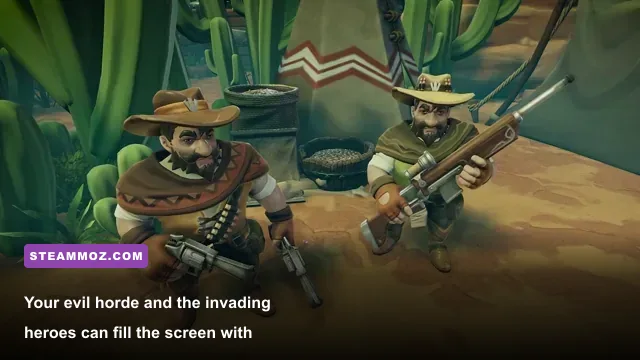
A system built around the Core i5-6400 or Ryzen 5 1600, 8 GB RAM, and GTX 1060 6GB/RX 580 should be treated as a 1080p low-to-medium machine. Expect a playable opening campaign, but do not read “minimum” as “60 fps everywhere.” Simulation-heavy scenes, zoomed-out battles, and large dungeon interiors are the moments most likely to expose the limits.
| Target profile | Resolution | Likely experience | Best adjustment |
|---|---|---|---|
| Minimum hardware | 1080p | Low/medium settings; roughly 30-60 fps depending on mission load | Reduce shadows and effects before dropping resolution |
| Recommended hardware | 1080p | High settings with a much steadier frame rate | Keep textures high if VRAM allows |
| Modern mid-range GPU | 1440p | High settings with sensible shadow and effects tuning | Use a frame cap if the simulation produces dips |
| High-end GPU | 1440p/4K | Sharper image and higher settings, but CPU dips can remain | Prioritize CPU headroom and simulation stability |
Those ranges are practical expectations, not a developer-published benchmark. Your result will vary with resolution scaling, driver version, mission state, and whether the game is installed on an SSD. The important pattern is consistent: the GPU controls visual quality, while the CPU and RAM decide how gracefully the game handles a busy evil empire.
Why 8 GB RAM is a risky minimum
Eight gigabytes can work, but it leaves very little breathing room. Dungeons 4 has to keep the level, UI, unit data, textures, and active simulation in memory. Windows and a few open applications then take their share. When available memory runs low, asset streaming can turn a smooth camera pan into hitching, especially when you jump between the dungeon and overworld.
Upgrading to 16 GB is usually a better move than chasing a slightly faster graphics card if your current system has only 8 GB. Use two matched memory modules when your motherboard supports dual-channel operation, and check that your RAM is running at its advertised speed in BIOS. It will not magically double frame rate, but it can improve minimums and reduce the ugly pauses that feel worse than a lower average fps.
If your broader PC library also suffers from crashes, compare that upgrade plan with our crash and fps troubleshooting guide. The same basics apply here: clean drivers, enough page-file space, and no unstable overclock pretending to be free performance.
Recommended hardware for smoother dungeon management
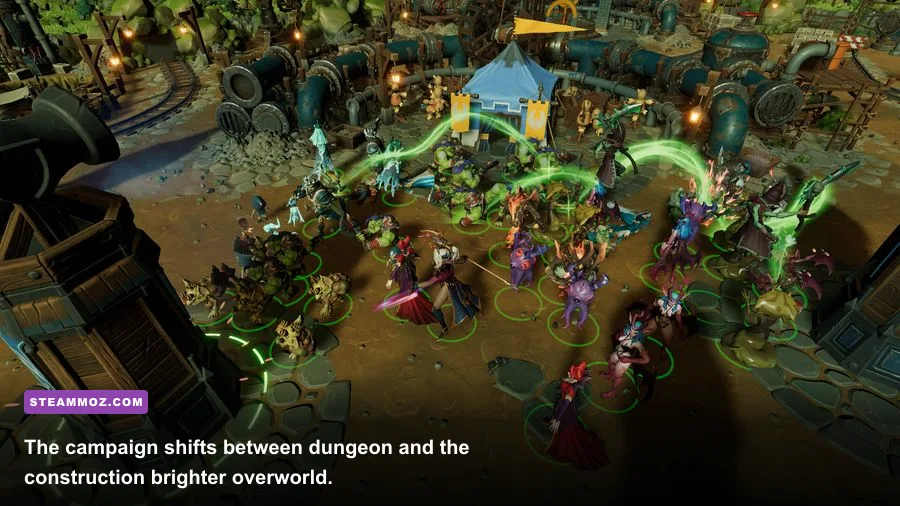
The recommended Core i7-8700 or Ryzen 7 2700X tier makes sense because Dungeons 4 rewards extra CPU threads more than a simple action game does. You are not only rendering a scene; you are watching workers move, creatures fight, rooms function, traps trigger, and heroes navigate your layout. The GeForce GTX 1080 or Radeon RX Vega 64 then gives the game enough graphics muscle for high-quality 1080p and a realistic path toward 1440p.
Six physical cores are a good modern baseline even though the published recommendation is older. A Ryzen 5 5600, Core i5-12400, or comparable processor should provide a stronger day-to-day experience than the original recommended chips because of better per-core performance. If you are building a new system specifically for Double Trouble, do not buy an ancient eight-core CPU just because the specification sheet lists eight threads. Architecture and single-core speed matter.
| Part | Minimum class | Recommended class | What it affects most |
|---|---|---|---|
| CPU | Core i5-6400/Ryzen 5 1600 | Core i7-8700/Ryzen 7 2700X or newer 6-core chip | Simulation, unit updates, late-game frame pacing |
| GPU | GTX 1060 6GB/RX 580 | GTX 1080/RX Vega 64 | Resolution, shadows, effects, anti-aliasing |
| RAM | 8 GB | 16 GB | Streaming, multitasking, stutter prevention |
| Storage | Any supported drive | SSD | Boots, loading transitions, asset streaming feel |
VRAM also deserves a quick warning. The minimum GTX 1060 specification calls for the 6GB model, not the 3GB version. That difference matters when textures and effects are raised. A card with 4 GB can launch the game, but you may need to lower texture quality or accept more aggressive streaming. Keep at least 30 GB free for the installation and updates, and use an SSD if possible. An SSD will not fix a CPU bottleneck, but it makes the campaign feel less sluggish between scenes.
Best graphics settings for stable fps
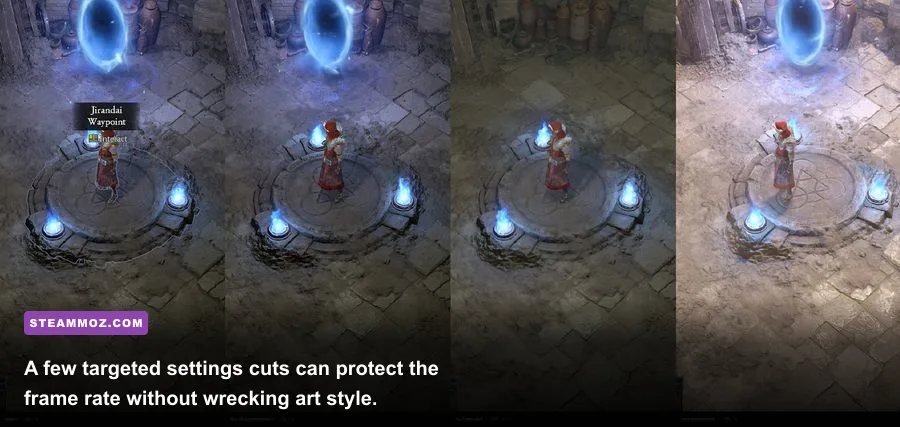
Start with the recommended preset, then tune the settings that affect frame time instead of blindly lowering everything. Dungeons 4 has a stylized visual identity, so texture quality and resolution usually provide more beauty per performance dollar than expensive shadows. The goal is a stable floor during combat, not a spectacular screenshot while your dungeon is empty.
| Setting | Minimum-PC value | Recommended value | Performance impact |
|---|---|---|---|
| Resolution | 1920x1080; use render scale only if needed | Native monitor resolution | High; lowering it helps GPU-limited systems |
| Textures | Medium | High | Low to medium; limited mainly by VRAM |
| Shadows | Low or medium | High | High in crowded rooms and overworld scenes |
| Effects | Medium | High | Medium to high during spells and battles |
| Anti-aliasing | Medium | High | Medium; reduce if GPU usage is pinned |
| View distance | Medium | High | Medium; can affect large outdoor views |
| Frame cap | 30 or 45 fps | 60 fps | Improves consistency when the simulation fluctuates |
How to diagnose a GPU or CPU bottleneck
Use an overlay such as Steam's performance display or your GPU software. If the GPU sits near 95-99 percent while frame rate falls, lower resolution, shadows, effects, or anti-aliasing. If GPU usage drops while one or more CPU cores are saturated, lowering resolution will barely help. That is the classic simulation bottleneck: the game cannot prepare the next frame quickly enough.
For CPU-limited sessions, zoom in less aggressively during enormous fights, close background applications, and cap the frame rate to a value the machine can hold. A stable 45 fps feels much better than a volatile 60 that collapses whenever a hero wave reaches your core. Disable overlays you do not need, update chipset and graphics drivers, and avoid recording at an unnecessarily high bitrate.
Players who regularly battle low-fps problems can also use our settings approach for higher fps. It is not a Dungeons 4-specific preset, but the method of changing one demanding option at a time is exactly what you want here.
What makes Double Trouble demanding in late game
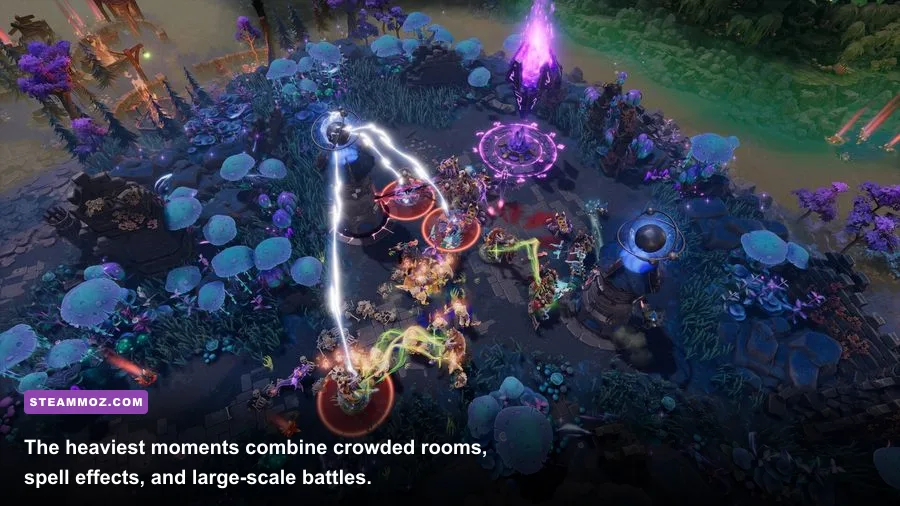
The stress test is not the first tutorial mission. It is the moment your dungeon has multiple functional rooms, a large population of creatures, workers carrying resources, traps and defenses operating, and enemy heroes entering from several routes. Double Trouble can make that scenario feel busier by adding expansion content to the same management-and-combat loop. More activity means more simulation work, even if the art assets themselves are not dramatically heavier.
Camera position changes the graphics load, too. A close view of a decorated room can emphasize shadows, lighting, and effects. A wide view of the entire dungeon reduces detail per object but puts more units on screen. Outdoor missions can add long sightlines and terrain, while invasion sequences stack pathfinding, combat animations, and spell effects together.
| Scenario | Main pressure | Likely bottleneck | Useful response |
|---|---|---|---|
| Small early dungeon | Basic room detail and few units | GPU on older cards | Use medium preset and native 1080p |
| Large developed fortress | Workers, creatures, rooms, and pathfinding | CPU and RAM | Cap fps and close background apps |
| Hero invasion | Combat units, effects, and AI updates | CPU first, GPU second | Lower effects and shadows if needed |
| Overworld battle | Visibility, terrain, and large groups | GPU or CPU depending on zoom | Reduce view distance before texture quality |
Do not confuse a brief dip during a huge invasion with a broken installation. Watch whether it happens only when the simulation becomes dense. If the game stutters everywhere, verify files through Steam, install it on an SSD, update drivers, and check temperatures. If the issue follows one save or one crowded location, the hardware is probably reaching its simulation limit rather than failing.
Should you upgrade before buying the DLC?
If you already meet the recommended specification, you do not need a Double Trouble-specific upgrade. If you sit at the minimum, prioritize 16 GB RAM and an SSD, then consider a newer six-core CPU. Upgrade the GPU first only when your card is below the GTX 1060 6GB/RX 580 class or when you want 1440p and high effects.
That upgrade logic is similar to other demanding strategy titles. Our Empires of the Undergrowth performance-minded guide covers the same kind of crowded-unit problem from a different angle, while the crashing and low-fps fixes guide is worth bookmarking if instability is your main concern.
Final verdict on Dungeons 4 Double Trouble PC specs
Dungeons 4: Double Trouble is approachable on older gaming PCs, but the official minimum should be read as a starting line. A GTX 1060 6GB or RX 580 with 8 GB RAM can handle 1080p after sensible settings cuts, yet crowded dungeons may produce dips that the recommended hardware avoids. For the smoothest experience, use a modern six-core CPU, 16 GB RAM, an SSD, and a GPU around the GTX 1080/RX Vega 64 level or better.
The most important buying decision is not whether your system can launch the expansion. It is whether your system can keep the simulation comfortable after your evil kingdom grows teeth. If your PC has 16 GB of RAM, a reasonably recent six-core processor, and a mid-range graphics card, you are in a strong position. Keep shadows and effects under control, cap your frame rate when necessary, and Double Trouble should deliver the messy, delicious dungeon-management chaos it promises.
For official updates, monitor the Kalypso Media website, the Realmforge Studios site, and the game's Steam community hub. Requirements and technical notes can change after patches, so those sources are the final word before installing on a borderline machine.