Jumping into Call of Duty: Black Ops Cold War on PC without tweaking your configuration first is a recipe for brutal micro-stutters, bloated visual recoil, and lost gunfights. Unlike Modern Warfare's snappy engine, Cold War runs on an upgraded iteration of Treyarch's modified Black Ops engine featuring a higher 150-point baseline health pool, drastically longer time-to-kill (averaging around 300 to 400 milliseconds), and notoriously aggressive shader compilation demands. If you leave the default settings intact, your VRAM will choke, your sprint-to-fire timing will betray you, and you will spend half your matches staring at the desktop after a 0xC0000005 crash error code.
Whether you snagged the shooter via the Battle.net platform or grabbed Cold War on Steam, you need to understand the quirks of its DirectX 12 implementation, its punishing weapon progression curve, and its unique movement physics. Getting your system tuned before stepping into satellite shootouts or the dark corridors of Die Maschine separates frustrated rookies from lobby leaders.
The Shader Cache Trap and VRAM Target Optimization
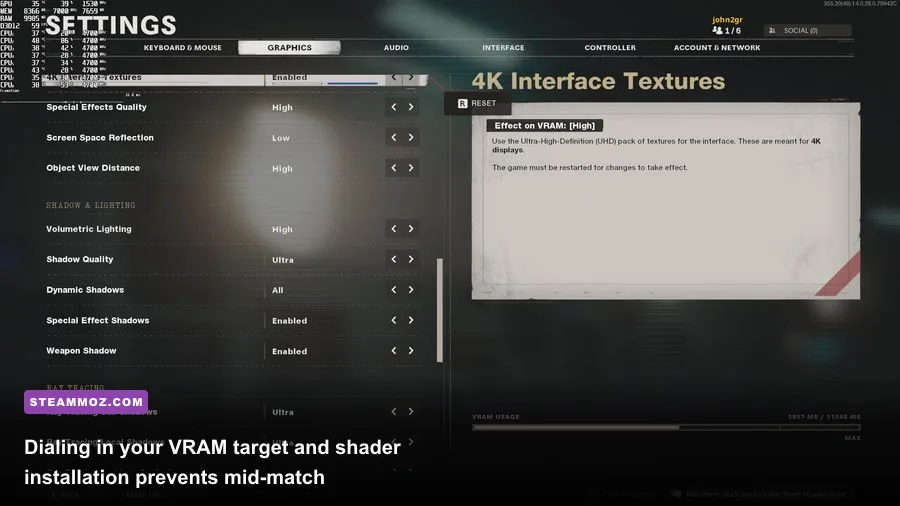
Before you ever queue for your first multiplayer match, look at the top of your screen and verify the shader compilation status. Treyarch's engine compiles shaders locally on your GPU for every map, operator, and weapon asset. If you jump into matchmaking while this process sits at 68%, you are guaranteeing frame drops and catastrophic stuttering. Let the shader cache hit 100% in the main menu. If an update ever corrupts your game files or forces micro-freezes, navigate to Graphics > Restart Shader Compilation, restart your client, and let it run untouched.
The single biggest culprit behind Cold War crashing on PC is the VRAM Usage Target slider. By default, the game sets this allocation to 80% or 90% of your graphics card's physical memory. In practice, Windows background processes, browser hardware acceleration, and the game's own memory leaks will push your GPU over its physical threshold, triggering instant crashes. Lowering your target to 70% stabilizes your frame delivery and eliminates thermal-induced frame dips, just as we break down when applying Far Cry 6 settings for max FPS on temperamental graphics APIs.
Ray tracing in Cold War is an absolute frame rate vampire that provides negligible competitive benefit. The ray-traced ambient occlusion, sun shadows, and local shadows will obliterate your 1% lows, dragging an RTX 3080 down from a locked 165 FPS to an erratic 85 FPS in chaotic fire zones like Crossroads or Armada. Kill ray tracing entirely.
| Graphics Setting | Recommended Value | FPS Impact | Competitive & Tactical Rationale |
|---|---|---|---|
| VRAM Usage Target | 70% | Neutral | Prevents VRAM overflow crashes and Windows desktop dumps. |
| Ray Tracing (All Options) | Disabled | Massive (+35-45% FPS) | Eliminates heavy render overhead; zero competitive visual advantage. |
| Texture Quality | Medium / High | Low (VRAM dependent) | Keeps player models distinct from muddy environmental backdrops. |
| Shadow Quality | Low | Moderate (+8% FPS) | Clears dark interior corners of excess clutter and shadow bloat. |
| NVIDIA DLSS / AMD FSR | Quality or Disabled (Native) | High (+20-30% FPS) | Run Quality at 1440p/4K; run Native with Anti-Aliasing on Low at 1080p. |
| NVIDIA Reflex Low Latency | Enabled + Boost | Negligible | Keeps GPU clocks high and slashes internal frame queue latency. |
For fine-tuning your machine beyond default sliders, taking inspiration from optimizing graphics settings for higher frame rates pays dividends here. Disable Dynamic Resolution completely; it adds sudden mouse sensitivity jitter by fluctuating your internal render target on the fly.

🎮 Cold War
Looking to experience this game? Grab your digital key directly on our store for $4.99.
View on Steammoz Store →Movement Mechanics: Why Modern Warfare Muscle Memory Gets You Killed
If you spent hundreds of hours in Modern Warfare (2019) or Warzone, your movement muscle memory will actively handicap you in Cold War. Tactical Sprint does not exist in this game. You run at a uniform sprint velocity, but your initial burst out of sprint is heavily dictated by your weapon's specific handling stats. Slide canceling is also mechanically distinct: the timing sequence is slide, slide, then aim down sights (ADS) or jump, but Treyarch instituted a severe slide-recovery penalty if you chain them without resetting your momentum.
Cold War's 150-health foundation means landing the first shot does not guarantee a victory. Gunfights frequently last through 4 to 6 continuous hits with an assault rifle like the Krig 6 or AK-47, and up to 7 hits at range with submachine guns like the LC10 or MP5. Because your target has ample time to react, hit their own shots, or weave behind cover, your Aim Walking Movement Speed (strafe speed) is the single most important stat on your gun.
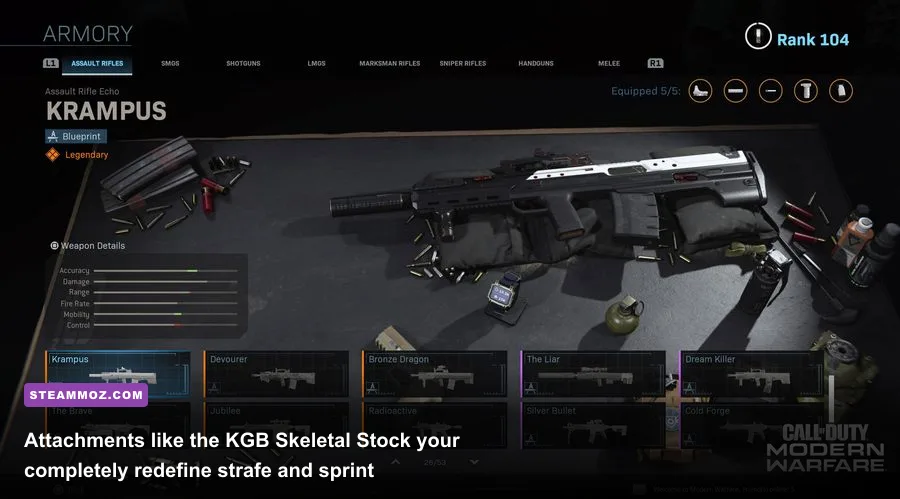
This is where Gunsmith selection becomes crucial. Attachments like the Raider Stock (for NATO weapons) and the KGB Skeletal Stock (for Warsaw Pact weapons) are mandatory on virtually every aggressive class setup. These stocks boost your Sprint to Fire Time by +30% while increasing your Aim Walking Movement Speed by +40%. Being able to strafe back and forth at blistering speeds while holding ADS breaks your opponent's tracking, turning Cold War's sluggish lateral gunfights into dynamic duels you can control.
Watch out for jump fatigue as well. Cold War applies a massive velocity decay penalty to consecutive bunny hops. If you jump twice within 1.5 seconds, your character's second jump height is cut in half, making you a completely stationary target for anyone holding a head glitch. Treat jumps as a single, decisive peek tool rather than an erratic evasion spam.
Weapon Progression and the Zombies Leveling Hack
Let's not sugarcoat it: leveling weapons in Black Ops Cold War via standard Multiplayer is an excruciating slog. Each primary weapon requires 55 levels to unlock all attachments, and the XP curve ramps up exponentially past weapon level 30. Going into 6v6 lobbies with a naked, zero-attachment weapon puts you at an extreme disadvantage against players wielding 50-round fast mags, Task Force barrels, and recoil-nullifying field agent grips.
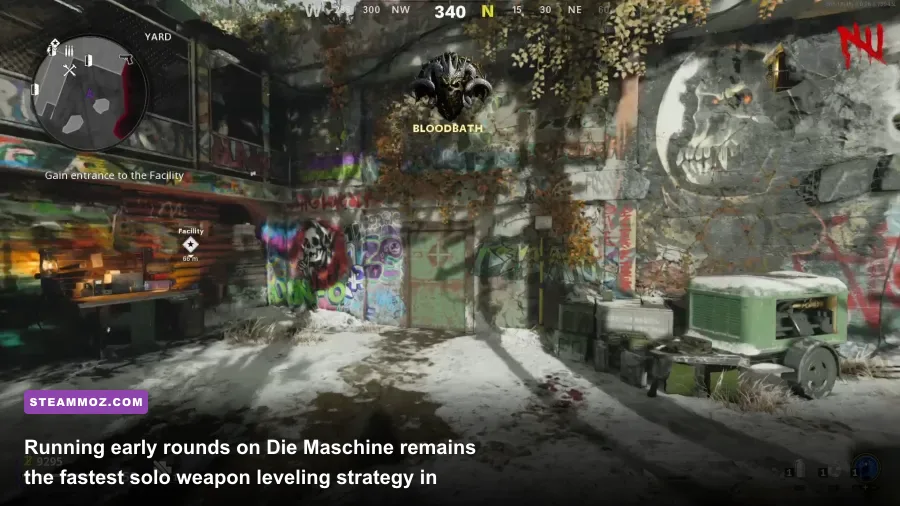
Smart PC players bypass this grind entirely by heading straight into Zombies mode. However, there is a catch that most beginners miss: weapon XP scaling in round-based Zombies (like Die Maschine or Firebase Z) suffers from severe diminishing returns as rounds advance. In rounds 1 through 15, the weapon XP awarded per zombie kill is exceptionally high. By round 25, the XP per kill drops by roughly 65%, and past round 30, you earn virtually nothing for your primary weapon progression.
| Game Mode / Leveling Path | Weapon XP Efficiency | Risk Factor | Tactical Recommendation |
|---|---|---|---|
| Standard 6v6 Multiplayer | Moderate (Kills Dependent) | High (SBMM & Meta Guns) | Only viable when stacking Double Weapon XP tokens and high eliminations. |
| Zombies (Die Maschine Rounds 1-20) | Very High (Peak Efficiency) | Low | Solo run to Round 20, trigger Exfil, repeat. Fastest raw XP curve. |
| Zombies (High Rounds 30+) | Extremely Low | Moderate | Avoid for weapon XP; XP per kill is throttled by internal game engine caps. |
| Zombies Outbreak (World Tiers 1-3) | High | Low / Moderate | Clear all side objectives on World 1 and 2, then warp. Excellent for Camo hunting. |
| Combined Arms / Fireteam | Low to Medium | High | Too much downtime between engagements unless sniping over long sightlines. |
The optimal leveling strategy is straightforward: load up Die Maschine Solo, play through Round 20 using only the weapon you want to level, call in the Exfil chopper, kill the horde with a Warmachine or Chopper Gunner, and exit. Doing this with a Double Weapon XP token will gain you anywhere from 8 to 12 weapon levels in under 25 minutes. Studying efficient loadouts mirrors the tier systems outlined in our retro shooter weapon tier ranking—prioritize rate-of-fire and recoil reduction before worrying about gimmicky laser sights.
Audio Engine Tweaks and Field of View Calibration
Cold War's default audio mix is an absolute mess. Explosions, chopper gunner miniguns, and artillery barrages will blow your eardrums out while footsteps two feet behind you sound like a light breeze on velvet. Head straight to the Audio tab and switch your Sound Mix from "Treyarch Mix" to High Boost or F subsystem (Quiet Mix) depending on your headset's soundstage.
High Boost elevates the frequency range where footstep audio, mantle clicks, and reload audio cues live (around 2kHz to 6kHz), while suppressing low-end bass rumbles that muddy competitive awareness. Drop your Dialogue Volume to 40% (so your operator doesn't scream over enemy movement) and bring Music Volume down to 0%.
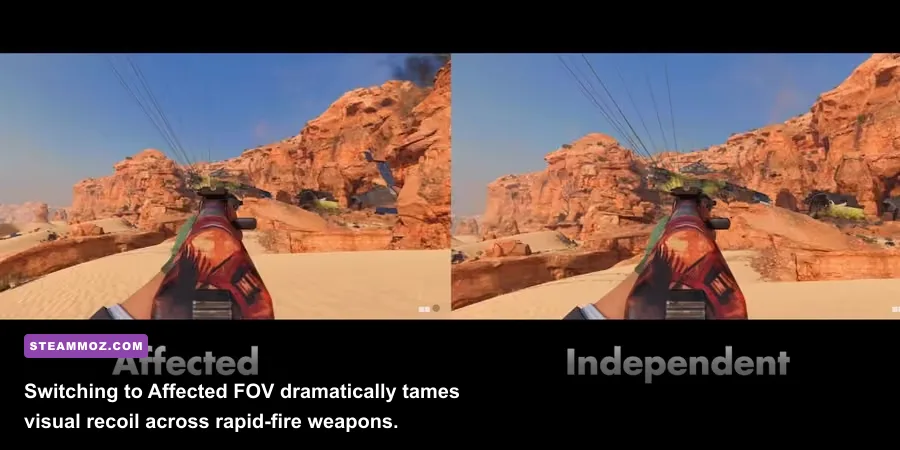
When it comes to visual calibration, the Field of View (FOV) slider is your most lethal tool on PC, but you must configure its partner setting: ADS Field of View. You have two choices here:
- Independent: When you aim down sights, your camera zooms all the way back into the weapon's default base FOV (typically 80 FOV). This makes distant targets larger, but it drastically amplifies visual weapon kick and visual recoil.
- Affected: Your ADS zoom scales proportionally with your chosen FOV setting. If you play at 105 FOV, your sight picture stays wide when you right-click.
For PC mouse and keyboard players, Affected FOV set between 100 and 110 is the gold standard. It makes high-recoil weapons like the EM2, Groza, or Stoner 63 look like laser beams because the visual shaking of your gun model is physically rendered further away from your screen. Set your FOV too high (120), however, and players past 40 meters turn into single pixels, making micro-adjustments nearly impossible.
Hardware Demands, Crash Fixes, and Essential Peripherals
Cold War is demanding on your hardware, but not always in ways that make sense. The game is notoriously CPU-thread sensitive. If you find your game hitching whenever an enemy throws a smoke grenade or a scorestreak hits, the culprit is likely your config.ini worker thread allocation. By default, the engine frequently mismatches how many CPU threads it assigns to render processing.
To verify this, browse to your Windows Documents folder: Documents\Call of Duty Black Ops Cold War\player\config.ini. Open the file with Notepad and search for the line worker_threads. If you have an 8-core, 16-thread processor, this value should be set to 6 or 7. If you have a 6-core processor, set it to 4 or 5. Never set it to your maximum thread count, as this starves the Windows OS and causes the exact freeze loops addressed in our guide on PC fixes that stop crashes and rescue your FPS.
Check out our breakdown on understanding PC hardware demands and specs if your rig is running older silicon. Below is a quick diagnostic cheat sheet for when Cold War throws a temper tantrum during startup or mid-match loading sequences:
| Issue / Error Code | Probable Cause | Step-by-Step Fix |
|---|---|---|
Error Code 0xC0000005 |
Access violation via RAM instability or VRAM saturation. | Lower VRAM target to 0.70; disable GPU overclocks in MSI Afterburner. |
| Infinite Shader Installation at 0% | Corrupted directx shader storage or local cache block. | Clear DirectX cache via Windows Disk Cleanup; verify integrity on Steam/Battle.net. |
| Stuttering on Fast Mouse Swipes | Excessive mouse polling rate (4000Hz/8000Hz) choking engine. | Lower mouse polling rate to 1000Hz in mouse software suite. |
| "Fatal Error" on Game Launch | Conflicting third-party overlays (RivaTuner, Discord, GeForce). | Disable Discord Game Overlay and RivaTuner Statistics Server hook. |
If you run high-end esports peripherals, pay close attention to that mouse polling rate line. Cold War's input handler was built when 1000Hz polling was the undisputed standard. Modern gaming mice pushing 4000Hz or 8000Hz polling can flood the engine's main tick thread with hardware interrupts, cutting your FPS in half whenever you aggressively flick your crosshairs across the desk. Dropping your mouse back to a reliable 1000Hz completely cures the hitching without adding perceptible latency.
If persistent crashing locks up your client even after adjusting your threads, inspect your local installation files before doing a full 150GB reinstall. File corruption is rampant after major seasonal patches. Running a thorough file validation via the official launcher or checking Activision Support for localized server degradation can save hours of troubleshooting, similar to the strategies we employ when resolving troubleshooting crash loops and low frame rates.
Once your engine settings are dialed, your FOV is locked on Affected, your VRAM buffer has breathing room, and your classes utilize mobility-first stocks, Cold War transforms into one of the smoothest, most mechanically rewarding shooters on the PC platform. Take twenty minutes in the menus right now to lock down these settings, and your KD ratio will reflect the difference the second you touch the lobby.