Call of Duty: Mobile on PC remains one of the fastest, most content-dense arcade first-person shooters on modern monitors, but it comes saddled with software quirks, separated player lobbies, and aggressive monetization. If you want the lightning-quick sprint-and-shoot rhythm of the classic Black Ops II era packed into a sub-30GB footprint that boots in seconds, it still delivers unmatched nostalgic thrills. However, dealing with third-party emulation layers, unpredictable mouse input latency, and bot-inflated low-tier lobbies means it is far from an effortless plug-and-play experience for traditional desktop purists.
The Technical Reality: Gameloop, Engine Overhead, and Input Latency
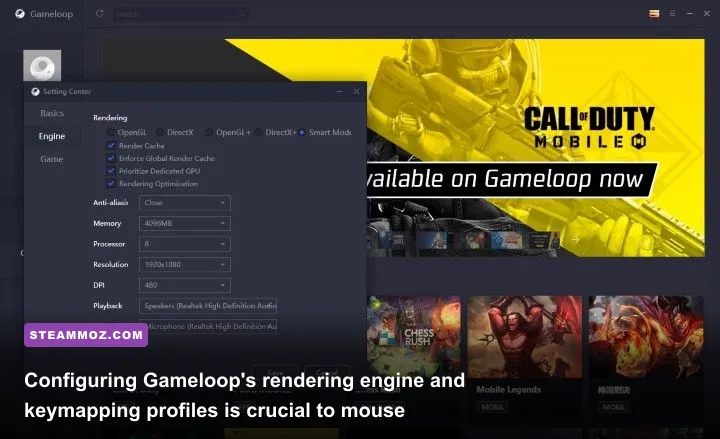
Playing a title developed for mobile processors on a desktop rig always introduces unique software friction. To access the game legally without triggering an instant ten-year ban from Activision's player support hub, you are tied to Tencent's official Gameloop client or region-specific standalone PC test builds. Gameloop translates mobile ARM code into x86 desktop instructions on the fly, and how well that translation works depends heavily on your rendering pipeline.
Unlike native desktop titles where your mouse sensor talks straight to the game engine through raw input APIs, Gameloop emulates touch screen swipe vectors into mouse movements. This setup introduces an unavoidable 16ms to 28ms input lag buffer. If you play high-stakes competitive shooters, that micro-delay is noticeable when flicking to targets. Micro-stutters frequently occur during sudden particle bursts, such as cluster strikes or thermite spam, especially if shader caches are compiling in the background. If you have spent time troubleshooting performance drops in other stubborn PC titles like our guide on ELEX PC fixes that stop crashes and rescue FPS, you know how fragile emulation layers can be when system resources bottleneck.
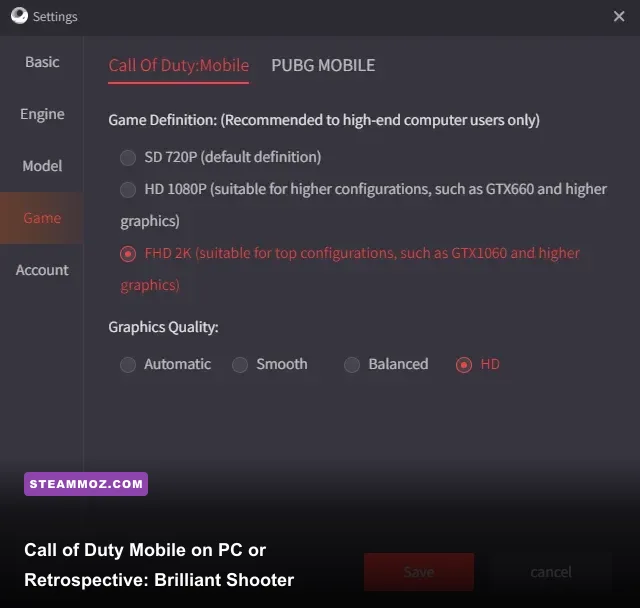
Getting a rock-solid 120 FPS frame pacing requires digging through the emulator's engine settings rather than relying on automatic presets. Switching the graphics API from auto to DirectX+ or Vulkan resolves most severe hitching, provided your dedicated GPU drivers are up to date. Testing visual clarity versus rendering overhead mirrors the tuning steps in our Filament Marmalade Edition settings for higher FPS, where targeted graphic tweaks unlock huge gains.
| Engine Setting | Recommended Value | Performance Impact | Tactical Gameplay Advantage |
|---|---|---|---|
| Rendering API | DirectX+ or Vulkan | Stabilizes frame times | Eliminates split-second micro-freezes during high-intensity smoke/grenade firefights. |
| Memory Allocation | Max Allowed (4096MB - 8192MB) | Reduces asset pop-in | Prevents stutter when loading complex operator skins and mythic weapon death effects. |
| Resolution Profile | 2560x1440 (2K Native Override) | Moderate GPU load | Sharpens distant sightlines on large maps like Crossfire and Coastal without UI blur. |
| Graphic Quality (In-Game) | Low to Medium | Maximum FPS yield | Removes excessive map clutter, grass shadows, and lens flares for clear target acquisition. |
| Frame Rate (In-Game) | Ultra (120 FPS Target) | Higher CPU utilization | Cuts input lag down to the lowest measurable limit on emulator mouse translation. |
🎮 CRISIS CORE –FINAL FANTASY VII– REUNION: Deluxe Edition
Looking to experience this game? Grab your digital key directly on our store for $69.99.
View on Steammoz Store →Map Pools and Core Gunplay: Why the Fundamentals Still Hold Up
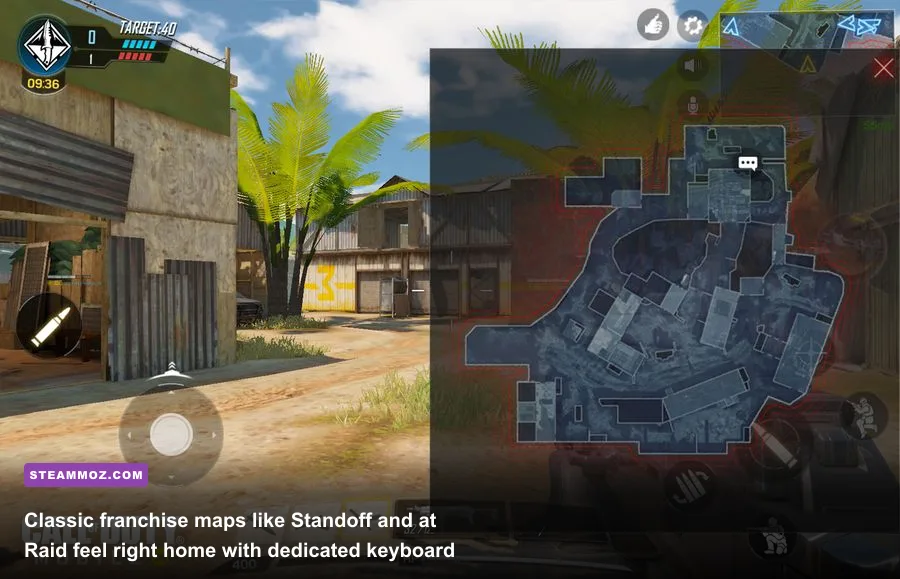
Step past the configuration hurdles, and the actual gun-on-gun gameplay is genuinely brilliant. Modern desktop iterations of the franchise have bloated into massive installations bogged down by cumbersome tactical mechanics, slow mounting systems, and convoluted squad-spawn logic. In contrast, this mobile adaptation preserves the golden arcade loop: quick 5v5 skirmishes, deterministic static spawns, responsive slide-canceling, and an all-star map pool pulled from decades of franchise history.
Sprinting across Standoff's cobblestone streets, holding down the top floor on Crash, or anchoring the courtyard spawn on Raid feels immediately intuitive. The maps are rendered in their prime, balanced layouts before modern engine updates filled sightlines with unnecessary geometric clutter. Gunfights resolve around clear line-of-sight discipline and clean strafe mechanics. Time-to-kill (TTK) across standard multiplayer sits in a sweet spot between 210ms and 320ms at effective combat ranges. This gives you ample room to snap onto targets, correct your recoil, or break a camera angle with a well-timed slide jump.
Health regeneration kicks in after a crisp five-second delay, encouraging calculated aggression rather than passive corner camping. Movement feels agile and immediate. There are no sluggish tactical sprint animations getting in the way of firing your weapon, and switching from your primary assault rifle to a secondary melee weapon grants an instant sprint speed boost that rewards quick map rotations. Running on modest PC hardware, the game avoids the demanding system requirements seen in titles detailed in the Far Cry 2 PC specs overview, making it an accessible competitive shooter for budget laptops and older desktops alike.
The Weapon Meta: Gunsmith Mechanics and Mouse-Aim Anomalies
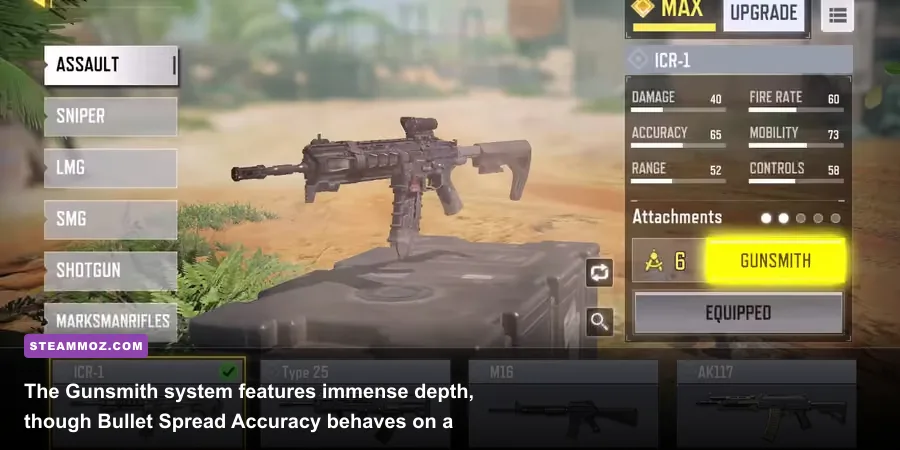
Gunsmith customization offers remarkable depth, but transferring mobile mechanics over to mouse and keyboard creates distinct balance shifts. The primary factor you need to master is Bullet Spread Accuracy (BSA). On mobile touch controls, BSA acts as an invisible cone of fire to balance imprecise thumb aim. On a precision gaming mouse, however, BSA can feel downright bizarre. You can hold your crosshair dead center on an enemy's chest at 35 meters, fire a burst, and watch several bullets vanish into thin air because your weapon build lacked sufficient ADS Spread reduction.
Because controlling vertical and horizontal recoil with a high-DPI mouse is significantly easier than dragging a thumb across a glass screen, the desktop meta differs from mobile handheld tier lists. High-recoil, high-damage weapons that require heavy recoil compensation on phones transform into laser-accurate shredders under a skilled mouse hand. Recoil control attachments like the Operator Foregrip become redundant on PC, freeing up attachment slots for strafe speed, bullet velocity, and sprint-to-fire buffs.
Evaluating weapon viability mirrors the weapon balance analysis found in our breakdown of Far Cry 3 Blood Dragon weapons ranked from S to C, where raw handling stats dictate actual combat effectiveness. Below is how the standout weapons perform when tailored specifically for mouse-and-keyboard setups:
| Weapon Name | Class / Role | Optimal PC Loadout Focus | Effective TTK | Competitive Tier |
|---|---|---|---|---|
| Krig 6 | Assault Rifle | Agency Suppressor, Taskforce Barrel, Firm Grip Tape | ~240ms (0-25m) | S-Tier |
| CBR4 | Submachine Gun | Monolithic Suppressor, Marksman Barrel, Granulated Grip | ~220ms (0-15m) | S-Tier |
| DL Q33 | Sniper Rifle | MIP Light Barrel, YKM Combat Stock, OWC Laser | Instant (1-Shot Chest/Head) | S-Tier |
| Holger 26 | Light Machine Gun | MIP Light Barrel, No Stock, Tactical Laser | ~265ms (All Ranges) | A-Tier |
| Switchblade X9 | Submachine Gun | Monolithic Suppressor, Extended Light Barrel, Skeletal Stock | ~205ms (Close Quarters) | A-Tier |
| Kilo 141 | Assault Rifle | OWC Marksman, No Stock, Large Extended Mag B | ~250ms (Mid Range) | A-Tier |
Mastering this weapon pool requires tailoring your Gunsmith build to counter the BSA mechanic. Always prioritize attachments like the Granulated Grip Tape or Tactical Laser to keep your bullet grouping tight. On PC, weapons like the Krig 6 equipped with the Taskforce Barrel turn into absolute monsters, providing rapid time-to-kill figures that let you challenge snipers and light machine guns across long sightlines with ease.
Matchmaking and the Emulator Queue Dilemma

Matchmaking is where the PC experience reveals its sharpest compromise. To preserve competitive fairness, the game implements segregated lobbies. When you boot up through an emulator, the server detects your peripheral hardware and places you strictly into queues with other emulator users and players using external Bluetooth controllers on mobile devices. You will never naturally cross paths with pure touch-screen players unless they willingly party up with you in a cross-input team.
While this protects mobile lobbies from mouse-driven domination, it splits the PC matchmaking pool considerably. In public unranked matches, the matchmaking algorithm fills empty player slots with AI bots to ensure instant queue times. These bots use generic usernames, wander paths aimlessly, and occasionally snap onto targets with instant headshot lock-ons before returning to erratic behavior. If you jump into standard Team Deathmatch or Domination, chances are high that you and one enemy player are the only human beings in the server, surrounded by eight computer-controlled dummies.
To find true competitive human competition on PC, you must grind into Ranked Multiplayer. The true game does not start until you hit Master, Grandmaster, and Legendary tiers. Once you climb into these upper brackets, the bots disappear entirely, replaced by ultra-sweaty five-stacks running coordinated trophy systems, perfectly timed EMP grenades, and lethal sniper picks. Queue times in high Legendary can stretch upward of three to five minutes depending on the time of day, but the matches themselves deliver the high-octane tactical thrill missing from unranked play.
Fast-paced competitive shooters demand clean frame times and low response latency to track dynamic targets accurately. Much like tuning a fighting game layout as outlined in the Fatal Fury City of the Wolves PC specs guide, holding high frame rates in Legendary ranked lobbies is essential to counter quick peeks and slide-cancels.
Monetization and Visual Clarity: The Mythic Weapon Advantage
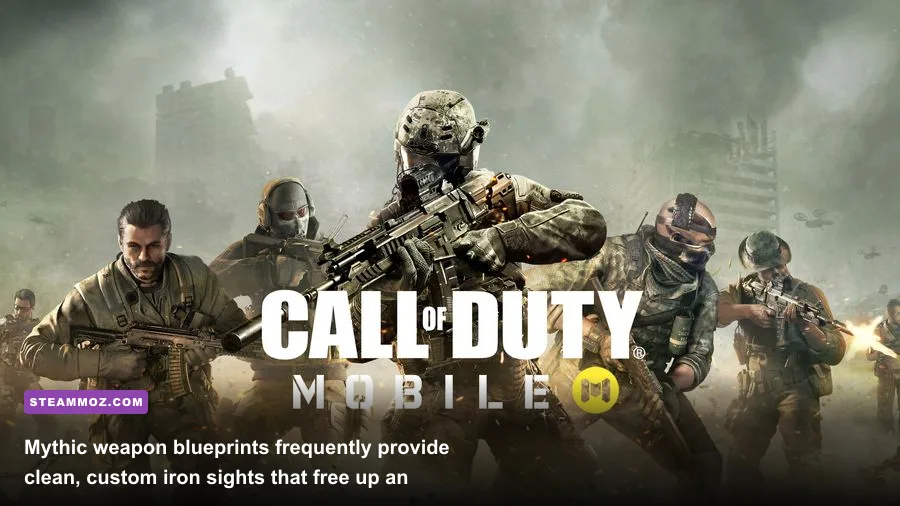
Cosmetic pricing in this ecosystem is notoriously aggressive. Unlike standard desktop releases that rely on traditional $10 battle passes and direct-purchase cosmetic bundles, the primary monetization engine here revolves around tiered "Lucky Draws" and Mythic upgrades. Fully unlocking and leveling a top-tier Mythic weapon blueprint can easily cost well over $150 in premium currency through escalating roulette-style draws.
While these skins do not alter raw statistical damage or fire rates, they frequently introduce a controversial visual edge: custom iron sights. Base weapons often feature bulky, obstructive metal sights that cover half your screen, subtly nudging players to spend an attachment slot on a Red Dot Sight. Premium Mythic blueprints, such as the Krig 6 Ice Drake or Switchblade X9 Neon Legend, come equipped with built-in, glowing holographic optics right out of the box. This effectively grants paying players a free attachment slot to spend on ADS speed or recoil stability instead of an optic.
Fortunately, you can completely ignore this microtransaction vortex and remain perfectly competitive. The free seasonal progression track consistently awards functional base weapons at no cost, and the standard Battle Pass refunds its full premium currency cost upon completion. Squeezing every tactical advantage without overspending on cosmetics aligns with competitive optimization, similar to building an efficient, high-performance character setup in our Far Cry 6 best beginner build guide.
If you prefer playing purely free-to-play, you can easily reach Legendary rank using default weapon blueprints. The tactical edge provided by custom iron sights is convenient, but sound positioning, accurate recoil compensation, and map awareness always win firefights over expensive weapon skins.
The Final Verdict: Who Should Play Call of Duty Mobile on PC?
Is Call of Duty: Mobile on PC worth booting up today? The answer depends entirely on what you want out of an arcade shooter. If you are expecting a flawless, native desktop masterpiece with low-level hardware communication and unified matchmaking, you will likely walk away annoyed by Gameloop's technical overhead, bot-heavy casual queues, and relentless gacha menus. It is an emulated mobile ecosystem first, and it never lets you completely forget that fact.
However, if you view it as a free, lightweight, "greatest hits" package of classic franchise history, it holds tremendous appeal. It runs smoothly on modest laptop GPUs, takes up a fraction of the hard drive space demanded by modern Call of Duty launchers, and gathers iconic maps like Firing Range, Standoff, Summit, and Meltdown into one unified, hyper-responsive playlist. For nostalgic veterans craving rapid gunfights without modern tactical bloat, jumping into a few matches via the official Call of Duty: Mobile website remains an immensely satisfying, action-packed detour.
If you have an hour to kill, crave tight gun mechanics, and do not mind tuning your emulator settings to lock in smooth performance, this mobile port on PC provides a remarkably pure arcade FPS fix that outshines many of its bloated big-budget peers.