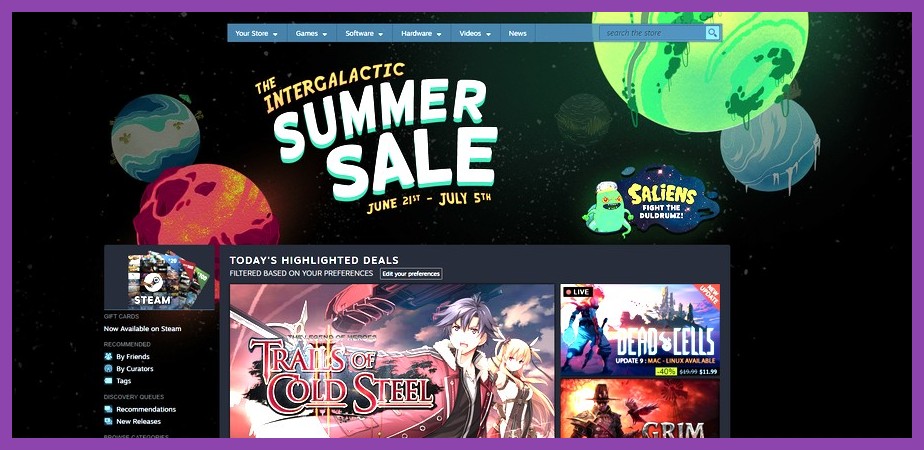
We have all been there: the countdown timer on the Steam homepage ticks down to zero, the seasonal store theme shifts to vibrant animated artwork, and suddenly your wishlist turns into a sea of deep green 75% OFF badges. Gabe Newell’s seasonal wallet-draining events are practically national holidays for PC gamers, but if you head into a major sale without a clear battle plan, you will end up spending way too much money on games you will literally never launch. Learning battle-tested Steam sale tips is the crucial line of defense between snagging dozens of legendary bangers for twenty bucks and dumping half your paycheck into a digital backlog of shame.
Whether you are trying to stretch a tight budget, hunting down hidden gems, or looking for high-FPS titles to test on your setup, avoiding rookie mistakes during Steam sales takes a bit of strategy. In this ultimate guide, we are breaking down ten game-changing tactics that will teach you how to save money, track historical prices, farm free Steam Wallet credit, and snag maximum value every single time Valve drops a seasonal discount event.
1. The Steam Wishlist Is Your Best Secret Weapon
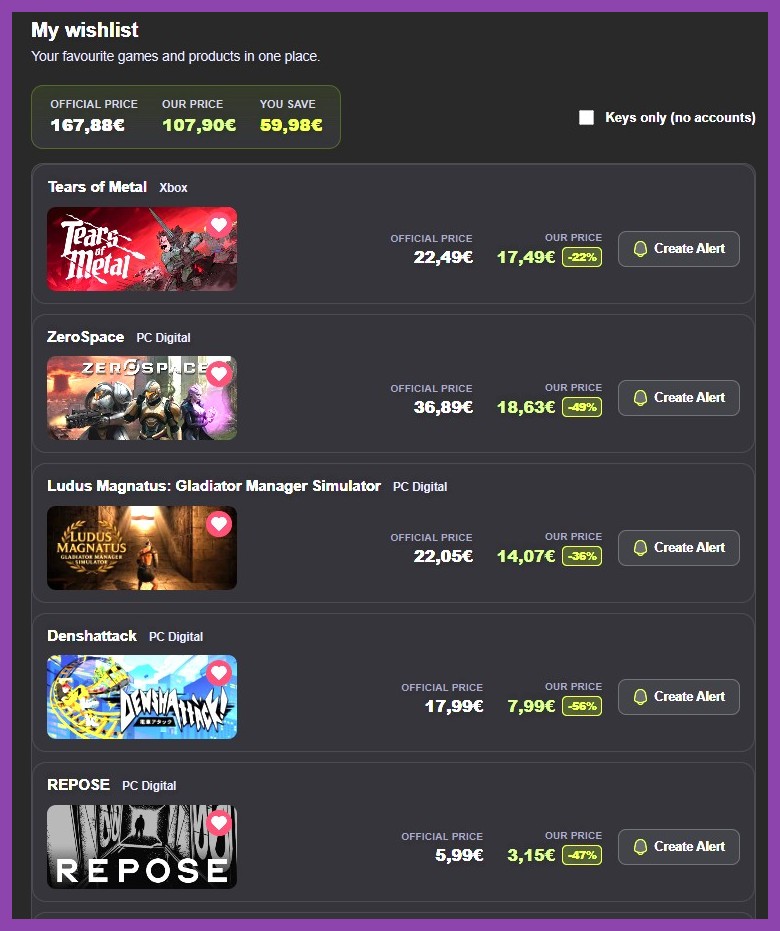
It sounds simple, but your Steam Wishlist is far more than just a notebook for games you think look cool. When used properly, it acts as an automated deal-hunting engine that prevents impulse buying while keeping you informed the exact second a game hits a target price point.
Before any major sale event begins, curate your wishlist aggressively. Visit our curated list of best PC game recommendations and add titles you genuinely plan to play within the next month or two. Organize your wishlist by ranking games in order of priority. When a major event like the Summer or Winter Sale goes live, Steam automatically sends phone push notifications and emails for items on your wishlist, allowing you to bypass store clutter and jump straight to the games you care about most.
Another overlooked feature is sorting your wishlist by price or discount percentage. During multi-week seasonal events, flash discounts are a thing of the past, but developers occasionally update prices mid-sale or launch special publisher bundles. Keeping a tidy wishlist ensures you spot those price shifts immediately without getting lost in the algorithms of the front page.
2. Never Buy Without Checking SteamDB and IsThereAnyDeal
Just because a game displays a big shiny -80% badge does not mean you are getting the best deal possible. Game publishers frequently manipulate MSRP or cycle discounts so that a "sale" price is actually higher than what the game sold for three months prior. To protect your wallet, you need to verify historical pricing before clicking purchase.
That is where third-party price tracking tools come into play:
- SteamDB: The ultimate database for PC gamers. Search any game on SteamDB to see its complete price history graph across every currency. You can quickly see whether a sale price matches the game's "All-Time Low" (ATL) or if the developer bumped up the base price right before a seasonal discount.
- IsThereAnyDeal (ITAD): This site tracks authorized digital storefronts like GreenManGaming, Fanatical, Humble Store, and Gamesplanet. Often, official key retailers sell legitimate Steam keys at deeper discounts than Steam itself because they take smaller platform cuts or run custom promo codes.
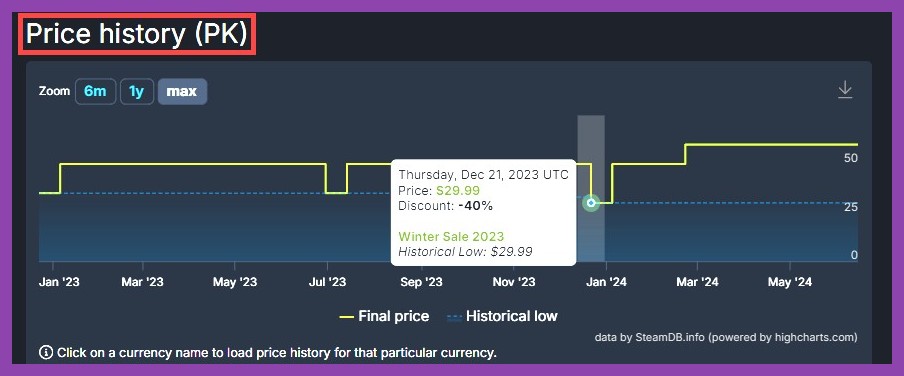
By installing browser extensions like Augmented Steam, you can embed SteamDB price histories and third-party store prices directly onto official Steam Store web pages. If you spot a massive RPG sitting at an all-time low price, check out our guide on essential RPG games on Steam to make sure it matches your playstyle before pulling the trigger.
3. Master the Seasonal Sale Calendar and Event Patterns
Valve follows a surprisingly predictable annual rhythm for platform-wide promotions. Knowing when these sales happen prevents you from buying a game at full price on a Sunday, only to watch it drop 50% on Monday afternoon.
Major Seasonal Sales
Steam hosts four massive store-wide seasonal events every year:
- Spring Sale: Takes place in mid-March. Perfect for catching winter releases on their first slight discount.
- Summer Sale: The granddaddy of them all, usually running late June through early July. Features mini-games, trading card events, and deep discounts across nearly the entire catalog.
- Autumn Sale: Runs around late November (overlapping Black Friday/Cyber Monday). Excellent timing for picking up early-year hits before holiday travel.
- Winter Sale: Runs late December through early January. Matches the scale of the Summer Sale and includes voting for the annual Steam Awards.
Themed Fest Events & Weekly Sales
In addition to major seasonal sales, Valve runs targeted week-long events throughout the year—such as Strategy Fest, SHMUP Fest, or Next Fest (which focuses on downloadable demos). Midweek Madness (Tuesday to Thursday) and Weekend Deals (Thursday to Monday) also feature heavily discounted publisher catalogs. If a game you want isn't on sale during a major seasonal event, add it to your wishlist and wait for its dedicated genre fest.
4. Turn Steam Trading Cards and Inventory Items into Free Cash
Did you know your Steam account might be sitting on tens of dollars in unspent digital currency? Whenever you play games on Steam, you automatically drop trading cards into your Community Inventory. Most players ignore these items completely, letting them collect virtual dust. However, selling these cards on the Steam Community Market is the easiest way to generate real Steam Wallet funds for zero cash outlay.
Here is how to maximize your inventory value:
- Open your Steam Profile, navigate to Inventory, and select the Steam tab.
- Click on individual trading cards, emoticons, or profile backgrounds to view their current market starting price.
- List them for sale slightly below the current lowest listing price for a quick sale.
- During major sale events, participating in event badges or browsing your daily Discovery Queue often drops special event cards. Sell these immediately on day one of the sale, as event card prices peak early before supply floods the market!
While earning 10 to 20 cents per card might sound small, clearing out an old backlog of drop-eligible games can easily yield $10 to $15 in wallet credit. That is more than enough to grab a couple of top-tier indie titles or complement your budget when shopping through our latest gaming guides for deal recommendations.
5. Capitalize on Dynamic "Complete Your Set" Bundles
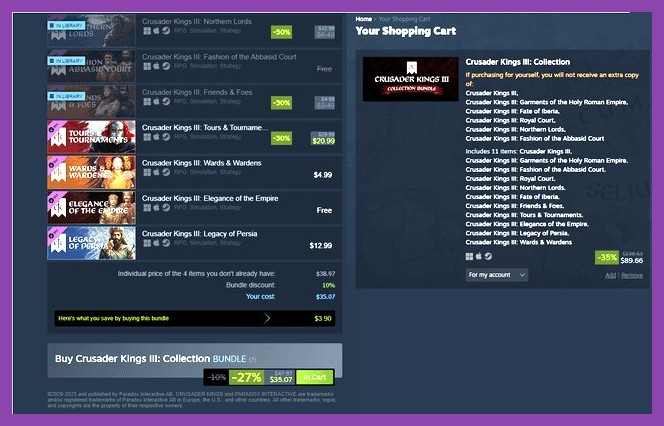
One of Valve’s best platform features is its dynamic bundle structure. On Steam, bundles generally come in two flavors: "Must Buy All at Once" (fixed package) and "Complete Your Set" (dynamic bundle).
Dynamic bundles analyze your existing library and automatically subtract any games or DLCs you already own from the total bundle price. On top of that subtraction, the bundle applies an extra stackable discount (often 10% to 30% off) to whatever remaining items you don't own yet.
This creates insane savings loops during seasonal sales. If you own a base game and three out of five DLC expansions, buying the "Complete Edition" bundle during a sale can often cost less than buying a single missing DLC individually. Always check the store page for a game to see if a bundle option exists before purchasing standalone DLCs or sequels!

6. Leverage Steam Family Sharing to Split Costs
If you have close friends or family members who also game on PC, buying separate copies of every single title is a huge waste of money. Steam's revised Family Sharing system allows up to six family members to link their accounts into a shared household library pool.
With Family Sharing enabled, you gain instant access to games owned by other members of your family group (as long as developers have enabled family sharing for that title and multiple people aren't trying to run the exact same copy simultaneously). You can split game costs within a household—one person buys the latest co-op shooter while another buys an open-world RPG, effectively doubling both of your playable backlogs for half the cost.
If you are setting up new PC rigs or handhelds for family gaming, make sure to check out our detailed guide on how to optimize Steam performance for maximum FPS so everyone in your shared group enjoys smooth gameplay.
7. Understand and Safely Use the Steam Refund Policy
Valve operates one of the most generous refund policies in digital entertainment. You can request a full refund to your original payment method or Steam Wallet for virtually any purchase if:
- The request is submitted within 14 days of purchase.
- The game has been played for less than two hours total across your account.
Crucially, Valve explicitly states that buying a game right before a sale and then refunding it to repurchase it at the lower sale price is not considered abuse of the refund system. If you bought a title at full $60 price on Monday, and it suddenly goes on a 50% Midweek Madness discount on Tuesday, you can submit a refund request specifying "It is now available cheaper" and repurchase it at the sale price without worry.
This safety net also allows you to test out performance-heavy games or experimental indie titles risk-free. If a game stutters or fails to launch on your hardware, process a refund within that two-hour window and roll those funds into another sale pick.
8. Look for Bundles Outside of Steam (Humble, Fanatical)
While Steam is the primary home for PC games, limiting yourself exclusively to the Steam storefront limits your savings. Third-party digital key storefronts partner directly with publishers to offer insane multi-game bundles that destroy standard store pricing.
Sites like Humble Bundle run monthly choices and charity tiers where you can pick up 7 to 10 high-profile PC titles for $12 total. Storefronts like Fanatical offer "Build Your Own Bundle" promos where individual Steam keys cost under a dollar each. Every key redeemed from these reputable sites grants full Steam features—including achievements, cloud saves, and trading cards.
If you are constantly searching for zero-dollar gaming options while waiting for key bundles to drop, jump over to our roundup of the best free Steam games or explore our archive of free-to-play game reviews to keep your library stacked without spending a dime.
9. Portable Gaming Deals: Maximize Your Steam Deck Savings
If you own a Steam Deck, seasonal sales are an absolute goldmine. Valve maintains a dedicated "Great on Deck" category filter during major sale events, grouping games verified to run smoothly on handheld hardware out of the box.
Indie titles, classic retro ports, and older AAA games often sell for under $5 during major sales while delivering amazing battery efficiency and performance on portable displays. Before loading up your cart with handheld picks, be sure to read our essential Steam Deck tips and tricks guide to optimize your handheld storage, settings, and battery life for your new bargain acquisitions.
10. Combat FOMO and Defeat Backlog Fatigue
The ultimate Steam sale trap is Fear Of Missing Out (FOMO). Seeing thousands of games marked down simultaneously triggers a psychological urge to hoard titles simple because they are cheap. But buying ten $5 games you never play is still $50 thrown down the drain.
Adopt the Rule of Three during major sales:
- Ask yourself: "Am I going to install and play this game within the next 48 hours?"
- If the answer is no, keep it on your wishlist. It will almost certainly hit the exact same discount (or lower) during the next seasonal sale.
- Limit your immediate sale purchases to a maximum of three games you intend to start playing right away. Once you finish them, the next major sale will already be around the corner!
By shifting your mindset from digital collecting to intentional playing, you keep your backlog lean, your wallet healthy, and your enjoyment high. For more PC gaming strategies, deep-dive reviews, and hardware guides, check out our full range of articles on Steamoz PC Gaming Coverage!