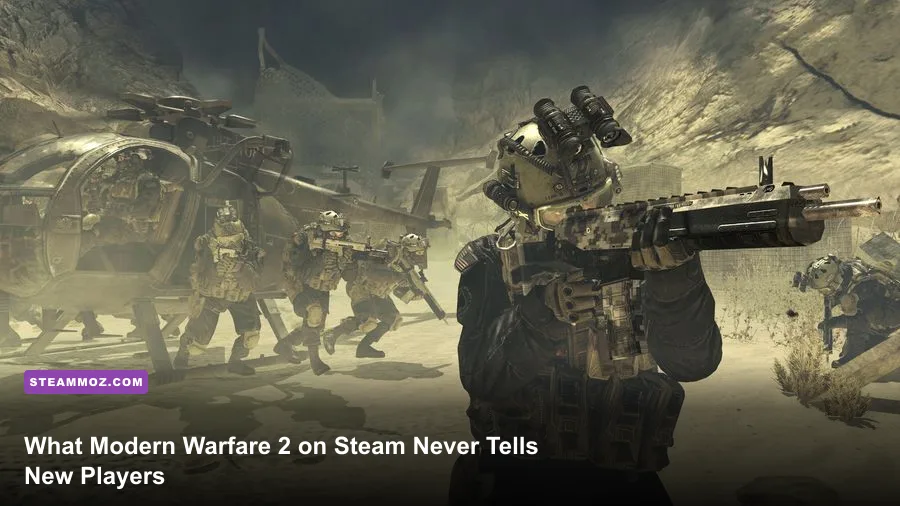
Jumping into Call of Duty: Modern Warfare 2 on Steam without prior setup guarantees a brutal first few hours. Between Activision ID account quirks, mandatory phone verification hurdles, a convoluted Gunsmith 2.0 receiver tree, and a timed Perk system that leaves you completely exposed to early-match UAV spam, this game doesn't play like classic shooters of the past. Modern Warfare II marked a historic return to Valve's platform after years of Battle.net exclusivity, but it brought along PC-specific quirks and heavy balance shifts that will catch you off guard if you leap into quick play blind.
The Activision ID Trap and Steam Launch Quirks
Before you even fire a single bullet in the firing range, your technical foundation needs to be ironclad. Steam players face unique hurdles that console and even Battle.net players rarely think about. The most critical roadblock is account linkage. When you boot the game via the Steam Store page, you must link an active Activision account. If you played previous entries like Warzone, Cold War, or Vanguard on another platform, linking the wrong email will lock you out of all your historic cosmetics, account ranks, and friend networks. Worse yet, unlinking an account has a strict cooldown period managed through Activision Support, meaning an accidental link can take days to resolve.
There's also the matter of currency. CoD Points do not transfer across storefronts. If you have 2,400 CoD Points sitting in your Battle.net wallet or on PlayStation, they will not show up in your Steam balance due to platform storefront restrictions. Any purchases made with existing currency must be executed on your old client before the cosmetic skins appear in your shared cross-progression locker on Steam.
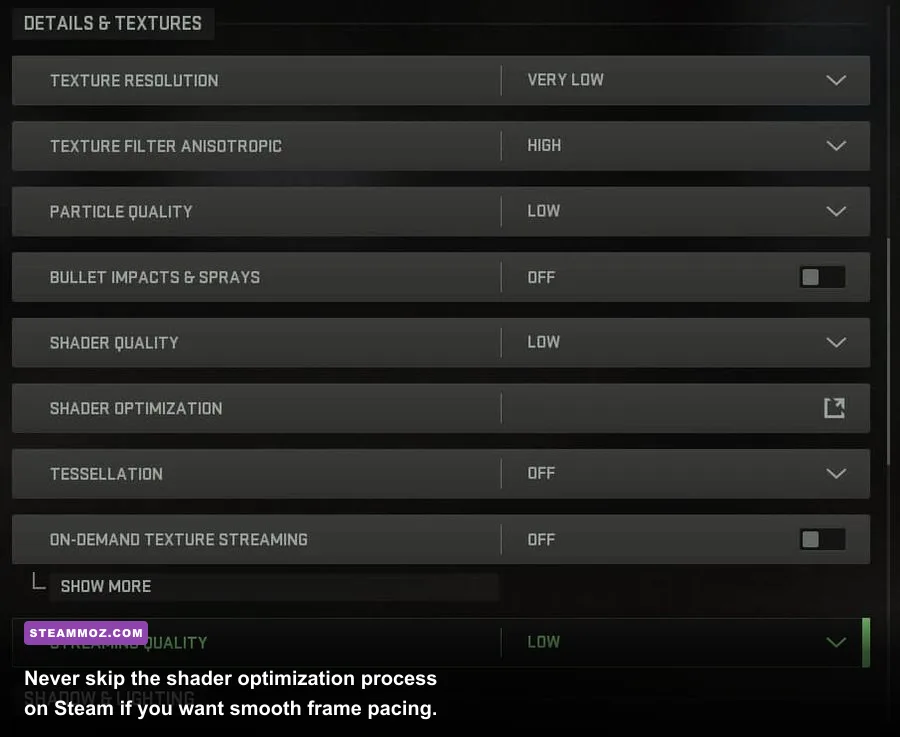
Beyond account setup, you have to respect the shader installation. Every time Infinity Ward pushes a minor hotfix or you update your GPU display drivers, the game must compile shaders. If you see the shader optimization bar crawling across the top of your screen, do not join a lobby. Entering a multiplayer match with uncompiled shaders causes devastating micro-stutters, frame drops below 20 FPS, and even outright game crashes. Much like managing stability in other technical PC titles—such as applying fixes that stop crashes and rescue your FPS—letting the shader cache reach 100% in the main menu is non-negotiable for smooth gameplay.
Lastly, keep Valve's schedule in mind: every Tuesday around 4:00 PM to 6:00 PM PT, Steam executes its routine server maintenance. If you are mid-match in a tight Search & Destroy overtime or sweating through a high-stakes squad deployment, Steam will momentarily drop your connection, triggering an instant disconnect and penalty. Plan your ranked grind accordingly.
Dialing In Your PC Settings for Clean Visibility and High FPS
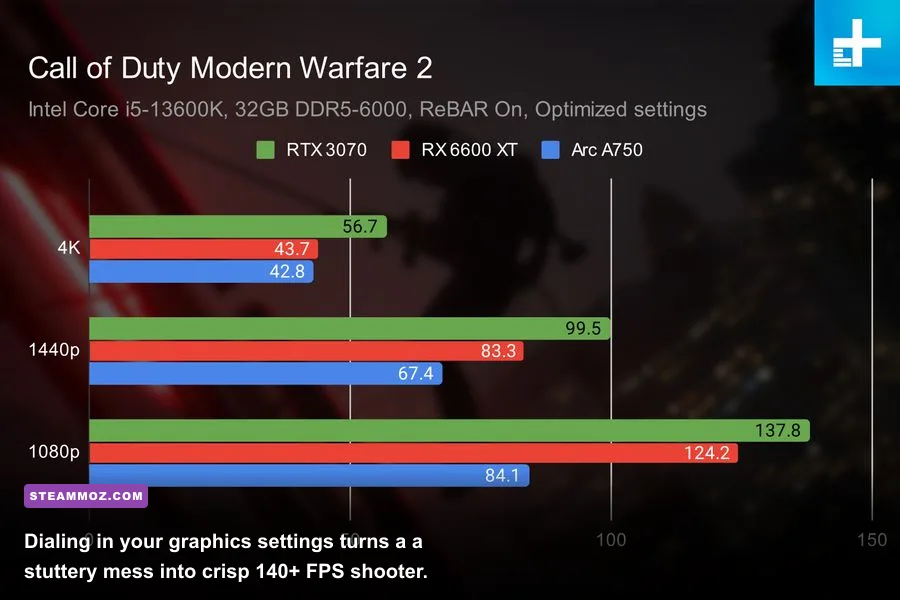
Modern Warfare 2's IW9 engine is visually impressive, but its default graphical preset is a competitive nightmare. Motion blur, cinematic film grain, and erratic upscalers combine to create a muddy image where enemy silhouettes blend into dark corners. Just as you would fine-tune your rig with settings for max FPS or dive into settings for higher FPS in demanding engines, dialling in your graphics menu here separates target clarity from visual sludge.
The single most critical setting to fix immediately is Spot Cache. Setting this to "Ultra" or "High" allocates a chunk of your VRAM to store environmental light sources and shadow maps. If you leave Spot Cache on Low or Off, your GPU recalculates dynamic lighting every time you whip your camera around a corner, resulting in brutal hitching during gunfights. Similarly, disabling On-Demand Texture Streaming stops the game from downloading high-res environmental textures mid-game, saving your internet bandwidth from packet burst icons and latency spikes.
| Graphic Setting | Optimal Competitive Value | Performance Impact | Tactical Advantage |
|---|---|---|---|
| Spot Cache | High / Ultra | Minimal (Uses VRAM) | Eliminates micro-stutters when turning corners |
| Upscaling / Sharpening | FidelityFX CAS (75-85%) | Zero to Negligible | Razor-sharp enemy outlines without DLSS ghosting |
| On-Demand Texture Streaming | Off | Network Saving | Prevents mid-gunfight packet bursts and ping spikes |
| World & Weapon Motion Blur | Off | None | Restores full visual tracking while moving the camera |
| Film Grain & Depth of Field | 0.00 / Off | None | Clears peripheral vision and prevents ADS blurriness |
| Particle Quality Level | Low | Moderate (+8-12% FPS) | Maintains high frames through thermite and smoke spam |
For upscaling, skip standard DLSS or FSR if your graphics card can hit your monitor's native refresh rate. DLSS in MW2 introduces subtle ghosting on holographic reticles and iron sights during fast flick movements. Instead, set your upscaler to AMD FidelityFX CAS and tune the sharpness slider between 70% and 85%. This provides exceptional pixel sharpness, letting you distinguish enemy helmets peeking over head-glitches on Crown Raceway or Embassy from across the map.
Gunsmith 2.0 Is a Tree, Not a Straight Line
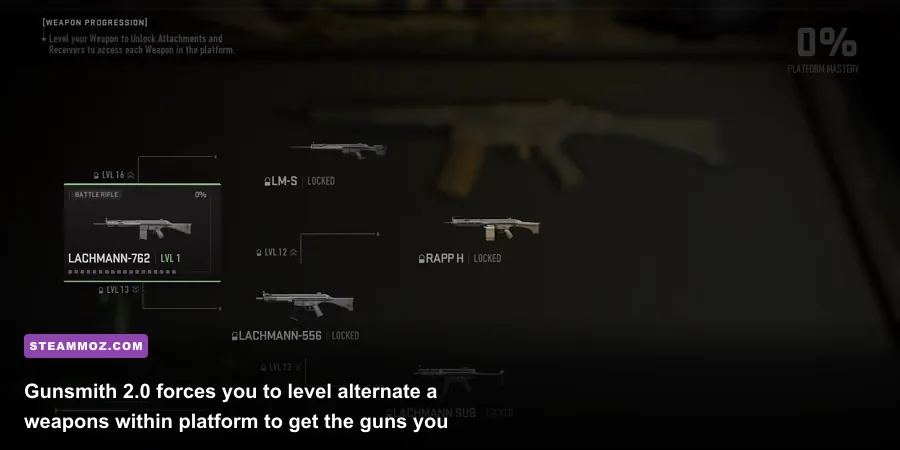
In older Call of Duty titles, unlocking a submachine gun meant leveling up your player profile until that specific gun became available, then grinding that individual gun to earn its optics and extended magazines. Modern Warfare 2 completely threw that system out the window in favor of Platforms and Receivers.
If you boot up the game wanting to run the Lachmann Sub (the iconic MP5), you won't unlock it simply by reaching level 40. You first have to use the Lachmann-762 battle rifle, level it up until you unlock the Lachmann-556 assault rifle receiver, grind that assault rifle through several levels, and only then do you unlock the Lachmann Sub receiver. If you want a complete arsenal, you cannot just stick to your favorite weapon archetype; you have to spend hours leveling marksman rifles, shotguns, and clunky battle rifles to unlock high-tier SMGs and assault rifles.
The upside to this system is universal attachments. Once you unlock a specific reflex optic, suppressor, or underbarrel grip on one weapon platform, that attachment is permanently unlocked for dozens of other compatible guns in your locker. Exploring weapon performance and evaluating top-tier armaments—much like checking out weapons ranked from S to C—helps you prioritize which platforms give the best return on your time.
| Target Weapon | Platform Tree | Required Prerequisite Guns | Key Shared Attachment Unlocked |
|---|---|---|---|
| Lachmann Sub (MP5) | Lachmann & Meer | Lachmann-762 (Lv 16) → Lachmann-556 (Lv 12) | FTAC Castle Comp, LM Stockless Mod |
| FSS Hurricane | M4 Platform | M4 (Lv 19) → FTAC Recon (Lv 16) | Demo Quik-Clean Stock, 50-Round Mag Base |
| Kastov-74u | Kastovia Platform | Kastov 762 (Lv 10) → Kastov 545 (Lv 13) | Broadside Funch Muzzle, KSTV Stock |
| Vaznev-9K | Kastovia Platform | Kastov 762 → 545 → Kastov-74u (Lv 15) | Otrezat Stock, True-Tac Grip |
Once you max out a weapon's progression, you unlock Weapon Tuning. Tuning gives you micro-sliders to adjust barrel weights, grip thickness, and stock tension to favor either Aim Down Sight (ADS) speed or Recoil Control. A critical warning: never max out the tuning sliders. The stat graph suffers from severe diminishing returns past the 75% mark on any slider, adding massive penalties to your sprint-to-fire speed while offering almost zero noticeable gain in recoil stabilization. Keep your tuning adjustments modest and balanced.
The Timed Perk System Completely Alters Match Flow

One of the most jarring surprises for returning veterans is the Timed Perk Package system. In traditional CoD matches, you spawn into the match with three or four permanent perks active. In Modern Warfare 2, your loadout is split into three distinct tiers: Base Perks, a Bonus Perk, and an Ultimate Perk.
- Base Perks (2 Active): You spawn with these active right from the opening second. Combinations like Double Time, Battle Hardened, or Bomb Squad live here.
- Bonus Perk (1 Active): Unlocks roughly 2 to 4 minutes into the match. Earning score, securing objectives, and racking up kills speeds up this timer. Popular picks include Fast Hands and Cold-Blooded.
- Ultimate Perk (1 Active): Unlocks around the 6 to 8-minute mark. This houses game-changers like Ghost, High Alert, and Quick Fix.
Understanding this rollout changes how you approach the early game. Because Ghost is locked behind the Ultimate Perk tier, no one on either team has radar immunity during the first three to five minutes of a match. As a result, the early phase of every multiplayer game is dominated by UAV spam. If you do not run a PILA or STRELA launcher as your secondary weapon, or fail to earn an early Counter-UAV, the enemy team will track every step you take across the minimap. Adapting to technical disruptions or display mismatches—similar to sorting out low FPS and unexpected display glitches—starts with anticipating backend mechanics, and the timed perk rollout is a structural mechanic you must plan around.
Audio is another vital factor here. Footsteps in MW2 are deliberately heavy and loud. If you sprint blindly through interior corridors, enemies running High Alert or wearing decent gaming headsets will hear your boots crunching gravel from twenty yards away. To counteract this on PC, many competitive players switch their Windows sound settings to enable Loudness Equalization, which compresses ear-shattering explosions while boosting low-frequency footstep sounds. Pair this with the in-game "Headphone Bass Boost" audio preset for the cleanest directional awareness.
Movement Mechanics and Aiming Realities
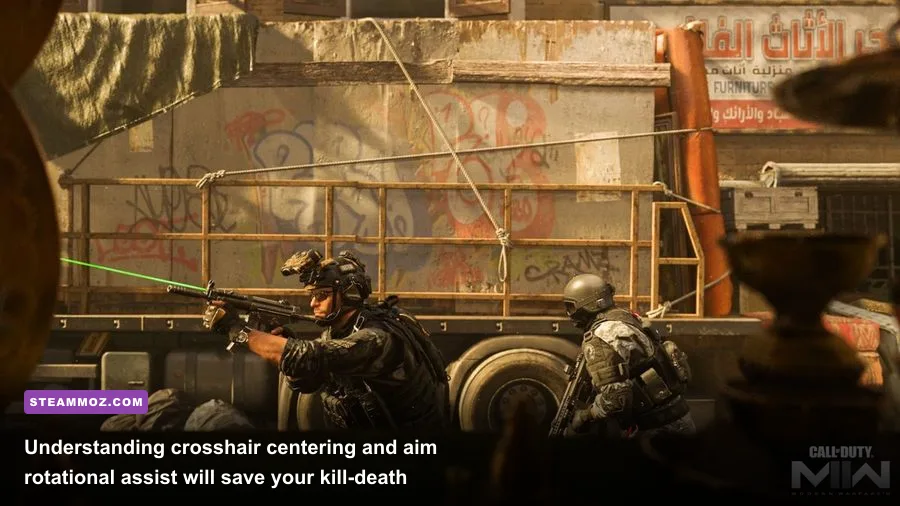
If you are coming into Modern Warfare 2 expecting the lightning-fast movement mechanics of Modern Warfare (2019) or original Warzone, prepare for a shock: slide-canceling is dead. You can no longer spam slide inputs to reset tactical sprint and break the camera angles of players holding long sightlines. Attempting to fire during a slide forces a heavy delay, and bunny-hopping around corners triggers an aggressive ADS penalty that throws off your first shot accuracy.
Instead, movement in this game emphasizes positioning, pre-aiming, and tactical use of the Dolphin Dive. By holding your prone key while tactical sprinting, you fling your operator forward onto their stomach. Unlike sliding, diving completely removes you from head-level sightlines, making it the ultimate tool for hurling yourself across open street intersections into hard cover. Check out the official breakdown on the Call of Duty Official Website to see detailed mechanic overviews for tactical sprint and diving interactions.
Finally, consider your input device. If you play on Mouse and Keyboard, understand that Modern Warfare 2 features exceptionally strong Rotational Aim Assist (RAA) for controller users. Inside tight, close-quarters maps like Mercado Las Almas, Farm 18, or Shoot House, controller players who keep their left stick active receive incredible tracking assistance that rarely misses a shot through jumping or strafing transitions. As a mouse player, your distinct advantages are long-range micro-adjustments, rapid 180-degree flick turns, and faster target acquisition across multiple targets. Do not pick 50/50 hipfire jumping duels in tiny rooms against controller players; keep your distance, hold smart head-glitches, and play to your input's mechanical strengths.
Modern Warfare 2 rewards deliberate tactical planning far more than chaotic rushing. Take the time to let your shaders compile, dial in your FidelityFX CAS sharpening, map out your Gunsmith receiver progression, and pack a launcher for early-game UAV dominance. Once you configure your Steam client to respect these mechanics, you'll dominate the scoreboard while everyone else is still figuring out why their gun won't shoot straight.