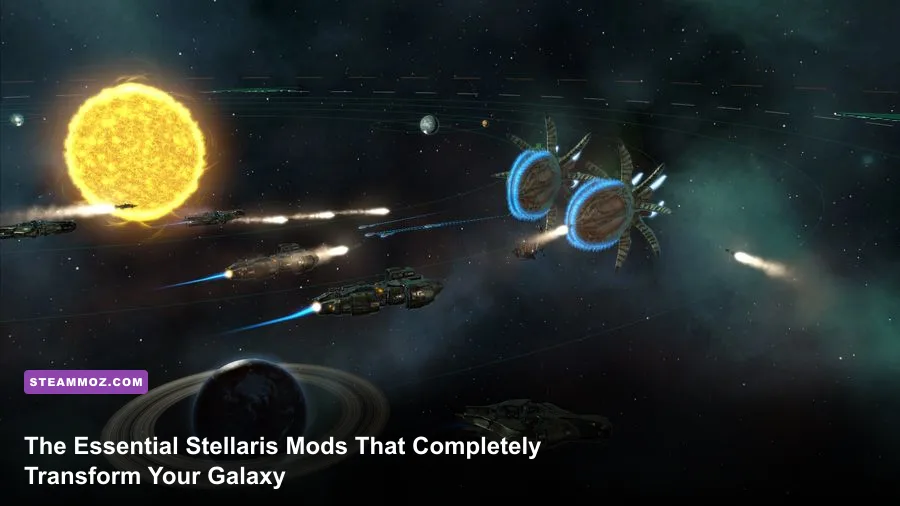
If your late-game galaxy feels like an unnavigable slog of micromanagement, brain-dead AI fleets, and menu windows that look like they were built for 800x600 monitors, vanilla Stellaris is holding you back. To fix the experience immediately, install UI Overhaul Dynamic for sanity-saving interface scaling, Gigastructural Engineering & More for boundless endgame progression, and Amazing Space Battles to turn muddy ship clusters into cinematic warfare. These three form the foundational bedrock of modern grand strategy modding, rescuing Paradox's space simulator from repetitive burnout and turning it into the deep, breathing space opera it was always meant to be.
While developer updates from the Paradox Custodian team have ironed out plenty of ancient kinks, the community on the Stellaris Steam Workshop remains light-years ahead in terms of flavor, mechanics, and visual punch. Whether you have 200 hours under your belt or you are pushing 2,000, playing without these transformative mods is leaving half the galaxy's potential on the launchpad.
S-Tier Quality of Life: Fixing the UI and Information Clutter
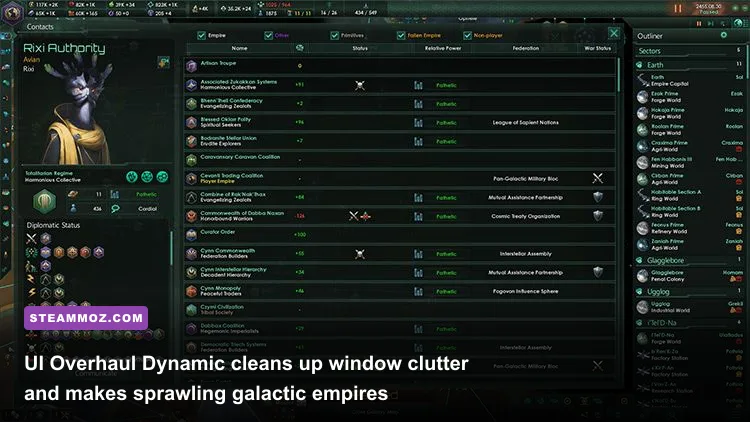
Vanilla Stellaris suffers from an interface designed around low-resolution displays, forcing you to scroll endlessly through tiny windows to manage simple colonial buildings or sector fleets. UI Overhaul Dynamic is not merely an optional visual tweak; it is the non-negotiable cornerstone of the entire modding scene. It completely redesigns every planetary interface, ship designer window, empire view, and policy screen to fit modern 1080p, 1440p, and 4K monitors natively. Building slots expand from cramped grids into legible, broad overviews, letting you evaluate district yields, amenities, and planetary deficits in a single glance.
Pair this directly with Tiny Outliner v2 (and its corresponding UI Overhaul Dynamic compatibility patch). By year 2350, when your empire controls forty planets, nine fleets, twenty starbases, and dozens of civilian craft, the default outliner turns your right screen edge into a nightmarish scrollfest. Tiny Outliner shrinks the vertical padding on entries, packing triple the actionable data into the same screen real estate without sacrificing readability. You'll spend significantly less time clicking through menus and far more time commanding your borders.
Another lifesaver is SpeedDial, a mod that injects sleek, dedicated buttons right into your top bar for Enclaves, Caravaneers, and the Shroud. Instead of hunting through the contacts screen or panning your camera across the galaxy map to ask the Curator Order for research buffs, one click connects you instantly. It's the kind of ergonomic polish that makes going back to pure vanilla feel utterly primitive.

🎮 FORM
Looking to experience this game? Grab your digital key directly on our store for $14.99.
View on Steammoz Store →Heavy-Duty Game Mechanics & Endgame Overhauls
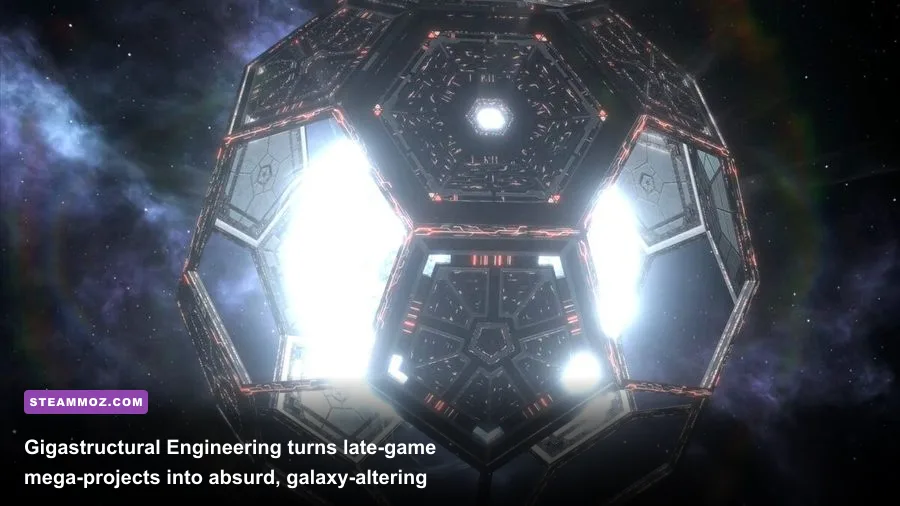
Once your interface stops fighting you, the mid-game and late-game content drought becomes your next big hurdle. Enter Gigastructural Engineering & More, the undisputed titan of total overhauls. This mod doesn't just add a couple of shiny toys; it completely redefines how civilizations harness cosmic power. You gain the ability to build Matrioshka Brains around stars for thousands of monthly physics points, construct Attack Moons and Planet-sized Behemoth warships, and tap the supermassive black hole at the center of the galaxy with a Birch World that houses infinite pops.
Crucially, Gigastructural Engineering avoids trivializing the game by introducing terrifying custom crisis factions. The Blokkat Harvesters, for example, sweep across the galaxy like an existential plague, dismantling entire solar systems for raw energy and matter. Beating them requires complex logistical chains, system-wide hyper-shields, and weapon tech far beyond standard Dark Matter shields. Just be mindful of system performance; building a dozen titanic ringworlds can stress older processors. If you've spent time applying Elex PC fixes that stop crashes and rescue your FPS on CPU-heavy engines, you already know how demanding complex AI sub-routines can become when thousands of new economic calculations fire every 30 days.
For players who crave biological and atmospheric diversity rather than mechanical megastructures, Planetary Diversity is your gold standard. It splits standard world types into dozens of unique biomes—from sub-polar tundras and methane seas to ash worlds and floating archipelago planets. Each features distinct tile blockers, district mechanics, and planetary decisions, ending the era where every single Arid world felt identical across the galaxy.
| Mod Name | Tier Rating | Primary Focus | Performance Impact | Key Synergy |
|---|---|---|---|---|
| UI Overhaul Dynamic | S-Tier | Interface Scale & Cleanliness | Negligible (Zero CPU cost) | Essential for all sub-mods |
| Gigastructural Engineering | S-Tier | Megastructures & Super-Crises | Moderate to High (Late game) | Planetary Diversity & ACOT |
| Guilli's Planet Modifiers | S-Tier | Exploration & Narrative Lore | Low | Planetary Diversity |
| Amazing Space Battles | A-Tier | Combat Visuals & Weapon FX | Low to Medium (Big fleet battles) | Downscaled Ships |
| More Events Mod (MEM) | A-Tier | Mid-Game Anomalies & Quests | Very Low | Archaeology Story Pack |
| StarNet / StarTech AI | A-Tier | AI Economy & Military Tactics | Low | Vanilla / Light Overhauls |
| Real Space 3.9 | B-Tier | Cosmic Scale & System Beauty | Low to Medium | New Horizons / Visual mods |
Storytelling, Exploration, and Galaxy Alive Overhauls
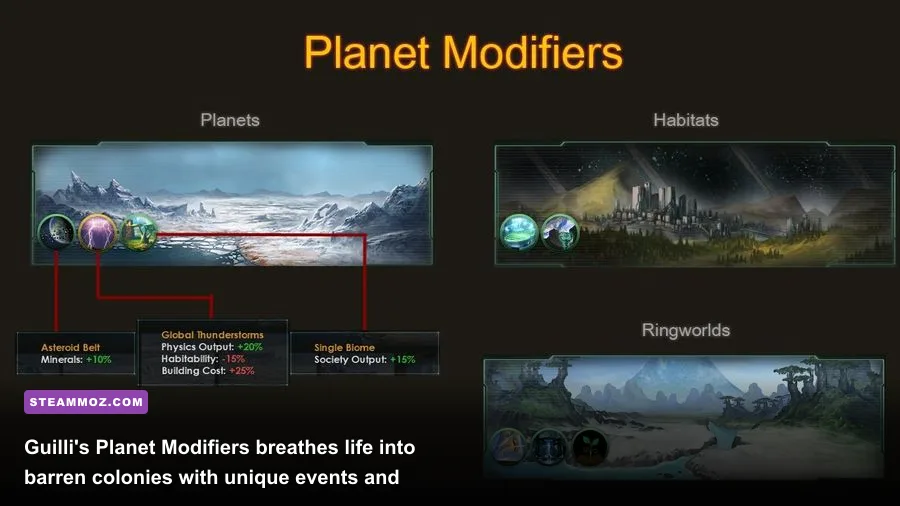
Exploration is universally considered the best phase of any Stellaris campaign, yet by year 2270, your science ships inevitably run out of anomalies to scan. Guilli's Planet Modifiers and Features completely solves this slump. It introduces over 300 hand-crafted planetary modifiers, precursor archaeological excavation sites, and planetary orbital debris fields to uncover.
Suddenly, that mundane Size-18 Continental world isn't just another source of food districts; it harbors an ancient Subterranean Gene Vault that grants unique biological tech traits, or a shifting tectonic crust that demands specialized planetary engineering projects. Guilli’s mod weaves real strategic choices into colonial development, turning passive mineral planets into specialized economic hubs with distinct lore flavor.
To deepen the galactic history, bundle in More Events Mod (MEM) and the Archaeology Story Pack. These packages inject hundreds of anomalies, multi-stage narrative quests, and mysterious galactic phenomena written with prose that effortlessly mirrors the official style documented on the official Stellaris Wiki. Managing an expanding empire becomes a captivating story rather than just raw math, mirroring the high-intensity strategic planning found in our Empires of the Undergrowth fast leveling and farming guide, where every drone placement and developmental choice holds distinct weight.
Tactical Combat & Visual Splendor Without Melting Your GPU
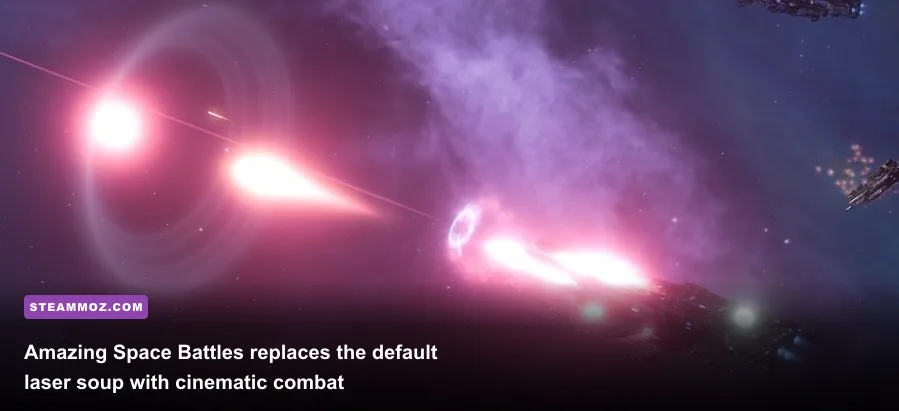
Vanilla Stellaris space warfare looks messy. Fleets clip inside each other, firing disco lasers that travel instantly across screen space, while strikecraft zoom around in chaotic, jittery paths. Amazing Space Battles (ASB) completely overhauls the physics and visual effects of combat. Lasers now feature authentic beam travel times, kinetic mass accelerators boast thunderous muzzle flashes with smoke dissipation, and missiles leave thick, spiraling exhaust plumes.
Crucially, ASB dramatically widens the combat engagement distances. Instead of your titans and corvettes mashing into an indistinguishable ball of metal in the center of a star system, ships maintain disciplined firing lines, screening their battleships from enemy brawlers. If you play on a mid-range gaming rig, make sure to pick up ASB Iron Man / Light edition, which removes heavy volumetric particle effects so your frame rates stay buttery smooth even when four 200k-power doomstacks collide over a Citadel.
Much like fine-tuning graphics in our Filament Marmalade Edition settings guide or diagnosing rendering bottlenecks via our Everspace 2 Wrath of the Ancients crashing fixes, keeping your visual mods balanced prevents the late-game engine choke. When paired with Downscaled Ships, your massive Juggernauts actually look like lumbering mobile shipyards, towering menacingly over tiny, mosquito-like corvettes rather than feeling like slightly oversized cruisers.
Fixing the Late-Game Brain Drain: AI and Economy Mods
Nothing kills the thrill of conquering an enemy empire faster than inspecting their planets and discovering that the AI built twenty commercial zones, starved its pops of energy credits, and tanked its own alloy output. While the Custodian team has made massive strides with official AI behavior, modders still lead the way in competitive economic logic.
For players who want an AI that truly fights for its life, StarTech AI (or its hyper-aggressive cousin, StarNet AI) is a revelation. StarTech forces AI empires to play with the efficiency of a seasoned multiplayer competitor. During the first 40 years, the AI focuses ruthlessly on science investments and alloy foundries. It balances job prioritization, upgrades starbases along choke points, and builds fleets to their naval capacity.
If you prefer military challenges without sweating over hyper-optimized meta builds, the Aggressive Crisis Engine (ACE) is your weapon of choice. Vanilla crises often suffer from broken fleet pathfinding, letting their colossal fleets sit idle in empty systems while you snipe their forward bases. ACE completely replaces the crisis logic: the Contingency, Unbidden, and Prethoryn will hunt your industrial core worlds, prioritize system choke points, and actively reinforce threatened invasion fleets with terrifying coordination. Check out discussions on the Paradox Interactive Forums to see how veteran players tune ACE modifiers for brutally punishing playthroughs.
The Bulletproof Load Order & Conflict Resolution Guide
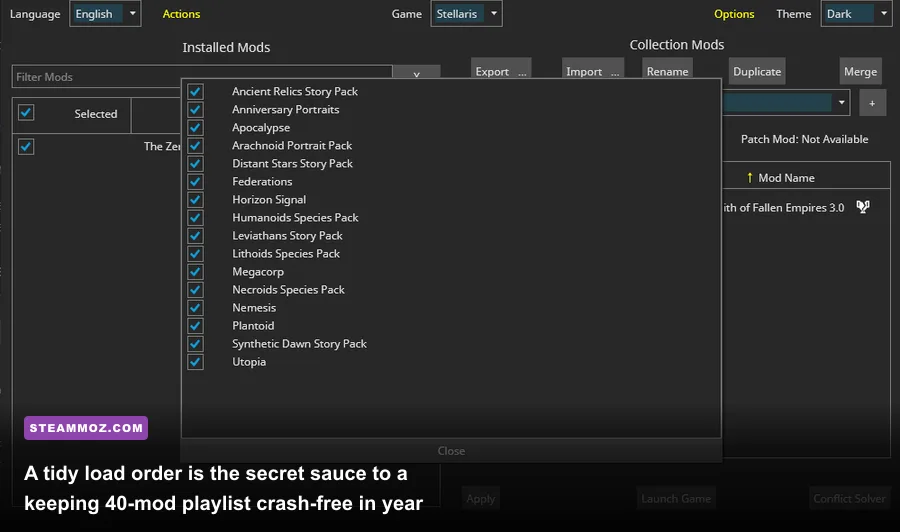
Throwing forty mods into the Paradox Launcher and praying it launches is a direct ticket to desktop crashes, broken planetary districts, and missing tech icons. The game loads mods from top to bottom, meaning the mod at the bottom of your playlist overwrites files from mods loaded earlier. To make building your playlist effortless, use this rock-solid load order hierarchy:
| Load Order Position | Mod Category | Typical Examples | Overwrite Rule & Best Practice |
|---|---|---|---|
| 1. Core Frameworks | Libraries & Code Foundations | !Mod Support Framework, Universal Resource Patch | Must load absolute first to establish base code dependencies. |
| 2. Major Game Overhauls | Total Mechanics & Content | Gigastructural Engineering, Planetary Diversity | Establishes global district types, origins, and core tech trees. |
| 3. Flavor & Story Packs | Events, Relics, Anomalies | More Events Mod, Guilli's Planet Modifiers | Safe mid-tier placement; relies on base planet classes. |
| 4. Shipsets & Combat FX | Visuals, Graphics, Audio | Amazing Space Battles, Downscaled Ships, Real Space | Place below mechanics mods to ensure custom weapon models render. |
| 5. AI & Logic Overhauls | Behavior & Decision Trees | StarTech AI, Aggressive Crisis Engine (ACE) | Must override base empire scripting and job evaluations. |
| 6. UI & Interface Overhauls | Screen Layouts & Windows | UI Overhaul Dynamic, Tiny Outliner v2 | Load near bottom so custom windows don't get reverted by content mods. |
| 7. Compatibility Patches | Direct Bridge Fixes | UIOD + Planetary Diversity Patch, Gigas + UIOD Patch | Must always sit dead last to bridge conflicting files successfully. |
For serious modding setups exceeding 30 mods, ditch the default Paradox launcher's sorting tool and grab Irony Mod Manager. Irony scans your local directories, detects duplicate common/districts or interface/ entries, and lets you generate custom merge patches with a couple of clicks. Much like dialing in your performance profiles in our Far Cry 6 GOTY settings breakdown, spending ten minutes organizing your mod load order eliminates late-game micro-stutters and completely prevents mid-campaign save file corruption.
With UI Overhaul Dynamic keeping your screen readable, Gigastructures pushing your late-game goals, Guilli's modifiers fueling your science fleets, and ASB lighting up the void with cinematic laser fire, you'll experience a grand strategy game with unmatched depth. Fire up the Stellaris Steam Store page, subscribe to these essential workshop picks, assemble your load order, and claim your place as master of the cosmos.