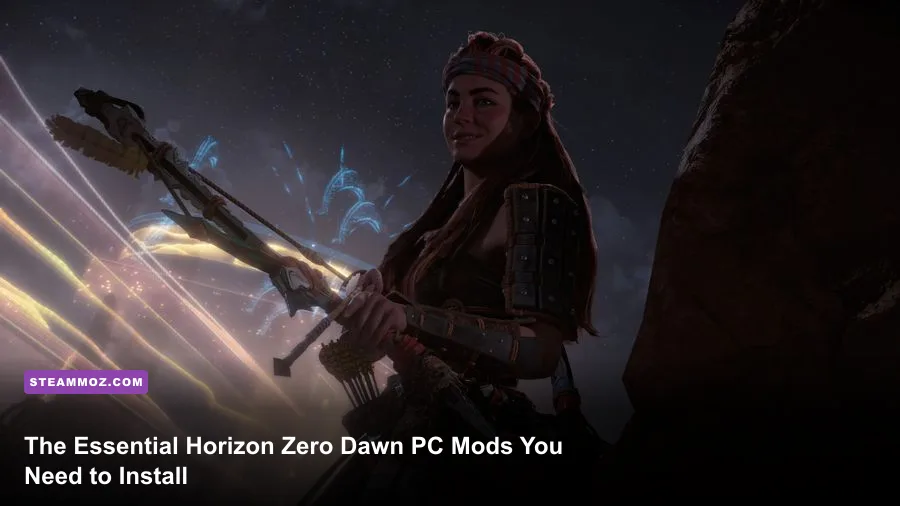
If you're playing Horizon Zero Dawn on PC, you already know Guerrilla Games built a visually jaw-dropping world, but the vanilla release still carries console-era baggage that gets in the way of a flawless playthrough. To completely transform Aloy’s post-apocalyptic odyssey, your mod loadout must prioritize three specific targets: unlocking the restrictive default field of view, stripping out the artificial inventory caps that strangle crafting, and eliminating the hazy color grading through targeted ReShade injection. By bypassing Decima engine limitations with community-built tools, you can turn a solid PlayStation port into an elite, fluid PC benchmark that plays circles around the unmodded experience.
Fixing the Decima Engine: Camera, FOV, and HUD Essentials
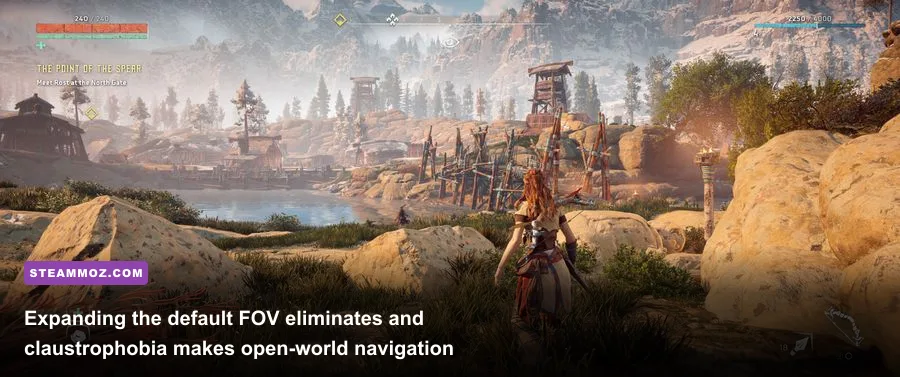
Horizon Zero Dawn looks stunning in static screenshots, but the moment you start sprinting through the Sacred Lands, the default camera positioning feels suffocating. Guerrilla built the third-person camera around a tight, locked perspective optimized for a TV across the room, leaving ultrawide monitor owners and close-proximity desktop players with motion sickness. The default vertical FOV hovers around 70 degrees, creating tunnel vision during close-quarters brawls against nimble Stalkers or charging Tramplers.
Fixing this requires injecting a custom FOV modifier or utilizing a dedicated Cheat Engine camera table. Modders quickly bypassed the hard-coded limitations, enabling you to step the FOV out to 90 or 100 degrees. The wider perspective not only saves you from getting blindsided by a Ravager's tail whip but also centers Aloy more naturally during traversal. When you aim with your Hunter Bow or Sharpshot Bow, the mod dynamically scales zoom levels so your pinpoint shots at machine blaze canisters remain perfectly readable.
Once the camera is freed, you need to clean up the screen real estate. The vanilla HUD is noisy, plastering waypoints, compass markers, and status meters directly over Aloy's line of sight. Using a dynamic HUD mod strips away the clutter when you aren't in active combat. Much like fine-tuning visual clarity in technical titles where visual noise kills reaction times—similar to optimizing settings for maximum visual clarity—a stripped-back interface lets the Decima engine's environmental art breathe. Compass pings appear exclusively when you call your Focus, and health indicators tuck away until you absorb damage from a Scrapper.

🎮 FORM
Looking to experience this game? Grab your digital key directly on our store for $14.99.
View on Steammoz Store →Visual Overhauls: ReShade, Lighting, and Texture Fixes
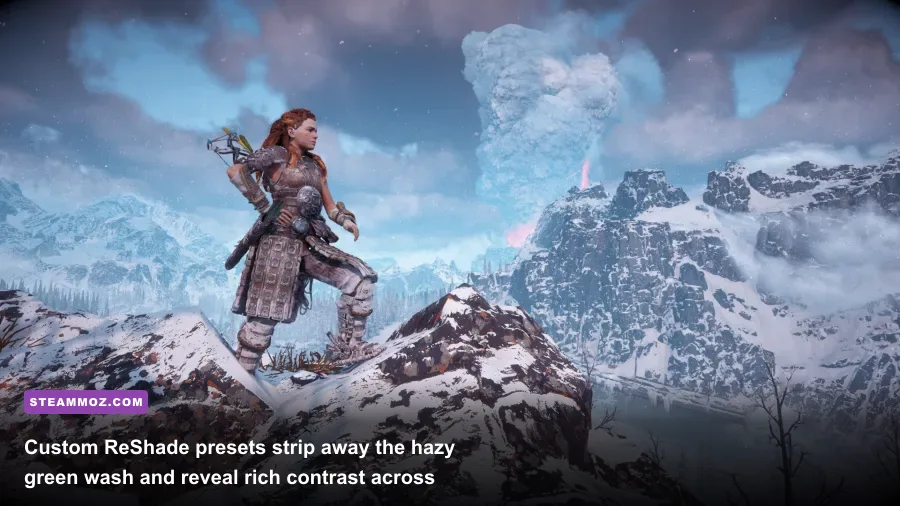
Despite its technical brilliance, the vanilla PC release suffers from an aggressive green-yellow tint across sunny biomes and an overly washed-out black level in shadows. The lighting engine frequently clips highlights in snowy mountain ranges while crushing mid-tones inside dark Cauldron ruins. Visual mods on the Nexus Mods Horizon Zero Dawn community tackle these atmospheric inconsistencies head-on.
A calibrated ReShade configuration built around subtle color matrix adjustments, fine-tuned ambient occlusion, and mild bloom changes the tone of the game instantly. By neutralising the warm filter, snow in the Cut glows with an authentic, blinding chill, while the red dirt of Carja territory feels baked under an arid sun. Injecting high-quality screen-space ray tracing (RTGI) via ReShade grounds foliage and mechanical scrap meshes that occasionally look like they're floating on rocky inclines.
Beyond color correction, you should install anisotropic filtering texture fixes. While Guerrilla patched the worst of the port's early texture streaming bugs, the game still downscales ground decals at oblique viewing angles to protect lower VRAM limits. Running forced 16x anisotropic filtering alongside community LOD improvements prevents ground moss, cobblestone roads, and rusted metal hulls from smearing into blurry pastes ten yards ahead of Aloy's boots. If you've spent time dialling in profiles like the tactical PC performance setups on modern open worlds, you know that keeping high-fidelity assets stable requires balanced mod selection.
| Mod Name / Category | Key Feature / Function | Performance Cost | Visual / Gameplay Impact |
|---|---|---|---|
| Dynamic FOV & Camera Restorer | Expands horizontal FOV to 90–110° & centers sprint view | None (0 FPS) | Eliminates claustrophobia, elevates combat spatial awareness |
| Natural Vibrant ReShade | Removes muddy green wash, deepens black levels | 3–6 FPS | Dramatically improves dynamic range and biome contrast |
| High-Res Texture & LOD Extender | Forces 16x AF & expands LOD distance buffers | 1–3 FPS (VRAM heavy) | Stops distant texture pop-in across open savannas |
| Immersive Minimal HUD | Auto-hides quest icons, markers, and meters | None (0 FPS) | Turns exploration cinematic; brings Focus tool back to life |
| Decima No-Intro Skip | Bypasses intro splash screens directly to main menu | None (Faster Boot) | Saves 20–30 seconds on every launch |
Combat and Economy Balancing: Ending the Resource Grind
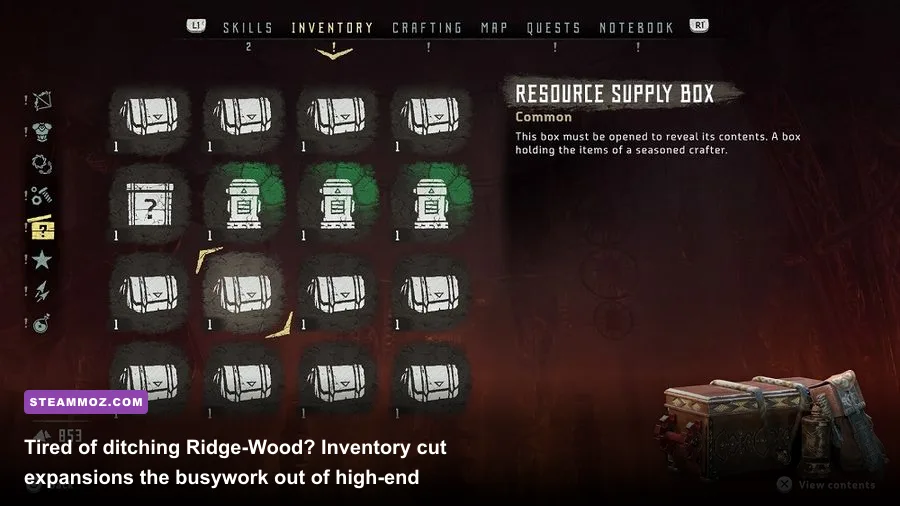
Let’s be honest: Horizon Zero Dawn's inventory management is miserable. The vanilla economy was tuned to force players into tedious menu-juggling, constantly stopping in the middle of hostile machine territory to drop stacks of Ridge-Wood, Wire, or Sparkers. By mid-game, when you are firing Volatile and Tearblast arrows from your Shadow Sharpshot Bow against high-tier behemoths, resource bottlenecks become an active annoyance rather than a fun survival mechanic.
Economy and inventory overhaul mods provide an instant quality-of-life jump. By raising stack limits from 100 to 500 or expanding the base inventory capacity to 1,000 slots, you eliminate the constant chore of dismantling valuable components. You can hunt down a Thunderjaw, strip its Disc Launchers, rip through its heart housing, and vacuum up every purple modification coil without having to figure out whether to toss your Hardpoint Arrow wood or animal skins.
Speaking of animal skins: hunting wildlife for satchel upgrades in vanilla Horizon is an exercise in pure frustration. The drop rates for rare Goose Bones, Fish Skins, and Fox Bones are notoriously stingy. Dedicated drop-rate rebalance mods push uncommon creature components to guaranteed drops upon a clean kill. Instead of crouching in bushes for forty minutes hunting digital turkeys, you can get back to fighting towering Corrupted Rockbreakers with your blast sling. If you enjoy games with rewarding, balanced gear loops like ranking the best armaments in over-the-top combat sandboxes, cutting down RNG material grinding is non-negotiable here.
Weapon Coil Tweaks and Modern Handling
Weapon mods aren't just about cheating; they're about expanding build diversity. In the base game, handling coils reign supreme because bow draw speed dictates your damage-per-second output. A handful of refined balance mods adjust the scaling curve on damage, tear, and elemental coils. This gives Freeze and Shock weapons—like the Shadow War Bow—viable burst capabilities without forcing you to commit every primary modification slot to handling speed. As you plan builds for high-difficulty Ultra Hard runs, having functional coil diversity lets you approach hunting lodges and bandit camps with true tactical freedom.
Cosmetics and Outfits: Fixing Aloy’s High-End Wardrobe
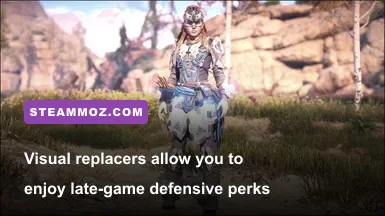
Horizon Zero Dawn gives Aloy an impressive array of tribal armor sets, from the stealth-oriented Nora Silent Hunter to the elemental-resistant Carja Blazon. Unfortunately, the game locks the strongest defensive passives to the Shield-Weaver armor, which completely breaks the aesthetic of hunting in traditional machine-woven fabrics. Furthermore, you cannot hide Aloy's headgear or swap outfit skins independently of their numerical stats without modding.
Cosmetic transfig mods and standalone mesh replacers fix this system entirely. You can run the invincible overshield barrier of the Shield-Weaver while visually sporting the rugged look of the Banuk Ice Hunter Master or the minimalist Nora Brave garb. For players who love diving deep into tailored progression without sacrificing character aesthetics, this is a massive upgrade.
Beyond functional armor transmog, the community has produced high-definition texture replacers for Aloy's hair, face paints, and Focus designs. High-resolution face mesh tweaks sharpen hair strand rendering and fix skin specular highlights that look strangely plastic under harsh desert daylight. These visual touch-ups ensure that during major story cinematics—whether conversing with Sylens or confronting Helis—Aloy looks on par with modern, dedicated PC titles built entirely for contemporary GPUs.
Installation Roadmap: Modding Decima Safely

Modifying games built on Guerrilla Games' proprietary Decima engine requires a different approach than tinkering with Bethesda or Unreal Engine titles. The Decima engine packages assets into monolithic .bin archives located inside the game's Packed_DX12 directory. Dropping raw loose files into your root folder will do nothing unless your mod loader correctly intercepts the game's startup pipeline, as detailed on the official Horizon Zero Dawn Steam hub.
To install mods cleanly, download the community-standard Decima Explorer tool or the QuickBMS Decima extraction script. Most modern mods on Nexus come pre-packed as replacement .bin files with high-index naming conventions (such as Patch__Z_ModName.bin). The Decima engine reads files alphanumerically, meaning the engine loads archives starting with higher letters last, automatically overwriting base data tables without modifying original game archives.
Always verify game files before starting your modding journey. If you ever run into crashing issues or memory leaks while loading heavily modded profiles—a frequent hurdle when optimizing PC engines, just like handling crashes and stuttering in open-world titles—deleting the custom patch files instantly returns your installation to pure vanilla without requiring a 70GB redownload.
| Tool / Method | Primary Purpose | Installation Location | Stability Rating |
|---|---|---|---|
| Decima Explorer | Unpacks, inspects, and repacks core game files | Standalone Utility Folder | High (Dev Grade) |
| Cheat Engine Table | Memory injection for dynamic FOV & free camera | Background Process / RAM | Medium (Updates can break tables) |
| ReShade Framework | Post-processing injection for lighting and HDR | Game Root Directory (dxgi.dll) | High (Extremely stable) |
| Manual Patch.bin Drops | Loads gameplay, cosmetic, and economy tweaks | HorizonZeroDawn/Packed_DX12 | Very High (Easily removable) |
| Vortex Mod Manager | Automated mod downloading and file placement | Managed Virtual Directory | Medium (Manual bin drops preferred) |
Load Order and Conflict Resolution
Because Decima resolves file conflicts based strictly on file naming precedence, you must monitor your mod names. If you install an economy mod named Patch_Z_Economy.bin and an inventory capacity mod named Patch_Z_Inventory.bin, whichever file sorts later alphabetically will win conflicts if they edit the same underlying data tables. When downloading multiple gameplay tweaks, look for merged patches provided by mod authors to prevent game hangs on the opening loading screen.
If your game hangs at the title screen after installing a massive visual bundle, navigate directly to your shader cache. Horizon rebuilds its DirectX 12 PSO (Pipeline State Object) cache when it detects underlying texture or lighting modifications. Giving the game three to four minutes to compile shaders quietly on initial launch prevents mid-game micro-stutters that ruin high-speed bow combat. Dealing with these engine pipeline quirks is a standard part of PC gaming, much like diagnosing early-load crashes and performance dips across complex game logic.
Transforming the PC Port into the Ultimate Version
Horizon Zero Dawn remains one of the finest sci-fi action RPGs ever conceived, pairing intense, component-shredding machine archery with a compelling mystery. While the PC release brought high frame rates and mouse precision, it took the modding community to sand down the Decima engine's rough console leftovers. Setting up a wider field of view, automating away the annoying UI clutter, balancing out the grindy animal hunting, and punching up the washed-out color grading gives you the absolute best way to experience Aloy's quest. Spend twenty minutes configuring these essential tools, and you'll experience Meridian and the Frozen Wilds as they were truly meant to be played.