When Iron Galaxy brought Nathan Drake and Chloe Frazer to PC via the UNCHARTED: Legacy of Thieves Collection on Steam, they delivered a technically competent port. But "competent" isn't what PC gamers demand from a cinematic crown jewel. Out of the box, you are forced to endure a claustrophobic default field-of-view, jarring letterboxing on ultrawide monitors during cutscenes, floaty mouse-acceleration curves, and heavy-handed color filters that dull Naughty Dog's lush environments. Thankfully, the community on Nexus Mods stepped up immediately. By injecting the right engine tweaks, camera fixes, and post-processing overhauls, you can eliminate every rough console artifact and transform this port into an absolute showstopper.
Essential Engine and Camera Overhauls: Fixing the PC Quirks
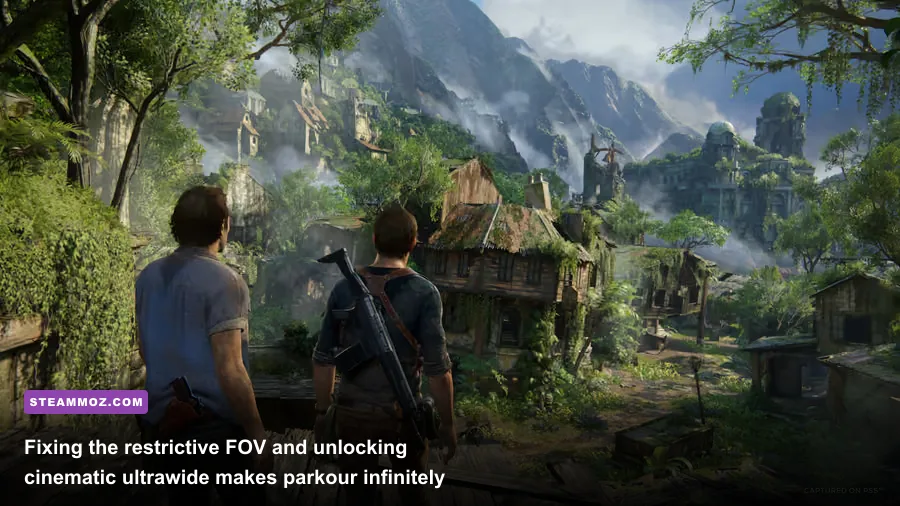
The biggest barrier between you and cinematic bliss in Uncharted 4: A Thief's End and The Lost Legacy is the camera handling. Console titles are deliberately framed with tight, 60-to-65-degree horizontal fields of view to preserve render budgets and suit couch play. When you sit two feet away from a 1440p or 4K monitor, that tight angle feels like you're playing with cardboard blinders strapped to your temples. Navigating Nathan Drake through vertical clock towers or whipping around in high-speed vehicular shootouts in King's Bay triggers instant visual fatigue.
The undisputed king of camera fixes is the Custom FOV and Ultrawide Unlocker (frequently deployed via dedicated memory injectors or modified DLL hooks). This mod grants complete real-time slider control over horizontal and vertical FOV, allowing you to comfortably expand the viewport to 85–95 degrees. Suddenly, Drake's parkour flows naturally; you can spot grapple points, ledge anchors, and Shoreline snipers perched across courtyards without frantically panning your mouse back and forth.
Equally critical is eliminating the pillarboxed 16:9 cutscene lock. If you run a 21:9 or 32:9 monitor, the vanilla game violently snaps between widescreen gameplay and bordered cinematics. Community scripts patch u4.exe and tll.exe memory addresses directly, forcing full-aspect rendering across every single pre-rendered in-engine cutscene. If you have spent time troubleshooting frame drops in other titles—like fixing stutter in our EscapeVR The Basement low FPS guide—you know how much an unstable or restricted camera disrupts immersion. Pair your FOV adjustments with the Raw Mouse Input Enabler to bypass the port's native analog-stick emulation, transforming weapon aiming with Drake's Para .45 pistol into a razor-sharp, pixel-precise experience.

🎮 FORM
Looking to experience this game? Grab your digital key directly on our store for $14.99.
View on Steammoz Store →Visual Upgrades: ReShade, Realistic Lighting, and Color Grading

Naughty Dog has always excelled at art direction, but their color grading often leans heavily into stylized color tints. Uncharted 4 slathers its lush Madagascan jungles and Libertalia pirate ruins in an aggressive warm-yellow wash, while rainy coastal sections get drowned in desaturated teals. While atmospheric on a living room TV, modern high-nit HDR displays and fast gaming IPS panels expose crushed shadow details and blown-out highlights.
Community ReShade presets—most notably Cinematic Realism Overhaul and True Naughty Dog Tone Rebalancer—strip away the muddy overlay without destroying the game's distinctive art style. These presets leverage customized Curves, Tonemap, and Contrast-Adaptive Sharpening (CAS) shaders to inject pure, natural daylight into Avery's ruins. Ocean waters regain their vibrant azure hue, jungle canopies reveal distinct foliage gradients, and cavern interiors produce genuine, terrifying contrast between Drake's flashlight beam and the pitch-black abyss.
Another must-have visual modification is the Vignette & Chromatic Aberration Remover. The vanilla engine applies subtle edge blur and color fringing to mimic antique cinematic camera lenses. Disabling these post-processing artifacts cleans up the edges of your screen dramatically, making high-speed chase scenes across muddy dirt roads crisp rather than nauseatingly smeared.
| Mod / Tweak Name | Tier Rating | Primary Benefit | Performance Impact |
|---|---|---|---|
| Custom FOV & Aspect Ratio Fix | S-Tier (Essential) | Expands FOV to 90°+; removes 21:9 cutscene black bars | 1-3% FPS drop at high FOV |
| Raw Mouse Input & Camera Smoother | S-Tier (Essential) | Eliminates controller emulation curve on PC mice | Zero impact |
| Cinematic Realism ReShade | A-Tier (Recommended) | Restores neutral daylight; enriches HDR color grading | 3-5% FPS drop depending on shaders |
| Disable Chromatic Aberration & Vignette | A-Tier (Recommended) | Removes edge blur, fringing, and artificial lens haze | Zero impact (slight clarity gain) |
| Classic Drake Outfit Pack | B-Tier (Cosmetic) | Restores iconic Uncharted 2/3 desert and winter models | Zero impact |
Restoring Full DualSense Immersion on PC
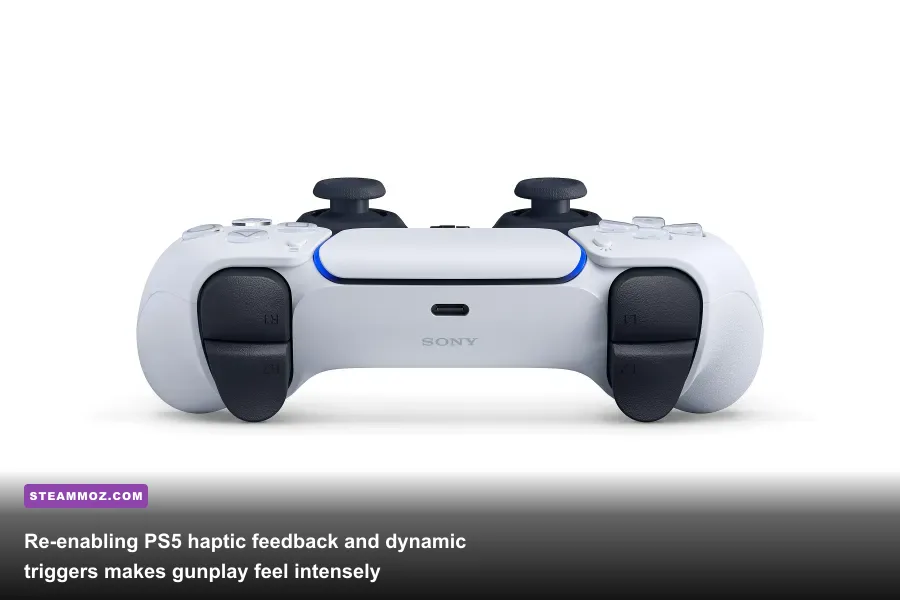
One of the strongest arguments for playing Uncharted: Legacy of Thieves Collection on PS5 was the phenomenal integration of the DualSense controller. Thankfully, that tactile wizardry isn't lost on PC—if you know how to configure it correctly. By default, Steam's built-in controller remapping layer often intercepts the controller as a standard XInput device, stripping out advanced haptics and leaving you with generic rumble motor vibration.
To experience the game the way Naughty Dog intended, you need to configure the Native DualSense Driver Passthrough mod. When wired via USB-C and paired with Steam Input set to "Disabled" for this specific app ID, the game taps directly into Sony's proprietary audio-haptic feedback. You'll feel the subtle mechanical ticking of puzzle dials beneath your thumbs, the granular patter of torrential rain striking Drake's shoulders, and the distinct resistance change on the right trigger as you swap from a light pistol to an automatic assault rifle.
If you enjoy fine-tuning inputs and squeezing optimal feedback from your hardware, check out our insights in the Far Cry 6 PC settings breakdown to see how modern titles handle input buffering and trigger tension across platforms.
Character Skins and Model Overhauls
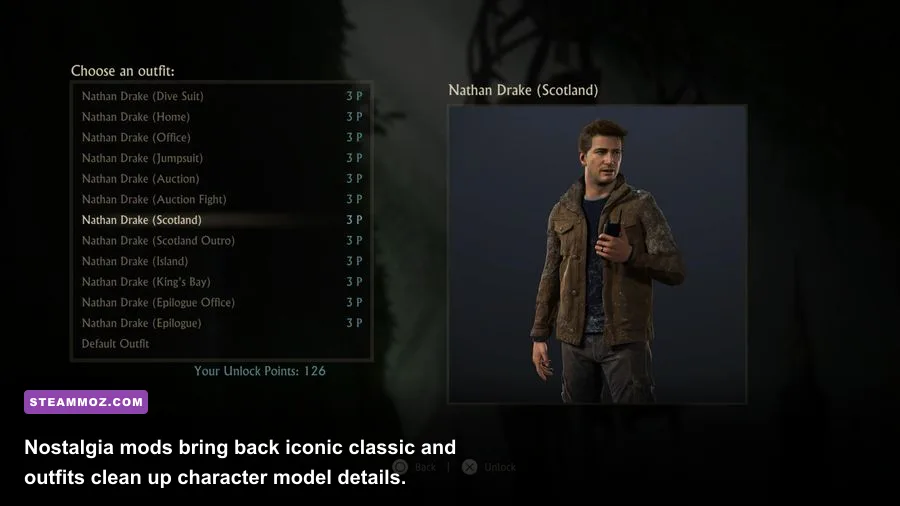
Once your engine runs flawlessly and the lighting looks pristine, diving into cosmetic mods adds tremendous replay value. While Nathan Drake's scruffy, middle-aged henley look fits his retired lifestyle in Uncharted 4, long-time fans often yearn for the globetrotting swagger of his earlier adventures. The modding community has painstakingly ported high-resolution assets to create the Uncharted 2: Among Thieves Classic Drake Overhaul.
This mod swaps Drake's weathered polo for his iconic rolled-up sleeve safari shirt, complete with the vintage horseshoe belt buckle and leather holster harness. For icy sections or flashback chapters, you can even deploy the Tibet winter parka outfit. Over in The Lost Legacy, texture artists have crafted 4K High-Definition Model Restorations for Chloe Frazer and Nadine Ross, boosting specular texture maps and removing the aggressive character LOD (Level of Detail) pop-in that occasionally surfaces during rapid vehicle maneuvers through the Western Ghats.
Stutter Elimination and High-Refresh Optimization
Even on monster rigs, Uncharted on Steam can suffer from micro-stutters during heavy asset streaming. When Drake drives the jeep across the muddy open terrain of Madagascar, or when you swing through crumbling stone archways in Libertalia, the background texture-streaming system can overwhelm CPU draw calls, causing frame-time jitter. Much like diagnosing thermal and thread hitches in our ELEX PC stability fixes or fixing rendering traps in our EVERSPACE 2 performance rescue guide, stability comes down to memory bandwidth and thread allocation.
Installing the Uncharted Engine Configuration & AVX2 Optimizer script adjusts how the port handles background decompression. By forcing the engine to utilize high-priority asynchronous compute pipelines and locking the background asset cache size in the system registry, frame-time spikes are almost completely smoothed out. Combine this mod with the settings profile below to maintain a rock-solid 120+ FPS throughout the campaign.
| Graphics Setting | Default High | Mod-Tuned Competitive Profile | FPS Gain vs. Visual Cost |
|---|---|---|---|
| Textures | Ultra | Ultra (8GB+ VRAM) | 0% FPS cost / Zero visual loss |
| Shadow Quality | Ultra | High | +8% FPS / Negligible softness difference |
| Reflections (SSR) | High | Medium | +12% FPS / Reduced water reflection noise |
| Ambient Occlusion | Ultra | High | +5% FPS / Indistinguishable contact shadows |
| Anisotropic Filtering | 16x | 16x | 0% FPS cost / Keeps ground textures sharp |
| Motion Blur | 10 | 0 (Disabled) | +3% FPS / Drastic increase in combat clarity |
Safe Mod Installation: PSARC Tools and Clean Backups
Modding Uncharted isn't as plug-and-play as dropping files into a basic directory, because Naughty Dog archives the bulk of game files inside proprietary .psarc archives. To load custom textures, outfits, or audio files safely, you will need the PSARC Unpacker & Injector Tool. Understanding file structure helps avoid game-breaking issues, a principle we highlight frequently in troubleshooting guides like our Filament FPS and file configuration analysis.
Always make a clean backup copy of your \uncharted4\pc\build\ root folder before dropping third-party DLLs or running archive repacking tools. If you use memory injectors for FOV modification (such as Cheat Engine tables or Flawless Widescreen plugins documented on PCGamingWiki), always launch the injector *after* the game reaches the main title screen to prevent initial handshake crashes with Steam's executable verification.
With an uncapped FOV, pristine cinematic color grading, lightning-fast raw mouse inputs, and full PS5 DualSense rumble vibrating in your palms, Drake's final adventure transforms from a simple console port into an absolute PC gaming tour de force. Take twenty minutes to dial in these essential mods, and you will never look back.