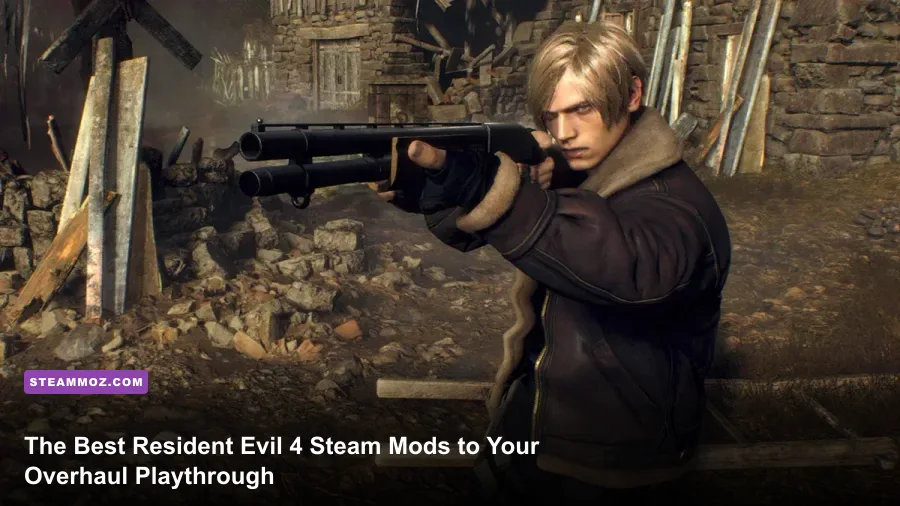
Installing the best Resident Evil 4 Steam mods transforms Capcom's modern survival horror masterpiece from a rigid, cinematic console port into an ultra-responsive, mechanically sharp PC action clinic. By injecting essential foundational tools like REFramework and Fluffy Mod Manager alongside game-changing gameplay rebalances, custom laser sights, and brutal AI overhauls like the Berserker Mod, you strip away pesky technical compromises—like sluggish camera fields of view and aggressive edge vignetting—and open the floodgates to endless replay value. Whether you want to restore the pin-point precision of the original 2005 laser sight or turn Valdelobos into a merciless tactical gauntlet, fine-tuning your game on Resident Evil 4 on Steam is the single best upgrade you can make to your survival horror library.
The Core Foundation: Essential Modding Tools You Can’t Skip
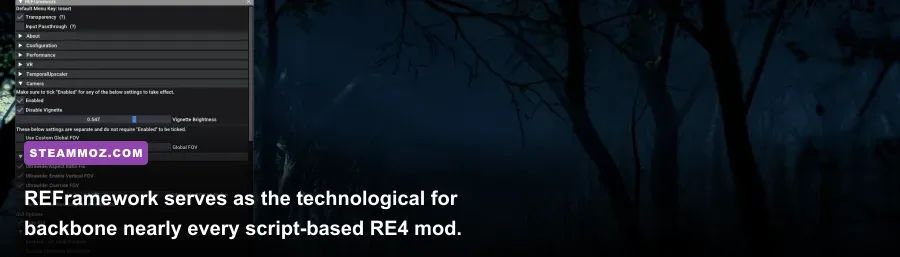
Before you even think about swapping out character meshes or tweaking weapon telemetry, you need the twin pillars of RE Engine modding installed. Without these two tools running behind the scenes, modern script-based mods simply will not inject into the executable, leading to silent crashes or broken save data.
First up is REFramework, created by legendary modder praydog. This lightweight dinput8.dll wrapper hooks straight into the RE Engine runtime at boot, exposing a functional in-game GUI via the Insert key. It gives you instant access to low-level engine variables: you can uncap cinematic cutscenes, modify native field-of-view (FOV), adjust temporal anti-aliasing jitter, and even fix the persistent frame-time spikes that occasionally plague modern RE Engine releases. If you have ever run into stability headaches when modifying system files—similar to troubleshooting headaches tackled in our guide on troubleshooting PC crashes and salvaging your frame rate—REFramework acts as your ultimate diagnostic safety net.
The second mandatory download is Fluffy Mod Manager 5000. Unlike crude manual installations where you dump loose files directly into your Steam directory—inevitably breaking when Capcom pushes a patch—Fluffy manages virtual file trees. It reads archived mod files (usually .zip or .rar), extracts them cleanly into a staging area, and injects them without overwriting your original .pak game archives. One toggle flips a mod on or off, making conflict resolution effortless when testing multiple packages.
| Mod / Tool Name | Category | Primary Function | Performance Impact | Must-Have Rating |
|---|---|---|---|---|
| REFramework | Core Utility | Lua scripting API, crash debugging, FOV and engine adjustments | 0% (Negligible) | S-Tier (Essential) |
| Fluffy Mod Manager | Mod Organizer | One-click install/uninstall without corrupting base game files | None (External) | S-Tier (Essential) |
| No Vignette + FOV Slider | Quality of Life | Removes camera edge darkening, widens peripheral vision up to 110° | +1 to 2% FPS boost | S-Tier (Essential) |
| Classic Laser Sight Everywhere | Gunplay Tweak | Replaces reticle bloom with classic red beam across all handguns/magnums | None | A-Tier (Recommended) |
| Berserker Overhaul | Total Gameplay Rebalance | Aggressive AI scripts, rearranged enemy waves, tighter parry mechanics | -3% to 5% in massive hordes | A-Tier (Hardcore) |
| Enemy & Item Randomizer | Replayability Mod | Randomizes enemy spawns, loot boxes, and key item progression | Negligible | B-Tier (Post-Game Fun) |

🎮 FORM
Looking to experience this game? Grab your digital key directly on our store for $14.99.
View on Steammoz Store →Quality of Life Overhauls: Fixing Camera, Vignette, and Lasers

Vanilla Resident Evil 4 is an atmospheric visual feast, but Capcom made a few frustrating design choices that penalize PC players sitting just two feet from high-refresh ultrawide monitors. The most offensive culprit is the game's aggressive screen vignette. Whenever Leon squats, takes damage, or enters darker corridors, thick black shadow masks bleed inward from the display corners, choking up to 25% of your peripheral vision.
Installing No Vignette (easily toggled via an REFramework script or standalone mod) immediately strips this artificial filter away, revealing clean, uncompromised contrast across your entire display. Combine this with an FOV expansion mod. Vanilla caps out at a restrictive visual cone that feels tight on a desktop monitor, sometimes triggering motion sickness akin to poorly calibrated virtual camera rigs—an issue we frequently examine when dealing with resolving camera and low FPS issues. Bumping your horizontal field of view to roughly 95° or 100° lets you track flanking Ganados without frantically flailing your mouse across the pad.
Next comes gunplay feel. In vanilla RE4, aiming your sidearm forces you to deal with dynamic reticle bloom: you must stand dead still for roughly 1.2 seconds for the crosshair to settle, granting bonus critical hit rate. While thematic, it can feel sluggish to fans who loved the pinpoint mechanical accuracy of the 2005 classic. The Classic Laser Sight Overhaul replaces the expanding crosshair with a continuous, vibrant red laser sight for all handguns and magnums, not just those compatible with the Merchant's specific Laser Sight attachment. It restores snap-aiming confidence, turning precision headshots into a test of raw mouse skill rather than RNG bloom mechanics.
Game-Changing Combat Overhauls: Berserker and Hardcore Balancing

Once you've cleared the main campaign and conquered Professional mode with an S+ rank, the vanilla AI routines start to reveal their predictable strings. Enemies wait politely in line during specific grapple animations, dynamic difficulty scaling dials back aggression when your health is low, and parry windows remain forgivingly broad. If you crave white-knuckle panic, the Berserker Mod is the single most transformative gameplay overhaul available on Steam.
Berserker completely rips out the game's underlying adaptive difficulty curves. Instead of Ganados staggering for three seconds off a single 9mm round to the kneecap, enemies push through superficial damage with feral momentum. Parasitic Plaga mutations erupt far more frequently, shield-bearing cultists actively flank your reload animations, and mini-bosses like Chainsaw Sisters and Brutes spawn alongside standard mob waves in early chapters. To balance this brutality, Berserker reworks your defensive arsenal: your combat knife features reworked durability scaling, melee kicks grant broader crowd-clearing knockback, and weapon stats incentivize distinct tactical playstyles.
| Combat Mechanic | Vanilla RE4 (Professional) | Berserker Mod Overhaul | Tactical Adjustment Required |
|---|---|---|---|
| Enemy Aggression Pacing | Ranked AI queues attacks; enemies pause briefly off-camera | Zero attack queuing; continuous multi-angle flanking swarms | Constant positional repositioning; do not hold dead ends |
| Parry Window Duration | ~200ms window on Professional; prompt flash enabled | Tight ~80-100ms micro-window; zero UI visual prompt | Must read enemy weapon trajectory and physical wind-up |
| Knee/Head Stagger Threshold | 1-2 shots with high-damage handguns (e.g., Red9) | High poise resistance; requires consecutive heavy-caliber impacts | Shift focus to high-stumble shotguns or explosive craftables |
| Plaga Guadaña Eruption Rate | ~15% base spawn chance in designated chapters | Upwards of 45-50% spawn chance across standard infected | Stock Flash Grenades; conserve high-power rifle rounds |
| Resource Economy | Adaptive drops: low ammo forces the game to drop more ammo | Completely static drop rates; zero safety nets | Meticulous gunpowder budgeting; sell unneeded treasures early |
Mastering this mode demands deep familiarization with your armory, much like ranking fire options in our breakdown of weapon tier list rankings. In Berserker, carrying an un-upgraded Matilda or standard SG-09 R will get you torn to ribbons; you need heavy crowd-clear weapons like the Riot Gun or the fully tuned Striker to carve escape lanes when Plaga mutations cut off your retreat.
Performance Tuning: Smoothing Framerates and Eradicating Stutter

While the RE Engine is remarkably scalable, Resident Evil 4 on Steam suffers from distinct PC quirks: aggressive shader recompilation stutters in the Village square, memory leaks over extended multi-hour sessions, and suboptimal temporal anti-aliasing that turns foliage and rain into a smeared mess. Fortunately, the modding community has stepped in with surgical performance remedies.
If you're pushing native 4K or ultra-wide resolutions, installing the PureDark Upscaler / Streamline Mod introduces true DLSS 3 Frame Generation and updated upscaling models into the game, bypassing Capcom's native FSR 2 implementation which frequently introduces haloing artifacts around Leon's hair. This tweak mirrors the technical tuning strategies explored in our comprehensive optimizing graphics settings for maximum FPS guide. For mid-range GPU owners sitting on RTX 3060 or RX 6700 XT hardware, swapping native temporal AA for sharp TAA tweaks via REFramework stabilizes your frame-time graph, eliminating the 1% low frame dips that ruin tight parry timings during intense boss encounters with Verdugo or Krauser.
Additionally, running a script mod to disable real-time screen-space reflections in favor of optimized SSR rendering frees up crucial VRAM overhead. When managing high-resolution texture packs, keeping your VRAM usage below 90% of your physical GPU limit is critical to prevent the sudden, catastrophic 15 FPS drop that occurs when the RE Engine dumps assets into system RAM. By applying the right internal setting adjustments—comparable to the hardware balance discussed in our guide on tuning PC settings for higher framerates—you ensure locked 120+ FPS combat without visual compromises.
Infinite Replayability: Enemy and Item Randomizer Madness

Once you've explored every secret cavern and memorized every clockwork castellan location documented on Capcom's official Resident Evil 4 website, the campaign risks becoming a choreographed routine. You know the exact plank where a dynamite Ganado spawns; you know precisely when two Garradors will charge through the dungeon door. The Resident Evil 4 Randomizer obliterates that comfort zone entirely.
Built with intelligent logic solvers to prevent softlocks, the randomizer redistributes weapon pickups, treasure chests, merchant wares, and enemy encounters across the entire map. You might step into the early Chapter 1 farmstead only to be ambushed by an Iron Maiden or a fully armored Novistador swarm. You might open the iconic shotgun house only to find a Broken Butterfly magnum with no ammo, forcing you to sprint through the graveyard with nothing but a boot knife and your wits.
What makes the Randomizer so endlessly replayable is how it tests your fundamental survival instincts. Instead of relying on rigid speedrun routes, you are forced to improvise with whatever tools drop into your attaché case. Finding an unexpected rocket launcher in a humble barrel or scouring every corner of the Castle just to locate the Insignia Key transforms your playthrough into an exhilarating roguelike thriller. Check the comprehensive catalog on the Resident Evil fandom database to review base weapon damage profiles and key item interactions so you can quickly evaluate whether your randomized seed is giving you a fighting chance or sending you straight into the meat grinder.
Essential Modding Checklist: Avoid Crashes and Save Corruptions
- Verify Base Game Files: Always right-click RE4 in your Steam Library > Properties > Installed Files > Verify integrity of game files before installing any script hooks.
- Set File Exceptions: Add your root
Resident Evil 4installation folder to your antivirus whitelist; aggressive scanners frequently flagdinput8.dllhook files as false positives. - Disable Automatic Steam Updates: Capcom occasionally releases minor stability patches that alter the game's executable offsets, which can temporarily break REFramework. Set RE4 to update "Only when launched," and run Steam in offline mode if you want to finish a modded run before updating.
- Back Up Your Saves: Keep manual backups of your
userdatasave folders located in your Steam install directory. Overhaul mods that adjust inventory grids or item stats can alter save tags irreversibly.
With these essential tools, tweaks, and overhauls locked into your Steam directory, Resident Evil 4 shifts from a one-and-done survival horror romp into the ultimate, hyper-replayable third-person action playground on PC. Load up Fluffy Mod Manager, tune your laser sight, and step back into the village with total control over your nightmare.