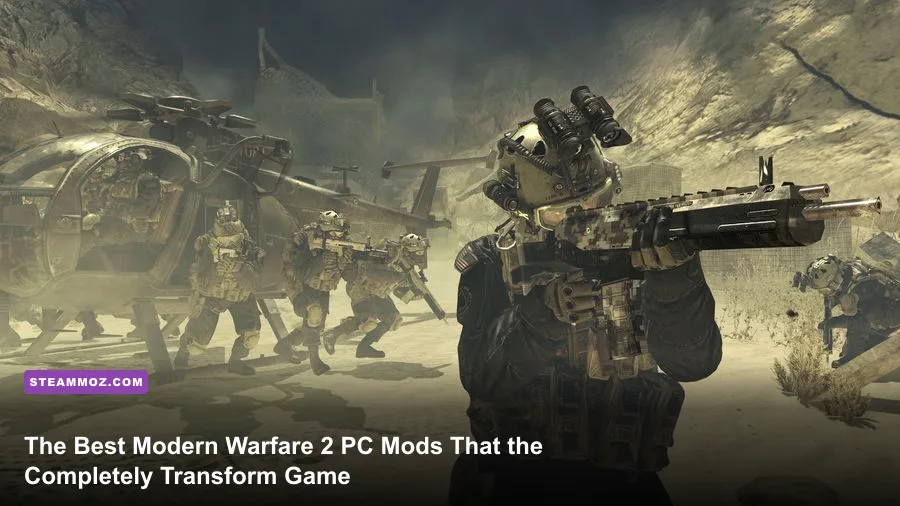
If you want the definitive Call of Duty: Modern Warfare 2 experience on PC today, your first moves must be installing the standalone community client IW4x, injecting the offline tactical bot overhaul Bot Warfare, and dropping in a modern DXVK Vulkan translation layer. Out of the box, the unmodded Steam release of 2009's classic is practically unplayable: it suffers from unpatched Remote Code Execution (RCE) security exploits, lacks dedicated servers, locks your Field of View to an eye-straining 65 degrees, and chokes on modern multi-core processors. Turning this beloved shooter into an elite, silky-smooth 144Hz masterpiece requires the right stack of modifications.
Before touching any files, keep one critical operational distinction in mind: this guide covers the legendary 2009 release of Call of Duty: Modern Warfare 2 on Steam. Modifying the 2022 reboot of the same name will trip the kernel-level Ricochet anti-cheat and result in a swift, permanent hardware ban. For the 2009 masterpiece, however, the community has built an entire ecosystem of client repairs, AI systems, visual touch-ups, and audio overhauls that make the game feel like a genuine modern release rather than a dusty console port.
The Definitive MW2 Mod Tier List: From Game-Savers to Visual Polish
Not every mod deserves space on your NVMe drive. Some old file modifications floating around legacy forums can break your installation or re-introduce the exact crash bugs you are trying to avoid. To streamline your setup, we have categorized the essential mods into distinct tiers based on their impact on security, gameplay stability, and visual performance.
| Mod / Tool Name | Tier Rating | Category | Primary Benefit | Performance Impact |
|---|---|---|---|---|
| IW4x Client | S-Tier (Essential) | Standalone Client | Fixes RCE exploits, adds dedicated servers & raw input | Massive FPS boost (+20% stability) |
| Bot Warfare (INeedBots) | S-Tier (Essential) | AI Combat System | Full offline multiplayer with dynamic navmesh AI | Negligible CPU overhead |
| DXVK (D3D9 to Vulkan) | S-Tier (Essential) | Renderer Replacement | Eliminates DX9 draw-call micro-stuttering on Win 10/11 | Smooths 1% lows dramatically |
| MW2 Enhanced / HD Textures | A-Tier (Recommended) | Visual Overhaul | 2K weapon skins and uncompressed environmental maps | Requires >4GB VRAM |
| Natural Realism ReShade | A-Tier (Recommended) | Post-Processing | Removes pea-green color grading, fixes contrast | Minor (-3 to -5% FPS) |
| MW2 Audio Overhaul Mod | B-Tier (Situational) | Sound Design | Replaces compressed gunshot SFX with modern punches | Zero FPS impact |
S-Tier mods are strictly mandatory. Running stock MW2 through standard matchmaking invites malicious network packets and crashes. Meanwhile, A-Tier and B-Tier enhancements turn an already rock-solid shooter into an audio-visual treat that matches up remarkably well against contemporary tactical titles.

🎮 FORM
Looking to experience this game? Grab your digital key directly on our store for $14.99.
View on Steammoz Store →IW4x and Client Mods: Restoring Security, Dedicated Servers, and 144Hz Play
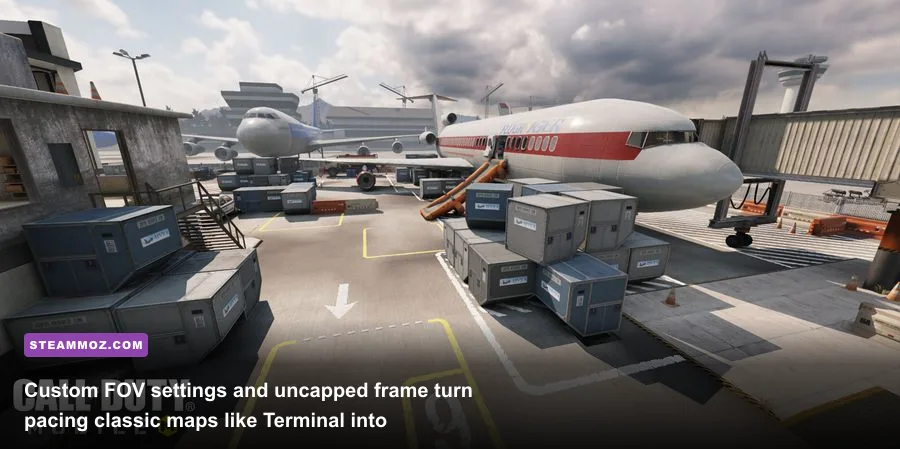
If you only download a single modification, make it IW4x. The base Steam version of Modern Warfare 2 still relies on the archaic, peer-to-peer "IWNet" matchmaking system. This infrastructure is notorious for host migration freezes, 20Hz tick rates, and critical CVE memory vulnerabilities that let rogue hosts execute arbitrary code directly onto your PC. Much like diagnosing deep technical hitches outlined in our guide to ELEX PC fixes that stop crashes and rescue your FPS, running legacy engine binaries without community middleware is asking for trouble.
IW4x completely decouples the game from the compromised matchmaking network. It introduces an in-engine server browser, anti-cheat validation, native controller support with calibrated aim curves, an unlock-all console command (unlockstats), and an adjustable FOV slider ranging from 65 up to 120. Crucially, the client bumps server tick rates up to 60Hz and 100Hz, transforming the netcode. Weapons notorious for inconsistent hit registration on low tick rates—such as the three-hit-kill UMP45 or the lightning-fast Intervention .408 CheyTac—land their shots with crisp, immediate feedback.
The client also restores cut content and integrates custom weapons directly into class slots. You can jump into community-run lobbies on Highrise or Terminal that incorporate weapons ported cleanly from Call of Duty 4 and Modern Warfare 3, including the AK-74u, the Peacekeeper, and the classic Model 1887s with adjusted, pre-nerf spread mechanics. Installation is completely non-destructive: simply extract the IW4x client files into your main game directory alongside the official executable from Activision's official Call of Duty portal, launch via the IW4x loader, and leave the vanilla Steam launcher untouched.
Combat and AI Overhauls: Bringing Offline Multiplayer Alive with Bot Warfare
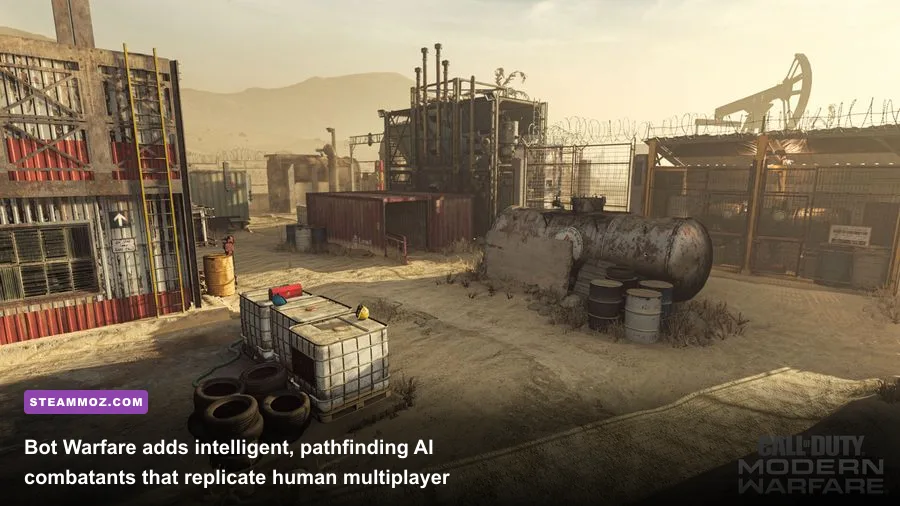
Modern Warfare 2's multiplayer is among the finest ever crafted, but relying on populated third-party servers at 3:00 AM is not always viable. This is where Bot Warfare by modder INeedGames transforms the entire value proposition of your PC install. Available through its open-source repository on GitHub's Bot Warfare project, this modification builds a sophisticated behavioral AI system on top of the original IW 4.0 engine.
Unlike brain-dead bots in older tactical games that merely follow static waypoints in single-file lines, Bot Warfare replicates legitimate player habits:
- Dynamic Pathfinding: Bots mantle over ledges, jump across gaps on maps like Favela, and navigate tight interior choke points without getting hung up on doorframes.
- Tactical Loadout Usage: Enemy bots do not just fire default rifles; they will actively quick-swap to secondary shotguns in tight quarters, drop Claymores near high-traffic stairs, and cook Frag Grenades to flush you out of sniper roosts.
- Configurable Difficulty Curves: From sluggish recruits that allow you to practice snap-aiming to "Veteran" difficulty bots that quickscope with an Intervention the millisecond your shoulder clips around a corner, the difficulty settings are endlessly customizable.
- Killstreak Execution: Bots earn, deploy, and target scorestreaks. If an enemy AI calls in a Harrier Strike or Chopper Gunner, friendly bots will actually switch to cold-blooded Stinger missile classes to shoot down the aircraft.
If you have ever enjoyed charting out high-tier combat arsenals, such as our breakdown of the Far Cry 3 Blood Dragon weapons ranked from S to C, running bot-controlled Search and Destroy or Free-for-All matches on Rust provides the ultimate sandbox to test your weapon proficiencies without toxic chat or hacked lobbies.
Visual and Audio Restorations: Modernizing 2009 Graphics and Soundscapes
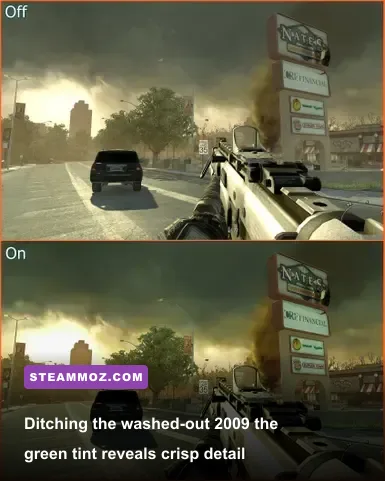
Visually, Modern Warfare 2 holds up surprisingly well thanks to Infinity Ward's timeless art direction. However, the game was designed for CRT televisions and early 720p flat screens, meaning it came smothered in a muddy, desaturated olive-drab color filter alongside heavily compressed audio to fit onto dual-layer DVDs. You can drastically improve this presentation using dedicated modding assets from ModDB's Modern Warfare 2 catalog.
First, install the MW2 HD Weapon and Environment Texture Overhaul. This package injects uncompressed 2048x2048 normal maps and specular shaders over vanilla surfaces. The iconic matte-black finish on the ACR 6.8, the etched receiver markings on the SCAR-H, and the weathered concrete barricades across the Afghan desert map instantly regain clean micro-detail without altering the original art style.
Second, pair those textures with a lightweight Natural Realism ReShade preset. By applying basic Lumasharpen, a calibrated Tonemap, and a subtle LiftGammaGain balance, you can strip away the sickly yellow-green haze that permeates vanilla maps like Wasteland and Skidrow. The skies become a rich, natural blue, while dark corridors inside the Russian submarine base retain clean shadow clarity without crushing your blacks.
Finally, do not overlook the MW2 Realism Sound Overhaul. In the stock game, firing unsuppressed assault rifles produces a tinny, papery clap. The sound overhaul mod updates the audio tables with high-fidelity acoustic impulses sampled from modern weapon recordings. The Barrett .50 Cal produces a gut-wrenching low-end rumble that echoes through canyons, and reloading the SPAS-12 delivers heavy mechanical clacks that heighten the tactical immersion immensely.
Optimal Performance Tuning and Engine Config Settings
Modern PC hardware does not automatically run vintage DirectX 9 titles perfectly. In fact, high-end RTX 40-series cards and modern multi-threaded CPUs frequently suffer from erratic frame drops in vanilla MW2 due to legacy D3D9 API overhead. Installing DXVK—a translation layer that converts D3D9 draw calls into modern Vulkan instructions—stabilizes your frame pacing instantly. Just as we discovered when fixing erratic frametimes in our EscapeVR The Basement crashing and low FPS fixes, getting off legacy rendering pipelines is the quickest path to stutter-free gaming.
Once DXVK is active in your root folder (via d3d9.dll), open your console or edit your config_mp.cfg file to dial in the engine settings below for maximum visual clarity and competitive response times:
| Engine CVAR / Setting | Vanilla Value | Recommended Modded Value | Tactical / Mechanical Impact |
|---|---|---|---|
cg_fov |
65 | 90 to 105 | Expands peripheral vision; minimizes motion sickness |
com_maxfps |
85 | 144 or 240 (Display Match) | Unlocks engine tick cap; drastically reduces input latency |
r_rendererPreference |
Default | Vulkan (via DXVK) | Bypasses DX9 bottlenecks; cures 1% low frame stutter |
cl_maxpackets |
30 | 100 | Uploads three times more positional packets per second to servers |
snaps |
20 | 30 | Maximizes client snapshot rate for flawless hit-detection |
r_specular |
1 | 1 (with HD Textures) | Maintains realistic lighting reflections across custom weapon metals |
Dialing these CVAR parameters ensures that your engine synchronizes packet data with IW4x dedicated servers at the highest possible fidelity. If you are accustomed to tweaking modern blockbuster shooters, as broken down in our analysis of Far Cry 6 GOTY upgrade pass settings for max FPS, you will appreciate how responsive an optimized IW 4.0 engine feels when freed from its historic console constraints. Even vintage rigs built around older hardware standards—reminiscent of the baseline requirements detailed in our retro look at Far Cry 2 PC specs—can lock to 144 frames per second without breaking a sweat.
Revitalize the Greatest Military Shooter of Its Era
With IW4x shielding your connection, Bot Warfare fueling endless offline skirmishes, and a clean suite of HD textures and Vulkan rendering under the hood, Modern Warfare 2 sheds its age entirely. You bypass the security hazards and technical shortcomings of the neglected Steam release, gaining a lightning-fast tactical FPS that plays as smoothly as any modern competitive shooter on the market. Take fifteen minutes to install this mod stack, jump into Highrise, set your FOV to 95, and remember why this game defined a generation.