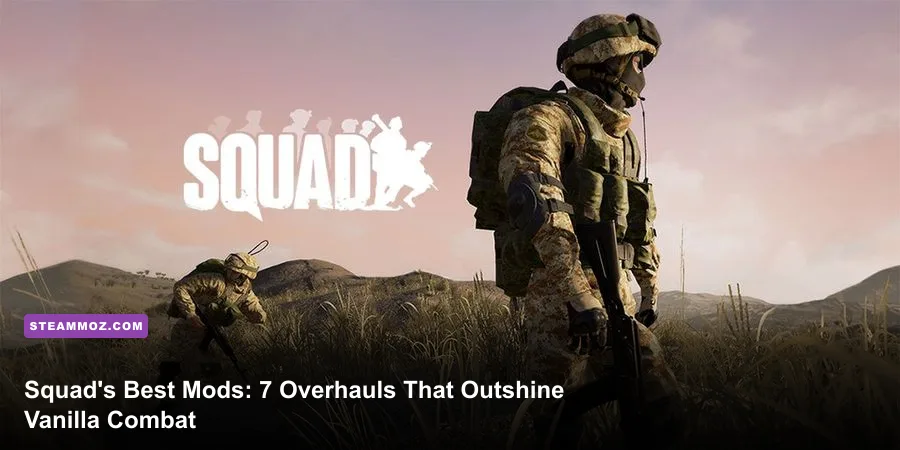
Vanilla Squad delivers some of the best large-scale combined arms combat on PC, but diving into the Steam Workshop unlocks an entirely different beast. Whether you're burnt out on the heavy sway of the Infantry Combat Overhaul (ICO), hungry for authentic Clone Wars blaster duels, or searching for terrifying night raids equipped with white-phosphor night vision, the modding community has built full conversion packages that rival standalone commercial releases. You don't need to settle for standard faction rotations when community developers are actively rewriting the rules of engagement.
Modding Squad on Steam doesn't just swap weapon models or tack on custom skins; these projects rewrite weapon handling physics, implement complex thermal imaging pipelines, introduce aerial gunships, and overhaul logistical meta-loops. If you want to squeeze hundreds of fresh hours out of your military sim without losing the squad-level communication that makes the game legendary, these are the essential mods you need parked in your library right now.
Galactic Contention: The Ultimate Star Wars Tactical Sim
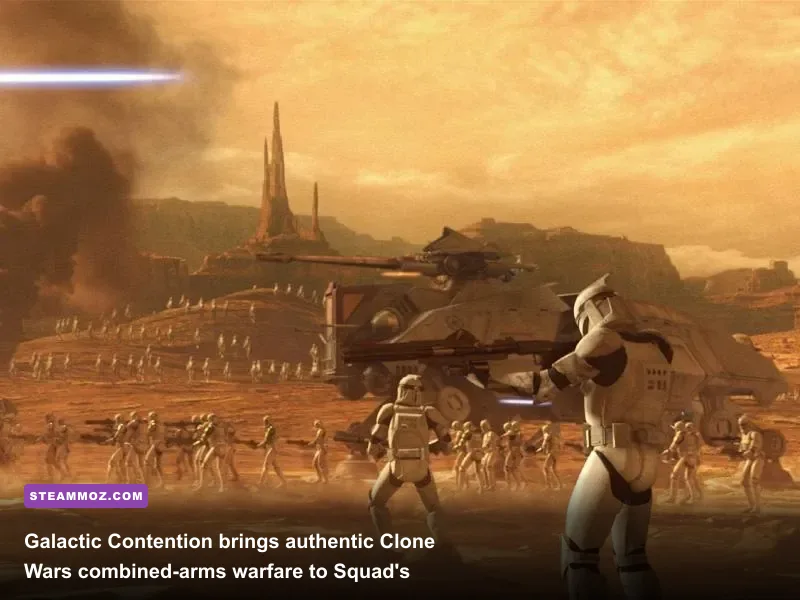
If you ask veteran players why they keep a hundred gigabytes of extra storage reserved for Squad, Galactic Contention (GC) is almost always the answer. This total conversion transports the 50v50 tactical backbone of the base game directly into the Clone Wars era. You aren't playing an arcade shooter with a thin coat of paint; this is a grueling, boots-on-the-ground sci-fi war where Grand Army of the Republic clones face off against Separatist droid legions across sprawling, screen-accurate planets like Geonosis, Kamino, Felucia, and Kashyyyk.
What makes GC an absolute masterpiece is its uncompromising commitment to sim-style mechanics. Blaster bolts aren't instant-hit lasers; they carry distinct muzzle velocities, visible bullet drop over long ranges, and plasma heat build-up mechanics that replace standard magazine reloads. Firing a Republic DC-15A rifle at an advancing wave of B1 droids requires the same disciplined burst control and sight alignment you'd use with an M4A1 in vanilla, but with glowing red and blue tracers lighting up dynamic volumetric fog. Suppression kicks like a mule, blinding players with bright thermal sparks and disorienting audio filters ripped straight from Skywalker Sound.
Combined arms in Galactic Contention completely rewrites armor engagements. Heavy combat units deploy TX-130 Saber tanks, massive AT-TE walkers with player-manned mass-driver cannons, and AAT hover tanks that slide laterally across dunes to flank Forward Operating Bases (FOBs). Meanwhile, the skies are dominated by player-piloted LAAT gunships dropping entire squads into hot landing zones while side-gunners lay down suppressive beam fire. If you ever wondered why weapon tiering matters in high-stakes firefights, checking out breakdowns like our Far Cry 3: Blood Dragon weapons ranked from S to C highlights just how much custom sci-fi weapon balance dictates tactical flow.
🎮 FORM
Looking to experience this game? Grab your digital key directly on our store for $14.99.
View on Steammoz Store →Middle East Escalation (MEE): Modern Lethality and Snappy Gunplay
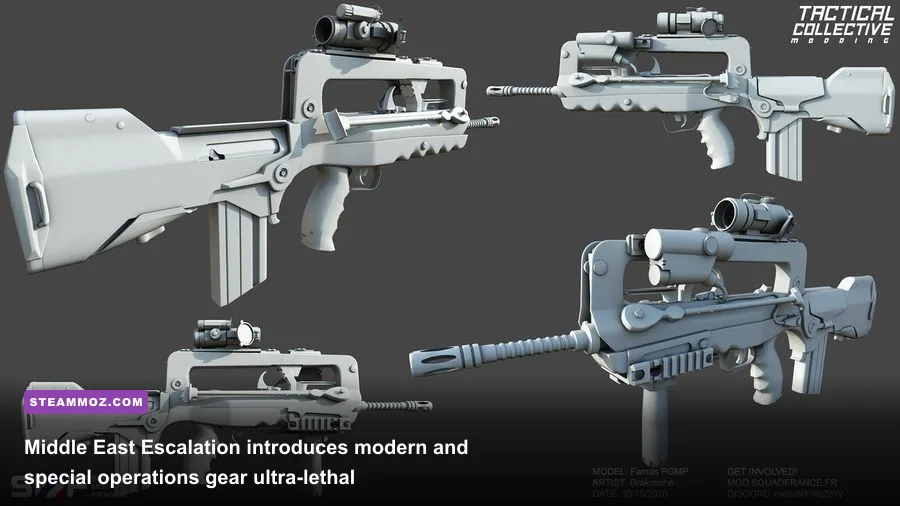
For players who find post-ICO vanilla combat slightly too sluggish or want a broader modern sandbox, Middle East Escalation (MEE) delivers an electric jolt of adrenaline. Developed to flesh out modern regional combat, MEE expands the game's theater with real-world private military contractors (PMCs), the Israeli Defense Forces (IDF), Syrian-inspired irregulars, and heavily equipped specialized western infantry task forces.
The defining feature of MEE is its lethal, fast-paced weapon handling. While vanilla Squad forces an agonizingly slow sight picture recovery after sprinting, MEE strikes a hybrid middle ground between hardcore realism and responsive gunplay. Weapons snap up faster, recoil impulses feel tight and violent, and the selection of modern combat optics—including crisp EOTech EXPS3 holographic sights, Elcan SpecterDR variable optics, and razor-sharp Trijicon ACOGs—gives infantry squads terrifying lethality at mid-to-long ranges.
MEE also rewrites urban warfare through sheer kit variety. Combat engineers get specialized breaching charges, squad leaders can call down pinpoint mortar barrages with faster turnarounds, and light technical trucks come equipped with heavy DShK machine guns, Kornet anti-tank guided missiles (ATGMs), or improvised armor plating. Because engagements in MEE happen so fast, keeping your hardware running without stutter is vital; if you struggle with frame dips during urban artillery strikes, applying tweaks similar to Far Cry 6 settings for max FPS will give you the baseline stability needed to survive surprise ambushes.
Steel Division: Night Vision, FLIR Thermals, and High-Tech Warfare
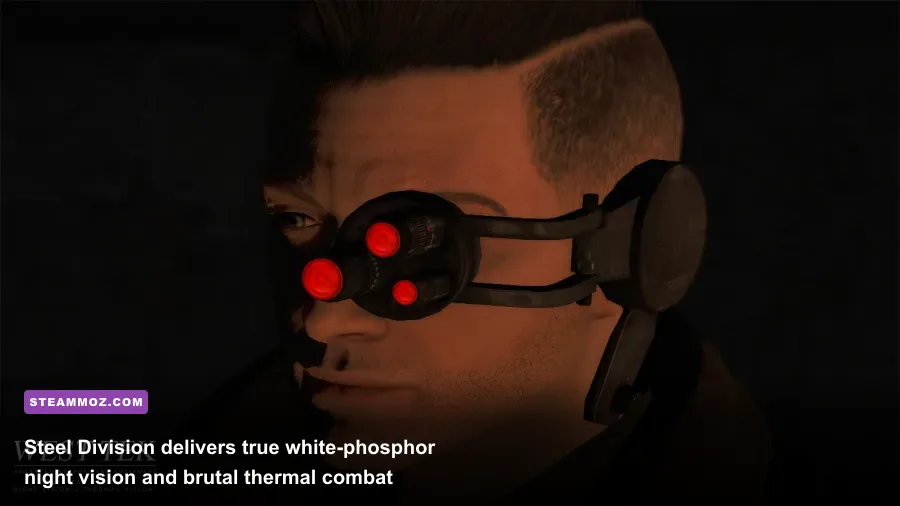
If your tactical fantasy revolves around pitch-black night raids, IR lasers cutting through the dark, and high-altitude drone strikes, Steel Division is non-negotiable. While base Squad dabbles in conventional, low-tech daylight slugfests, Steel Division pushes military doctrine into modern high-tech territory with true white-phosphor and green-phosphor Night Vision Devices (NVDs), functioning Forward-Looking Infrared (FLIR) thermals, and specialized air support.
Night operations in Steel Division require total operational discipline. Stepping into an unlit forest without your tubes lowered leaves you blind, but flipping your NVGs on while someone fires a flare overhead will instantly wash out your screen in blinding white light. Weapons come outfitted with dual-spectrum PEQ-15 lasers, letting you paint targets for squadmates or designate armor positions for incoming AH-64 Apache and Ka-52 Alligator attack helicopters. The vehicle combat here is unforgiving: gunners utilizing true thermal optics can spot the heat signatures of running infantry through dense tree lines, forcing ground troops to rely on thermal-blocking smoke grenades and micro-terrain concealment.
To help you decide which massive overhaul fits your squad's playstyle, the comparison matrix below breaks down the technical and mechanical realities of these juggernauts:
| Mod Name | Core Theme | Combat Pace | Key Mechanical Highlight | Install Size |
|---|---|---|---|---|
| Galactic Contention | Star Wars (Clone Wars) | Medium / Cinematic | Plasma ballistics, custom gunships, walkers | ~35-45 GB |
| Middle East Escalation | Modern Asymmetric Warfare | Fast / High Lethality | Snappy weapon handling, expanded modern optics | ~20-25 GB |
| Steel Division | Special Operations / Tech | Tactical / Methodical | White-phosphor NVGs, FLIR thermals, attack helis | ~18-22 GB |
| SquadZ | Zombie Horde Survival | Intense / Asymmetric | Dynamic infection waves, flashlight mechanics | ~8-12 GB |
| SuperMod | Expanded Combined Arms | Varied / Sandbox | Massive arsenal expansion, custom vehicle armor | ~15-20 GB |
Deploying heavy armor in Steel Division feels genuinely intimidating. Tanks don't just trade shells across open fields; commander seats control laser rangefinders that feed target data straight to gunners, while infantry squads utilize portable Javelin command launch units to deliver top-attack death from two kilometers away. Much like handling technical hiccups outlined in ELEX PC fixes that stop crashes and rescue your FPS, running high-script mods like Steel Division means you'll want to clear your direct shader caches periodically to avoid thermal rendering hitches.
SquadZ and Troopers: Pure Asymmetric Survival Terror
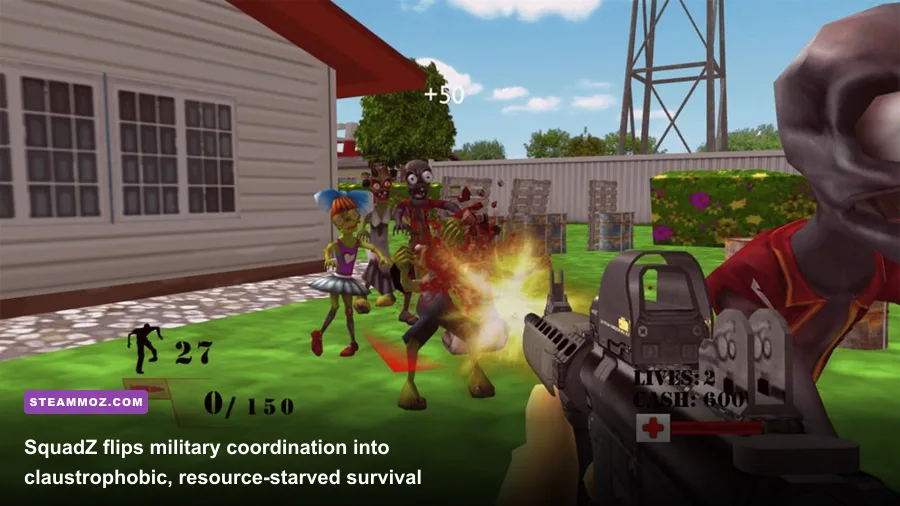
Tired of shooting back at humans with rifles? SquadZ completely flips Squad's communication framework into a desperate fight for survival. Instead of two professional armies clashing over flag points, a small contingent of survivors must fortify a defensive compound, scavenge limited ammunition crates, and fend off endless player-controlled or AI-driven mutant hordes cloaked in pitch-black fog.
Communication transforms from tactical map callouts to frantic screams over local VOIP. You don't have infinite magazines; every 5.56mm round must be accounted for, and reloading an empty magazine wastes critical seconds while infected leap over razor wire barricades. Engineers become the most valuable assets on the server, frantically hammering away at sandbag walls, wire entanglements, and ammo dump repairs while light machine gunners hold narrow choke points until their barrels overheat.
On the sci-fi end of the survival spectrum sits Troopers, a mod built to replicate the bug-hunting meat grinders of Starship Troopers. Here, your squad drops into arid wastelands armed with high-capacity Morita rifles, automated sentry turrets, and nuclear tactical call-ins. Arachnid swarms rush over hills in literal thousands, using sheer mass to overwhelm defensive perimeters. When a server running Troopers hits maximum capacity, the sheer volume of tracer fire and insect carapaces flying across the screen creates an unmatched adrenaline rush.
SuperMod: The Unrestricted Tactical Toybox
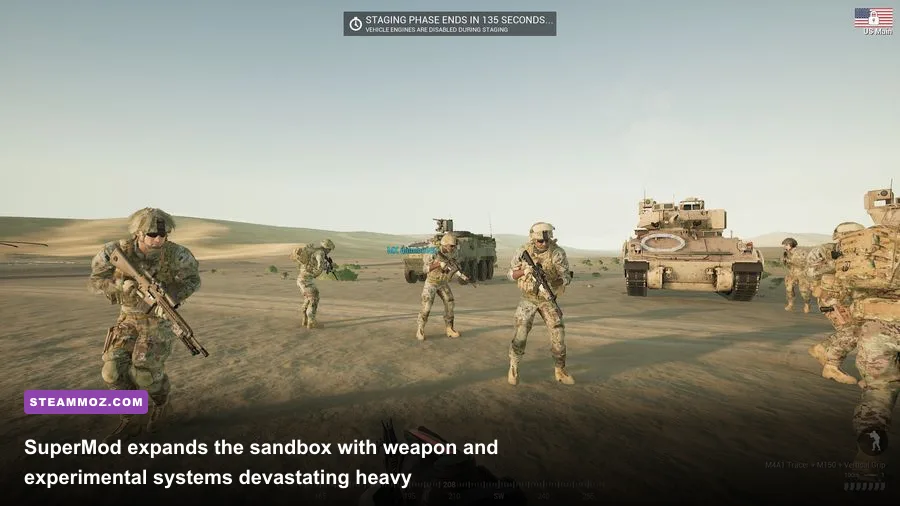
If your community loves vanilla mechanics but constantly complains about limited vehicle rosters, missing weapon platforms, or rigid layer setups, SuperMod is the definitive answer. Rather than forcing a single historical or sci-fi theme, SuperMod supercharges the modern baseline of Squad by introducing dozens of real-world military variants that Offworld Industries hasn't officially implemented yet.
SuperMod integrates suppressed weapon systems for specialized reconnaissance roles, complete with realistic subsonic ballistic drop and diminished acoustic signatures. Forward reconnaissance squads can infiltrate enemy lines undetected, silently eliminating radio operators before the enemy HAB realizes they're compromised. Armor crews gain access to modernized main battle tanks outfitted with active protection systems (APS) that automatically detonate incoming anti-tank rockets in mid-air, forcing infantry anti-tank (HAT) gunners to coordinate simultaneous volleys to break through.
What sets SuperMod apart is its adaptability. Server administrators can spin up custom scenarios ranging from light-infantry jungle skirmishes to mechanized brigade blitzes across massive desert plains. It functions as the ultimate military playground, smoothing out vanilla friction points while giving squad leaders an obscene amount of tactical autonomy on the battlefield.
Optimization, Mod Installation, and Crash Prevention
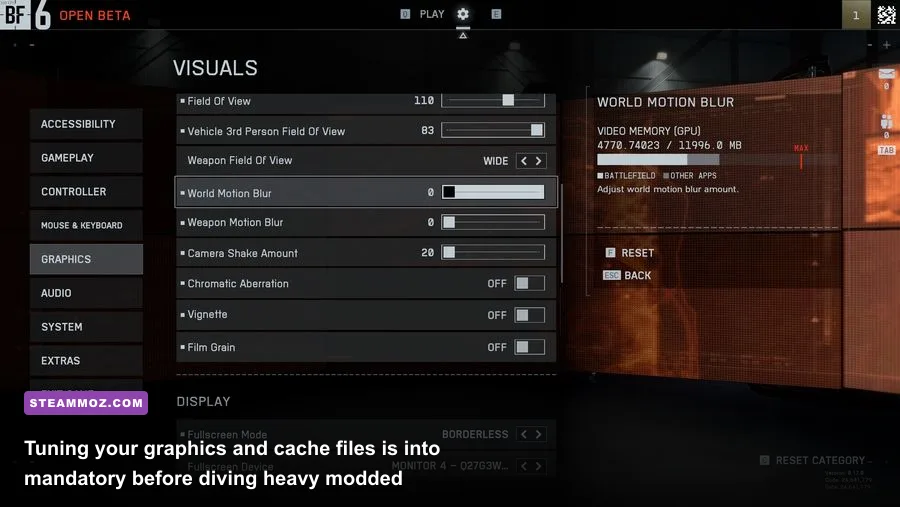
Running mods that inject gigabytes of custom assets, sound banks, and complex Unreal Engine 4 scripts can push even high-end gaming rigs to their limits. Squad is notoriously CPU-bound, relying heavily on single-core clock speeds for draw calls and physics calculations. Installing mods through the Steam Workshop is effortless—simply hit "Subscribe" on the mod page, and Steam downloads the files directly into your game directory—but keeping your game stable requires proactive maintenance.
Whenever an overhaul updates or base Squad drops a major engine hotfix, modded assets can desync, leading to infinite loading screens, corrupted shader caches, or fatal desktop crashes. If you frequently jump between total conversions like Galactic Contention and vanilla servers, you need to configure your visual settings and cache routines to prevent VRAM bottlenecks. Just as we recommend in our guide on EscapeVR: The Basement crashing and low FPS fixes, cleaning out outdated configuration leftovers in your system's AppData directory prevents memory leaks from ruining a two-hour match.
| Graphics Setting | Recommended Mod Setting | FPS & Memory Impact | Why It Matters for Mods |
|---|---|---|---|
| DirectX API | DirectX 11 (DX11) | Prevents Stutter | DX12 often causes severe micro-stutters with custom modded textures |
| Textures | High / Medium (8GB VRAM) | High VRAM Impact | Custom mod models lack optimized LODs; ultra textures will max out memory |
| Particle Quality | Medium | High Burst FPS Impact | Blaster fire, laser designators, and massive explosions tank frame rates on High |
| Tessellation | Disabled | Low / Moderate | Frees up rendering overhead on custom community terrain maps |
| Audio Quality | Low (Modded Priority) | Moderate CPU Impact | Reduces voice processing overhead when 100 players spam local VOIP in chaos |
| Uncap Texture Pool | Check Box: OFF | Severe VRAM Risk | Leaving this enabled with total conversions will crash your graphics driver |
To ensure smooth sailing when launching heavy modded operations, use this three-step maintenance protocol:
- Clear In-Game Cached User Data: Navigate to Settings -> Game Settings and click Clear Cached User Data at the bottom. This wipes out legacy control bindings and conflicting texture cache references, though you'll need to rebind custom keys afterward.
- Manually Clean AppData if Crashing Persists: Press
Win + R, type%localappdata%\SquadGame\Saved\Config\WindowsNoEditor, and clear out older.inifiles if a freshly downloaded mod throws fatal errors on boot. - Pre-Load Mods Via the Custom Server Browser: Don't try joining a modded server cold. Let the Steam Workshop finish downloading completely in your Steam client before booting Squad. Once in the main menu, let the mod initialize for sixty seconds before connecting. If you run into visual anomalies or micro-stutters, following steps similar to our Filament: Marmalade Edition settings for higher FPS walkthrough will help you squeeze out stable frames during heavy artillery barrages.
The Verdict on Squad's Workshop Ecosystem
Offworld Industries built one of the greatest tactical frameworks in modern PC gaming, but the modding community is what elevates it into an immortal platform. Whether you are leading a squad of clone commandos through the ionized dust storms of Geonosis in Galactic Contention, clearing rooms with lethal speed in Middle East Escalation, or peering through white-phosphor tubes while an Apache gunship clears your landing zone in Steel Division, these mods deliver unmatched tactical depth. Clear out some SSD space, coordinate with your regular battle buddies, and hit that subscribe button—your next favorite tactical shooter is already sitting inside your Squad installation.