
Resident Evil Village pulls a savage bait-and-switch on unsuspecting PC players. If you boot up Capcom's Gothic nightmare expecting the sluggish, defensive crawl of Resident Evil 7, the opening Lycan ambush will leave you slaughtered within five minutes. Success in Resident Evil Village on Steam demands an aggressive mindset, razor-sharp mouse precision, aggressive crowd control, and a cold calculation of your weapon upgrade economy. Before you take your first steps into the snowy Romanian wilderness, you need to understand how the combat mechanics, inventory decisions, and RE Engine PC quirks will shape your entire playthrough.

Mastering the Guard: Combat Rhythm and the Pushback Counter
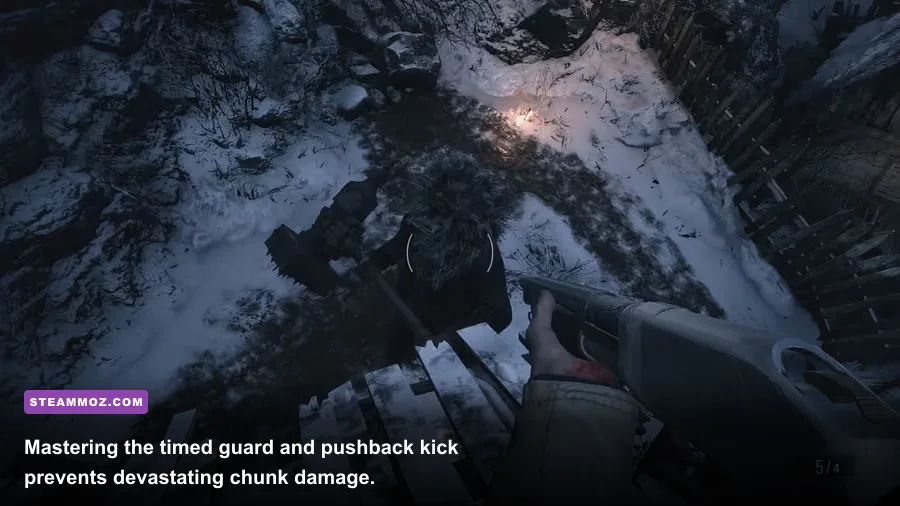
Your crosshair isn't your primary defensive tool in Village; your forearms are. The single biggest mistake newcomers make is treating Ethan Winters like an agile arena shooter protagonist who can backpedal away from danger. Lycans close distances with terrifying speed, zig-zagging to break your mouse tracking before lunging with multi-hit claw combos. Sprinting backwards will get your spine ripped open. Instead, you must learn to lean into the guard button (Spacebar by default on mouse and keyboard).
Guarding in Village isn't a passive surrender—it is an active damage negator that cuts incoming hits by roughly 50% to 75%. Even more critical is the Pushback Counter. When you tap the guard key immediately after absorbing a physical strike, Ethan shoves the enemy back with a thunderous kick. This pushback achieves three game-changing results:
- It completely breaks the enemy's attack chain, preventing follow-up strikes.
- It shoves the target into adjacent foes, staggering small groups clustered in tight doorways.
- It sets up a guaranteed point-blank headshot window with your shotgun or handgun without forcing you to burn stamina.
Against elite foes like the armored Moroaică in the castle dungeons or giant hammer-wielding Urias, attempting to dodge in narrow corridors is suicide. Guard the incoming horizontal sweep, absorb the chip damage, execute the kick to reset your spacing, and swap to your burst weapons. Once you treat the guard mechanic like a parry system from an action brawler, Village's combat instantly clicks.
🎮 Resident Evil Village
Looking to experience this game? Grab your digital key directly on our store for $9.99.
View on Steammoz Store →Tuning the RE Engine: PC Settings That Actually Matter
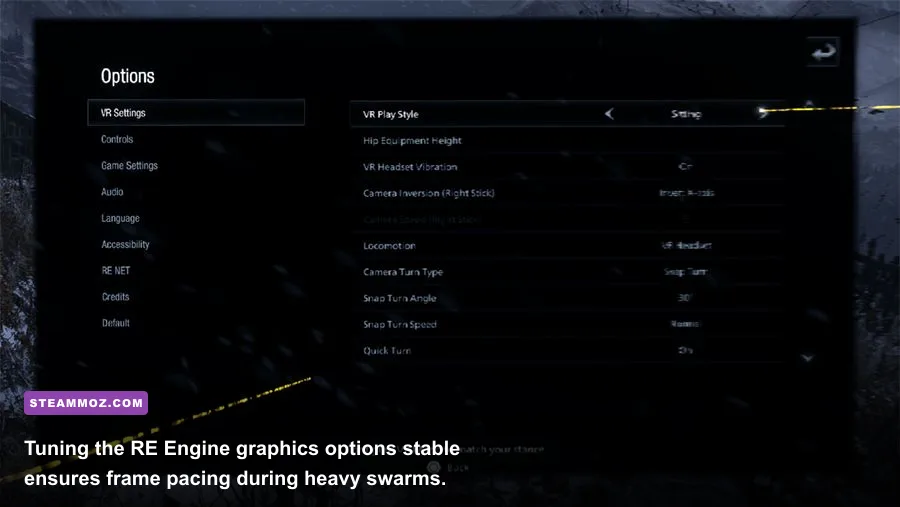
Capcom's RE Engine is remarkably well-optimized, but its in-game VRAM usage bar can be intensely misleading. The graphics menu recalculates memory overhead aggressively, often flashing bright red warnings when you are nowhere near your graphics card's physical limit. However, pushing DirectX 12 past certain thresholds causes micro-stuttering during particle-heavy scenes, especially when Bela, Cassandra, or Daniela materialize into swarms of biting flies. Much like troubleshooting in our Far Cry 6 PC settings guide, balancing eye candy against frame times is vital for survival.
Ray Tracing is the primary performance culprit here. While DXR Ambient Occlusion and Global Illumination look breathtaking across Castle Dimitrescu's gilded chandeliers and marble halls, Ray Tracing incurs an immediate 25% to 35% frame rate penalty. Worse, it introduces sudden frame pacing spikes during boss battles like the Moreau reservoir sequence where heavy water reflections flood the screen. If you are experiencing sudden frame drops during chaotic encounters, consult our breakdown on fixing engine crashes and recovering lost FPS for foundational GPU maintenance steps.
| Graphic Setting | Recommended Value | FPS Impact | Visual Impact & Tactical Note |
|---|---|---|---|
| Mesh Quality | Max | Very Low (~2%) | Prevents enemy pop-in and keeps distant Lycan sniper silhouettes sharp. |
| Texture Quality | High (2GB - 4GB) | VRAM Heavy / 0% FPS | Match to your VRAM pool; set 4GB on 8GB+ cards to dodge texture popping. |
| Volumetric Lighting | Medium | Medium (~7-9%) | High eats compute resources during misty village sequences with minimal gain. |
| Shadow Quality & Cache | High / Enabled | Low (~3%) | Shadow Cache MUST be enabled to prevent stuttering when turning fast corners. |
| Subsurface Scattering | Medium | Low (~2%) | Preserves realistic skin rendering on characters without taxing shaders. |
| Ray Tracing | Off (or Mid GI only) | Extreme (25-35%) | Disable on mid-tier GPUs to prevent lethal frame drops during boss fly swarms. |
| FidelityFX Super Resolution | Ultra Quality / Off | Major (+15-20%) | Use Ultra Quality on 1440p/4K monitors if you insist on keeping DXR enabled. |
Pay special attention to the Shadow Cache toggle. Disabling this forces the RE Engine to calculate real-time dynamic light maps from scratch every time you enter a new courtyard, triggering hitching on desktop systems. Leave it turned on. If you enjoy fine-tuning engine parameters for maximum fidelity, check out our guide on display tuning for higher frame rates to see how post-processing tweaks dramatically stabilize modern renderers.
Duke's Kitchen and Lei Economy: Spending Without Regret

Early in the campaign, you'll encounter the merchant known as The Duke. Beyond selling weapon attachments, ammo recipes, and extra attache case space, the Duke serves as your personal chef via Duke's Kitchen. Here is the absolute, non-negotiable rule of Resident Evil Village: never sell raw meat, poultry, or fish for Lei.
Scattered throughout the village are domestic animals—pigs, chickens, rams, and river fish. When slain, they drop Quality Meat, Poultry, and Fish ingredients. Depositing these ingredients into Duke's Kitchen permanently upgrades Ethan's baseline stats across his health pool, damage reduction while guarding, and raw movement speed. These upgrades persist into New Game Plus, making them infinitely more valuable than the tiny handful of Lei the Duke offers for selling the raw ingredients.
| Dish Name | Required Ingredients | Permanent Stat Bonus | Upgrade Priority |
|---|---|---|---|
| Herbed Fish | 3 Fish, 2 Poultry | Slightly increases maximum health | High (Easy to craft early) |
| Bird and Beast Pilaf | 4 Poultry, 1 Meat | Decreases damage taken while guarding | Crucial (Makes blocking devastatingly safe) |
| Three-Flavored Mititei | 4 Fish, 2 Poultry, 3 Meat | Moderately increases maximum health | High (Major survivability boost) |
| Tochitura de Pui | 4 Poultry, 3 Meat, 1 Juicy Game | Greatly increases maximum health | High (Requires rare bird behind graveyard) |
| Sarmale de Peste | 6 Fish, 1 Finest Fish | Increases movement speed permanently | Top Tier (Essential for kite maneuvers) |
| Ciorba de Porc | 1 Meat, 5 Fish, 1 Quality Meat | Greatly reduces damage taken while guarding | Top Tier (Virtually negates blocked damage) |
The animals in Village do not respawn. If you harvest meat and sell it for quick pocket cash to purchase shotgun ammo you could have crafted anyway, you permanently lock yourself out of those stat enhancements for the remainder of that playthrough. Furthermore, rare ingredients like the Finest Fish, Quality Meat, and Juicy Game spawn in solitary, hidden locations only after specific story milestones. Guard them like gold.
Exploration, Map Colors, and Gem Hunting
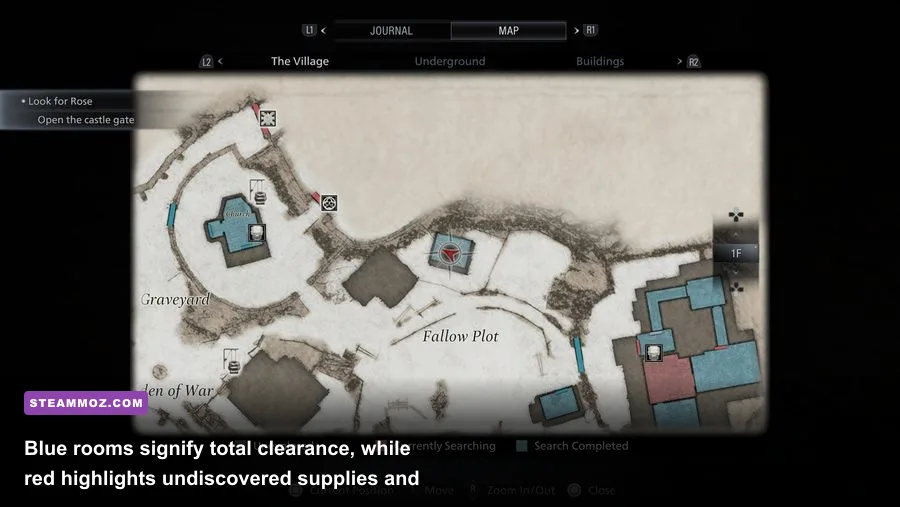
Veterans of the modern Capcom engine remakes know that the in-game map is your best friend, but Village expands this system into an obsessive treasure hunt. Every room or outdoor courtyard is color-coded based on your search status:
- Red: The room still contains undiscovered items, ammunition, crafting materials, or hidden treasures.
- Blue: The room has been thoroughly emptied; you have collected every interactable supply item in that specific perimeter.
Do not leave an area marked in red unless the game physically forces you forward through an unyielding story lock. The RE Engine hides loot in fiendishly subtle spots. Look for yellow electrical tape wrapped around wooden crates that can be smashed with Ethan's pocket knife to save ammunition. More importantly, turn your gaze upward.
Capcom's level designers loved lodging sparkling mineral gems into ceiling rafters, church arches, crumbling brickwork, and cave roofs. Whenever you spot a faint, twinkling glint on a high stone wall or inside the eye socket of a wall relief, draw your standard handgun and fire a single round directly into the twinkle. A Crystal Fragment, Large Crystal Fragment, or valuable Vivianite will dislodge and tumble to the floor. These treasures fetch thousands of Lei when sold to the Duke.
Always inspect treasures before selling them. Certain artifacts possess socket slots—like the Wooden Animal (Body) and Wooden Animal (Head), or the Silver Ring and the Azure Eye found in the castle depths. Combining these items into a single completed relic multiplies their market value exponentially compared to selling the raw components separately.
Weapon Priority Tier List: What to Upgrade and What to Scrap
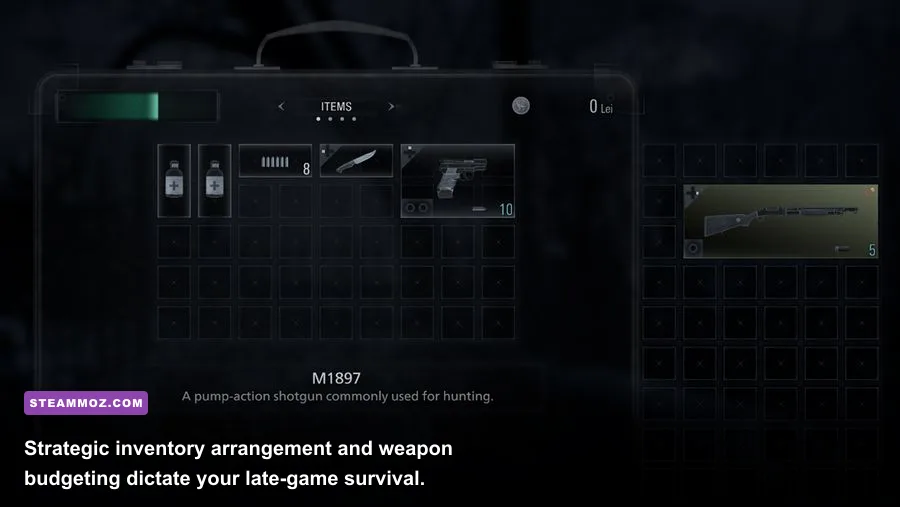
Inventory management in Village mirrors the classic grid-based briefcase of Resident Evil 4. However, weapon investments carry massive opportunity costs. Sinking tens of thousands of Lei into maxing out Ethan's starting LEMI pistol or the initial M1897 shotgun is an amateur trap. Midway through the village hubs and Heisenberg's factory, vastly superior firearms become available for purchase or discovery. Similar to picking your arsenal in our weapons worth your credits guide, knowing where to funnel your hard-earned Lei determines whether you steamroll late-game encounters or limp through on empty magazines.
| Weapon | Category | Upgrade Tier | Tactical Verdict & Upgrade Advice |
|---|---|---|---|
| LEMI Handgun | Pistol | C-Tier | Upgrade firepower once or twice; abandon it as soon as the M1911 becomes available. |
| M1911 | Pistol | A-Tier | Automatic firing mode shreds basic Lycans; well worth moderate capacity upgrades. |
| V61 Custom | Pistol | S-Tier | Late-game machine pistol with fully modular parts. Max this out for insane DPS. |
| M1897 Shotgun | Shotgun | C-Tier | Abysmal rate of fire. Do not waste money maxing out its stats. Replace immediately. |
| W870 TAC | Shotgun | B-Tier | Solid spread and dependable mid-game stopping power. Upgrade damage moderately. |
| SYG-12 | Shotgun | S-Tier | Semi-automatic room-clearing beast. Your primary answer to end-game cyborg horrors. |
| F2 Sniper Rifle | Rifle | S-Tier | The single most cost-effective weapon in the game. Extreme long-range critical hits. |
| M1851 Wolfsbane | Magnum | S-Tier | Deals bonus damage specifically to Lycans. Save all Magnum rounds exclusively for bosses. |
| GM 79 Launcher | Explosive | A-Tier | Requires zero upgrades. Incredible utility with Flashbang and Explosive rounds. |
Prioritize upgrading the F2 Sniper Rifle's raw firepower above almost everything else. The precision of mouse aiming turns this rifle into an absolute boss-melter. You can effortlessly eliminate armored Lycans from outside their aggro radius with clean shots through their exposed eye slits. For additional inspiration on weapon ranking mechanics, our Blood Dragon weapon tiers breakdown showcases why high single-shot stopping power always trumps spray-and-pray bullet hoses in tactical shooters.
The Dreaded Narrow FOV and PC Modding Fixes
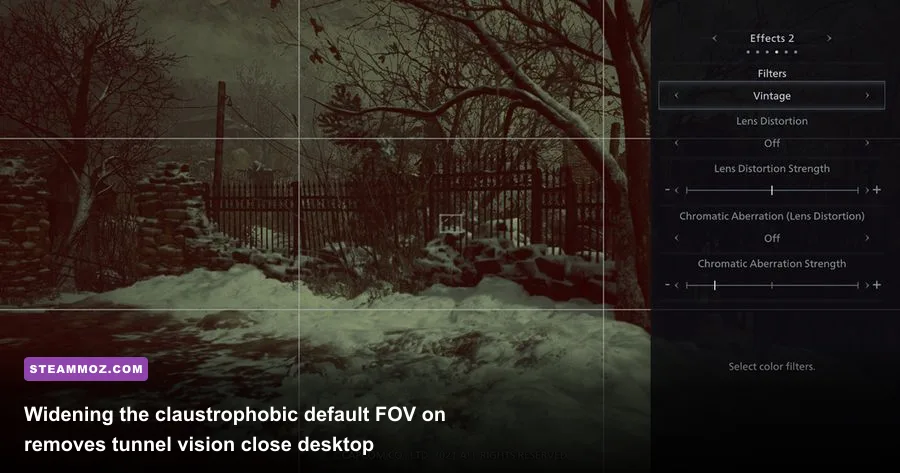
One of Village's most jarring issues on PC is its claustrophobically narrow default Field of View (FOV). Capcom locked the horizontal FOV around 81 degrees (which translates to roughly 50 to 55 degrees vertical), a design choice clearly calibrated for console players sitting six to ten feet away from a living room television. When you sit twenty-four inches away from a high-refresh PC gaming monitor, this intense fishbowl perspective causes severe tunnel vision, nausea, and disorientation.
Tactically, the narrow FOV is a lethal handicap. Lycans are programmed to sprint past your peripheral vision and flank your blind spots. With the vanilla camera settings, you will constantly take hits from enemies standing literally shoulder-to-shoulder with you simply because they exist beyond your cramped screen borders.
Thankfully, the PC community engineered clean solutions within hours of release:
- Fluffy Mod Manager: The premier mod utility for the RE Engine on PC, allowing one-click installations without corrupting game executables.
- Lazy FOV Fixer / Custom Camera Mod: Community tools hosted on Nexus Mods that let you unlock the vertical FOV to 70 or 80 degrees (roughly 100-110 horizontal), providing realistic peripheral awareness.
- Vignette Removal: Capcom aggressively darkens the edges of your display with a heavy black gradient vignette to simulate dread. Disabling this via mod scripts dramatically clears up dark interiors like Castle Dimitrescu's basement corridors.
Adjusting your field of view makes mouse tracking infinitely smoother and transforms combat encounters from dizzying spatial scrambles into tactical, controlled engagements. If you ever experience unexpected engine errors after tweaking system files, our troubleshooting guide on diagnosing low frame rates and application crashes offers universal fixes for modern PC setups.
Mastering Keybinds and Attache Case Optimization
Mouse-and-keyboard setups grant incredible precision, but Village's default control scheme contains a few lethal traps. The worst offender is binding your weapon swaps strictly to the mouse scroll wheel. During frenetic boss encounters, scrolling one notch too far can cause Ethan to draw a sniper rifle instead of a point-blank shotgun, resulting in an instant game over. Rebind your weapons to direct numeric hotkeys (1 through 4) or map them to side buttons on your gaming mouse for instantaneous, panic-free weapon switching.
Additionally, learn to craft on the fly. You do not need to keep every healing First Aid Med or Shotgun Shell pre-crafted inside your attache case. Raw crafting items—Chem Fluid, Herb, Gunpowder, and Rusted Scrap—occupy a separate, infinite crafting tab that does not consume your precious grid space. By keeping materials raw until the exact moment you need them, you preserve massive blocks of case real estate for valuable treasures, secondary weapons, and high-yield explosive rounds.
By respecting the guard-counter rhythm, safeguarding your cooking ingredients, investing your Lei strictly into high-tier weaponry, and fixing Capcom's restrictive camera settings, you transform Resident Evil Village on PC from a frantic struggle into a masterclass in survival horror dominance. Keep your shotgun shells close, check every ceiling for glistening gems, and don't let Lady Dimitrescu catch you in a dead end.