
Few games hold as sacred a place in survival horror history as 2005's Resident Evil 4. When Capcom announced they were rebuilding the revolutionary masterpiece from the ground up using the RE Engine, fans held their breath. Could modern tech capture the lightning-in-a-bottle tension, campy charm, and tight action that defined a generation? The answer is an overwhelming yes. If you are preparing to pull the trigger on a Resident Evil 4 Remake PC download, you are in for one of the absolute finest action-horror experiences ever brought to desktop rigs.
However, running modern AAA games on PC isn't always smooth sailing out of the box. Between VRAM management, DLSS and FSR implementation, ray tracing toggles, and modding potential, getting Capcom’s masterwork running perfectly requires a bit of setup. Whether you're upgrading your system, seeking optimal graphic presets, or deciding where to buy, our comprehensive PC download guide breaks down everything you need to know to survive rural Spain in buttery-smooth 60+ FPS.
Why the Resident Evil 4 Remake on PC Belongs in Your Library

While console players get a great cinematic experience, the PC platform is undeniably the definitive way to play RE4 Remake. Capcom's RE Engine has proven time and again to be a miracle of modern render engineering, scaling from mid-tier gaming laptops all the way up to powerhouse setups pushing 4K resolution at uncapped frame rates. If you love deep gameplay mechanics, exploring dark corridors, and fine-tuning control precision with mouse and keyboard, the PC port delivers on all fronts.
Beyond pure visual horsepower, the PC release unlocks modding support, ultra-wide display compatibility, low-latency control response, and customizable FOV (Field of View) sliders that keep combat feeling nimble. If you enjoy diving into deep gaming adventures, check out our work on top PC games and our in-depth game reviews to see how modern titles push PC hardware to its absolute limits.
What Makes the Remake Superior to the Original?
The original RE4 introduced over-the-shoulder aiming to the world, but its remake updates every mechanic for modern sensibilities without stripping away its core identity. Here is what has been overhauled:
- Knife Parrying System: You can now use Leon’s knife to block incoming axe throws, deflect attacks, and even stop Dr. Salvador’s infamous chainsaw in its tracks.
- Stealth Mechanics: Leon can crouch, sneak up behind Ganados, and execute quiet knife kills, giving tactical depth to crowded encounters.
- Expanded Companion AI: Ashley Graham no longer requires babysitting health meters; her AI responds dynamically to commands and stays out of line-of-fire far better than in 2005.
- Side Quests & Merchant Requests: The iconic Merchant returns with bounties, blue medallion hunts, and weapon upgrades that reward meticulous exploration.
How to Safely Complete Your Resident Evil 4 Remake PC Download
When searching for a Resident Evil 4 remake PC download, it is critical to stick to legitimate storefronts to prevent malware, broken client installs, or compromised game files. The title utilizes digital rights management (DRM) through Steam authentication, meaning official channels are mandatory for legitimate gameplay and automatic patches.
Official Digital Storefronts
To purchase and install the digital version of the game, rely on these verified platforms:
- Steam Store Page — The official destination for buying, downloading, and managing RE4 updates on PC.
- Green Man Gaming — An authorized official key retailer that frequently offers legitimate discount pre-orders and promotional codes for Steam activation.
- Humble Store — Another reliable digital shopfront where purchases support charitable causes while providing legitimate Steam keys.
Download Size and Storage Preparation
Before kicking off your download, make sure your storage drive is prepped:
- Base Game Size: Approximately 60 GB to 68 GB depending on language packs and texture resolution options.
- Separate Ways DLC: Adds an extra 10-12 GB to the main file install.
- Drive Recommendation: An NVMe M.2 or SATA SSD is strongly recommended over a traditional HDD. Installing RE4 on a mechanical hard drive will lead to stuttering when loading new village sectors and noticeable asset pop-in during heavy firefights.
System Requirements: Can Your Rig Run Leon's Spanish Odyssey?
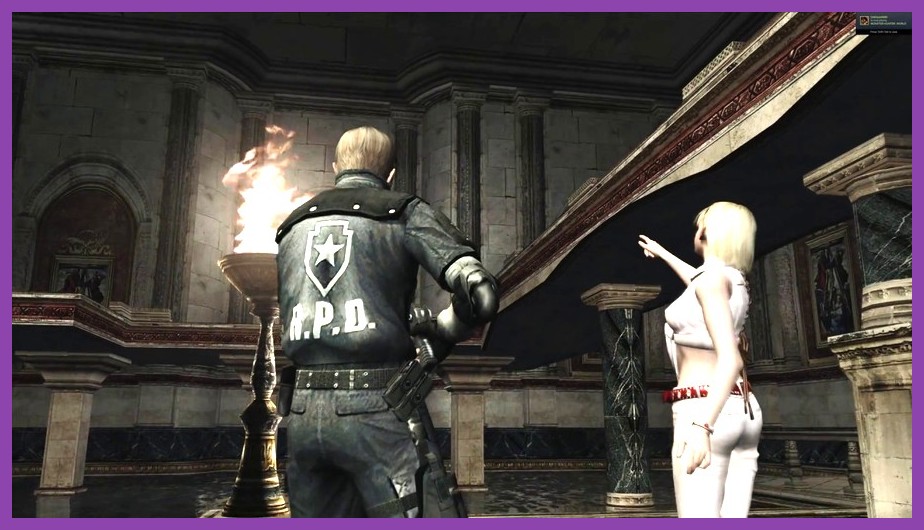
Before hitting download, you must check whether your desktop or laptop meets Capcom's hardware benchmarks. Thankfully, the RE Engine scales very gracefully across older GPUs, but hitting native 1440p or 4K with ray tracing enabled demands a punchy graphics card.
Minimum System Requirements (1080p / 45 FPS Target on Low)
- OS: Windows 10 (64-bit)
- Processor: AMD Ryzen 3 1200 or Intel Core i5-7500
- Memory: 8 GB RAM
- Graphics Card: AMD Radeon RX 560 (4GB) or NVIDIA GeForce GTX 1050 Ti (4GB)
- DirectX: Version 12
- Network: Broadband Internet connection for initial activation
Recommended System Requirements (1080p / 60 FPS Target on High)
- OS: Windows 10/11 (64-bit)
- Processor: AMD Ryzen 5 3600 or Intel Core i7-8700
- Memory: 16 GB RAM
- Graphics Card: AMD Radeon RX 5700 or NVIDIA GeForce GTX 1070 / RTX 2060
- DirectX: Version 12
Ray Tracing & 4K Ultra Requirements
If you want ray-traced reflections, high-density hair physics (Hair Strand option), and crisp native resolution, you will want at least an NVIDIA RTX 3070 (8GB) or AMD Radeon RX 6700 XT (12GB) alongside 16GB of system RAM. Keep an eye on VRAM usage inside the graphics menu; setting textures too high on an 8GB GPU can trigger performance drops!
Best PC Graphics Settings for Maximum FPS and Visual Fidelity

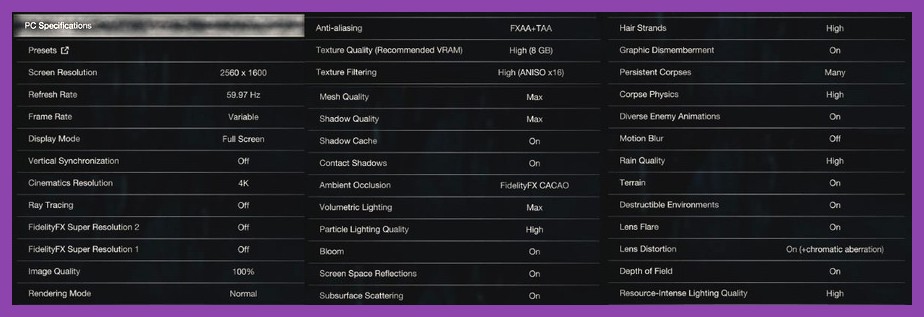
The PC graphics menu in Resident Evil 4 Remake is extraordinarily detailed, complete with real-time memory usage monitors and sample images for every toggle. However, enabling every max setting blindly will hit your framerate hard—even on top-tier rigs. Here is our recommended setup for securing 60+ FPS while retaining phenomenal visuals.
Optimized Display Settings
- Screen Mode: Fullscreen (minimizes input lag and stops background window stutter).
- Resolution: Match your monitor's native refresh rate (1080p, 1440p, or 4K).
- Frame Rate: Set to 60, 120, or Uncapped depending on G-Sync / FreeSync capabilities.
- Field of View (FOV): Increase to +15% or +20% to gain better situational awareness during chaotic Ganado ambushes.
Graphics Presets Tuning
- Texture Quality: High (2GB or 3GB buffer). Setting this to 8GB redlines GPUs with 8GB VRAM total and leads to sudden micro-stutters.
- Shadow Quality: Medium or High (Very High provides minimal visual benefit for a heavy hit on performance).
- Hair Strand Physics: Off or Low. While Leon's hair looks beautiful with physics enabled, this setting drops FPS by up to 15-20% during cutscenes and close-up action.
- Ambient Occlusion: FidelityFX CDAO or SSAO (provides rich depth shadows without tanking framerates).
- Ray Tracing: Off or Low. RT reflections in wet puddles and castle floors are subtle, but they tax performance severely. Turning it off gains back massive headroom.
- Upscaling Technology (DLSS / FSR / XeSS): Set to Quality mode if playing at 1440p or 4K. AMD FSR 2 and NVIDIA DLSS keep images looking razor-sharp while providing an immediate 20-30% frame rate boost.
If you enjoy fine-tuning performance across demanding PC games, jump over to our guide on fixing stuttering on PC games to eliminate frame drops across your entire gaming catalog.
Troubleshooting PC Stuttering, Crashing, and VRAM Overflows

Even with great hardware, some players encounter technical hitches after installing their digital download. If you run into stability issues or sudden framerate hiccups, work through these proven fixes.
1. Resolve the Dreaded VRAM Memory Leak
The RE Engine uses a dynamically allocating VRAM system. If your selected graphics settings exceed your card's physical limit (e.g., allocating 7.8 GB on an 8 GB card), the engine spills over into system RAM. This causes severe stuttering when entering new zones like the Castle or Island.
Solution: Open the graphics menu and adjust Texture Quality and Shadow Quality until the VRAM bar turns white or light orange. Avoid letting the counter hit red text.
2. Update Display Drivers and Windows DirectX Libraries
Capcom released day-one game ready optimizations alongside GPU manufacturers. Ensure your graphics card software is updated to the absolute latest version:
- Download updated NVIDIA GeForce Drivers for RTX and GTX cards.
- Download official AMD Radeon Software Drivers for RX series cards.
3. Disable Overlays and Modify Compatibility Mode
Third-party overlay apps can interfere with D3D12 display hooks, causing crash-to-desktop errors upon startup:
- Disable Discord Overlay, GeForce Experience In-Game Overlay, and RivaTuner Statistics Server (RTSS).
- Right-click `re4.exe` in your Steam install folder, go to Properties > Compatibility, and check Disable full-screen optimizations.
If you're taking a breather between survival horror runs and want to check out other top-tier gaming experiences, browse our complete strategy guides section for tips on hit titles like God of War Ragnarok and Hogwarts Legacy.
Essential PC Mods You Need to Install After Your RE4 Download

One of the biggest perks of downloading Resident Evil 4 Remake on PC is access to a vibrant, insanely creative modding community. From subtle quality-of-life UI fixes to high-definition texture overhauls and hilarious custom character models, modding adds endless replayability.
How to Install Mods safely with Fluffy Mod Manager
Modding RE Engine games is straightforward thanks to centralized community tools. Follow these steps:
- Head over to Nexus Mods RE4 Remake Hub and download Fluffy Mod Manager 5000.
- Extract the tool to a folder on your desktop.
- Launch Fluffy Mod Manager, select Resident Evil 4 Remake from the supported game list, and define your game installation directory.
- Download your chosen mod ZIP files and drop them directly into the manager's `Mods/RE4R` directory.
- Toggle the mods ON inside the Fluffy interface and hit "Launch Game".
Top Community Mods to Try
- FOV Slider & Camera Mod: Pull back the close over-the-shoulder camera view to enjoy a broader perspective during tight combat sequences.
- Classic UI & Audio Swap: Replaces modern gun sounds and menu sound effects with nostalgic audio clips from the 2005 original release.
- Mercenaries Character Unlockers: Play as campaign-exclusive characters across all Mercenaries survival stages.
- Performance Optimization Tweaks: Community-made `.ini` scripts that disable heavy engine post-processing like film grain, motion blur, and chromatic aberration.
Gameplay Tips to Survive Your First Playthrough on PC
Once your download completes and your performance settings are dialed in, you face the real test: staying alive against the intelligent, aggressive cultists of Los Illuminados. Combat in RE4 Remake requires split-second decision-making, spatial control, and smart resource management.
1. Master the Knife Parry Timing
Unlike the original game where the knife was primarily used to cut open crates or slash downed enemies, your combat knife is your ultimate defensive line. Keep your eye on enemy hands—the moment a Ganado swings a sickle or thrusts a pitchfork, tap the parry key (L1 on controller or Spacebar/M5 on keyboard). A perfect parry stuns the attacker, allowing you to follow up with Leon's signature spinning melee kick.
2. Don't Sleep on Gun Upgrades
The Merchant is your best friend throughout the campaign. Prioritize upgrading weapon **Power** and **Reload Speed** first. Higher base damage saves valuable handgun and shotgun ammo in the long run. If you find yourself overwhelmed by enemy density or ammo scarcity early on, don't worry! Read our full deep-dive on Resident Evil 4 Remake Assisted Mode to learn how lower difficulty options handle auto-aim, health regeneration, and shop discounts.
3. Combine Treasures for Maximum Cash
Never sell raw gemstones or empty vintage crowns directly to the Merchant! Check your inventory to see which treasure items contain open gem sockets. Insetting matching sets of color-coded gems (such as 5 identical rubies or a trio of emeralds) applies massive multiplier bonuses to the total resale value, letting you buy powerful weapons like the Riot Gun and Broken Butterfly Magnum much earlier in the game.
4. Grab the Separate Ways Expansion DLC
If you finish the main story campaign and find yourself begging for more, downloading the **Separate Ways** DLC expansion is an absolute must. Starring secret agent Ada Wong, this 6-hour side campaign bridges narrative gaps, introduces exclusive bosses, and features grapple-hook traversal mechanics that speed up combat tremendously.
Final Verdict: Is the PC Version of RE4 Remake Worth It?
With stellar performance scalability, flawless mouse-and-keyboard input options, ultra-fast loading speeds on modern SSDs, and an active modding scene, downloading Resident Evil 4 Remake on PC delivers an unmissable survival horror package. Capcom took a masterpiece and somehow made it feel fresh, terrifying, and endlessly replayable for modern setups.
Clean up your storage space, update your graphics drivers, fire up your Steam client, and prepare for an unforgettable ride through one of gaming's greatest campaigns. For more expert hardware guides, game reviews, and walkthroughs across every major platform, keep your browser locked to Steamoz!