Sony’s arrival on Steam and the Epic Games Store delivered some of the greatest narrative spectacles ever conceived directly onto high-refresh gaming rigs. Yet, as stunning as ports like God of War, Marvel’s Spider-Man Remastered, and The Last of Us Part I look out of the box, they still inherit the hard architectural compromises of living-room consoles. You'll run straight into suffocating field-of-view limits tuned for couch setups, forced chromatic aberration, erratic frame pacing caused by unoptimized decompression libraries, and tethered controller requirements. Transforming these games from mere console conversions into true PC showcases requires targeting the exact engine flaws Sony left behind with community-developed modifications that overhaul camera logic, restore lost CPU performance, and eliminate visual grease.
Restoring Tactical Control: Camera FOV and HUD Strippers
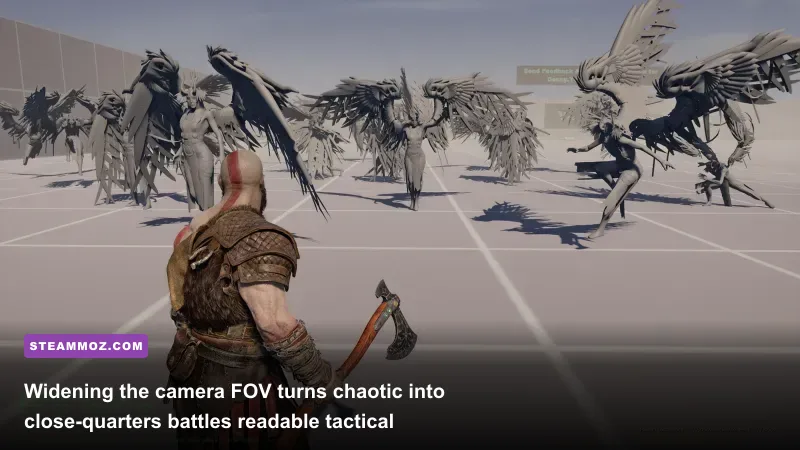
The biggest flaw common to third-person PlayStation conversions is the claustrophobic over-the-shoulder camera angle. In God of War (2018), the default horizontal Field of View (FOV) sits around roughly 70 to 80 degrees, keeping Kratos glued to the right third of your screen. On an ultrawide monitor or a high-refresh desk display sitting two feet from your eyes, this tight perspective produces instant peripheral tunnel vision and forces you to rely entirely on off-screen threat indicators. During brutal encounters against Valkyries like Sigrun or high-tier Draugr swarms in Muspelheim, you simply can't track wing sweeps or ground stomps in time.
By implementing Frans Bouma’s FOV modifications and dedicated Camera Control tools via Nexus Mods, you can push the horizontal perspective to a natural 95 or 105 degrees without breaking runtime animation transitions or Spartan Rage cinematics. This adjustment doesn't just look better; it radically alters combat readability by letting you monitor environmental hazards and flankers without constantly whipping your mouse across the pad.
The same camera limitation plagues Marvel’s Spider-Man Remastered. While Insomniac Games built spectacular web-swinging systems, the vanilla chase-cam stays locked tightly behind Peter Parker's shoulders during high-speed dives. Installing the Swing Camera Distance Modifier repositions the anchor point backward and slightly upward as velocity increases, restoring the cinematic wind-tunnel dynamism seen in early E3 reveals. Combine this with the Modular Clean HUD Mod to eradicate intrusive minimap circles and button prompts, leaving your screen free to showcase clean New York architecture without visual clutter.

🎮 FORM
Looking to experience this game? Grab your digital key directly on our store for $14.99.
View on Steammoz Store →Fixing Performance Bottlenecks and Frame Pacing in Unoptimized Ports
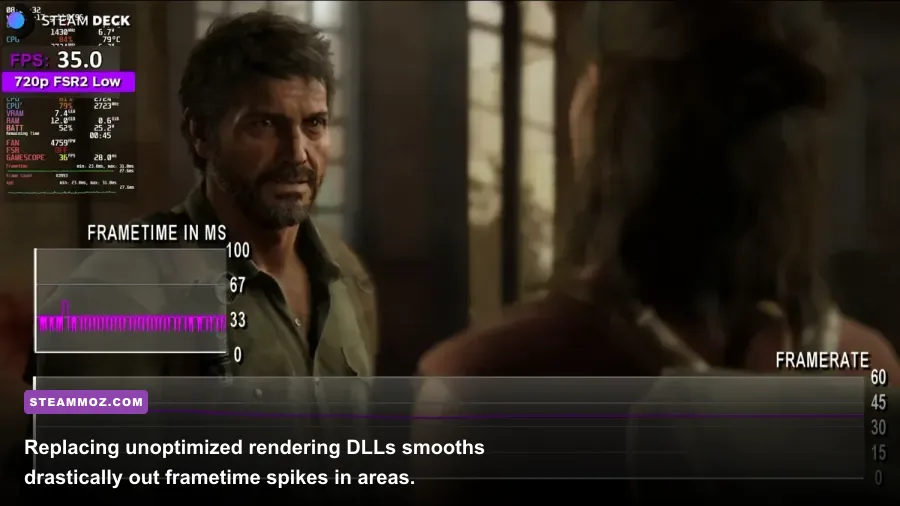
Not every Sony port arrives in a pristine technical state. When Iron Galaxy delivered The Last of Us Part I, PC gamers faced brutal shader compilation times, aggressive thread locking on 8-core CPUs, and catastrophic memory leaks that crippled 8GB VRAM cards. If your rig struggles with micro-stutters during high-intensity fireights in Pittsburgh, you should look into resolving baseline stutter and low FPS issues to stabilize hardware thread delivery before stacking heavy graphics presets.
The essential mod here is the community-engineered Oodle Network / Kraken Decompression Fix alongside custom memory allocator overrides. These lightweight DLL swaps eliminate the CPU pipeline lock that occurs whenever Joel transitions between indoor and outdoor geometry. Furthermore, using universal frame generation replacers—such as DLSS-to-FSR3 Frame Generation mods by Nukem9—allows owners of RTX 2000 and 3000 series cards to enable optical frame generation in games where Sony only officially unlocked DLSS 3 for Ada Lovelace hardware.
| Game | Essential Mod Name | Targeted Issue | Performance / Gameplay Impact |
|---|---|---|---|
| God of War (2018) | Custom FOV & Aspect Ratio Fixer | Narrow 70° FOV & ultrawide cutscene letterboxing | Zero FPS drop; radically expands combat threat visibility |
| The Last of Us Part I | VRAM & Pipeline Thread Allocator | Severe shader stutter & memory pool degradation | 15-22% jump in 1% low frame rates; eliminates zone hitches |
| Marvel's Spider-Man | DLSS / FSR 3.1 Frame Gen Pipeline | CPU-bound frame ceilings during fast swinging | Boosts swing framerates from 55 FPS to 90+ FPS on mid-tier CPUs |
| Days Gone | Massive Freaker Hordes Overhaul | Vanilla 500-enemy engine cap at the Sawmill | Increases enemy count to 2,000; heavy CPU draw during firefights |
| Ghost of Tsushima | Kuroshio Post-FX Strip & Vignette Kill | Forced edge blur, chromatic aberration & flat lighting | Cleans sub-pixel aliasing; recovers 2-4% rendering overhead |
For players encountering system crashes during extended play sessions across heavier environments, following tailored workflows for PC fixes that stop game crashes will help pin down rogue background hooks, unstable DirectX 12 runtimes, and outdated system DLLs.
Visual Purism: Stripping Forced Post-Processing and Greasy Filters

Console developers love masking performance tricks and lower internal render resolutions with heavy post-processing effects. Chromatic aberration, forced film grain, vignette shadows, and aggressive Temporal Anti-Aliasing (TAA) blur are routinely baked into modern ports. In Ghost of Tsushima: Director's Cut, Sucker Punch built a stunning, wind-swept environment, but the PC conversion forces a heavy edge vignette and color cast that reduces overall clarity on crisp 1440p and 4K displays.
The No Vignette and Pure Clarity Mod completely removes the simulated lens darkening from the screen edges, allowing foliage, flowing reeds, and bamboo groves to display with uniform luminescence. If you want a more grounded cinematic experience, installing the Kuroshio Cinematic Color Grade Reshade injects dynamic contrast curves that bring the PC port closer to traditional 35mm film without crushing black levels in dark Mongol camps. Balancing these graphical enhancements requires dialing in graphics settings for maximum frame rates, which keeps your frame delivery smooth even when heavy shader injections are active.
Over in Horizon Forbidden West, Guerilla Games built one of the best-looking open worlds on the market, yet the game defaults to a heavy sharpening filter over its anti-aliasing passes that generates shimmering artifacts on mechanical beast plating. A tailored engine configuration mod (via custom engine.ini entries or memory injection tools) lets you disable the forced sharpening passes while fine-tuning internal screen-space ambient occlusion (SSAO) samples. The result is an image that looks clean and lifelike rather than artificially processed.
Gameplay Overhauls: Escalating Stakes in Days Gone and Helldivers 2
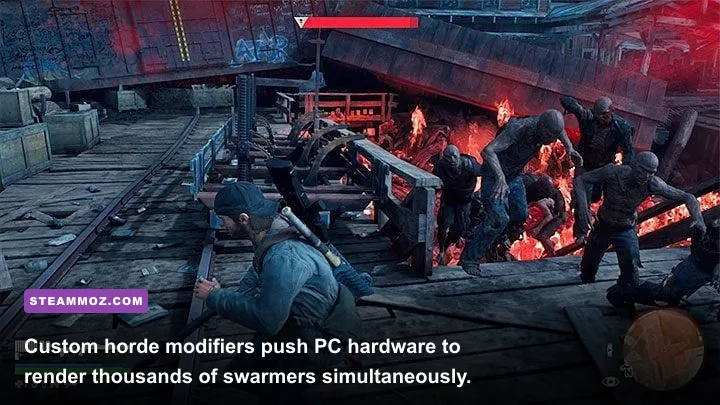
Once you’ve addressed technical stability and visual quality, gameplay overhauls allow you to push game mechanics well past console boundaries. Take Bend Studio's open-world survival shooter, Days Gone. While the vanilla campaign features terrifying horde encounters, engine memory limits on the PS4 capped horde sizes to roughly 300 to 500 Freakers. The PC version, however, handles computational physics across modern multi-threaded architectures with massive headroom.
Installing the Massive Freaker Hordes Mod reconfigures the AI spawning logic across all 40 horde locations. The famous Sawmill horde balloons from 500 Freakers to an overwhelming 1,500 or even 2,000 active swarmers. At this scale, crowd pathfinding transforms into an unending wave of bodies pouring over train cars, collapsing structures, and swarming around traps. To survive, you'll also want the Realistic Weapon Recoil and Ballistics Overhaul, which removes artificial bullet dispersion, tightens hitboxes, and ensures high-caliber rounds tear through swarms cleanly.
| Setting / Optimization Layer | Vanilla Console Default | Pro-Tuned Modded Profile | Visual / Stability Advantage |
|---|---|---|---|
| TAA / DLAA Sharpness Buffer | Fixed at 0.5 to 0.7 (Heavy Haloing) | Stripped via INI, replaced with DLAA 3.7+ | Removes white fringe around fast-moving character edges |
| Texture Stream Cache Pool | Limited to 4096MB (Dynamic Purge) | Expanded to match 8GB–16GB VRAM pools | Completely eliminates low-res asset pop-in during sprints |
| Anisotropic Filtering | Variable 4x / 8x depending on zone load | Forced 16x via GPU Control Panel / Mod Hook | Restores razor-sharp ground textures at oblique angles |
| Shadow Map Cascades | 3 Cascades with close draw limits | Expanded 5-Cascade Distance Profile | Prevents harsh shadow crawling under distant foliage |
To avoid hardware crashes under extreme horde loads or heavy weapon modding, you can refer to troubleshooting techniques for troubleshooting performance crashes before gameplay. This ensures your rig balances thread assignment cleanly without running out of virtual memory during monster waves.
Hardware Immersion: DualSenseX and Native Haptic Audio Integration
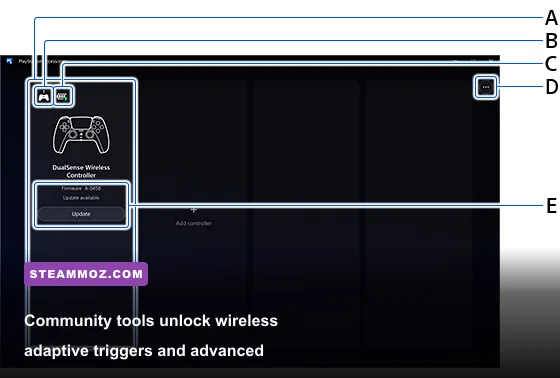
One of Sony's crowning achievements is the DualSense controller. Titles like Returnal and Ratchet & Clank: Rift Apart use voice-coil actuators to convey raindrops hitting armor, metal grinding under boots, and tactile alt-fire trigger clicks. The problem? On PC, PlayStation Studios games on Steam natively support these advanced features only if you connect your controller with a direct USB-C cable. If you play wirelessly over Bluetooth, the game drops to generic XInput rumble, killing the tactile magic entirely.
Enter DualSenseX (DSX) and dedicated community haptic bridge tools. These utilities read game process memory and engine trigger calls, translating adaptive trigger signals directly over Bluetooth. You can map custom resistance curves—giving weapons like Aloy’s Hunter Bow a tactile tension snap, or adding stiff mechanical resistance when Kratos hurls the Leviathan Axe—all without tripping anti-cheat or needing a wire dragging across your desk.
To set this up, disable Steam Input in the game’s controller properties so Steam doesn't overwrite Sony's direct DirectInput driver calls. Run DSX in the background, set your preferred trigger profiles, and turn on the virtual audio haptic routing. Fine-tuning these controller and renderer layers delivers an experience that outclasses native console play. For more ways to calibrate your hardware profiles cleanly, explore our guides on optimizing graphics profiles for higher FPS and take total command of your PC library.