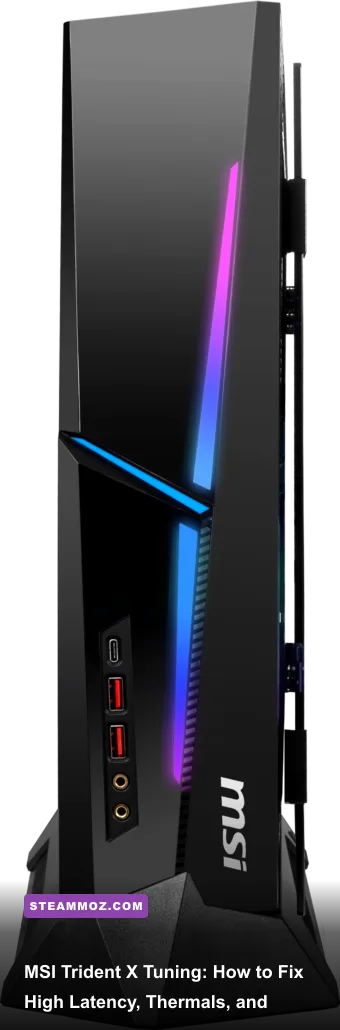
If your MSI Trident X is dropping frames, hitching in high-stakes firefights, or screaming like a turbine, you aren't dealing with weak hardware—you're fighting mismanaged power limits, bloated background services, and bad thermal dynamics. MSI built an incredible engineering marvel by cramming full-fat desktop parts into a 10-liter compact chassis, but the factory configuration pushes Intel Core processors and NVIDIA RTX graphics cards far beyond what a small-form-factor case can passively exhaust. The result is rapid thermal throttling, severe DPC latency spikes from bundled utilities, and network stutter from aggressive bandwidth shapers. By calibrating your BIOS power envelopes, stripping out predatory audio and telemetry drivers, and uncapping your case's intake airflow, you can turn this fiery little rig into a whisper-quiet, pinpoint-accurate competitive weapon.
Taming the Heat: BIOS Power Limits and Fan Curves
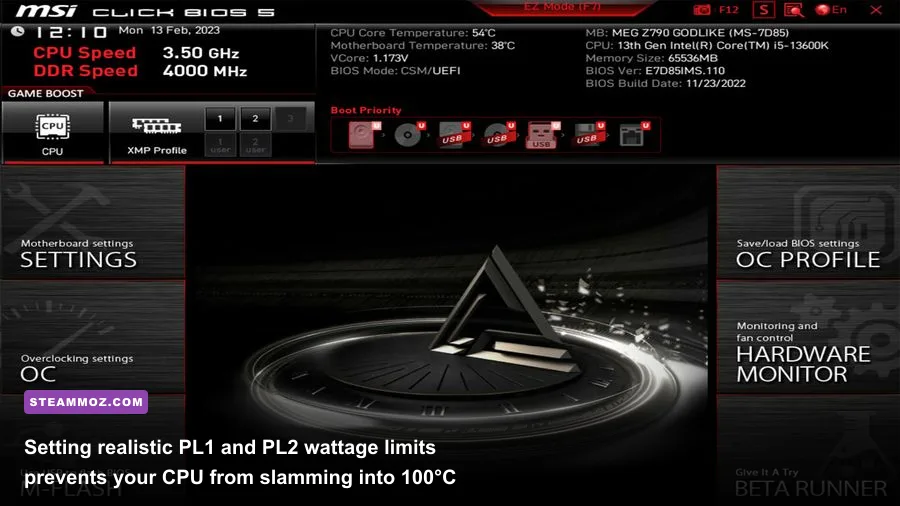
Out of the box, the Trident X motherboard ships with unlocked power limits. In an open-air test bench or a massive mid-tower with a 360mm radiator, letting an Intel Core i7 or i9 pull 250W+ uninterrupted is fine. Inside the Trident X's isolated CPU chamber, chilled only by a low-profile air cooler or a slim 120mm AIO, it is an absolute disaster. The processor instantly blasts straight to 100°C within three seconds of launching a modern game, triggering hard thermal throttling that drops your clock speeds from 5.2GHz down to 3.4GHz in violent, jagged cycles. That rollercoaster is the exact reason your framerates feel jittery even when your average FPS counter looks respectable.
Restart your PC and tap Delete repeatedly to enter the MSI Click BIOS 5 interface. Switch to Advanced Mode (F7), navigate to the OC menu, and scroll down to CPU Core / GT Voltage Mode and Long/Short Duration Power Limit. You want to rein in Intel's Turbo Boost parameters without choking actual gaming clock speeds. Set your Long Duration Power Limit (PL1) to 125W and your Short Duration Power Limit (PL2) to 160W or 180W depending on your specific CPU generation. Games rarely stress all CPU threads simultaneously, meaning your processor will maintain its maximum single-core boost without turning the case into an oven.
Next, open Hardware Monitor inside the BIOS to fix the fan curves. MSI's default curves bounce between silent idling and an ear-splitting 100% burst. Change the CPU Fan control from DC to PWM mode. Set a gentle ramp: 40% fan speed up to 55°C, smoothly scaling to 65% at 75°C, and capping at 82% at 85°C. This avoids sudden, distracting acoustic jumps and keeps thermal expansion steady. Much like dialing in your system setup for older unoptimized PC titles where background heat spikes can murder stability—similar to troubleshooting issues highlighted in our Elex PC performance fixes—consistent temperatures yield rock-solid frametimes.
| Profile | PL1 / PL2 Target | Peak CPU Temp | Gaming Clock Stability | Acoustic Profile |
|---|---|---|---|---|
| Factory Default | Unlimited / 253W+ | 98°C – 100°C (Throttling) | Erratic (-800MHz drops) | Harsh Jet Engine (100% PWM) |
| Tuned Gaming (Sweet Spot) | 125W / 175W | 72°C – 76°C | Flatline Max Boost (100%) | Steady Hum (~41 dBA) |
| Low-Noise Stealth | 95W / 135W | 64°C – 68°C | Stable (98% of peak clocks) | Whisper Quiet (~34 dBA) |
Eliminating DPC Latency: Stripping MSI Bloatware and Audio Drivers
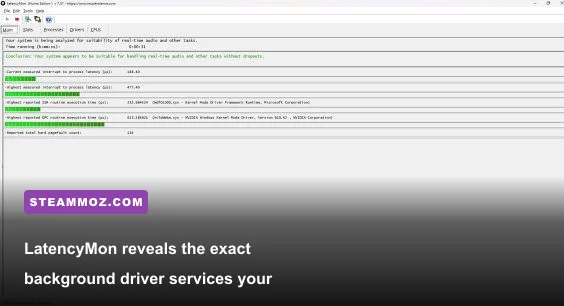
Have you ever felt like your mouse aim felt "sluggish" or "floaty," despite running at over 140 FPS? That is input latency introduced by high Deferred Procedure Call (DPC) execution times. The primary culprits on any prebuilt Trident X system are MSI Center (or legacy Dragon Center) and the Nahimic Audio Driver suite. MSI Center runs numerous persistent background telemetry workers—like MSI.CentralServer.exe and multiple Mystic Light RGB polling threads—that constantly bombard your system bus, stealing micro-slices of CPU execution time.
Download Resplendence LatencyMon and run it while playing a lightweight game or idling on desktop. You'll likely see red bars triggered by wdf01000.sys, nvlddmkm.sys, or audio-related system drivers. To eradicate this delay, uninstall MSI Center, Mystic Light, and the Nahimic companion app directly from Windows Apps & Features. If you need RGB control, configure your color scheme once, save it to the onboard controller memory, and delete the software, or utilize lightweight open-source alternatives like OpenRGB.
After purging the apps, press Windows Key + R, type services.msc, and hit Enter. Locate Nahimic service, double-click it, set its Startup Type to Disabled, and click Stop. Nahimic hooks directly into your Windows audio pipeline to provide virtual surround sound, but it injects dynamic libraries into your 3D rendering loop, causing catastrophic frame pacing interruptions. Fixing underlying driver conflicts is critical whether you're trying to stop random desktop lag or sorting through performance hitches seen in demanding simulation titles like EscapeVR low FPS tweaks.
Fixing Network Latency: Killing the Intel Killer Network Suite
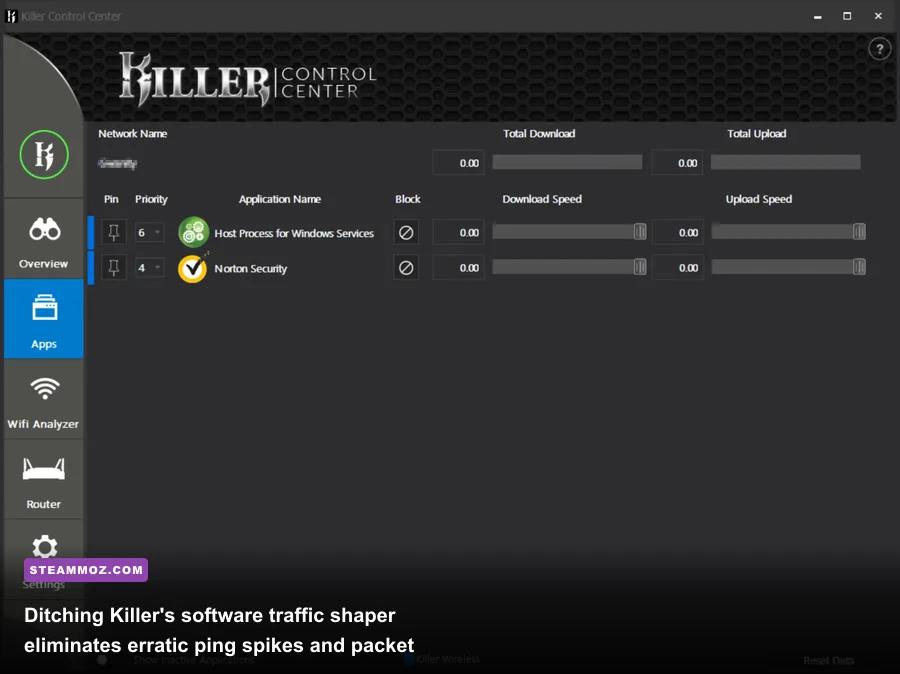
Most iterations of the MSI Trident X feature an onboard Killer Ethernet port (such as the E3100 2.5Gbps controller) paired with a Killer Wi-Fi card (AX1650 or AX1675). On paper, these network chips promise low ping. In reality, the preinstalled Killer Control Center software achieves its "prioritization" by inspecting every single packet using a software network filter. That continuous packet packet-sniffing process causes bufferbloat, micro-stutters, and sudden latency spikes in competitive shooters like Counter-Strike 2 and Valorant.
The fix is simple: keep the hardware, discard the bloat. Head over to the official Intel Driver & Support Assistant website and download the bare-metal, driver-only package for your specific Killer/Intel network interface. Do not grab the installer that contains the control software suite.
Run the Killer Uninstaller Tool to completely wipe the existing drivers, priority engines, and registry hooks. Once clean, install the standalone INF drivers. By doing this, your Trident X will handle network packets directly through the native Windows network stack without an intermediary software middleman inspecting every transfer. You'll immediately notice a flatter, jitter-free ping curve and an end to those infuriating phantom hit-registration delays.
GPU Optimization and Riser Cable Stability Tweaks
Because the Trident X positions the graphics card vertically in its own dedicated chamber, it utilizes a PCIe riser cable. Depending on whether your unit features a 10th, 11th, 12th, or 13th-gen platform, that riser cable might be a PCIe 3.0 or early PCIe 4.0 assembly. A notorious bug on Trident X desktops occurs when the motherboard BIOS sets the primary PCIe slot to Auto or PCIe Gen 4 on a cable that struggles with signal integrity. This leads to subtle data dropouts, micro-stutters under heavy VRAM loads, and outright graphics driver crashes.
Jump back into your BIOS, navigate to PCI Subsystem Settings, and manually change the PEG 0 - Max Link Speed from [Auto] to [Gen 3] or [Gen 4] (match your specific riser's certified speed). Manually locking this link stops the bus from constantly re-negotiating link speeds mid-game. If you've run into severe instability in open-world titles, much like the GPU engine drops explored in our breakdown of Everspace 2 crashing fixes, hardware link synchronization is often the invisible villain.
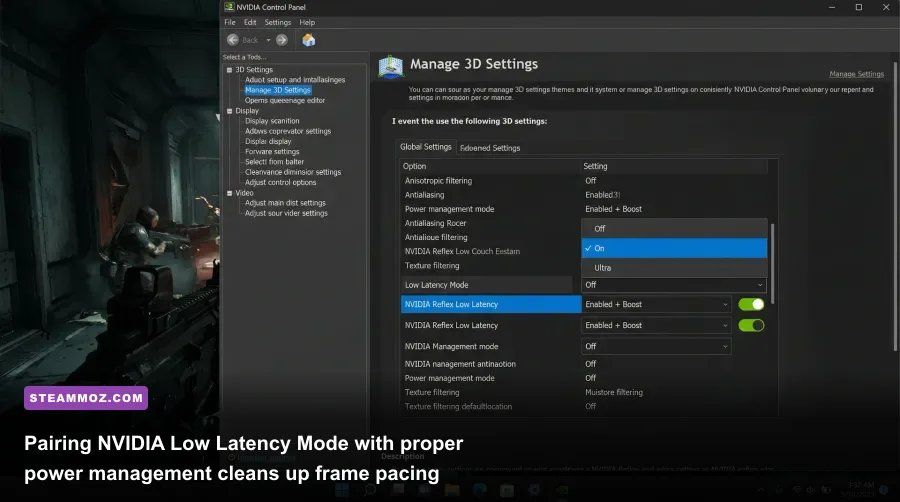
With the physical bus locked down, open the NVIDIA Control Panel and dial in your driver parameters. Compact cases demand smart energy management so the GPU doesn't dump unnecessary heat into the chassis during low-intensity gameplay scenes. Apply the settings outlined in the table below to balance response times and thermal footprint.
| NVIDIA / Windows Setting | Optimal Selection | Latency & Stability Impact | Technical Reason |
|---|---|---|---|
| Low Latency Mode | Ultra (or On) | Cuts 4ms – 12ms render queue delay | Limits queued pre-rendered frames at driver level; in Reflex-supported games, Reflex overrides this automatically. |
| Power Management Mode | Optimal Power / Normal | Prevents unnecessary idle GPU wattage | Stops the GPU from generating unneeded heat at the desktop; ramps up instantaneously the second 3D rendering begins. |
| Hardware-Accelerated GPU Scheduling (HAGS) | Enabled | Reduces CPU rendering overhead | Hands command buffering directly to the GPU scheduling processor; reduces frame pacing stutter in modern DX12 titles. |
| G-SYNC / Fixed Refresh | G-SYNC Compatible + V-Sync ON (Driver) | Eliminates tearing with zero input lag penalty | Cap framerate 3 FPS below display maximum (via Max Frame Rate) to maintain clean variable refresh sync. |
Hardware Tweaks and Airflow Optimization
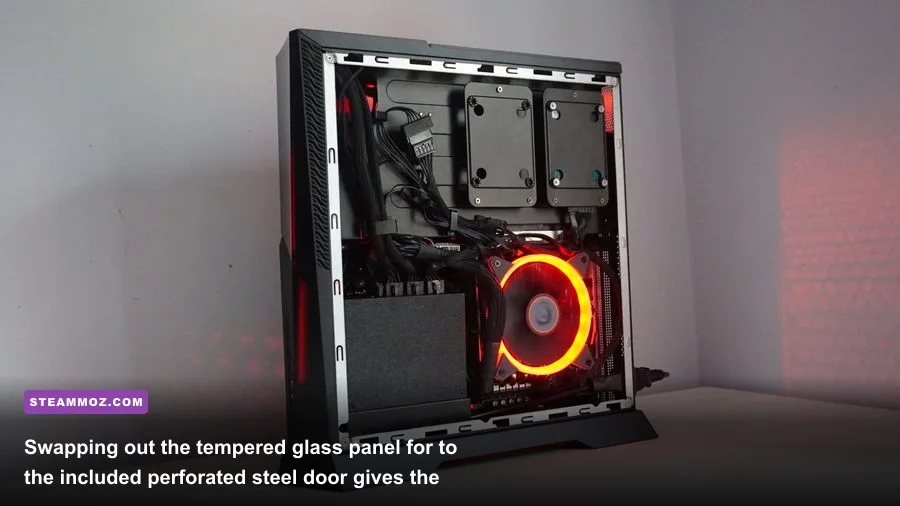
Software tuning solves 80% of your problems, but the Trident X is still bounded by physics. MSI packages the PC with two swappable side panels: an aesthetic dark tempered glass door and a perforated steel mesh panel. If you are running the glass panel because you love seeing your RGB RAM and graphics card glow, you are suffocating your GPU. The glass panel sits barely five millimeters away from the graphics card intake fans, effectively choking the fans and forcing them to recirculate their own hot exhaust air.
Take the five minutes to unscrew the glass door and install the included metal mesh side panel. This simple swap allows the GPU's axial fans to draw cool, ambient room air directly through the perforations without restriction. Real-world testing shows an immediate 7°C to 11°C drop in peak GPU junction temperatures and a noticeable decrease in fan acoustic pitch. Keeping thermals chilled pays massive dividends when pushing maximum fidelity, whether you are dialing in settings for massive open-world titles via our Far Cry 6 FPS settings or fine-tuning lighter indie graphical pipelines using the suggestions in our Filament Marmalade FPS tweaks.
Finally, clean the bottom power supply dust filter every three months. The Trident X houses a custom modular SFX power supply tucked down in the lower front corner. Because it draws air from underneath the chassis, carpet fibers and dust bunnies quickly plug the intake grille. A starved power supply gets scorching hot, reduces rail voltage efficiency, and will introduce dirty power transients that cause unexplained system reboots during sudden GPU boost spikes.
When you strip away MSI's bloated background daemons, curb Intel's aggressive out-of-the-box power excesses, and give the graphics chamber clean airflow through the mesh door, the MSI Trident X completely transforms. You get the sleek, desk-friendly footprint of a boutique console, paired with the ice-cold, responsive precision of a competition-grade gaming desktop.