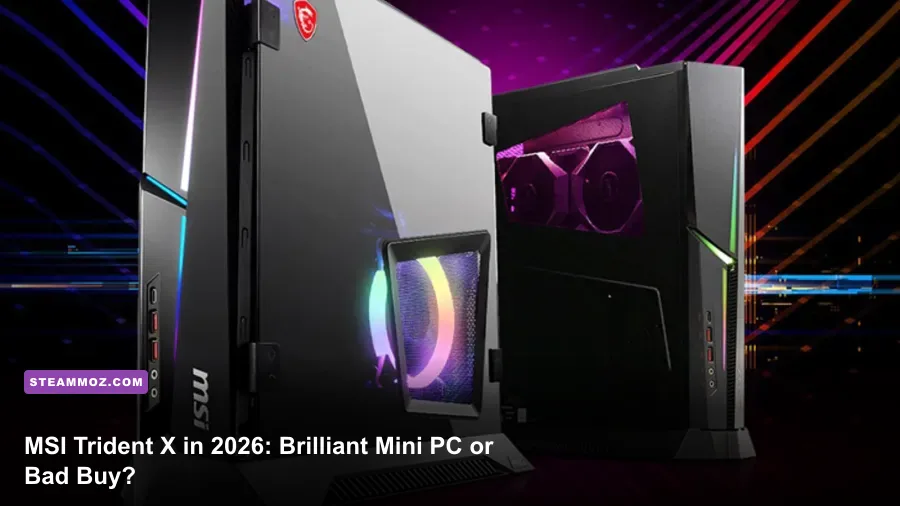
Short answer: the MSI Trident X is still worth buying in 2026 only when the price is aggressively low and the exact GPU is known. An RTX 2080 Ti model can remain a capable 1440p machine, while an RTX 2070 version is now a 1080p-focused bargain. The tiny chassis, desktop CPU, and surprisingly accessible upgrades are still appealing, but aging graphics hardware, limited warranty coverage, and used-market pricing make this a deal-driven purchase rather than an automatic recommendation.
This review focuses on the 2018–2019 MEG Trident X family, especially the common Trident X 9SD with an Intel Core i7-9700K and GeForce RTX 2070, plus the 9SE RTX 2080 and 9SF RTX 2080 Ti configurations. MSI also sold region-specific combinations, so check the full model sticker before handing over your money. The name alone doesn't tell you enough.
What You Actually Get for Your Money
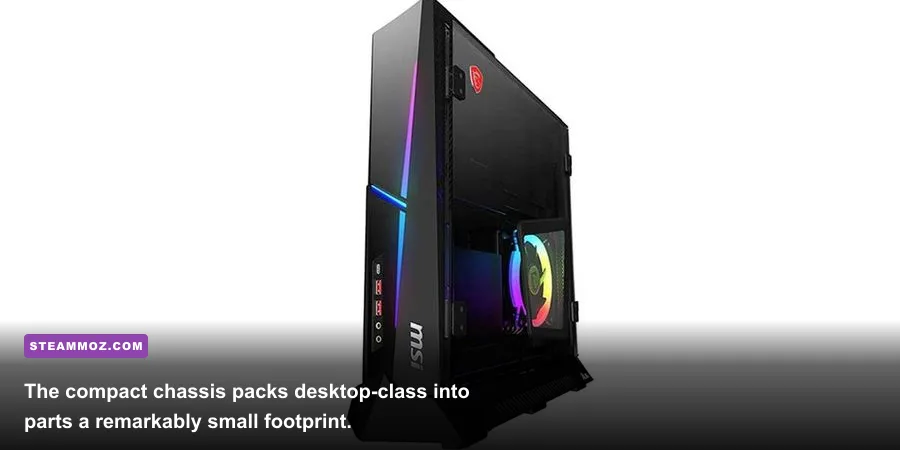
The original Trident X was ambitious because it used proper desktop components instead of laptop silicon. The Core i7-9700K has eight cores and eight threads, a 3.6GHz base clock, and boosts up to 4.9GHz. That remains plenty for modern games, although newer CPUs with 12 or more threads are smoother in heavily populated games and better for streaming.
The important split is the graphics card. The RTX 2070 carries 2,304 CUDA cores and 8GB of GDDR6 on a 256-bit bus. The RTX 2080 has 2,944 CUDA cores, while the RTX 2080 Ti steps up to 4,352 CUDA cores and 11GB of GDDR6. Those numbers translate directly into how long the machine stays comfortable at 1440p. Eight gigabytes is workable today, but texture-heavy releases can force compromises.
| Trident X Variant | Typical Core Hardware | 2026 Gaming Target | Used Value Verdict |
|---|---|---|---|
| 8RF / similar | Core i7-8700K, RTX 2080, 16GB RAM | 1080p ultra or 1440p high | Good only below modern entry-level pricing |
| 9SD | Core i7-9700K, RTX 2070, 16GB RAM | 1080p high, selective 1440p | Acceptable around $450–$550 used |
| 9SE | Core i7-9700K, RTX 2080, 16GB RAM | 1440p high at roughly 60fps | Interesting around $550–$650 used |
| 9SF | Core i7-9700K, RTX 2080 Ti, 16GB RAM | 1440p high, some 4K with tuning | Best model, but avoid inflated collector pricing |
Prices fluctuate wildly because sellers often treat “Trident X” as a premium badge. Don't pay $800 for a dusty RTX 2070 system simply because it has RGB glass and an MSI logo. At that money, a current midrange desktop usually gives you newer upscaling support, a better CPU platform, and a fresh warranty. Our rough ceiling assumes a clean machine with a working power supply, at least 16GB of RAM, and a healthy NVMe SSD.
The original specification is documented on MSI's official MEG Trident X product page, while MSI's support portal is useful for checking BIOS and driver files before buying.

🎮 FORM
Looking to experience this game? Grab your digital key directly on our store for $14.99.
View on Steammoz Store →Performance Test: Still Fast Enough for Modern Games?
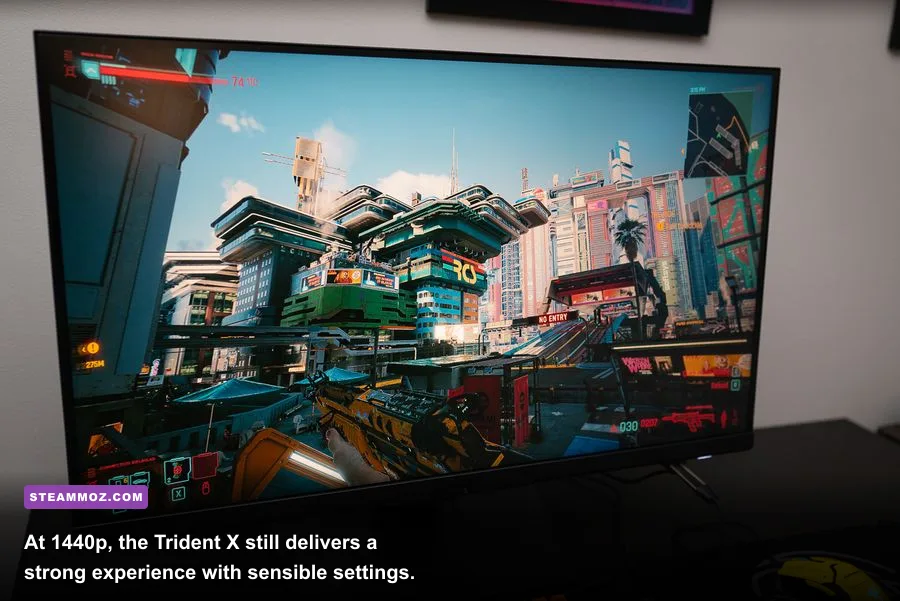
For a realistic 2026 test profile, the i7-9700K/RTX 2070 configuration was paired with 16GB of dual-channel DDR4, a 512GB NVMe boot drive, and Windows 11. The RTX 2080 Ti version should score roughly 35–45 percent higher in GPU-limited tests, while CPU-limited results are nearly identical. These are practical performance ranges rather than a promise for every second-hand unit; dust, thermal paste, BIOS settings, and game patches all matter.
| Game and Preset | RTX 2070 1080p | RTX 2070 1440p | RTX 2080 Ti 1440p |
|---|---|---|---|
| Cyberpunk 2077, high, RT off | 70–85fps | 48–62fps | 72–88fps |
| Cyberpunk 2077, RT medium, DLSS quality | 52–66fps | 38–50fps | 58–75fps |
| Forza Horizon 5, extreme | 92–112fps | 70–88fps | 105–130fps |
| Helldivers 2, high | 65–85fps | 50–68fps | 62–82fps |
| Counter-Strike 2, competitive | 220–300fps | 180–260fps | 190–275fps |
| Red Dead Redemption 2, high mix | 76–94fps | 55–70fps | 78–98fps |
The broad takeaway is simple: the Trident X still handles ordinary 1080p gaming beautifully. Esports titles have enough CPU headroom for high-refresh monitors, and games such as Forza Horizon 5 remain excellent at 1440p. The 9700K can become the limiting factor in large multiplayer battles, simulation games, and games with aggressive background streaming, but it isn't suddenly obsolete.
The RTX 2070 is where patience is required. Ray tracing in Cyberpunk 2077, Alan Wake 2, and similar releases pushes the card into a compromise loop: lower internal resolution, enable DLSS, reduce RT reflections, or accept 40–60fps. The card supports DLSS Super Resolution, but not newer frame-generation features available on RTX 40-series hardware. The RTX 2080 Ti's extra VRAM helps with texture stability, though it doesn't magically solve modern ray-tracing workloads.
For troubleshooting stutters, compare the usual software fixes in our ELEX crash and FPS guide and Far Cry 6 performance settings guide. The same basics apply here: clean drivers, sensible shader-cache settings, and don't fill the system drive to the last few gigabytes.
Graphics Settings That Make the Most Sense
Trying to run every new release at ultra is the fastest way to make an otherwise good Trident X feel ancient. “Ultra” frequently spends performance on shadows, volumetric fog, and reflections that are difficult to notice during play. A tuned high preset looks almost identical while keeping frame pacing healthier.
| Setting | Recommended Value | Typical FPS Impact | Visual Trade-Off |
|---|---|---|---|
| Resolution | 1920x1080 on RTX 2070; 2560x1440 on RTX 2080 Ti | Baseline | Native resolution gives the cleanest image |
| Textures | High, not ultra on 8GB cards | 0–8% | Minimal difference unless VRAM is exceeded |
| Ray tracing | Off or low; medium with DLSS on 2080 Ti | 20–45% | Reflections and lighting improve, frame rate falls sharply |
| Volumetric fog | Medium | 5–15% | Less dense haze, much steadier combat performance |
| Shadows | High | 3–10% | Small shadow softness loss at medium distance |
| Motion blur | Off | 0–2% | Sharper camera movement and less visual smearing |
| DLSS | Quality at 1440p; Balanced only when necessary | 15–30% gain | Quality is clean; balanced may soften fine detail |
For the RTX 2070, 1080p high is the sweet spot. Use a 90fps cap if your monitor supports adaptive sync, because the compact cooler can produce occasional clock fluctuations during long sessions. At 1440p, start with high textures, medium volumetrics, and DLSS Quality. On the RTX 2080 Ti, 1440p high is still a convincing default, and 4K becomes playable in older or well-optimized games if you target 60fps rather than chase ultra settings.
Thermals, Noise, and Upgrade Reality
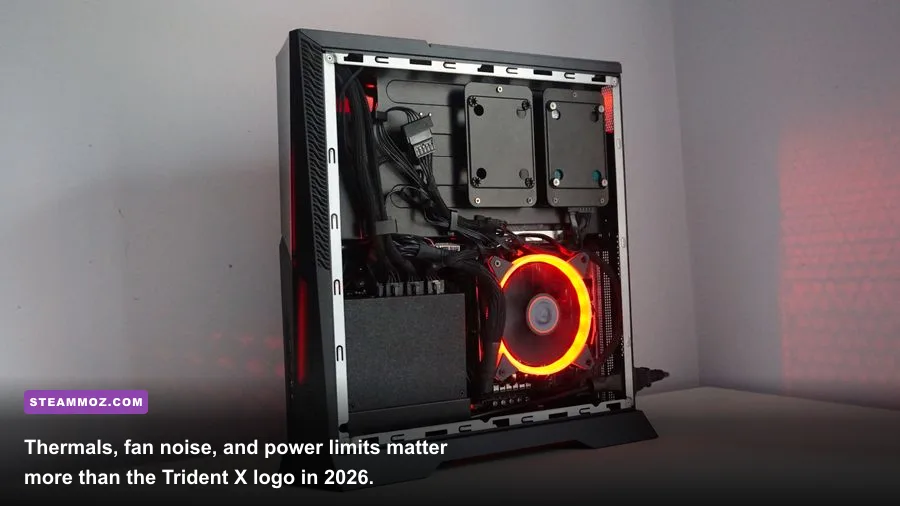
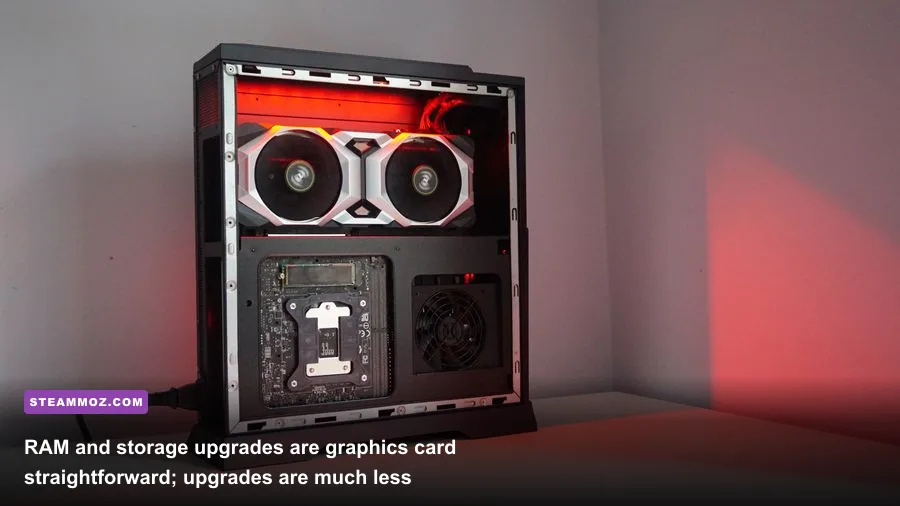
The Trident X's best feature is also its main engineering compromise: the chassis is dramatically smaller than a conventional tower. MSI's separated chamber layout keeps the graphics card and motherboard organized, and the desktop GPU is a major advantage over similarly sized gaming laptops. But there simply isn't much room for a large aftermarket cooler or a standard-length replacement graphics card.
Expect a healthy RTX 2070 to sit in the mid-to-high 70s Celsius during a long gaming session, with the CPU often landing in the low-to-mid 80s depending on ambient temperature and fan mode. A clogged dust filter, dried thermal paste, or a fan with a worn bearing can push temperatures well beyond that. Noise is not unbearable, but the small fans tend to sound sharper than the larger, slower fans in a tower.
RAM and storage are the safe upgrades. Move to 32GB using matched DDR4 modules if you're playing demanding open-world games while running browsers, Discord, and capture software. Replacing the small boot SSD with a 1TB or 2TB NVMe drive is also worthwhile. The HDD found in some configurations is better treated as bulk storage, not a game drive; modern asset streaming can feel rough from a mechanical disk.
The graphics card is the trap. Some Trident X units use a compact MSI-specific design, and the internal power connectors, bracket, cooler thickness, and power-supply limits can vary. Don't assume an RTX 4070 or RTX 5070 will fit because the card's length looks acceptable on a product page. Measure the available clearance, inspect the connector location, and verify the PSU before buying anything. The motherboard and CPU are also tied to an older platform, so a full platform upgrade usually means replacing the machine.
| Upgrade | Difficulty | Expected Benefit | 2026 Recommendation |
|---|---|---|---|
| 16GB to 32GB DDR4 | Easy | Fewer stutters and better multitasking | Recommended for new owners |
| NVMe SSD replacement | Easy to moderate | Faster loading and more usable capacity | Recommended if the drive is under 1TB |
| CPU replacement | Moderate | Limited; platform remains old | Usually not cost-effective |
| Graphics card replacement | Moderate to difficult | Potentially huge, fit-dependent | Only after measuring the exact chassis |
| Cooling overhaul | Moderate | Lower noise and steadier boost clocks | Worthwhile on dusty or hot units |
Before opening the chassis, save the exact service manual and BIOS information from MSI. Compact proprietary systems punish guesswork. Our crashing and low-FPS troubleshooting guide also covers the diagnostic order I use: monitor temperatures, check clock speeds, test memory, then reinstall drivers instead of randomly changing five settings at once.
What to Check Before Buying Used
A used Trident X needs more than a quick boot demonstration. Ask the seller for the complete model number, GPU specification, RAM layout, SSD health screenshot, and a 15-minute stress test. If the seller refuses to identify the GPU or claims “RTX graphics” without a model, walk away. The difference between an RTX 2070 and RTX 2080 Ti is enormous, and dishonest listings rely on that ambiguity.
Inspect the machine in this order
- Confirm the GPU. Open Windows Device Manager or GPU-Z and verify the exact card. Check that the listed VRAM matches: 8GB for RTX 2070/2080, 11GB for RTX 2080 Ti.
- Check temperatures. Run a demanding game or a short benchmark while watching HWiNFO. Sudden thermal throttling, a GPU stuck at low clocks, or CPU temperatures approaching 95°C suggests maintenance is overdue.
- Listen for fan and pump noise. A grinding fan, rattling side panel, or intermittent liquid-cooler noise is not a minor cosmetic flaw. Replacement parts can be awkward to source.
- Test every port. Try the front USB ports, rear display outputs, Ethernet, Wi-Fi, audio, and Bluetooth. Compact desktop repairs can become expensive when proprietary boards are involved.
- Check storage health. A nearly worn-out NVMe drive can explain crashes and slow loading. Budget for replacement rather than treating it as a bonus drive.
- Verify Windows activation and BIOS access. You want a clean installation, administrator access, and no unknown passwords. A used PC that boots is not necessarily a usable PC.
Also inspect the power supply label. The exact wattage differs by configuration, and a replacement GPU must stay within the system's electrical and physical limits. Don't buy an RTX 2080 Ti variant at a premium if the unit already has noisy fans, a tiny SSD, and evidence of years spent in a dusty room.
Final Verdict: Buy the Deal, Not the Hype
The MSI Trident X still has a personality that many modern budget desktops lack. It is compact, genuinely desktop-class, visually distinctive, and capable of excellent 1080p gaming years after launch. An RTX 2080 Ti model remains a respectable 1440p machine, especially if you play competitive games, older AAA releases, and don't insist on maximum ray tracing.
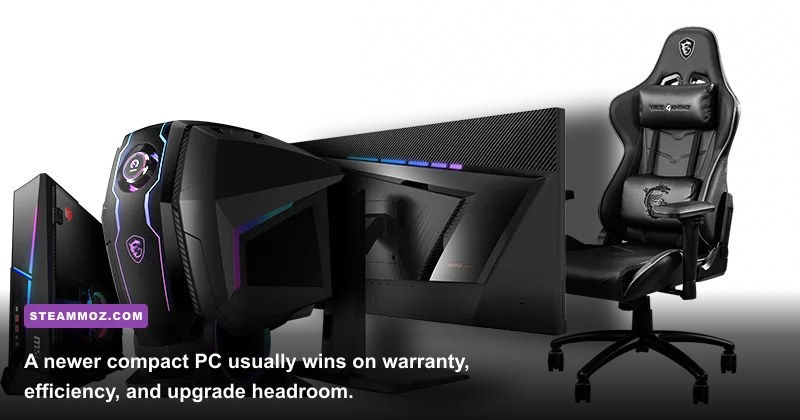
But the 2026 buying decision is brutally price-sensitive. The RTX 2070 version is worth considering around $450–$550, the RTX 2080 model makes sense around $550–$650, and an RTX 2080 Ti system deserves attention around $650–$750 only when its condition is excellent. Above those ranges, a newer desktop is usually the smarter investment. You'll get better efficiency, modern frame-generation options, faster storage standards, and a warranty instead of a ten-minute seller demonstration.
My verdict: buy the MSI Trident X in 2026 if you want a small, attractive 1080p or 1440p gaming PC and have verified the exact configuration. Skip it if you need painless future upgrades, quiet operation, or guaranteed performance in the newest ray-traced releases. The Trident X isn't a bad PC; it's an old premium PC that only becomes a good deal when the seller prices it like one.
For more hardware-focused performance tuning, pair this review with our PC specs breakdown and higher-FPS settings guide. The same rule applies to every used gaming desktop: verify the parts, test the thermals, and let the price—not nostalgia—make the decision.