If you're wondering whether Call of Duty: Modern Warfare 2 (2022) is worth installing on PC today, the answer is a sharp, conditional yes—with massive caveats. If you want a cinematic, photorealistic military campaign and the lingering brilliance of the orphaned DMZ extraction mode, it remains an incredible piece of software. However, if you're jumping in expecting a casual, thriving 6v6 arcade multiplayer experience without friction, you will run headfirst into punishing matchmaking algorithms, hollowed-out progression playlists, and the infuriating storage monster that is the Call of Duty HQ ecosystem.
The Immediate Verdict: Who Modern Warfare 2 PC is Actually For
Infinity Ward took major design risks when they released this title. They stripped away the twitch-heavy slide-canceling nonsense that defined the original Warzone era, slowing operator movement down to prioritize positioning, pre-aiming, and tactical awareness. While subsequent franchise releases abandoned this philosophy to cater to cracked-out movement enthusiasts, Modern Warfare 2 on PC stands as the last bastion of heavy, deliberate modern gunplay. You can review the game's launch footprint and community reception directly on the Modern Warfare II on Steam store page.
For PC enthusiasts with modern graphics cards, the game is an aesthetic triumph. The IW 9.0 engine delivers incredible physically based rendering, cutting-edge water physics, and weapon audio recorded with frightening acoustic fidelity. But purchasing it today requires caution. At full retail price, it is an absolute rip-off. If you grab it during a seasonal Steam sale for under $30, the single-player campaign, Spec Ops co-op missions, and the standalone extraction loop of DMZ offer dozens of hours of high-grade military spectacle. Just don't expect Activision to fix the bugs that slipped through the cracks when live-service development shifted downstream.

🎮 PEAK
Looking to experience this game? Grab your digital key directly on our store for $7.99.
View on Steammoz Store →The Gunplay and Movement Mechanics: Slower, Weightier, and Divisive
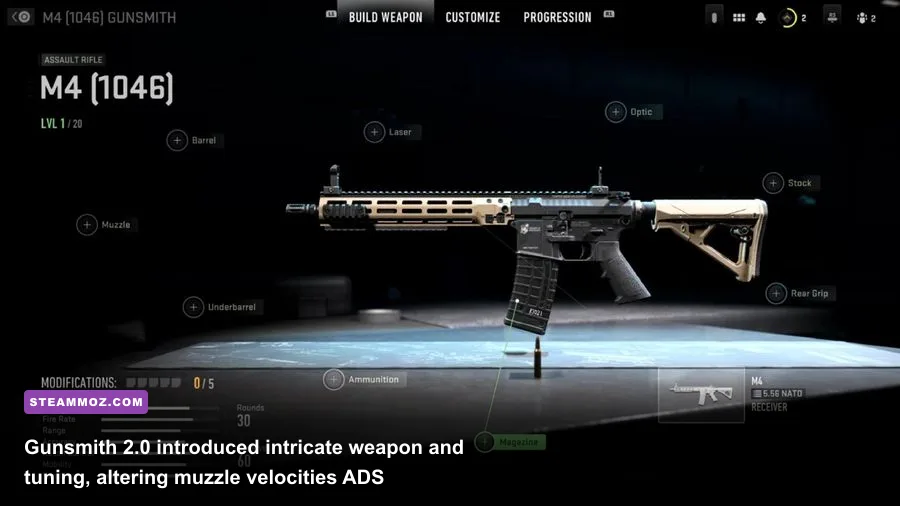
The core gameplay loop of Modern Warfare 2 remains wildly distinct from the arcade twitch-fests that sandwich it. Aim-down-sights (ADS) times are deliberately heavy. Strafe speeds actively punish you for trying to bunny-hop around corners, and jumping triggers a tangible penalty to your weapon's stability and dispersion. While movement kings reviled these changes, players seeking a shooter where audio cues, crosshair placement, and line-of-sight discipline actually matter will find plenty to love here.
Weapons feel authentic, packing visceral visual recoil and heavy volumetric smoke that obscures your iron sights during sustained automatic fire. The Gunsmith 2.0 system allows you to tune attachment weights and barrel lengths down to the millimeter. Increasing your barrel weight dampens vertical recoil climb at the immediate expense of ADS transition time, requiring tactical compromises. Much like experimenting with fine-tuned weapon setups in our Far Cry 3 Blood Dragon weapon tier rankings, mastering weapon behavior in MW2 requires understanding hard numbers over aesthetic preference.
To give you an idea of how the sandbox balances out when stripped of seasonal meta shifts, take a look at how key weapon archetypes perform in the current static build of the game:
| Weapon Class | Top Meta Representative | Base TTK (Close Range) | Recoil Characteristic | Primary Role & Viability |
|---|---|---|---|---|
| Assault Rifle | TAQ-56 (SCAR-L) | 185 ms | Predictable vertical climb, minimal horizontal drift | Mid-range lane anchor; unmatched consistency on mouse & keyboard. |
| Battle Rifle | Lachmann-762 | 142 ms (Semi-Auto) | Violent visual kick, heavy visual muzzle flash | Skill-cannon; devastating two-tap potential if you hit upper torso. |
| Submachine Gun | Lachmann Sub (MP5) | 165 ms | Initial vertical pop settling into mild sway | Aggressive room clearing; requires close-quarters ADS build. |
| Marksman Rifle | SP-R 208 | Instant (1-Shot) | Crisp bolt cycle, severe flinch when hit | High-risk snap-aiming; lethal in the hands of flick-heavy PC players. |
| Light Machine Gun | Sakin MG38 | 210 ms | Heavy sustained drift, exceptional bullet velocity | DMZ vehicle shredder and defensive lockdown tool; terrible mobility. |
The time-to-kill (TTK) across these weapons sits in an aggressive bracket between 150ms and 220ms. In practical terms, whoever spots the target first usually wins the gunfight. If you are burned out on modern shooters where enemies soak an entire magazine before sliding behind cover to regenerate shields, this brutal, lethal gunplay feels like a refreshing, uncompromising palate cleanser.
Multiplayer Health and Matchmaking Realities: Queue Times and Anti-Cheat
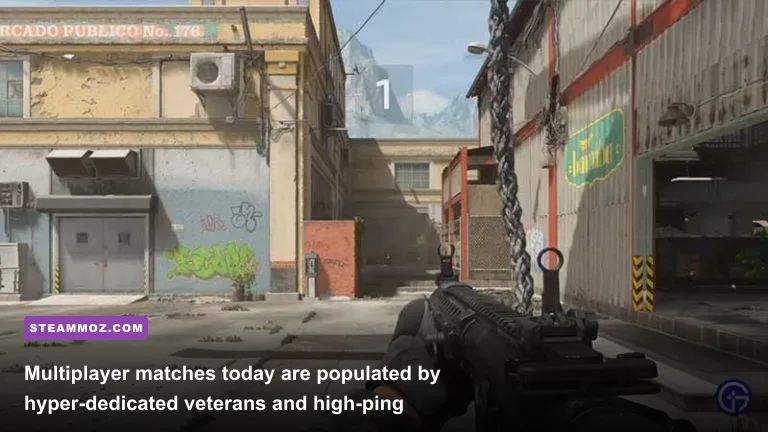
Launch yourself into standard 6v6 matchmaking today, and you will notice a stark shift in the ecosystem. The hyper-casual player base has long moved on to newer titles. What remains is a concentrated pool of hardcore veterans, camo-grinding completionists, and high-ping international lobbies. Finding matches in popular game modes like Team Deathmatch, Domination, and Search and Destroy takes anywhere from 30 to 90 seconds on North American and European servers. However, more niche playlists like Prisoner Rescue, Knock Out, or Tier 1 (Hardcore) can leave you sitting in matchmaking queues indefinitely.
Skill-Based Matchmaking (SBMM) remains strictly hardcoded into the networking backend. Because the overall player pool is smaller, the matchmaking engine is forced to widen its ping parameters to find players within your skill bracket. This means PC players frequently get thrown into lobbies with 80ms to 120ms latency, leading to frustrating desync deaths where you drop behind solid cover. Tracking broader franchise updates through the official Call of Duty portal shows that backend network routing prioritizes current-year titles, leaving older matchmaking pools to fend for themselves.
Map design in Modern Warfare 2 is notoriously polarizing. For every brilliant, layered arena like Farm 18, Mercado Las Almas, or Crown Raceway, you have to endure universally despised layouts like Santa Sena Border Crossing—a narrow highway choked with hundreds of exploding vehicles that turn the opening sixty seconds into pure RNG grenade spam. Fortunately, with the map rotation fully finalized, you can curate your expectations, though map voting is conspicuously absent.
On the security front, Activision's proprietary kernel-level driver, Ricochet Anti-Cheat, still runs in the background. While it does a decent job stomping out blatant, rage-hacking spinbots, wallhacks and subtle aim-smoothing scripts still creep into higher-tier MMR lobbies. Because community moderators do not oversee private servers here like they do in classic titles, you are entirely at the mercy of automated reporting waves.
DMZ in Retrospect: The Abandoned Mode That Refuses to Die
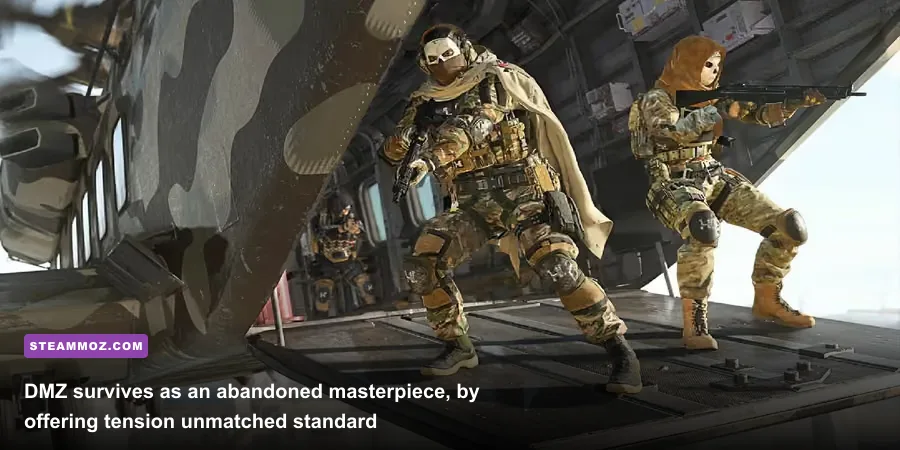
You cannot evaluate Modern Warfare 2 without discussing DMZ. Pitched during the game's marketing cycle as an extraction-shooter sandbox, DMZ dropped squads into Al Mazrah, Ashika Island, Vondel, and the claustrophobic corridors of Building 21. While Activision officially ceased adding seasonal content and missions to DMZ following the release of Modern Warfare 3, the mode's servers remain completely online—and it has retained an intensely loyal, dedicated cult following.
DMZ strikes a magical middle ground between the punishing, spreadsheet-heavy misery of Escape from Tarkov and the accessible gunplay of an arcade shooter. You infil with basic gear, battle lethal AI patrols, capture high-value targets, crack secure weapon safes, and desperately fight your way toward an extraction chopper with a backpack stuffed with gold skulls and classified hard drives. The inclusion of proximity voice chat transforms every run into an unpredictable social experiment where rival squads bargain for their lives, form tenuous six-man alliances, or execute ruthless betrayals at the exfil zone.
For PC gamers, DMZ is arguably the strongest single reason to install the client today. The massive, sun-baked dunes of Al Mazrah showcase incredible draw distances, and the tactical sandbox allows for sniper overwatch positions and amphibious vehicle assaults that standard multiplayer modes simply cannot facilitate. Comprehensive mission walkthroughs and faction reward tables can still be referenced on the player-curated Call of Duty Wiki, making clearing lingering Tier 5 Black Mous and Crown contracts a surprisingly engaging co-op campaign.
PC Performance, Optimization, and Modern Hardware Benchmarks
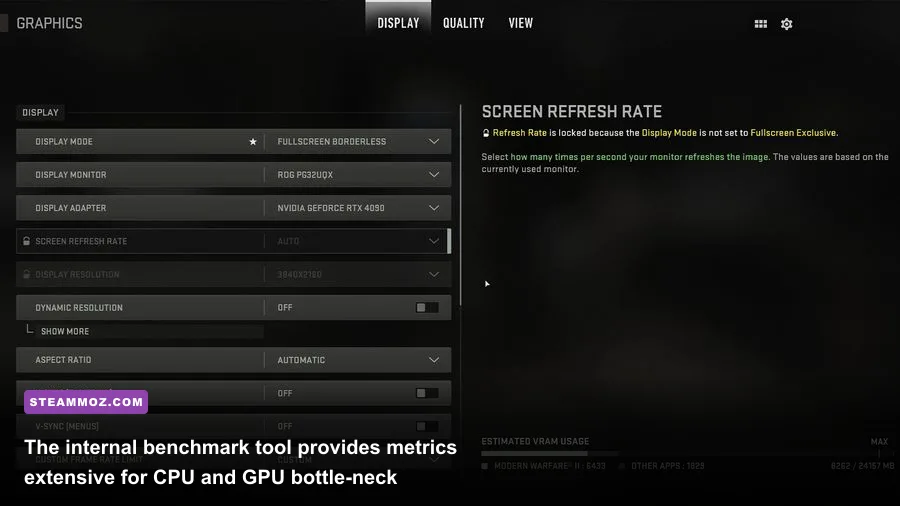
On the technical front, Modern Warfare 2 runs like a dream on modern PC hardware, provided you bypass the dreaded shader-caching stutters. When you launch the game after a driver update, the client forces a comprehensive pre-compilation of shaders. If you jump into a match before this reaches 100%, your frame times will look like a seismograph during an earthquake. If you encounter persistent engine crashes during boot sequences, our guide on fixing game crashes and rescuing frame rates breaks down how registry bloat and corrupt cache files cripple modern engines.
The game supports every major image reconstruction suite on the market, including NVIDIA DLSS, AMD FSR, and Intel XeSS, alongside dynamic resolution scaling and NVIDIA Reflex Low Latency. Much like dialing in your configuration using our settings guide for high FPS, maximizing your frame rate in MW2 requires balancing CPU-bound draw calls against GPU-bound volumetric shadows.
If you want to achieve a locked 144+ FPS at 1440p without turning your graphics into a muddy mess, apply this performance-tuned configuration profile:
| Graphics Setting | Recommended Value | FPS Performance Impact | Visual Impact & Competitive Rationale |
|---|---|---|---|
| Display Mode | Exclusive Fullscreen | Negligible | Critical for minimizing mouse input latency and desktop compositor lag. |
| Render Resolution | 100% Native | High (System Dependent) | Do not set below 100%; sub-native rendering ruins target clarity at distance. |
| Upscaling / Sharpening | FidelityFX CAS (Strength: 65) | Very Low (~1-2%) | Provides razor-sharp edge contrast without the temporal ghosting of DLSS/FSR. |
| Texture Resolution | Normal / High | VRAM Dependent | Keep high if your GPU has 8GB+ VRAM; impacts weapon and glove textures significantly. |
| Particle Quality Level | Low | Medium (~5-8%) | Stops frame drops during thermite sparks, smoke grenades, and artillery strikes. |
| Spot Shadow Quality | Low | High (~9-12%) | Cleans up GPU processing overhead; minimal competitive drawback indoors. |
| Screen Space Reflections | Off | Medium (~6%) | Eliminates noisy, distracting reflections on wet asphalt and puddles. |
| NVIDIA Reflex Low Latency | On + Boost | Zero (Slight GPU Power Draw) | Forces GPU clocks high to minimize frame buffer queues during heavy firefights. |
Understanding these resource demands is vital when comparing older release performance targets with modern system realities, an evolution we thoroughly detailed in our PC system specs breakdown. Once configured properly, mid-range hardware like an RTX 3060 or Radeon RX 6700 XT will easily push a fluid 120 to 140 FPS at 1080p, while top-tier rigs can max out 240Hz competitive panels at 1440p with ease.
If you run into micro-stutters despite solid average framerates, dive into your documents/Call of Duty/players/options.3.cod22.cst file. Locate the parameter labeled RendererWorkerCount and set its numerical value to match the exact number of physical performance cores on your CPU. This stops the game engine from over-subscribing threads across non-uniform architectures like Intel's hybrid E-core designs, smoothing out your frame-time pacing immediately. Similar tweaks are often necessary for older titles struggling with modern hardware architecture, as explored in our troubleshooting piece on stopping PC crashes and rescuing FPS.
Pricing, Storage Bloat, and Final Purchase Value
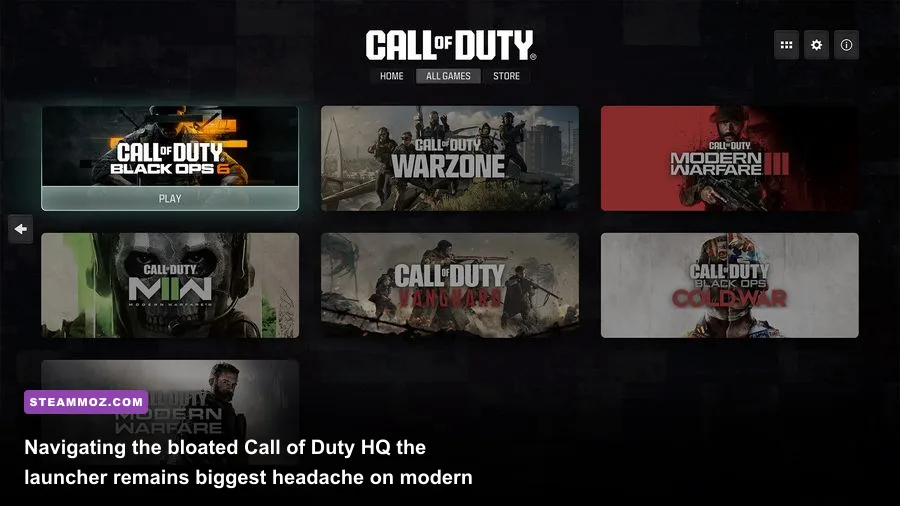
We need to talk about the elephant in the room: Call of Duty HQ. Installing Modern Warfare 2 on a PC today is an absolute chore. Activision treats previous games not as standalone executables, but as DLC sub-packages nested inside a massive, unified launcher application. When you launch the game from Steam, you are forced to boot into the Call of Duty HQ frontend, scroll past splash screens advertising the newest mainline release, select the MW2 legacy tile, and wait as the game restarts itself to swap executables. It is anti-consumer design at its absolute worst.
Furthermore, the storage requirements are unforgiving. Even if you deselect Warzone, cooperative modes, and language packs, a barebones install of just the base multiplayer and campaign modules will consume over 125 GB of NVMe SSD space. If you install the entire package with high-resolution asset streaming caches enabled, that figure can easily balloon toward 175 GB. Storing this game on a secondary mechanical hard drive is completely out of the question; mechanical storage will cause texture pop-in, audio desynchronization in cutscenes, and severe hitching when loading into matches.
Here is your clear purchasing playbook:
- Do Not Pay $69.99: Activision rarely slashes standard base MSRP permanently, choosing instead to hold older entries at full price to herd players toward the latest annual title. Paying full retail price for this game today is a terrible financial choice.
- Buy During Major Steam Sales ($25 - $30): At a discounted rate, the package pays for itself. You receive an exceptional 6-to-8-hour campaign featuring Soap, Ghost, and Captain Price, access to co-op Spec Ops missions, offline bot-match capabilities, and the entire DMZ sandbox.
- Check Your Hardware Headroom: Ensure your SSD has at least 150 GB of unallocated free space before initiating the download, and verify that your system can maintain an uninterrupted broadband connection for shader validation checks.
Ultimately, Call of Duty: Modern Warfare 2 on PC occupies a fascinating place in shooter history. It was the moment Infinity Ward attempted to pull the world's biggest arcade shooter closer to a grounded, tactical military simulation. While the hyper-sweaty competitive multiplayer scene has largely moved on to newer pastures, its gorgeous tactical presentation, visceral gunsmith customization, and the tense extraction playground of DMZ make it well worth experiencing—provided you buy it on a discount and have the SSD real estate to spare.