Getting true hundred-hour value out of a $3 Steam sale impulse buy or a bundle throw-in doesn't mean forcing yourself to endure dated clunk or unpolished indie rough edges. Treat budget PC titles like project cars: you buy the chassis for pocket change, strip out the developer's abandoned technical bottlenecks, deploy community-built API wrappers, and bolt on overhaul mods that completely eclipse modern live-service bloat. With the right configuration pipelines, low-cost games consistently deliver higher frame rates, richer mechanics, and far deeper progression loops than full-price releases.
The Essential Stability Stack: PCGamingWiki, DXVK, and Memory Patches
Older discount titles and budget indie releases almost always suffer from poor thread distribution, broken DirectX 9 pipeline stalls, and hard-coded memory limits. Before you spend a single minute troubleshooting stutter in-game, you should calibrate your platform baseline using proven community fixes documented across PCGamingWiki. If you pick up older gems like Fallout: New Vegas or Dragon Age: Origins during seasonal sales, your first stop is running a 4GB Patch (Large Address Aware enabler). By default, 32-bit Windows executables only address 2GB of virtual memory; tripping that threshold with modern texture caches or memory leaks guarantees an instant crash to desktop.
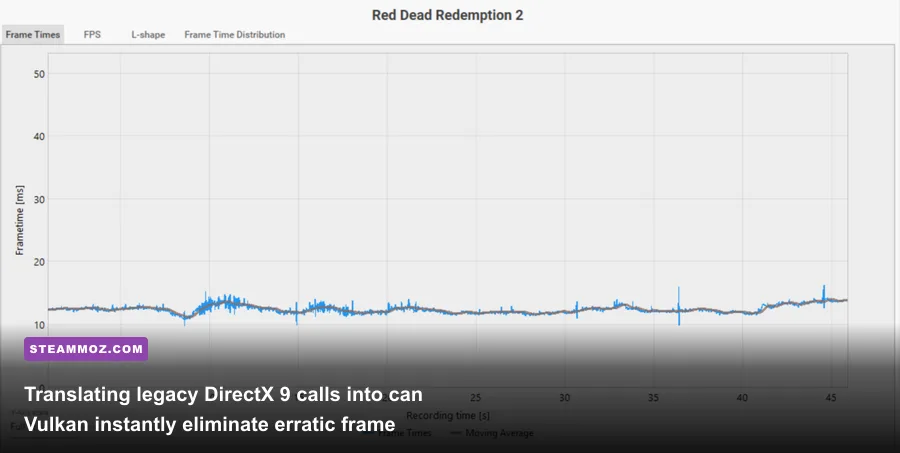
Next up is API modernizing. Older DirectX 9 and early DirectX 11 budget ports run into massive driver overhead on modern graphics cards from AMD and Nvidia. By dropping DXVK DLL files (d3d9.dll or dxgi.dll) directly into your game's root directory alongside the executable, the engine translates outdated draw calls into high-efficiency Vulkan instructions. This completely flattens frame-time spikes, cures erratic microstutter, and allows older processors to feed modern GPUs without choke points. If you are wrestling with legacy action RPGs that drop frames during dense combat, checking our guide on ELEX PC fixes that stop crashes and rescue your FPS provides a clear look at how engine-level optimizations rescue demanding budget worlds.
| Utility / Tool | Primary Function | Ideal Target Games | Performance & QoL Impact |
|---|---|---|---|
| DXVK (Vulkan Wrapper) | Translates D3D9/D3D11 to Vulkan API | DirectX 9/11 titles (2006–2014) | Eliminates draw-call bottlenecks; stabilizes 1% low FPS |
| Special K | Frame pacing, Latent Sync, HDR retrofitting | Janky indie ports & locked 60 FPS titles | Cleans up erratic frame delivery; trims render latency by up to 15ms |
| 4GB Patch (NTCore) | Flips Large Address Aware (LAA) flag | 32-bit executables (e.g., Gamebryo, Eclipse) | Prevents out-of-memory engine crashes during long play sessions |
| Flawless Widescreen | Dynamic memory injection for aspect ratios | Cheap console ports locked to 16:9 | Restores proper Ultrawide (21:9/32:9) support and adjusts FOV |
If you play on older hardware or push maximum refresh rates on a budget rig, knowing the precise hardware demands of classic games is just as critical. Our breakdown of Far Cry 2 PC specs and system requirements highlights how low-spec engines behave once freed from legacy console constraints.
Total Conversions: Turning Five-Dollar Bargains into 300-Hour Epics
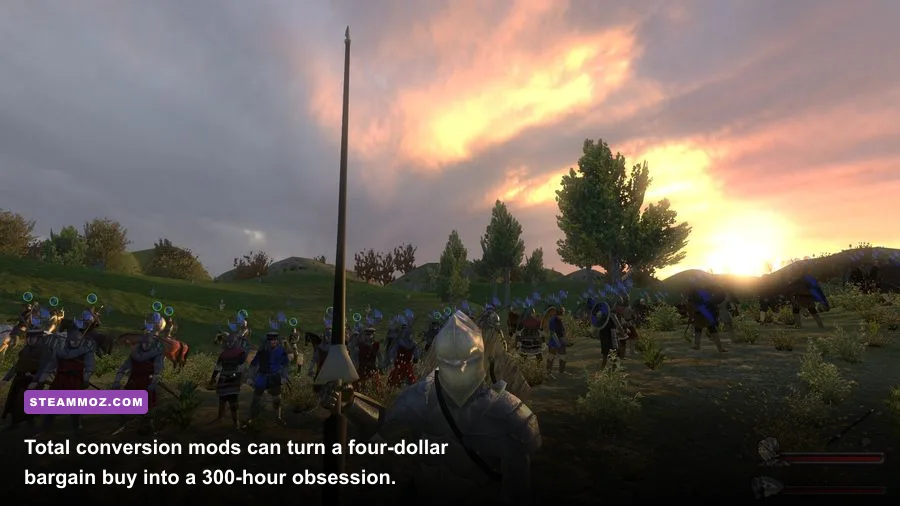
The smartest investment in PC gaming isn't buying a pristine new title at full price—it's buying an aged, open-architecture game on sale purely to use as a launchpad for total conversion mods. A five-dollar copy of Mount & Blade: Warband from the Steam Store isn't just a medieval skirmish game; it's your ticket to Prophesy of Pendor, a meticulously balanced high-fantasy simulation featuring custom knightly orders, lethal minor factions, and reworked tactical AI that humiliates many modern strategy titles.
The same principle holds true across genres. Grabbing S.T.A.L.K.E.R.: Shadow of Chernobyl during a sale gives you the legal assets needed to experience standalone community engines like Stalker Anomaly or GAMMA, which rebuild the entire radioactive Zone into an unforgiving modular survival sandbox. In these overhauls, ballistic penetration formulas, item degradation systems, and dynamic AI faction wars turn a simple discount purchase into an elite military simulator. Community platforms like Nexus Mods host thousands of hours of free expansions, provided you pick games with robust modding hooks.
If you lean toward tight, atmospheric action, focused single-player spin-offs often offer much better mechanical density than oversized open worlds. Take a look at our tier list of Far Cry 3: Blood Dragon weapons ranked from S to C to see how budget-friendly standalone expansions isolate the absolute best combat mechanics without forcing you through dozens of hours of filler.
Diving into Config Files: Stripping Jank at the Engine Level
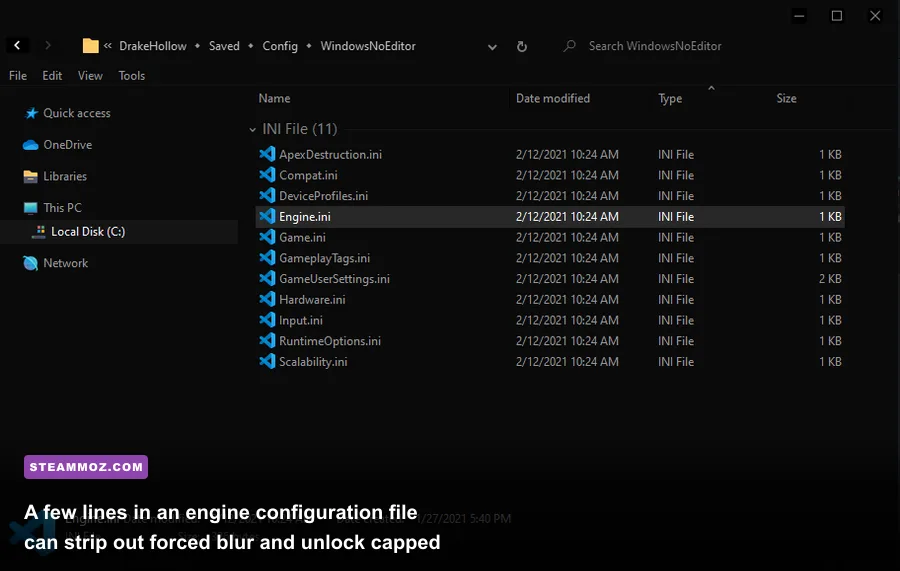
Budget indie games built on Unreal Engine 4, Unreal Engine 5, or Unity often hide their best settings behind frustratingly barebones in-game menus. If a cheap game feels sluggish, smeary, or floaty, head straight for the game's local configuration files in %LOCALAPPDATA% or your user document folders. Developers working on small budgets routinely leave aggressive Temporal Anti-Aliasing (TAA) and post-processing filters enabled by default, turning crisp art styles into vaseline-smeared sludge.
For Unreal Engine games, open up Engine.ini and inject targeted console variables under the [SystemSettings] header to cleanly strip visual noise and sharpen responsiveness:
[SystemSettings]
r.DepthOfFieldQuality=0
r.MotionBlurQuality=0
r.SceneColorFringeQuality=0
r.TemporalAACurrentFrameWeight=0.2
r.Tonemapper.Sharpen=0.8
bSmoothFrameRate=False
Setting r.DepthOfFieldQuality=0 and r.SceneColorFringeQuality=0 kills artificial blur and chromatic aberration instantly. Tweaking the temporal weight and sharpen values cleans up the render buffer without introducing harsh edge shimmering. Turning off smoothed framerates unlocks the internal tick rate, bypassing stubborn 62 FPS caps that ruin high-refresh-rate displays. If you run into severe launch hitches or resolution bugs while digging into low-cost indie gems, our diagnostic steps for EscapeVR The Basement crashing and low FPS fixes walk through manual resolution setting overrides that apply across hundreds of Unity engine releases.
Don't ignore the requirements of classic narrative adventures either; even 2D point-and-click titles can run into bizarre display scaling quirks on modern displays. Checking our run-down of Edna & Harvey: Harvey's New Eyes PC requirements shows how straightforward compatibility adjustments keep low-spec narrative masterpieces running without hitches.
Steam Input Mastery: Modernizing Outdated Controls
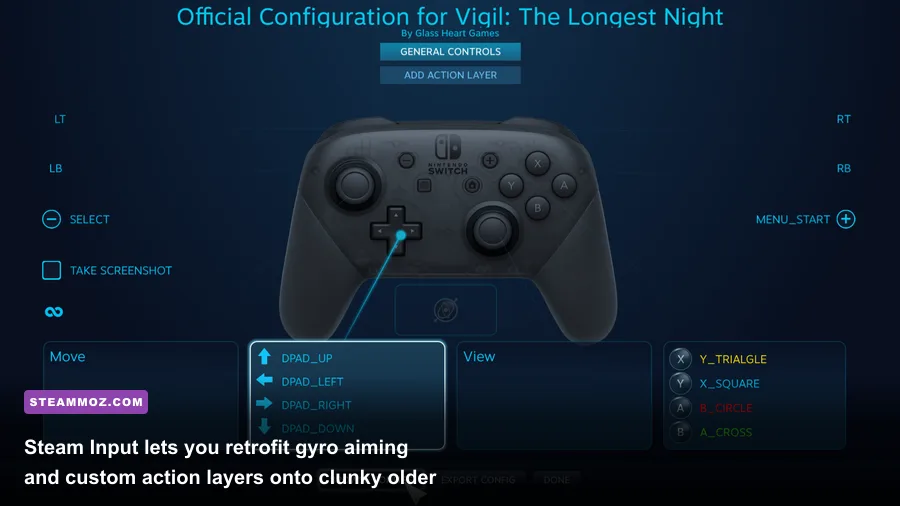
Terrible control schemes kill more budget gaming sessions than poor graphics ever will. Early 2000s classics, rough PC ports, and budget European action titles often feature awful gamepad deadzones, lack native x-input support, or force clumsy keyboard configurations that feel completely unnatural on modern hardware. Steam Input completely solves this problem without requiring third-party remappers.
By enabling Steam Input in the game properties menu, you can rebind raw keyboard and mouse inputs directly to any modern controller. More importantly, you can activate Gyro Aiming. In older single-player shooters that lack modern aim-assist curves, mapping controller gyro to mouse output transforms clumsy, loose combat into razor-sharp precision targeting. You can set the gyro to trigger only while holding down left trigger (aim-down-sights), giving you sweeping analog stick turns paired with wrist-level micro-adjustments for instant headshots.
You can also use Action Sets to fix poorly paced control layouts. For games with complex radial menus or bloated hotbar systems, configure an Action Layer that turns your controller's d-pad into an instant eight-way virtual menu on trackpad press. This single feature lets you navigate sprawling inventory screens in classic RPGs without ever reaching for your mouse.
Challenge Runs and Rule Sets: Extracting Triple-A Depth

Budget roguelikes, tactical games, and older action RPGs often carry brilliant underlying systems wrapped in uneven balancing. Once you master the baseline mechanics, the fastest way to extract another fifty hours of play is adopting community-tested challenge rules. Stripping away balance-breaking exploits forces you to actually engage with mechanics you might otherwise bypass completely.
If you're jumping into budget space combat simulators, identifying the right loadouts early makes all the difference between grinding and triumphing. Our breakdown of Everspace Deluxe Upgrade weapons worth your credits demonstrates how zeroing in on high-synergy armaments turns difficult, repetitive runs into pure tactical power trips.
| Game Title | Average Sale Price | Essential Mod / Community Rule Set | Total Playtime Transformation |
|---|---|---|---|
| S.T.A.L.K.E.R.: Shadow of Chernobyl | $4.99 | Zone Reclamation Project (ZRP) + Master Difficulty | 15 hours → 60+ hours of razor-sharp survival |
| Mount & Blade: Warband | $3.99 | Prophesy of Pendor Mod (Hardcore Iron-man) | 30 hours → 250+ hours of tactical conquest |
| Vampire: The Masquerade - Bloodlines | $4.99 | Wesp5's Unofficial Patch (Plus Version) | Broken unplayable → 40 hours of elite narrative RPG |
| Heroes of Might and Magic III | $2.50 (GOG) | Horn of the Abyss (HotA) + HD Mod | 40 hours → 500+ hours of competitive strategy |
| Titan Quest: Anniversary Edition | $3.99 | Xmax Mod (Tripled mob spawns, self-found loot) | 25 hours → 120+ hours of intense ARPG theorycrafting |
Never write off a dirt-cheap game simply because its default launch state feels rough or uncalibrated. With DXVK wiping out API bottlenecks, precision engine tweaks cleaning up the viewport, Steam Input modernizing your physical controls, and overhaul communities supplying endless free content, sub-five-dollar games often end up delivering the most rewarding gaming experiences in your entire library.