To instantly fix lag and low FPS in Street Fighter 6, you must lock your in-game frame rate to a strict 60 FPS, disable V-Sync inside the game menu, set Shadow Resolution to Medium, and turn off Mesh Quality adjustments in crowded hub areas. Because fighting games rely entirely on frame-accurate inputs, any dip below the target frame rate introduces severe stuttering, input delay, and desynchronization during ranked matches.
Understand Street Fighter 6 Performance Demands
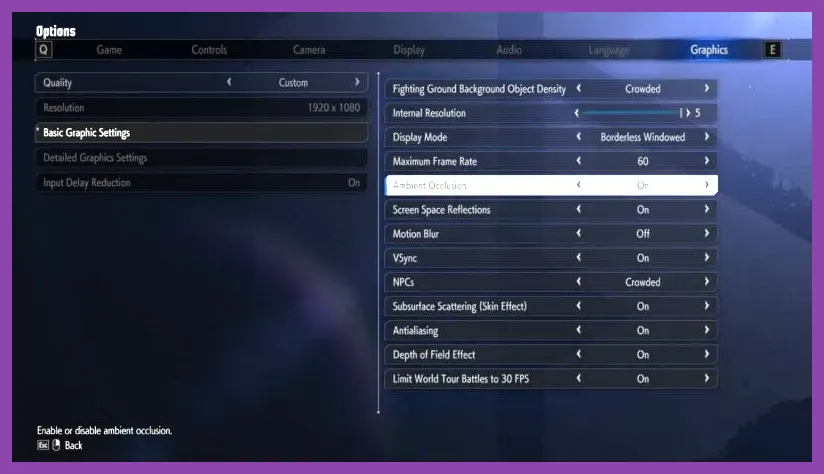
Street Fighter 6 is built on Capcom's proprietary RE Engine, which scales remarkably well across modern hardware but can encounter severe frame pacing issues if specific parameters are misconfigured. Unlike traditional open-world titles, fighting games lock game logic directly to the frame rate. When your system drops from 60 FPS to 55 FPS, the game engine attempts to compensate, leading to micro-stutters that ruin combo timing with characters like Ryu, Luke, or Juri.
Before tweaking your graphics driver or editing config files, verify your hardware against the official Street Fighter 6 system requirements to establish a baseline. If you are running older hardware or experimenting with handheld setups akin to the Steam Deck OLED, aggressive optimization is mandatory to maintain competitive integrity.
Players frequently encounter performance bottlenecks in the Battle Hub and World Tour modes due to dynamic lighting and crowd rendering. If you enjoy optimizing other titles, you might also find our guides on Stardew Valley max FPS settings useful for understanding general performance tuning principles.
Best PC Graphics Settings for Maximum FPS
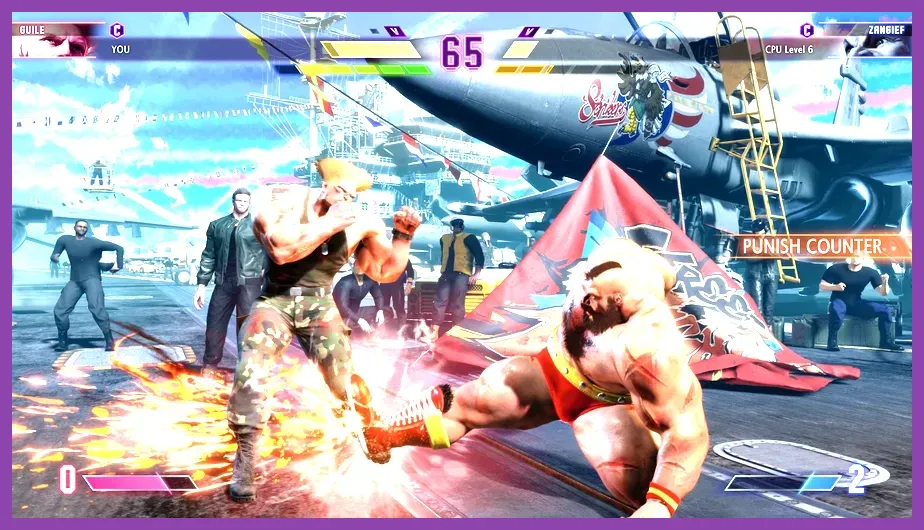
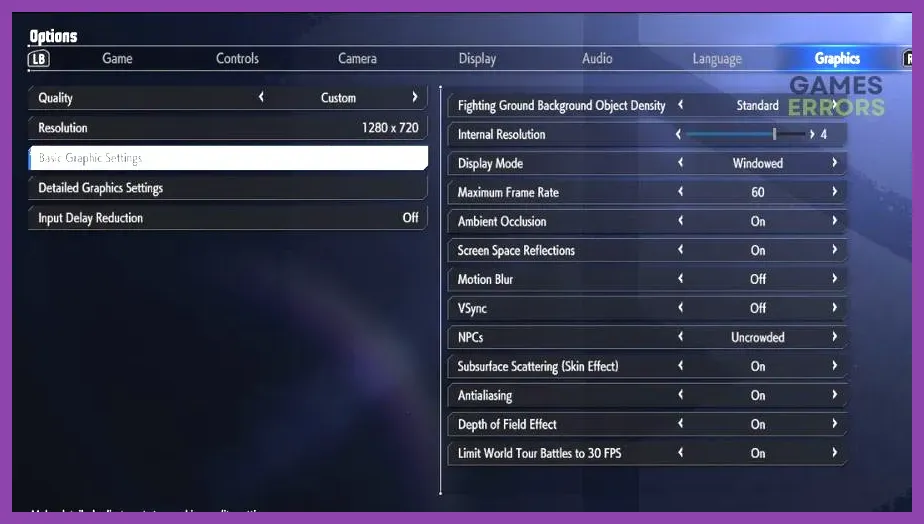
Configuring the internal display settings correctly is the single fastest way to reclaim lost frames. Navigate to the Options menu, select Graphics, and apply the following optimized profile to eliminate rendering bottlenecks during special moves and supers:
- Screen Mode: Exclusive Fullscreen (reduces input latency compared to Borderless Windowed).
- Resolution: Match your native monitor resolution (1920x1080 or 2560x1440). Avoid dynamic resolution scaling unless using ultra-budget hardware.
- Frame Rate: 60 FPS (mandatory for competitive fighting game synchronization).
- Street Fighter 6 Official Steam Page
- V-Sync: Off (enable fast sync or Nvidia Reflex via your GPU control panel instead to minimize input lag).
- Rendering Method: Interlaced (Normal).
- Image Quality (Resolution Scaling): 100%.
- Shader Quality: High (lowering this causes visual artifacts on character models).
- Shadow Resolution: Medium (High shadows heavily tax the GPU during matches on stages like Genbu Temple).
- Lighting Quality: Medium.
- Mesh Quality: Normal.
- Anti-Aliasing: TAA (Temporal Anti-Aliasing) or FXAA to prevent jagged edges without heavy performance penalties.
- Ambient Occlusion: Off or Low.
- Screen Space Reflections: Off.
Applying this exact preset ensures your GPU maintains thermal headroom, keeping frame times flat and predictable even when executing complex Drive Impact sequences.
Fixing World Tour Mode Lag and Stuttering
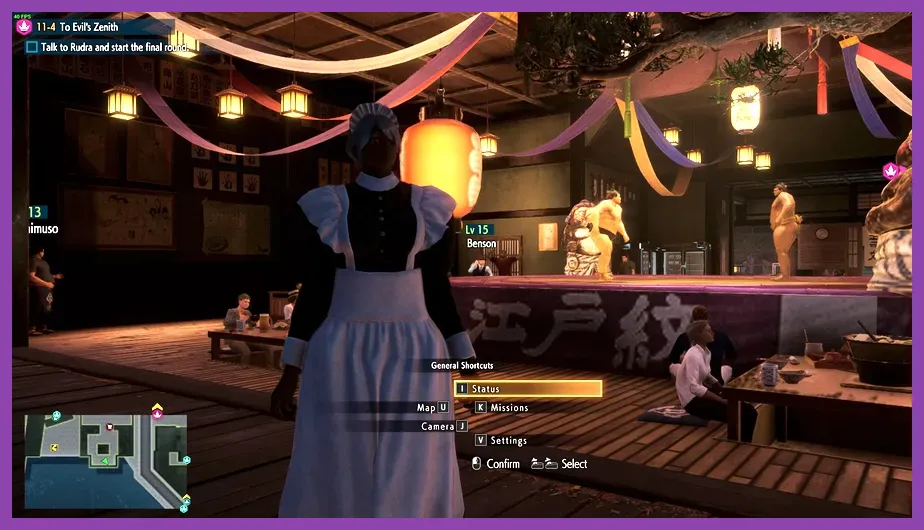
While Fighting Ground matches run smoothly for most players, World Tour mode frequently suffers from micro-stutters and sudden drops in frame rate. This open-world RPG environment loads numerous non-player characters, dynamic clothing physics, and sprawling geometry simultaneously.
To fix stuttering in Metro City and the Nayshall bazaar, lower crowd density settings and disable volumetric fog. Furthermore, make sure your game is installed on an NVMe Solid State Drive (SSD) rather than a mechanical hard drive. Asset streaming in World Tour mode causes severe hitching if the drive read speed cannot keep up with character movement and fast travel transitions.
If you are looking for other intensive games that test hardware capabilities, check out our deep dives into Stalker 2 hidden stashes or explore how players optimize The First Descendant weapon builds for high-octane action.
Eliminating Network Lag and Netcode Stutter
Sometimes what feels like low FPS or stuttering is actually network input delay caused by poor connection quality. Street Fighter 6 utilizes industry-leading rollback netcode, but high latency, packet loss, and Wi-Fi interference will still cause matches to stutter, rollback violently, or drop inputs entirely.
To optimize your online experience and reduce match lag:
- Always use a wired Ethernet cable instead of a wireless Wi-Fi connection to eliminate jitter and packet loss.
- Open your in-game Network settings and restrict matchmaking search parameters to connection quality 4-5 stars only.
- Enable Input Delay Reduction within the game settings to shave off crucial milliseconds of reaction time.
- Check your local background applications and close bandwidth-heavy software like torrent clients, video streaming services, or large cloud backups while playing.
For more technical troubleshooting tips regarding resource management and game performance, consult developer updates directly via the Capcom Official Website.
Advanced GPU Control Panel Tweaks
Beyond the in-game menus, forcing specific driver-level configurations through the Nvidia Control Panel or AMD Software: Adrenalin Edition can dramatically improve frame consistency. Open your respective GPU software, navigate to program settings for Street Fighter 6 (StreetFighter6.exe), and apply these professional-grade tweaks:
- Nvidia Reflex Low Latency: Set to "On + Boost". This forces the GPU and CPU to synchronize instantly, minimizing input lag on compatible graphics cards.
- Low Latency Mode: Set to "Ultra" if you are not using Reflex.
- Max Frame Rate: Strictly cap at 60.0 FPS to prevent unnecessary power draw and thermal throttling.
- Power Management Mode: Prefer maximum performance.
- Texture Filtering - Quality: High Performance.
By enforcing these driver-level rules, your system prevents micro-fluctuations in frame delivery. Combined with a wired internet connection and optimized graphic presets, your copy of Street Fighter 6 will run at a flawless 60 FPS, allowing you to execute parries, punishes, and super arts without missing a single frame.