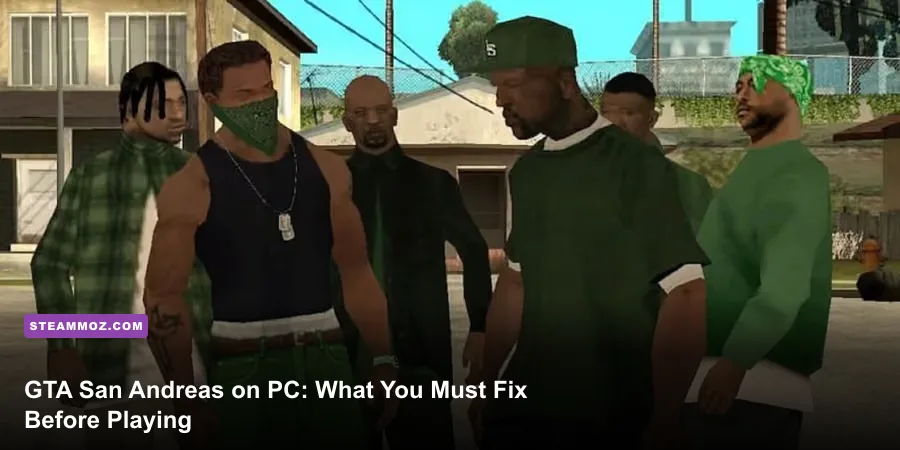
Booting up Grand Theft Auto: San Andreas on a modern PC straight out of the box will immediately break your game. If you run the retail disc, old Steam copy, or Rockstar Games Launcher version without third-party intervention, CJ will drown because he can't swim against the physics engine, sirens won't rotate, cars will refuse to reverse properly, and widescreen displays will stretch Carl Johnson like taffy. San Andreas is an absolute magnum opus of open-world design, but its original PC port was built on the fragile RenderWare engine tied directly to a 25–30 FPS logic tick.
Before you take your first pedal stroke down Ganton or chase down Freddy with OG Loc, you have some crucial setup work to do. Skipping these fundamentals doesn't just mean dealing with minor graphical quirks; it means running straight into mission softlocks, corrupted save files, and broken controls. Much like tackling modern technical hitches outlined in our ELEX PC crash and FPS recovery guide, stabilizing an older title like San Andreas requires a deliberate approach before you ever touch the campaign.
The 30 FPS Frame Limiter Curse: Why High Refresh Rates Break the Game
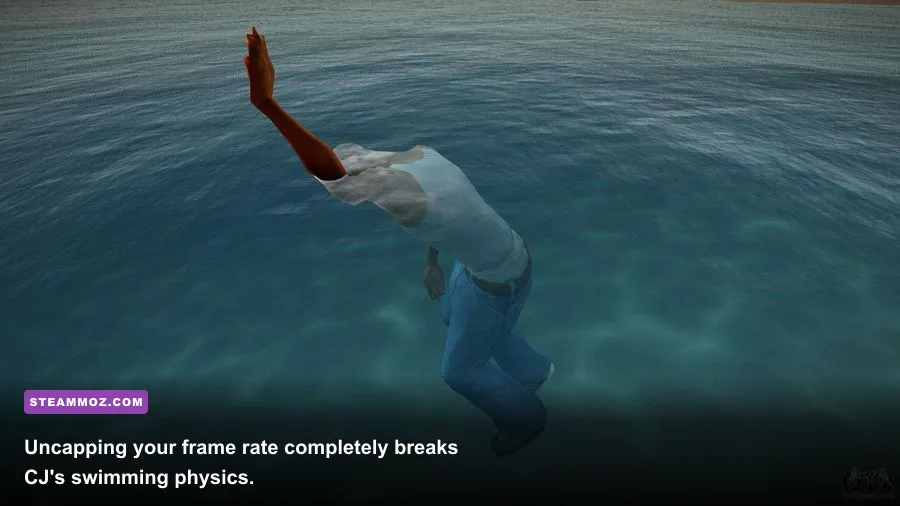
Your first instinct on a 144Hz or 240Hz gaming monitor is to dive into the display settings, disable the "Frame Limiter," and bask in buttery-smooth frames. Do not do this. The physics, animation triggers, collision math, and vehicle handling scripts in RenderWare are hard-coded to expect a 30 FPS update interval. When you disable the in-game frame limiter and push 60 to 120 FPS, the game engine disintegrates behind the scenes.
At 60+ FPS without community fixes, swimming becomes impossible. CJ's stroke frequency stays the same, but the game applies forward velocity calculations per frame rather than over delta time. CJ will furiously thrash his arms while moving forward at roughly one millimeter per second, making later underwater objectives like "Amphibious Assault" completely unbeatable. Furthermore, braking mechanics get severed: tapping the brake pedal locks the tires instantly, yet reversing a car requires holding the key down for five seconds before the transmission catches on. In missions like "Cop Wheels" or the driving school challenges in San Fierro, high frame rates make passing requirements physically impossible.
| Game Mechanic | Behavior at 30 FPS (Default) | Behavior at 60+ FPS (Uncapped) | The Actual Fix |
|---|---|---|---|
| Swimming Velocity | Normal forward propulsion and diving depth | CJ moves at roughly 5% speed; cannot dive deep | SilentPatch or FramerateVigilante |
| Vehicle Reversing | Instant response upon holding reverse key | Massive delay; vehicles crawl backwards or lock up | SilentPatch internal delta-time correction |
| Bicycle Bunny Hops | Scales cleanly with Cycling skill bar | Hops launch CJ three times higher or instantly drop | Cap FPS at 30 or use FramerateVigilante |
| Weapon Recoil & Spread | Recoil resets rhythmically per weapon class | Crosshair blooms instantly; dual SMGs lose accuracy | SilentPatch accuracy recalculation |
| Driving School Cones | Standard physics and collision boundaries | Cones fly unpredictably and trigger instant fails | Toggle Frame Limiter ON during driving tests |
If you prefer not to play at 30 FPS, do not rely on the raw in-game toggle. Instead, grab community patches that specifically decouple game logic from visual refresh rates. If you have spent time calibrating performance in hardware-intensive legacy ports, similar to checking specs in our Far Cry 2 system performance guide, you know that older engines need hard frame caps to stay stable.
Version Disasters: Why You Must Downgrade to Version 1.0
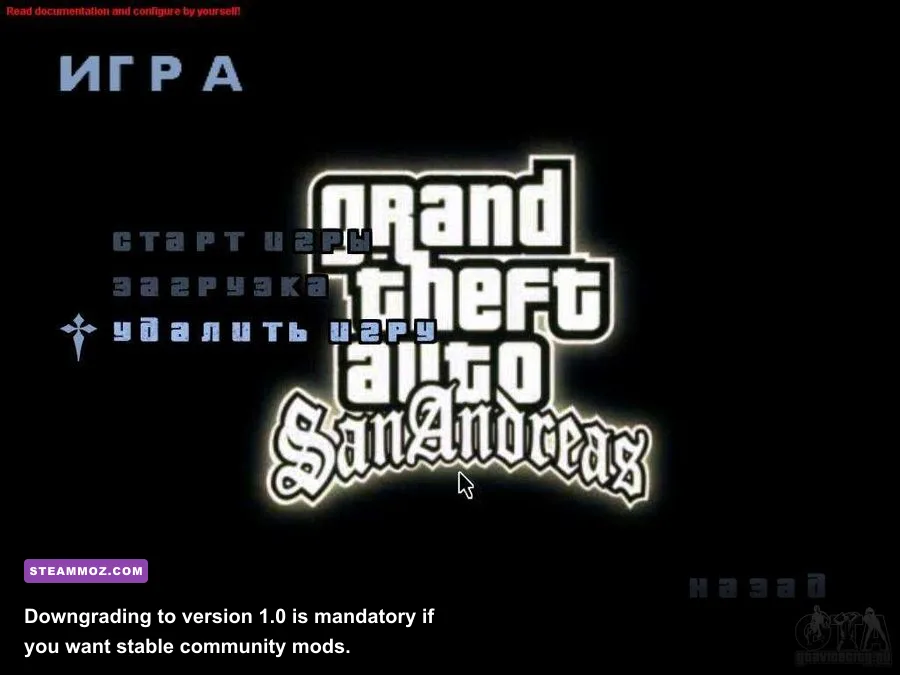
Not all PC copies of GTA San Andreas are created equal. In fact, most digital releases distributed after 2014 are actively crippled. When Rockstar lost music licensing rights for iconic tracks like Michael Jackson's "Billie Jean" and James Brown's "Funky Worm," they pushed stealth updates to the Steam release. In doing so, they also removed native 1080p widescreen support, introduced arbitrary 16:9 aspect ratio bugs, broke radio station loading routines, and locked out script execution.
To run any reputable modifications, scripts, or performance libraries, you must operate on Version 1.0 (US Retail). Every single major plugin—including CLEO, ModLoader, SilentPatch, and SkyGFX—is mapped to memory offsets found exclusively inside the 14,383,616-byte `gta_sa.exe` executable of Version 1.0. If you are using an official Steam installation or the Rockstar Games Launcher build, you must run an automated community downgrader. You can verify the technical breakdown of various game revisions directly on PCGamingWiki's San Andreas technical page.
Downgrading accomplishes three critical objectives:
- Restores Cut Radio Stations: Reinstates every missing track across Radio Los Santos, Playback FM, and Bounce FM without compressed audio artifacts.
- Unlocks the ModLoader Architecture: Allows you to drop textures, high-definition models, and fixes directly into isolated folders without ever overwriting the base `gta3.img` archive.
- Fixes Raw Mouse Input: The v2.0 and digital versions feature an infuriating bug where the mouse cursor randomly ceases horizontal movement when returning from the pause menu. Version 1.0 with modern input wrappers eradicates this entirely.
Encountering baffling bugs when starting an older PC game can feel frustrating, especially if you have had to battle sudden crashes before, like those covered in our EscapeVR crashing and low FPS guide. Thankfully, downgrading San Andreas takes only five minutes and completely insulates you from these legacy defects.
The Essential Quality-of-Life Mod Stack You Need Installed
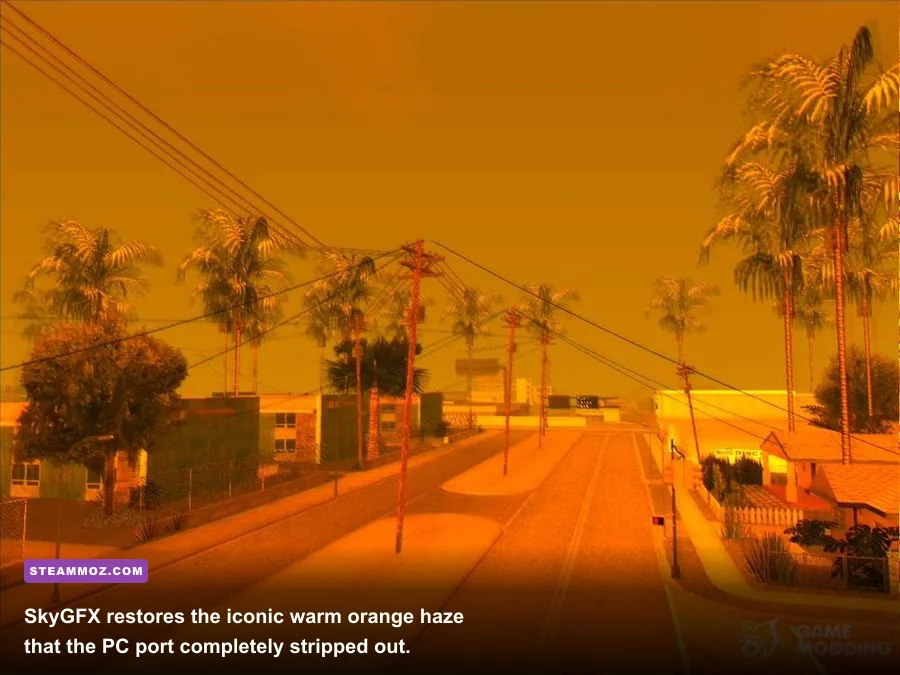
Once you are sitting on a pristine Version 1.0 installation, you should not play the vanilla files. The standard PC release was an outsourced port handled by War Drum Studios/Rockstar Vienna that butchered the original PlayStation 2 aesthetic. It scrubbed the warm orange smog of Los Santos, stripped out the heat haze shimmer, and ruined vehicle environmental reflections. To restore the game to its intended glory while adding modern conveniences, install this exact foundation stack:
| Essential Plugin / Mod | Core Functionality | Why It Is Non-Negotiable |
|---|---|---|
| SilentPatch | Fixes dozens of hardcoded engine bugs and crash triggers | Repairs broken mouse polling, precision vehicle physics, and missing coronas |
| Widescreen Fix (ThirteenAG) | Native 16:9, 21:9, and 32:9 HUD and FOV scaling | Prevents circular HUD elements from squishing into wide ovals |
| SkyGFX | Restores original PS2 post-processing, color grading, and dual-pass alpha | Brings back the legendary orange atmosphere and wet-road reflections |
| GInput | Adds full, native XInput and DualSense controller support | Enables proper analog acceleration, modern button prompts, and rumble |
| ModLoader | Non-destructive runtime asset injector | Lets you install mods dynamically without altering original game archives |
Installing these tools requires zero complicated scripting. You drop an ASI loader (such as `d3d9.dll` or `scripts/`) into your root directory and extract the mods into your `modloader` folder. SkyGFX in particular changes the entire mood of the game. On PC, the sky in Los Santos is a sterile, pale blue; with SkyGFX configured to `PS2` mode, the iconic golden-hour amber haze floods across the highway intersections, exactly as Rockstar North originally envisioned. If you appreciate games with stylish retro flair, similar to the punchy aesthetic dissected in our Far Cry 3 Blood Dragon weapon analysis, SkyGFX is an absolute revelation.
For official game history and archive details, you can read more at the developer's historical archive on the official Rockstar Games San Andreas portal.
Crucial Early Game Stat Traps and Side Mission Buffs
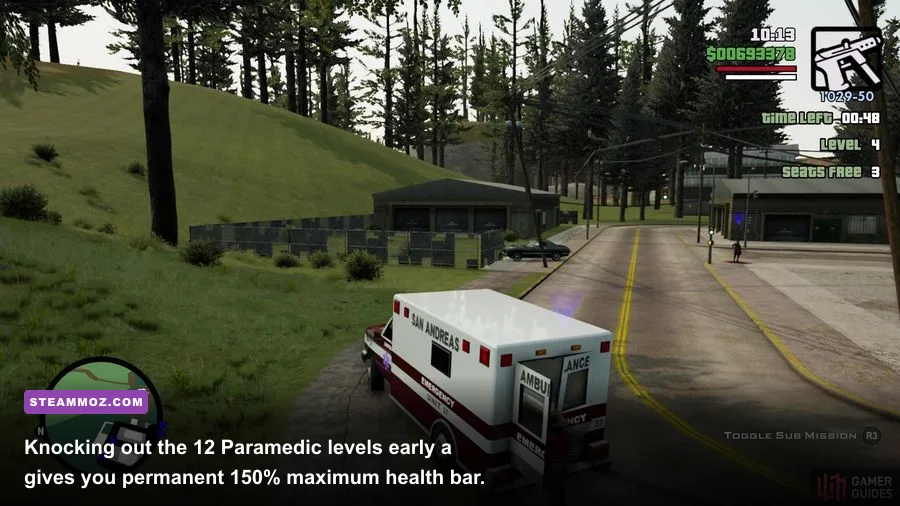
Unlike modern sandbox titles that gate progress strictly behind linear mission nodes, GTA San Andreas gives CJ dynamic RPG stats. Every single physical action directly influences stamina, lung capacity, driving prowess, weapon handling, muscle, and body fat. A massive rookie mistake is charging headfirst into Sweet and Ryder’s early missions without touching the ambulance, fire truck, or taxi side jobs sitting outside your front door.
Before you even tackle "Drive-Thru" or "Nines and AKs," steal an emergency vehicle and finish its corresponding mini-game. The permanent perks awarded make the rest of the 70-hour campaign significantly easier:
| Side Hustle | Requirement | Permanent Reward Unlocked | Strategic Campaign Value |
|---|---|---|---|
| Paramedic | Complete Level 12 (Angel Pine is easiest) | Max Health Bar permanently increased to 150% | Essential survivability during tough Los Santos gang wars |
| Firefighter | Complete Level 12 in any city | CJ becomes 100% Fireproof permanently | Completely trivializes the burning building in "End of the Line" |
| Vigilante | Complete Level 12 (Use an HPV1000 or Tank) | Max Armor Bar permanently increased to 150% | Allows CJ to survive heavy assault rifle fire in late-game missions |
| Burglar | Steal $10,000 worth of goods during night | Infinite Sprint (never get exhausted running) | Saves hours of travel time and avoids gym treadmill grinding |
| Taxi Driver | Deliver 50 total passengers across your save | All taxis gain hydraulic suspension and Nitrous boost | Provides instant escape vehicles across any major city |
The smartest venue for completing the Paramedic mission is not Los Santos; it's the tiny countryside village of Angel Pine at the foot of Mount Chiliad. Because Angel Pine consists of just a few dirt roads and a tiny trailer park, every patient spawns within 30 seconds of the medical clinic. If you attempt Level 12 in downtown Los Santos, patient pathfinding across multiple highway overpasses almost guarantees a time-out failure or an accidental pedestrian hit that fails the run.
Managing weapon skills is equally vital. Weapons do not deal flat damage throughout the game. As you fire a specific weapon type, your skill ascends through three distinct tiers: Poor, Gangster, and Hitman. Reaching Hitman tier unlocks dual-wielding capabilities for the Pistol, Sawn-off Shotgun, Tec-9, and Micro-SMG, alongside the ability to strafe at full running speed while maintaining continuous fire. To grind weapon skill without pulling 4-star police heat, shoot the tires and doors of an empty, indestructible vehicle inside your safehouse garage; the game registers every shot as a successful combat impact.
Managing performance while tracking mission objectives requires a stutter-free experience, a reality common to many complex sandbox games like those highlighted in our Everspace 2 stability and crash fix walkthrough. Keep your system running clean, and you won't suffer frame drops while running high-level taxi runs.
Mission Softlocks, Territory Glitches, and Saving Traps to Dodge
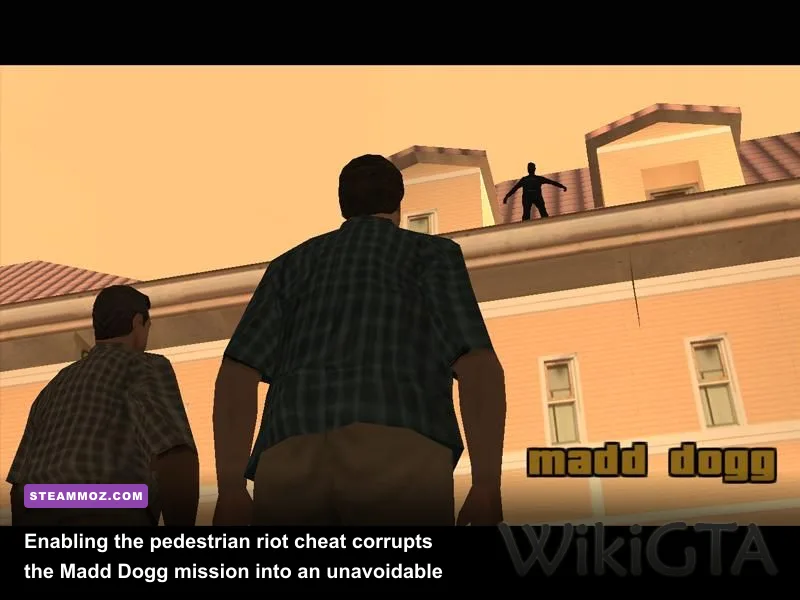
San Andreas contains several notorious design traps that can permanently brick a 40-hour save file if you aren't prepared. Understanding how the game calculates world state scripts will spare you from rage-quitting halfway through San Fierro or Las Venturas.
The Madd Dogg Rooftop Softlock
During the Las Venturas mission "Madd Dogg," you are tasked with catching a suicidal rapper in the bed of a pickup truck stacked with cardboard boxes. If you have ever activated the Pedestrian Riot cheat code (`STATEOFEMERGENCY` or `IOJXZVS`) at any point in that save file—even once, hours earlier, and even if you thought you deactivated it—the game permanently alters pedestrian aggression flags. Because Madd Dogg is coded as an ambient pedestrian entity, the riot flag forces him to leap from the rooftop the exact split-second the opening cutscene ends. He hits the pavement and dies before CJ can even take a step, making the entire campaign impossible to finish. Never save your game after using riot cheats.
Over-Farming Gang Territories Early
When the gang turf mechanic unlocks in Los Santos after "Doberman," it is tempting to spend ten hours painting the entire map green by eliminating every purple Ballas and yellow Vagos neighborhood. Do not waste your time doing this early. After the mission "The Green Sabre," the story forces CJ into exile across the countryside and San Fierro. During this story chapter, your Los Santos territories are wiped clean by narrative events. Any turf you claimed will be completely reset when you eventually return to the city near the end of the game during "Home Coming." Take over only the mandatory territories required to trigger story missions, and save your neighborhood conquest for the true end-game.
Save Game Corruptions Around Gyms and Safehouses
The gym system features a hardcoded rollover bug. If you max out your daily workout limit, the game instructs you to come back the next day. However, if you save your game too frequently or skip days by repeatedly saving at safehouses, the internal daily calendar desyncs. The gym trainers will permanently lock you out, saying: "You have worked out enough for today. Come back tomorrow." Once this bug hits your save file, CJ can never work out, lose weight, or increase muscle again without external save editors. To prevent this, always let a full 24 hours of real-time in-game daylight cycle pass naturally without saving if CJ starts getting tired at the gym.
For comprehensive weapon damage stats, vehicle spawn tables, and voice cast deep-dives, cross-reference the detailed archives at the community-curated GTA Wiki San Andreas Database.
GTA San Andreas remains one of the absolute peaks of interactive storytelling and open-world freedom. Its sweeping narrative following Carl Johnson's journey from an exiled gangbanger to a real-estate and music mogul across three iconic cities is unmatched in gaming history. By downgrading to Version 1.0, installing SilentPatch and SkyGFX, locking your frame timings, and knocking out key emergency side missions early, you strip away decades of technical baggage and experience one of PC gaming's finest masterpieces exactly the way it was meant to be played.