
If you're new to Goat Simulator: PAYDAY, stop treating it like a normal stealth game: learn each crew member's special ability, grab the objective before causing trouble, and use the map's physics to escape rather than fighting every police wave. These 10 tips make the DLC's missions, collectibles and unlocks far less confusing.
Goat Simulator: PAYDAY on Steam is built around the same gloriously broken sandbox as the original game, but it adds a heist structure, four playable characters, masks, missions and a much busier map. The trick is knowing which parts are objectives and which parts are just irresistible distractions. There are plenty of reasons to launch a physics-based crime spree, but you'll have a better time if you understand the rules before the police arrive.
1. Learn the four PAYDAY characters before chasing objectives

PAYDAY gives you more than a cosmetic character swap. The Goat, Flamingo, Dolphin and Camel each interact with the world differently, and switching between them is often the answer when a mission seems impossible. You can change characters from the character-selection area, so don't lock yourself into the first animal you pick.
The Goat
The Goat is the reliable default. Its tongue is excellent for pulling objects, dragging NPCs and creating the sort of accidental chain reaction that defines the series. Use the Goat when you need dependable ground movement and direct interaction with mission objects. It has no weird movement restriction, which makes it the best character for learning map routes.
The Flamingo
The Flamingo's long legs and unusual movement make it useful around obstacles and raised platforms. It feels awkward for the first few minutes, but that awkwardness is valuable: you can reach angles and ledges that the Goat cannot approach cleanly. If you see a roof, balcony or tall object near a mission target, test the Flamingo before wasting time trying to ram your way upward.
The Dolphin
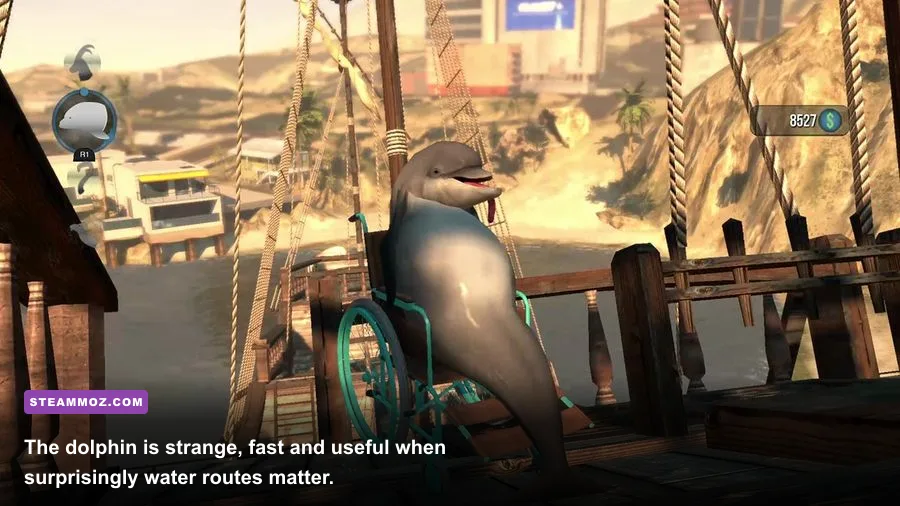
The Dolphin is the specialist for water. It can move through wet areas that are inconvenient or inaccessible to the land-based characters. Don't dismiss it as a joke pick. Some collectibles and shortcuts become much easier when you stop trying to walk around the shoreline and simply switch to the Dolphin.
The Camel
The Camel spits, and that projectile is one of the most useful tools in the pack when you need to hit something from a distance or cause disruption without physically touching the target. It also gives you a different way to trigger objects and annoy crowds. The Camel is particularly good when a mission area is packed with hazards and you want to start the chain reaction from outside the danger zone.
| Character | Best Strength | Use It For | Common Mistake |
|---|---|---|---|
| Goat | Tongue and dependable ground control | Dragging targets, learning routes, direct objectives | Ignoring safer environmental solutions |
| Flamingo | Odd reach and raised movement | Roofs, ledges and awkward platforming | Abandoning it before learning the movement |
| Dolphin | Water traversal | Water routes and shoreline collectibles | Trying to force a land route |
| Camel | Ranged spit interaction | Remote disruption and crowd control | Standing too close to hazards |
For a quick reference to the game's wider chaos, the Coffee Stain Studios Goat Simulator page is worth bookmarking. The important takeaway is simple: switching characters isn't a gimmick. It's your first real tool.

🎮 Goat Simulator: PAYDAY
Looking to experience this game? Grab your digital key directly on our store for $0.99.
View on Steammoz Store →2. Scout the map before you trigger the alarm

New players often rush straight toward the obvious mission marker, interact with the first suspicious object and then panic when the map fills with police. That works once. After that, spend a minute scouting. Identify the bank, the nearby streets, ramps, water, rooftops and any open building entrances before you start the heist.
Goat Simulator: PAYDAY doesn't demand traditional stealth, but preparation still matters. A clean escape route is more valuable than a perfect opening. Look for places where vehicles, explosive props or sloped surfaces can create distance. The city is full of objects that launch, block or redirect you, and the best routes are rarely the straightest ones.
Also check the height of your target. If an objective is on a roof, the Goat may waste time bouncing against walls while the Flamingo can reach the approach more comfortably. If the route crosses water, switch to the Dolphin early. A character change made before the alarm saves much more time than a desperate change during a police chase.
Use the pause menu and map markers to orient yourself, but don't assume every marker explains the whole task. Some missions require you to locate an object, carry it, drag it or cause a specific interaction. Explore the immediate area first. The solution is often sitting behind a counter, on a roof or inside a nearby room rather than at the marker itself.
3. Finish the objective before you go full chaos
The most efficient rhythm is objective first, destruction second. Walk into the mission area, read what the game is asking you to do, and complete the interaction before you start licking pedestrians, launching cars or headbutting every explosive prop in sight. The chaos is still there after the reward registers.
This matters because physics can move mission objects somewhere ridiculous. A safe, vehicle or NPC may tumble down a hill and become harder to find. You can recover from most mistakes, but the recovery takes longer than simply securing the objective while the scene is stable. Think of the first 30 seconds as your controlled phase.
Once the objective completes, turn the environment into your exit plan. Pull obstacles into police paths, use ramps to reach roofs and let vehicles create collisions behind you. You don't need to defeat the police. You only need to keep moving until the pressure drops or you reach a safer part of the map.
That approach also helps with progression. If you're collecting unlocks, repeatable missions are more useful when you complete them cleanly instead of resetting after every accidental physics disaster. Players who enjoy structured progression may also appreciate Steamoz's Botanicula collector tips; the same principle applies here: secure the important thing before wandering off after shiny distractions.
4. Treat the tongue like a precision tool
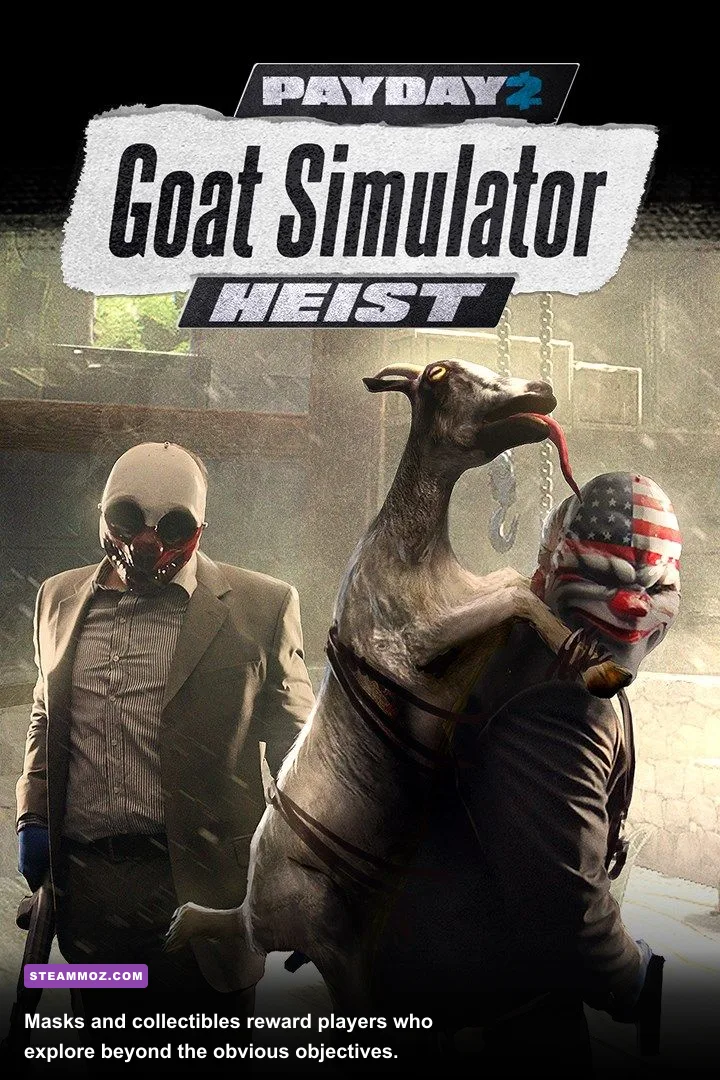
The Goat's tongue is powerful, but it isn't a magic vacuum. Aim for the object you actually need, then use short, deliberate movements to reposition it. Holding onto a heavy object while sprinting through a crowded area often causes collisions that fling the object away, so drag it along clear ground whenever possible.
Tongue physics become easier when you think in terms of anchors. Attach to the side of an object if you want to pull it laterally. Attach toward the front if you want to drag it behind you. If an object is stuck against a wall, don't keep pulling straight back; move sideways first to change its angle, then pull it into open space.
The tongue can also turn the environment into a temporary weapon. Grab a loose prop, swing it into an NPC or use it to block a doorway. This is rarely the fastest way to deal with an objective, but it's excellent for creating a gap during an escape. Just remember that the tongue's reach and angle can be unreliable around clutter, so reposition your camera instead of repeatedly pressing the same input.
On keyboard and controller, spend time in an empty street practicing tongue attachment, licking, jumping and headbutting separately. The game's loose physics reward rhythm more than frantic input. Jump, attach, pull, release. That sequence gives you much better control than holding every button at once.
5. Use character abilities to solve problems, not just cause laughs
The fastest players don't pick a character because it looks funny. They pick the ability that changes the geometry of the problem. The Camel's spit can start a reaction from a safe distance. The Dolphin can bypass a land route. The Flamingo can approach elevated surfaces differently. The Goat can manipulate objects with the most predictable feedback.
Try to identify the mission's bottleneck. Is the target too high? Use the Flamingo. Is the route blocked by water? Use the Dolphin. Is the interaction surrounded by hazards? Use the Camel. Does the objective require physically moving something through a narrow route? Return to the Goat.
Abilities are also useful for testing the environment. Fire a Camel spit toward a suspicious prop, move the Flamingo around a ledge or take the Dolphin into water before you commit to the objective. PAYDAY rewards experimentation, and switching characters costs less time than repeatedly failing with the wrong tool.
| Problem | First Character To Try | Why It Helps | Backup Plan |
|---|---|---|---|
| Target is elevated | Flamingo | Better access to unusual ledges and platforms | Use ramps, vehicles or Goat tongue physics |
| Route crosses water | Dolphin | Moves through water instead of circling it | Search for bridges and shoreline ramps |
| Hazardous crowded area | Camel | Creates disruption from range | Pull a prop from cover with the Goat |
| Heavy object must move | Goat | Most dependable tongue control | Use nearby slopes or vehicles |
6. Don't fight the police; break their line of sight
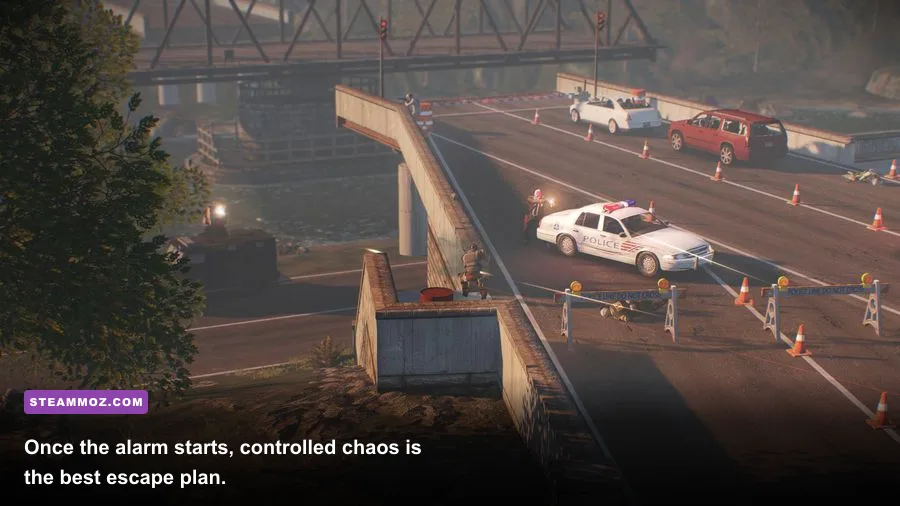
Police pressure in PAYDAY is a distraction, not a conventional combat encounter. Trying to headbutt every officer wastes time and often leaves you trapped in a pile of ragdoll bodies and vehicles. Your priority is movement. Turn corners, cross buildings, climb ramps and use verticality to make the chase awkward.
Open streets look safe but are often terrible escape routes because you can be surrounded from multiple directions. Alleys, rooftops and water edges are better when they force pursuers to approach through a narrow angle. If an officer blocks the obvious route, don't repeatedly bounce against them. Reverse direction, use a side street or launch yourself over the nearest obstacle.
The physics engine can produce huge momentum from tiny slopes. A jump from a ramp, a vehicle hood or a raised sidewalk may carry you farther than a straight sprint. Experiment with these launch points during your initial map scout. Once the alarm begins, you want an escape route you already understand.
There's no shame in abandoning a mission temporarily. If your character is pinned against a wall, stop attacking, move away from the objective area and reset the chase. A few seconds of distance is more valuable than trying to force a heroic escape while surrounded. Chaos is useful only when you're the one choosing where it happens.
7. Hunt masks and collectibles between missions
PAYDAY's collectible hunt is much more enjoyable when you separate it from mission pressure. Before starting a heist, explore the map with no alarm active. Check rooftops, back rooms, side streets, water edges and unusual props. Collectibles are designed to reward curiosity, and many are easier to reach when you aren't being chased.
Use the Flamingo for suspicious high locations and the Dolphin whenever the map's shoreline looks deliberately placed. If you see a route that feels too strange to be accidental, it probably deserves investigation. Try headbutting, licking and jumping around interactive-looking objects; sandbox games often hide progress behind actions that aren't signposted like traditional collectibles.
Don't assume every mask is immediately visible from ground level. Look up. Roofs and elevated platforms are natural hiding places in a game where movement is intentionally absurd. If you find one collectible, pause and inspect the surrounding architecture before leaving. Nearby objects often reveal the intended route to another secret.
For completionists, keep a simple note of the areas you've checked. The map's visual noise makes it easy to forget whether you explored a location or merely drove past it. A handwritten list of rooftops, water routes and interiors is surprisingly effective, especially if you're playing across several sessions.
8. Turn mutators on only after you understand the map
Mutators are where Goat Simulator becomes even more unpredictable. They can radically change movement, collision behavior or the way your animal interacts with the environment. That's fun, but using an unfamiliar mutator during a mission can turn a straightforward objective into a physics troubleshooting session.
Start with the normal character and learn the map's basic routes. Then activate one mutator at a time and test it away from objectives. If you stack several at once, you won't know which effect caused a failed jump, missing interaction or uncontrollable launch. Controlled experimentation makes the nonsense readable.
Mutators are best for replaying completed objectives, finding new routes and setting up ridiculous chain reactions. They're less useful when you're trying to unlock something specific for the first time. Keep a reliable setup available so you can switch back quickly after an experiment goes sideways.
When a mutator changes your size, movement or collision profile, revisit the camera and jump timing. The same ramp that worked for the Goat may launch a modified character too far or not far enough. PAYDAY's humor comes from these mistakes, but your progress comes from learning which mistakes are repeatable.
9. Build a repeatable route for unlocks and replay sessions
Once you've seen the map, create a short loop: start at the character area, collect nearby secrets, complete one mission, then use the escape route to sweep another district. A repeatable circuit prevents aimless wandering and lets you test different characters against the same objectives.
Do the easy interactions first. Early progress gives you a baseline for how each character handles, while harder routes can wait until you've identified the map's ramps and shortcuts. If you fail a high-risk stunt three times, leave it and return later. The game is more enjoyable when you treat failure as information instead of a command to keep ramming the same wall.
Keep separate goals for a session. One run can focus on masks, another on mission completion and another on mutator experiments. Mixing all three guarantees distractions, especially when a police chase starts near an unexplored rooftop. A focused loop is faster and leaves you with a clearer sense of what you've actually completed.
Steamoz's Dungeon Siege starter-build guide covers a very different kind of game, but its broader lesson applies: define a reliable early-game routine before chasing optional rewards. PAYDAY doesn't have traditional builds, yet your route functions like one.
10. Tune controls and performance for better physics
Goat Simulator's comedy depends on physics, and unstable performance can make those physics feel even less predictable. On PC, start with a stable frame rate rather than maxing every visual option. If you're getting stutters during police chases or large pileups, lower shadows and effects first. These changes usually preserve the cartoon look while reducing the moments where input feels late.
Use a controller if analog movement helps you line up tongue grabs and ramps, but keyboard and mouse remain perfectly workable. The important settings are the ones that keep camera movement comfortable and input consistent. Reduce mouse sensitivity if you overcorrect during jumps, and remap awkward actions if your hand keeps missing the tongue or lick button.
Do not judge a route from a single failed jump while the game is stuttering. Physics objects can behave differently when the scene is overloaded, so repeat the attempt after reducing effects or clearing nearby clutter. A stable session won't make every stunt easy, but it makes failure easier to understand.
| Setting | Recommended Starting Value | Performance Impact | Visual Trade-Off |
|---|---|---|---|
| Resolution | Native monitor resolution | High at 1440p and above | Lowering it softens the image |
| Shadows | Medium | Medium to high in busy areas | Less detailed shadow edges |
| Effects | Medium | High during explosions and pileups | Fewer dramatic particles |
| View distance | High if stable | Medium | Lower values reduce distant detail |
| Frame-rate cap | Stable target your PC can hold | Can improve consistency | Less peak frame rate |
If you're troubleshooting crashes or low frame rates in another physics-heavy PC game, Steamoz's crashing and low-FPS fixes offer useful general checks. For PAYDAY, update your graphics driver, close overlays you don't need and verify the game files through Steam before assuming the DLC itself is broken.
A smart first-hour plan for Goat Simulator: PAYDAY
For your first hour, choose the Goat and learn the basic tongue, lick, jump and headbutt controls in a quiet area. Then switch to the Flamingo and test elevated routes, use the Dolphin around water and fire the Camel's spit at distant props. This takes only a few minutes and prevents most early confusion.
Next, scout the heist district without starting trouble. Mark the nearest ramps, rooftops, interiors and escape paths mentally. Complete one obvious objective while the area is calm, then deliberately trigger chaos and practice escaping without fighting. After that, spend a separate run searching for masks and collectibles with no mission pressure.
The best Goat Simulator: PAYDAY tips and tricks aren't about finding a secret overpowered animal. They're about recognizing that every character, prop and police chase is part of the same toolbox. Secure the objective, switch to the ability that fits the obstacle, and let the environment do the damage. Once that rhythm clicks, the DLC stops feeling random and starts feeling like a brilliantly unstable playground you can actually control.
For more oddball recommendations, check Steamoz's games like Bottle Pilgrim and games like Enigma guides. Neither replaces PAYDAY's particular brand of goat-powered crime, but both are good follow-ups when you've finished turning the city upside down.