If your webs freeze mid-air or your frame rate craters the moment you dive into Manhattan's street canyons, your system is hitting asset streaming bottlenecks, ray tracing geometry rebuild stalls, or sudden video memory exhaustion. To eliminate stutters immediately, drop Crowd Density and Traffic Density to Medium, dial back Object Range to 5, turn on Resizable BAR in your motherboard BIOS, and cap your frame rate three frames below your monitor's native refresh rate using an external limiter. If your game crashes straight to the desktop with a driver hung error, turn off ray tracing reflections immediately and perform a clean graphics driver installation.
Taming the Web-Swinging CPU Bottleneck and Asset Streaming Hitching
Nixxes Software delivered one of the most feature-packed PlayStation-to-PC conversions ever built, but Marvel's Spider-Man Remastered is an absolute monster on system processors. Unlike traditional open-world games where your character strolls across terrain at modest speeds, Insomniac Games designed Peter Parker to hurtle across city blocks at over 60 miles per hour. At that velocity, the game engine must stream gigabytes of high-poly building meshes, window reflections, NPC routines, vehicle paths, and audio banks into system memory and VRAM every single second.
When you encounter abrupt micro-stutters during high-speed swings, check your hardware monitoring overlay. You will frequently see GPU utilization plummet from 99% down to 60% while a single CPU core spikes to 100%. This is an asset decompression and draw-call bottleneck. The game engine cannot feed instructions to the graphics card fast enough, forcing your GPU to stall while waiting on the CPU's main render thread.
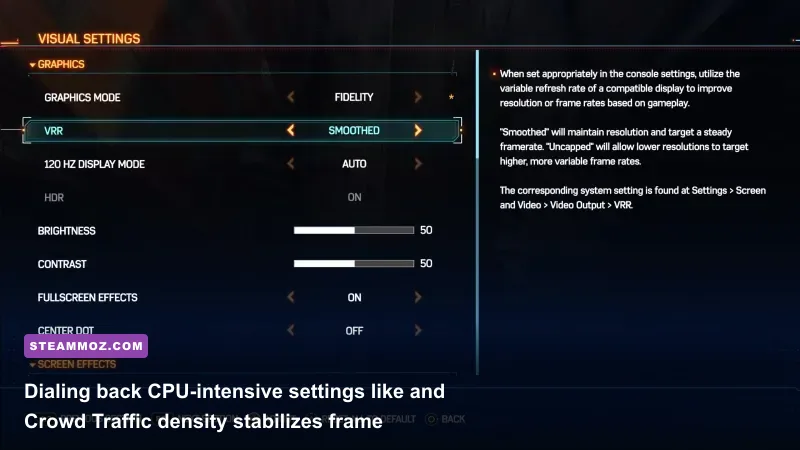
The fastest path to smooth frame times is neutering the game's non-essential world calculations. Setting Crowd Density and Traffic Density to High or Very High floods the CPU with pathfinding and animation compute passes for pedestrians you will barely glance at while traversing rooftops. Dropping both options down to Medium trims draw calls by up to 22% during fast transit without making Manhattan feel abandoned.
Storage drive throughput plays a monumental role here as well. Running this game from a mechanical hard drive or an aging SATA SSD guarantees streaming hitches. The game engine heavily benefits from direct high-speed NVMe PCIe bandwidth to swap visual assets seamlessly. If you are troubleshooting similar open-world streaming hiccups in other demanding titles, our breakdown of ELEX PC fixes that stop crashes and rescue your FPS illustrates how asset loading pipelines impact system stability across modern game engines.
Graphics Settings Breakdown: What to Drop and What to Keep

Spider-Man Remastered features dozens of graphics toggles, but only a handful dictate the majority of your performance overhead. Cranking every preset to "Very High" simply burns through GPU clock cycles without yielding visible fidelity rewards. Balancing visual fidelity against frame stability requires targeting the settings that stress your hardware without altering the artistic presentation crafted by Insomniac Games.
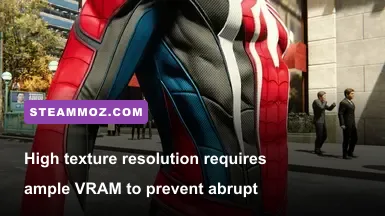
Texture Quality is essentially free in terms of core compute power, provided your graphics card has enough physical VRAM to hold the mipmaps. An 8GB card handles High textures cleanly at 1080p and 1440p, but pairing High textures with Ray Tracing at 1440p pushes memory allocation past 8GB, causing severe memory paging and massive frametime spikes. Shadow Quality, Ambient Occlusion, and Level of Detail (LoD) should be finely tuned to maintain visual punch while freeing up your GPU.
| Graphic Setting | Recommended Value | FPS Impact | Visual Impact & Optimization Advice |
|---|---|---|---|
| Texture Quality | High (8GB+ VRAM) / Medium (6GB) | Negligible (<2%) | Keeps suit fabrics crisp; only drop to Medium if running low on VRAM. |
| Texture Filtering | 16x Anisotropic | Negligible (<1%) | Keeps street pavement sharp at oblique angles; keep maxed out on all modern GPUs. |
| Shadow Quality | Medium or High | Moderate (6% - 10%) | Very High introduces heavy soft-shadow cascades that chew up GPU rasterization time. |
| Ambient Occlusion | SSAO | Moderate (4% - 7%) | HBAO+ adds subtle contact shadows beneath fire escapes but costs valuable compute frames. |
| Screen Space Reflections | Medium | Low (3% - 5%) | Essential fallback when Ray Tracing is disabled; provides glossy street puddles. |
| Level of Detail (LoD) | Medium | High (8% - 14%) | Directly impacts CPU draw calls and distant building geometry; Medium strikes the sweet spot. |
| Crowd Density | Medium | High CPU Overhead | Eliminates traversal stuttering by drastically lowering pedestrian AI computations. |
| Traffic Density | Medium | High CPU Overhead | Reduces car models and vehicle movement calculations during high-speed web swings. |
| Weather Particle Quality | Medium | Low (2% - 4%) | Prevents frametime drops during heavy rainstorms and smoggy rooftop missions. |
Upscaling technologies are mandatory tools for maintaining rock-solid performance in this port. NVIDIA DLSS, AMD FSR 2.1, and Intel XeSS are natively integrated through patches delivered by Nixxes Software. Rather than running at native resolution, setting DLSS or FSR to Quality mode renders the game internally at a lower resolution and reconstructs clean edges with minimal temporal ghosting. If your system struggles to hold high refresh rates in other demanding open-world games, checking our guide on Far Cry 6 settings for max FPS provides extra perspective on balancing upscaling technologies with spatial clarity.
Solving Crash-to-Desktop (CTD) and DirectX 12 Driver Hangs
Nothing sours a high-stakes battle against the Sinister Six quite like an unceremonious crash to your Windows desktop. The most infamous error plaguing Spider-Man PC players is the DXGI_ERROR_DEVICE_HUNG crash. This message indicates that your GPU stopped responding to the DirectX 12 render loop, forcing the Windows driver manager to reset the device and terminate the executable.
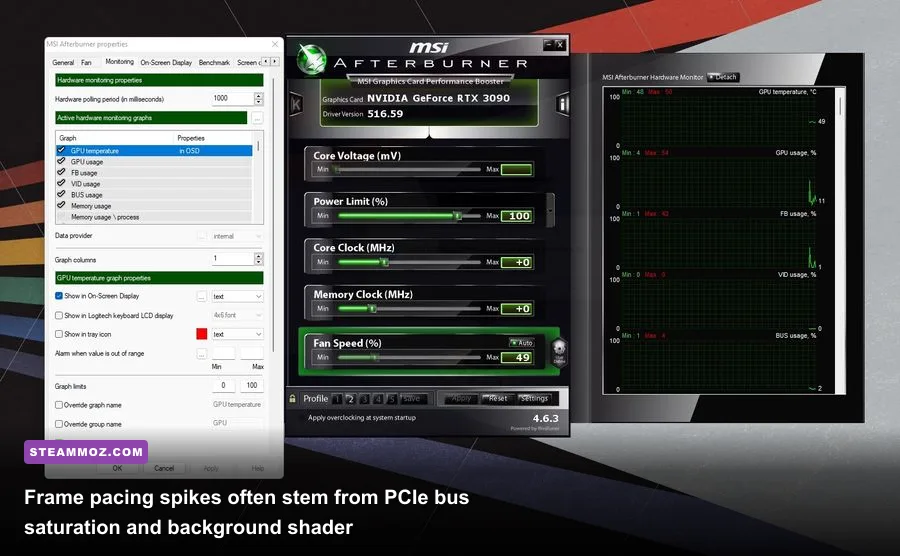
This crash usually stems from three distinct problems: factory GPU overclocks, corrupted shader caches, or running out of dedicated video memory. Spider-Man Remastered pushes modern GPU pipelines hard, particularly when asynchronous compute and ray tracing calculations run concurrently. An overclock or aggressive undervolt that runs stable in synthetic benchmarks like 3DMark Time Spy can easily fall over in Spider-Man due to rapid transients and varying compute workloads. If you are experiencing repeated crashes during mission transitions, strip your GPU back to reference stock clocks via MSI Afterburner.
Shader cache corruption is another frequent offender. Whenever an official patch drops on the Marvel's Spider-Man Remastered on Steam page or you update your graphics drivers, stale shaders can cause sudden crashes during cutscenes. To purge and rebuild your cache:
- Open the NVIDIA Control Panel or AMD Software Adrenalin Edition.
- Locate Shader Cache Size and set it to at least 10 GB to prevent the driver from constantly clearing compiled assets.
- Manually clear your DirectX Shader Cache by opening Windows Disk Cleanup, selecting your operating system drive, checking DirectX Shader Cache, and executing the cleanup.
Memory paging issues can also generate hard crashes without displaying an error dialog. When a game runs low on physical system RAM or VRAM, Windows relies on your secondary storage paging file to swap inactive memory pages. If your paging file is set to an arbitrary low size or disabled entirely, Spider-Man will immediately crash the second physical allocations tap out. Ensure your Windows pagefile is set to "System Managed Size" and resides exclusively on your fastest solid-state drive. If you run into stubborn instability issues across other titles on your rig, consult our technical walkthrough on fixing crashes and low FPS in EscapeVR to learn standard Windows driver diagnostic procedures.
High-End Hardware Tweaks: Ray Tracing, DLSS 3, and Resizable BAR
Ray-traced reflections in Spider-Man Remastered transform the glass facades of Manhattan skyscrapers into living mirrors, reflecting the surrounding architecture, moving clouds, and Peter himself. However, ray tracing introduces a massive structural burden known as Bounding Volume Hierarchy (BVH) building. Before your GPU can fire rays to determine surface reflections, the CPU must calculate and assemble a spatial hierarchy of every single 3D triangle in the scene. In a sprawling city, this crushes your frame rate if not kept in check.
The single most dangerous slider in the ray tracing sub-menu is Object Range. This setting dictates how far away small geometry, light poles, vehicles, and fire escapes will be added into the ray-tracing acceleration structure. Leaving Object Range at 8, 9, or 10 forces your processor to build BVH structures for assets miles away from Peter. Pulling Object Range down to 5 or 6 preserves striking reflections on nearby glass buildings while recouping nearly 20% in CPU processing overhead.
| Hardware Profile | Ray Tracing Status | Reflection Resolution | Object Range | Upscaling / Frame Gen Target |
|---|---|---|---|---|
| Entry-Level (RTX 3060 / RX 6600 XT) | OFF | N/A (Use Screen Space) | N/A | DLSS / FSR Quality @ 1080p (Target 60+ FPS) |
| Mid-Range (RTX 3070 Ti / RX 6800) | ON (Medium Geometry) | Medium | 4 to 5 | DLSS / FSR Quality @ 1440p (Target 75+ FPS) |
| High-End (RTX 4070 / RX 7900 XT) | ON (High Geometry) | High | 6 | DLSS Quality + Frame Gen @ 1440p/4K (100+ FPS) |
| Enthusiast (RTX 4080 / RTX 4090) | ON (Very High Geometry) | Very High | 8 | DLAA or DLSS Quality + Frame Gen @ 4K (120+ FPS) |
If you own an RTX 40-series GPU, DLSS 3 Frame Generation is an absolute revelation for bypassing CPU bottlenecks. Because Frame Generation creates intermediate frames entirely on the GPU's Optical Flow Accelerator without waiting on CPU draw calls, it can double your perceived visual smoothness even when you are pinned to a CPU-bound 55 FPS swinging across Times Square. Just remember that NVIDIA Reflex Low Latency must remain enabled to counter the slight input latency introduced by frame interpolation.
Another crucial setting for hardware enthusiasts is Resizable BAR (NVIDIA) or Smart Access Memory (AMD). Without ReBAR, your CPU can only transfer data to your GPU's VRAM in small 256MB chunks. With ReBAR enabled in your motherboard's UEFI BIOS, the CPU accesses the entire VRAM pool simultaneously. Nixxes specifically tuned their memory streaming pipeline around ReBAR; enabling it significantly reduces traversal micro-stuttering across all modern chipsets. If you enjoy dialing in hardware synergies for optimum frame pacing, take a look at our breakdown of modern PC specs explained for additional hardware balance tips.
Windows and Background Tweaks: E-Cores, HAGS, and Paging Files
Beyond in-game graphics options, the Windows environment itself can sabotage your frame pacing. If you are running an Intel 12th, 13th, or 14th Gen processor with hybrid architecture (Performance cores and Efficient cores), you might suffer from thread misallocation. Windows Thread Director occasionally assigns vital Spider-Man render threads to low-clocked E-cores instead of high-speed P-cores, creating rhythmic, jarring hitching every few seconds.
To eliminate this, use a utility like Process Lasso to set CPU affinity for Spider-Man.exe so that it operates exclusively across your physical Performance cores and their hyperthreads. Alternatively, many modern motherboards offer a "Legacy Game Mode" toggle in the BIOS, allowing you to temporarily park E-cores via the Scroll Lock key while playing heavily CPU-dependent titles.
Hardware-Accelerated GPU Scheduling (HAGS) is another setting that warrants deliberate testing. Found under Settings > System > Display > Graphics Settings, HAGS hands control of video memory management directly to the GPU. While HAGS is mandatory if you intend to use DLSS 3 Frame Generation, users running older GPU architectures (like NVIDIA Turing RTX 20-series or Pascal GTX 10-series) often report that disabling HAGS stabilizes erratic frame times and prevents sudden system stutter. For further optimization techniques on fine-tuning baseline render settings, our guide covering settings for higher FPS and smooth frame times highlights methods to trim rendering latency.
Finally, avoid playing in standard Windowed mode. While Borderless Windowed mode works well on modern Windows 11 systems due to auto-optimization flags, Exclusive Fullscreen remains the gold standard for G-Sync and FreeSync display synchronization in Spider-Man Remastered. Exclusive Fullscreen bypasses the Windows Desktop Window Manager (DWM) composition layer entirely, slashing display latency and preventing dropped frames caused by background notifications or multi-monitor refresh rate mismatches.
By dialing down asset streaming demands, tuning your ray tracing object limits, and giving the Nixxes engine clean access to your CPU's primary cores, you will transform Manhattan from a stuttering obstacle course into a butter-smooth playground worthy of the web-slinger.