
If your journey through the Daunt feels like a slideshow or keeps dumping you back to your desktop, the culprit isn't your rig lacking muscle—it's almost always a combination of Microsoft DirectStorage IO conflicts, mismanaged VRAM budgets, and aggressive Decima Engine shader compilation. You can instantly cure the game's notorious traversal stuttering by disabling the bundled DirectStorage runtime files if you run a standard SATA SSD or slower NVMe drive, setting your Windows pagefile to a manual 24GB allocation to kill out-of-memory crashes, and capping Texture Quality at High rather than Very High unless your GPU packs at least 16GB of dedicated VRAM. Making these three targeted changes stabilizes erratic frame pacing and wipes out the majority of sudden desktop crashes right out of the gate.
Eliminating Traversal Stutter and DirectStorage Hitching
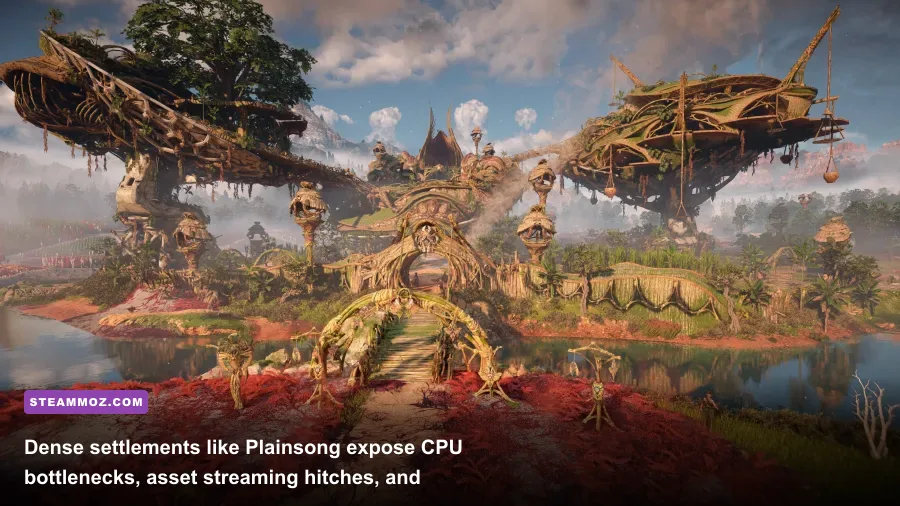
Nixxes Software brought serious technical craftsmanship to the PC release of Horizon Forbidden West on Steam, but their implementation of Microsoft DirectStorage causes brutal frame-time spikes on specific PC configurations. The Decima Engine aggressively streams uncompressed assets as Aloy sprints, glides, or rides mounts across vast terrain transitions. If DirectStorage tries to saturate your drive's controller while your CPU handles asset decompression, you get micro-freezes every three to five seconds. Much like our deep diagnostics for elex pc fixes that stop crashes and rescue your fps, diagnosing background asset delivery is half the battle.
To test whether DirectStorage is strangling your frame times, navigate directly to your game's root installation folder (by default: Steam\steamapps\common\Horizon Forbidden West Complete Edition). Locate two specific files: dstorage.dll and dstoragecore.dll. Do not delete them permanently; simply rename them to dstorage.dll.bak and dstoragecore.dll.bak. When you launch the game, the Decima Engine gracefully falls back to legacy Win32 file streaming. On high-end Gen4 or Gen5 NVMe drives, native DirectStorage works fine, but on Gen3 drives, SATA SSDs, or systems with background disk activity, this fallback eliminates the persistent frame hitching experienced when sprinting into sprawling settlements like Plainsong or Chainscrape.
Another silent stutter trigger is controller polling instability. Horizon Forbidden West features full native support for the PlayStation DualSense controller, including haptics and adaptive triggers. However, connecting a DualSense over Bluetooth causes the input thread to mismatch the render thread on multiple Windows 11 updates, creating a jittering camera effect that mimics frame drops even when your counter shows a flat 60 FPS. Plug your controller in via a direct USB-C connection or update your controller firmware through the official PlayStation app to lock input polling to a smooth, flatline response.
The Best Graphics Settings for High FPS Without Ruining Visuals
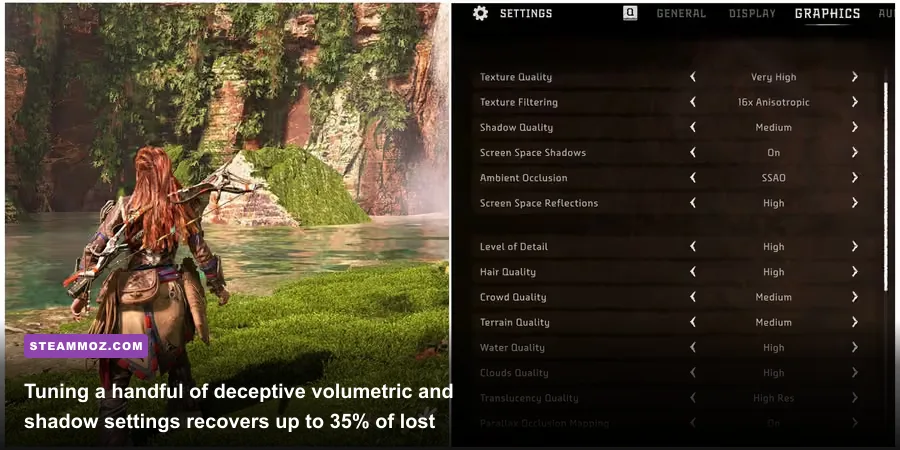
Horizon Forbidden West packs a sprawling visual suite, but several toggles impose massive GPU computational penalties while delivering virtually imperceptible visual gains. The Decima Engine uses sophisticated volumetric lighting and compute-heavy screen-space passes that hammer modern compute units. If you've tinkered with performance profiles like those in our breakdown of far cry 6 goty upgrade pass settings for max fps, you know that dropping just three deceptive settings can yield massive headroom without degrading the world's lush presentation.
The single biggest FPS thief in the entire graphics menu is Volumetric Clouds. The 'Very High' setting recalculates dense raymarched atmospheric cloud layers at native resolution across every frame, shredding up to 18% of your overall performance. Dropping this to 'Medium' reduces sampling frequency across high altitudes where you rarely look during fierce machine encounters, saving you massive GPU compute time with zero loss to ground-level immersion. Similarly, Crowd Density at 'Very High' hammers your CPU draw-calls inside Tenakth fortresses and Carja outposts; moving this down to 'High' or 'Medium' instantly prevents framerate tanking when conversing with NPCs.
| Graphic Setting | Target Value | FPS Cost Impact | Visual & System Impact Breakdown |
|---|---|---|---|
| Texture Quality | High (8-12GB VRAM) / Medium (<8GB) | Low (VRAM Dependent) | Setting to 'Very High' requires >14GB allocated VRAM; causes catastrophic paging stutters on 8GB cards. |
| Volumetric Clouds | Medium | Very High (~15-18%) | Reduces cloud raymarching steps; visual delta is invisible during combat, massive performance saver. |
| Shadow Quality | High | Medium (~7-9%) | Softens distant cascading shadow maps; avoids heavy compute penalty seen on Very High. |
| Screen Space Reflections | High | Medium (~5-6%) | Provides pristine reflections across wet jungle floors and river surfaces without noise artifacting. |
| Crowd Density | Medium or High | High CPU Hit (~8-12%) | Directly governs CPU draw calls in settlements like Chainscrape and Plainsong. |
| Ambient Occlusion | SSAO or XeGTAO | Medium (~4-6%) | Grounds foliage and mechanical armor plating; avoids muddy contact shadowing. |
| Hair Quality | High | Low (~3%) | Maintains strand density on Aloy's hair physics without the micro-stutter spikes of Very High. |
| Terrain & Water Quality | High | Low (~2-4%) | Preserves sharp geometric tessellation across San Francisco's ruins and sandy desert dunes. |
Resolving Constant Crashes and Out of Memory Errors
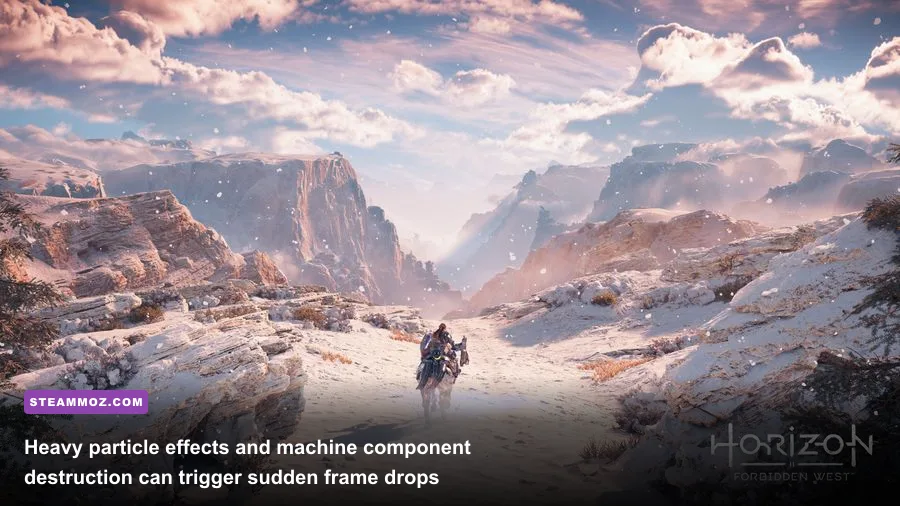
Sudden crashes to desktop (CTD) without an error code, or abrupt pop-ups declaring your system has run out of video memory, stem from how Nixxes interfaces Decima with your operating system's virtual memory address space. Even if you possess 32GB of physical system RAM, Horizon Forbidden West allocates huge contiguous virtual memory blocks for texture caches, audio buffers, and geometry pipelines. If your Windows Virtual Memory (Pagefile) is set to 'System Managed' across a drive with tight free space, the game violently crashes the instant the OS fails to expand the pool dynamically. Similar instability plagues other modern titles, as we saw when addressing escapevr the basement crashing and low fps fixes.
To eliminate this memory boundary crash permanently, configure a fixed virtual memory pagefile on your fastest solid-state drive:
- Press Windows Key + R, type
sysdm.cpl, and hit Enter. - Click the Advanced tab, then select Settings under the Performance section.
- Navigate to the Advanced tab inside the Performance Options window and click Change under Virtual Memory.
- Uncheck "Automatically manage paging file size for all drives".
- Select your fastest SSD (preferably the drive where Horizon is installed), choose Custom size, and set both the Initial size and Maximum size to
24576(which equals a stable, unfragmented 24GB block). - Click Set, confirm with OK, and reboot your PC.
Furthermore, the Decima Engine is notoriously sensitive to unstable CPU overclocks and undervolts. Heavy AVX2 instructional loads are leveraged whenever you face massive machines like a Thunderjaw or Slaughterspine, which fire off particle-rich elemental attacks. If you are running an aggressive negative offset on your AMD Curve Optimizer or an unstable Intel core voltage offset, the Decima executable will crash instantly without throwing an exception. Drop overclocks back to factory default or loosen undervolt offsets by +15mV to verify stability before diving back into combat.
| Crash Symptom / Error | Root Cause | Verified Resolution |
|---|---|---|
| Crash to Desktop during cutscenes | NVIDIA Reflex + Frame Gen desync | Update GPU driver; switch Reflex to 'On' rather than 'On + Boost'. |
| "Device Removed / DXGI_ERROR" | GPU driver timeout or unstable core clock | Underclock core clock by -50MHz via MSI Afterburner; perform clean DDU driver install. |
| Freeze during fast travel loading | DirectStorage IO stall on NVMe/SATA | Rename dstorage.dll to dstorage.dll.bak in game root directory. |
| Instant crash on initial startup logo | Corrupt DirectX Shader Cache | Wipe NVIDIA/AMD Shader Cache directories in AppData; verify game files via Steam. |
| Out of Video Memory (OOM) error | Exhausted VRAM pool spilling to tiny pagefile | Set manual 24GB pagefile; drop Texture Quality down one tier to free VRAM overhead. |
Driver Profiles, ReBAR, and System-Level Tuning

Beyond graphics sliders, raw driver-level communication dictates how smoothly your GPU passes draw-calls to the Decima Engine. Resizable BAR (ReBAR on modern platforms or Smart Access Memory on AMD) grants your CPU full access to the entire GPU frame buffer simultaneously. When configured properly, ReBAR boosts 1% low frame rates in Horizon Forbidden West by up to 12%, transforming jarring camera turns into buttery panning. Check our optimization guides like filament marmalade edition settings for higher fps to see how driver-level hooks consistently rescue erratic engines.
For NVIDIA users, verify that ReBAR is actually engaging with the game. While official driver profiles enable it out of the box, corrupt installation flags can leave it inactive. Open NVIDIA Profile Inspector, search for the Horizon Forbidden West profile, and verify the following three flags:
- rBAR - Feature: Enabled
- rBAR - Options:
0x00000001 - rBAR - Size Limit:
0x0000000040000000
If you experience weird shader compilation hitches every time you step into a new biome (such as moving from the arid deserts of the Stillsands into the lush, overgrown ruins of San Francisco), your GPU driver's shader cache limit is choking out old caches. Open your NVIDIA Control Panel, jump into Manage 3D Settings, locate Shader Cache Size, and swap it from 'Driver Default' to 10 GB or Unlimited. This ensures the compiled Decima shaders remain resident on your disk instead of forcing the game to recompile assets in real-time mid-combat. If display glitches still linger, grab Display Driver Uninstaller (DDU), reboot into Windows Safe Mode, completely purge your existing display software, and clean install the latest WHQL driver release.
Windows Exploit Protection can also inadvertently trigger micro-hitching in CPU-bound scenarios. Open your Windows Start Menu, search for Exploit Protection, click the Program settings tab, and click Add program to customize. Select Choose exact file path, navigate to your HorizonForbiddenWest.exe, scroll down to Control Flow Guard (CFG), check Override system settings, and toggle it to Off. Apply the changes. This frees the game's executable from aggressive memory address inspections that otherwise choke CPU core thread synchronization during high-action firefights.
Frame Generation, Upscalers, and Motion Clarity
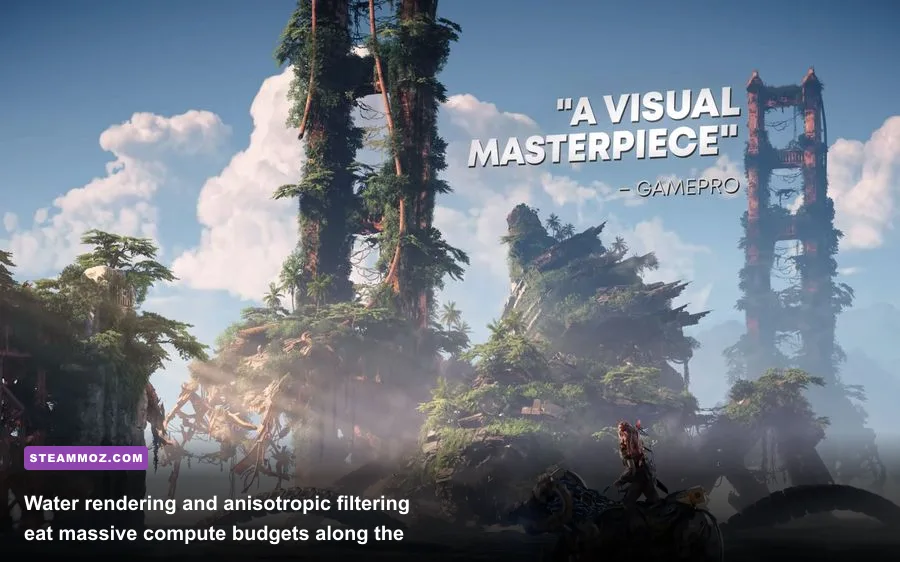
Nixxes integrated virtually every modern upscaler into the game: NVIDIA DLSS 3.7, AMD FSR 3.1, and Intel XeSS 1.3. However, picking the wrong combination can introduce ghosting, UI flickering, and severe input latency. The most critical rule in Horizon Forbidden West: never combine Frame Generation with a GPU that is already hitting 95%+ VRAM capacity. Frame Generation requires roughly 1GB to 1.5GB of additional dedicated VRAM to store intermediate motion vectors and optical flow fields. If your 8GB card is already full, toggling Frame Generation on will trigger severe frame drops, stuttering, and cutscene crashes, mirroring the issues detailed in our guide on everspace 2 wrath of the ancients crashing fix the fps first.
If you're gaming at 1440p or 4K, run DLSS Quality or XeSS Quality. Intel's XeSS DP4a/XMX model provides surprisingly crisp edge reconstruction across dense vegetation, outperforming FSR 3.1 in mitigating the visual fizzling seen on Aloy's armor stitching and mechanical wiring. If you rock an RTX 40-series GPU or want to utilize FSR Frame Gen on AMD/older cards, ensure you pair it with a base frame rate of at least 50-60 native FPS. Attempting to boost a 30 FPS baseline with Frame Generation introduces massive controller latency, making precise bow shots against agile machines like the Clawstrider nearly impossible.
Finally, nail down your display synchronization. To achieve flawless frame pacing, turn V-Sync OFF in the in-game menu, enable V-Sync ON globally in your NVIDIA Control Panel or AMD Adrenalin software, and engage NVIDIA Reflex Low Latency (set to 'On'). If you run a G-Sync or FreeSync variable refresh rate display, cap your frame rate exactly 3 FPS below your monitor's maximum refresh rate (for instance, cap at 141 FPS on a 144Hz panel) inside your driver control panel or via RivaTuner Statistics Server. This locks the Decima Engine into your monitor's active refresh window, eradicates screen tearing entirely, and produces the smoothest possible presentation across the untamed frontier.
Need extra troubleshooting guidance or direct community patches? Check the official PlayStation PC Support portal for up-to-the-minute patch notes and verified hotfix updates directly from Nixxes.